# lc-tab-bar

> Bottom tab bar

### Rule
- For the bottom Tab slider page, currently support **icon and text ** form of the bottom bar.

## [Demo](https://h5.m.taobao.com/trip/wx-detection-demo/tab-bar/index.html?_wx_tpl=https%3A%2F%2Fh5.m.taobao.com%2Ftrip%2Fwx-detection-demo%2Ftab-bar%2Findex.weex.js)
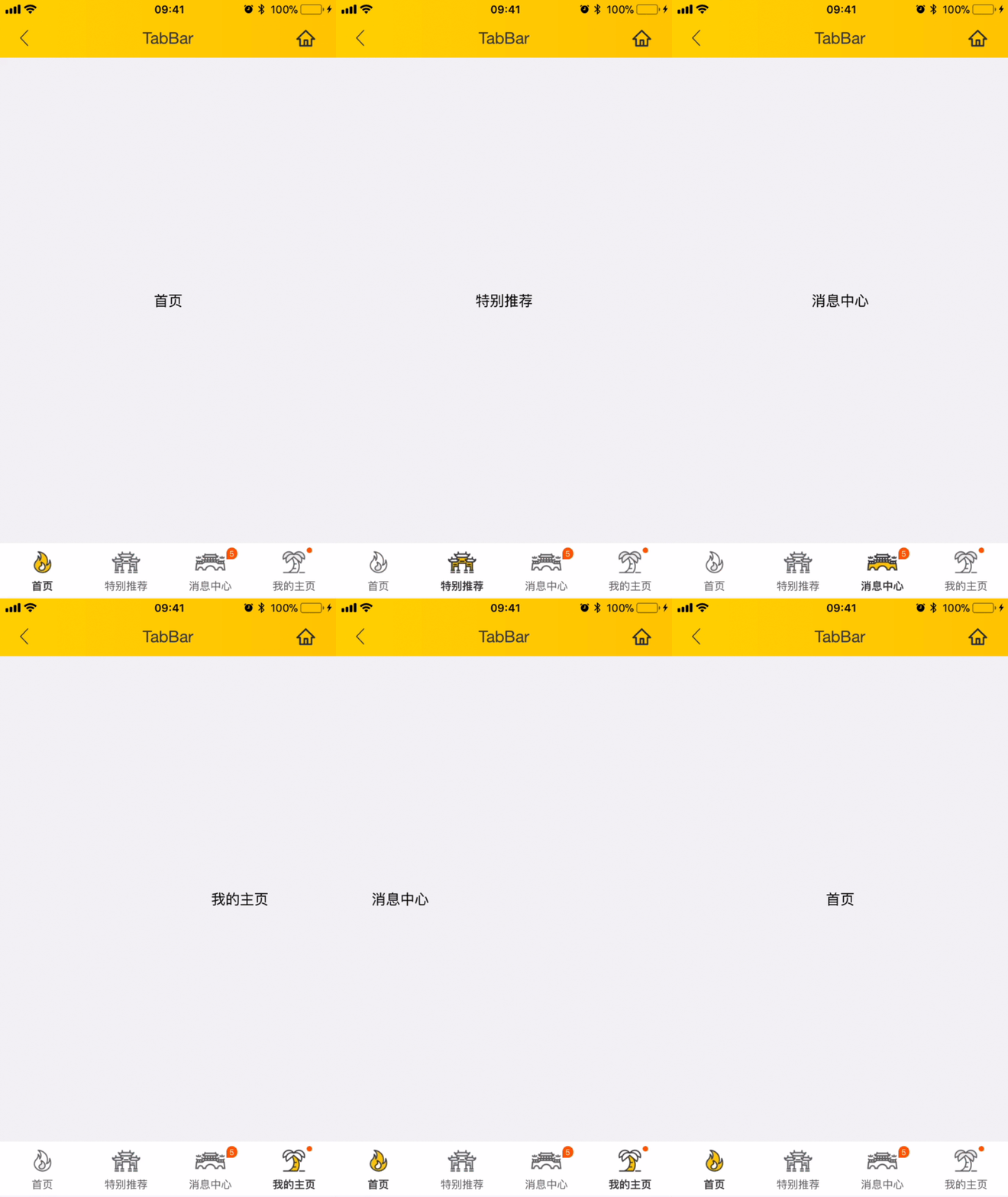

<img src="https://img.alicdn.com/tfs/TB1n6jOg3DD8KJjy0FdXXcjvXXa-562-1000.gif" width="240"/>&nbsp;&nbsp;&nbsp;&nbsp;<img src="https://img.alicdn.com/tfs/TB1AEx7gcLJ8KJjy0FnXXcFDpXa-200-200.png" width="160"/>


## Code Example

```vue
<template>
  <lc-tab-bar :tab-titles="tabTitles"
               :tab-styles="tabStyles"
               title-type="icon"
               :tab-page-height="tabPageHeight"
               @LcTabBarCurrentTabSelected="LcTabBarCurrentTabSelected">
    <!--The first page content-->
    <div class="item-container" :style="contentStyle"><text>Home</text></div>
    
    <!--The second page content-->
    <div class="item-container" :style="contentStyle"><text>Hot</text></div>
    
    <!-- The third page content-->
    <div class="item-container" :style="contentStyle"><text>Message</text></div>
    
    <!-- The fourth page content-->
    <div class="item-container" :style="contentStyle"><text>My</text></div>
  </lc-tab-bar>
</template>

<style scoped>
  .item-container {
    width: 750px;
    background-color: #f2f3f4;
    align-items: center;
    justify-content: center;
  }
</style>
<script>
  import { LcTabBar, Utils } from 'weex-ui';
 
  // https://github.com/alibaba/weex-ui/blob/master/example/tab-bar/config.js 
  import Config from './config'

  export default {
    components: { LcTabBar },
    data: () => ({
      tabTitles: Config.tabTitles,
      tabStyles: Config.tabStyles
    }),
    created () {
      this.tabPageHeight = Utils.env.getPageHeight();
      const { tabPageHeight, tabStyles } = this;
      this.contentStyle = { height: (tabPageHeight - tabStyles.height) + 'px' };
    },
    methods: {
      LcTabBarCurrentTabSelected (e) {
        const index = e.page;
        // console.log(index);
      }
    }
  };
</script>

```
More details can be found in [here](https://github.com/alibaba/weex-ui/blob/master/example/tab-bar/index.vue)


### API

| Prop | Type | Required | Default | Description |
|-------------|------------|--------|-----|-----|
| tab-titles | `Array` |`Y`| `[]` | Tab list [config](https://github.com/alibaba/weex-ui/blob/master/example/tab-bar/config.js#L7)|
| title-type | `String` |`N`| `icon` | type `icon`/`text`|
| tab-styles | `Array` |`N`| `[]` |  bottom Tab [config](https://github.com/alibaba/weex-ui/blob/master/example/tab-bar/config.js)|
| tab-page-height | `Number` |`N`| `1334` |Tab page height |
| is-tab-view | `Boolean` |`N`| `true` |if set `false`,add tab-titles config with `url` can be jumped out |
| duration | `Number` |`N`| `300` | page slider time of animation |
| timing-function | `String` |`N`| `-` | page slider function of animation |
| wrap-bg-color | `String` |`N`| `#F2F3F4` |page background color|

### Manually setting the page

```
// <lc-tab-bar ref="lc-tab-bar">
// set the third page
this.$refs['lc-tab-bar'].setPage(2)

// set the third page with no animation
this.$refs['lc-tab-bar'].setPage(2,null,false);
```

### Event
```
// @LcTabBarCurrentTabSelected="LcTabBarCurrentTabSelected"
// will return the selected index
```

