# lc-rich-text
> Rich text general solution, support text, icon, link, label form of mixing
### Rule
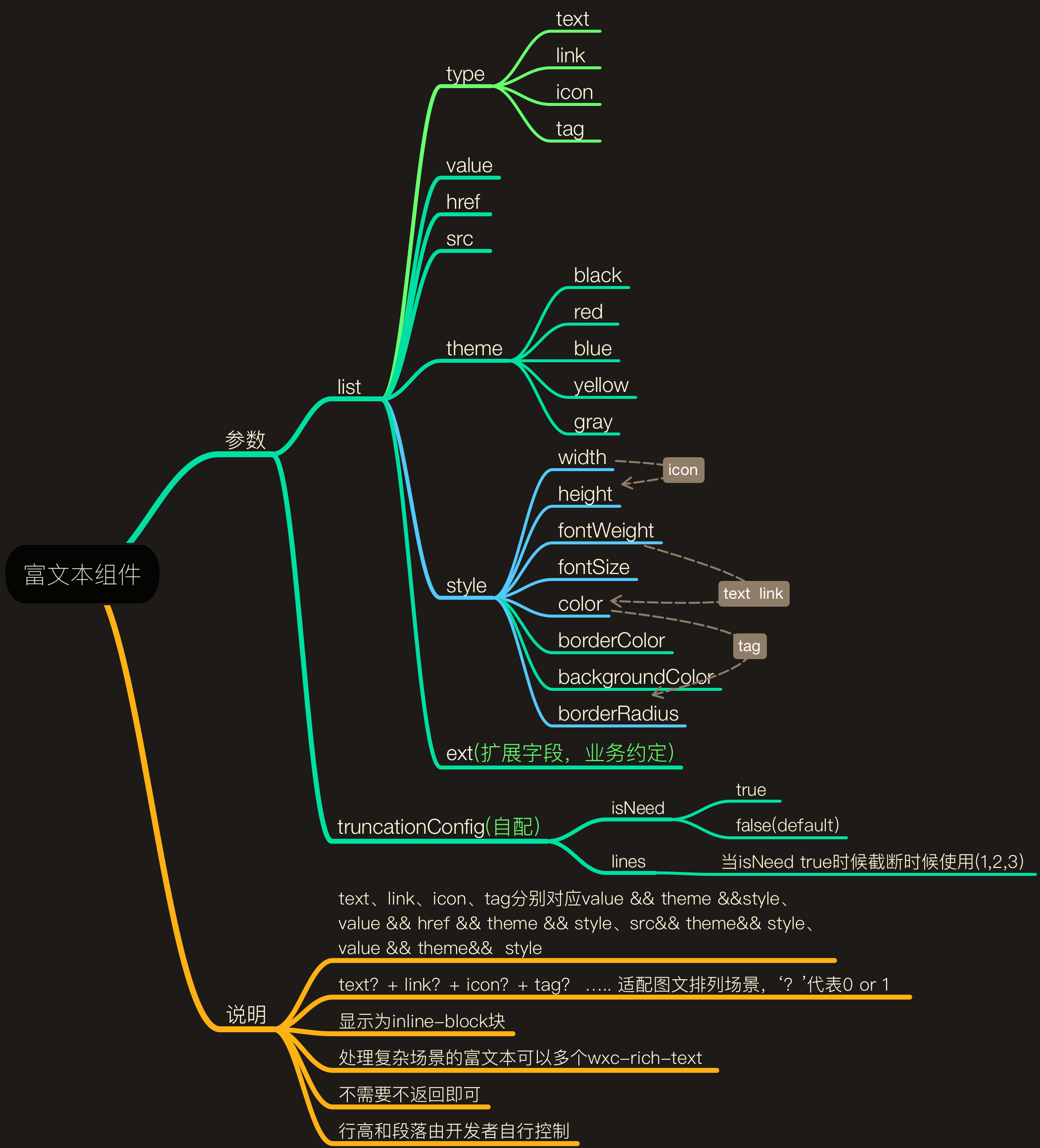
- Using unified specification, conventions related fields in front and back end.
- `lc-rich-text` supports a row of general graphic and text mixing.
- `lc-special-rich-text` supports two row of special mixing (tag + text、icon + text).
 ## [Demo](https://h5.m.taobao.com/trip/lc-rich-text/index.html?_wx_tpl=https%3A%2F%2Fh5.m.taobao.com%2Ftrip%2Flc-rich-text%2Fdemo%2Findex.native-min.js)

 ## Code Example
```vue
```
More details can be found in [here](https://github.com/alibaba/weex-ui/blob/master/example/rich-text/index.vue)
### API
| Prop | Type | Required | Default | Description |
| ---- |:----:|:---:|:-------:| :----------:|
| config-list | `Array` |`Y`| `[]` | config list eg:[Demo](https://github.com/alibaba/weex-ui/blob/master/example/rich-text/index.vue#L78)|
| has-text-margin | `Boolean` |`N`| 'true' | whether has text margin|
### Event
```
@LcRichTextLinkClick='LcRichTextLinkClick'
```
## Code Example
```vue
```
More details can be found in [here](https://github.com/alibaba/weex-ui/blob/master/example/rich-text/index.vue)
### API
| Prop | Type | Required | Default | Description |
| ---- |:----:|:---:|:-------:| :----------:|
| config-list | `Array` |`Y`| `[]` | config list eg:[Demo](https://github.com/alibaba/weex-ui/blob/master/example/rich-text/index.vue#L78)|
| has-text-margin | `Boolean` |`N`| 'true' | whether has text margin|
### Event
```
@LcRichTextLinkClick='LcRichTextLinkClick'
```