# Lighthouse CI
[](https://badge.fury.io/js/lighthouse-ci-custom-flags)
[](https://www.npmjs.com/package/lighthouse-ci-custom-flags)
[](https://snyk.io/test/github/andreasonny83/lighthouse-ci?targetFile=package.json)
[](http://commitizen.github.io/cz-cli/)
[](https://github.com/xojs/xo)
> A useful wrapper around Google Lighthouse CLI

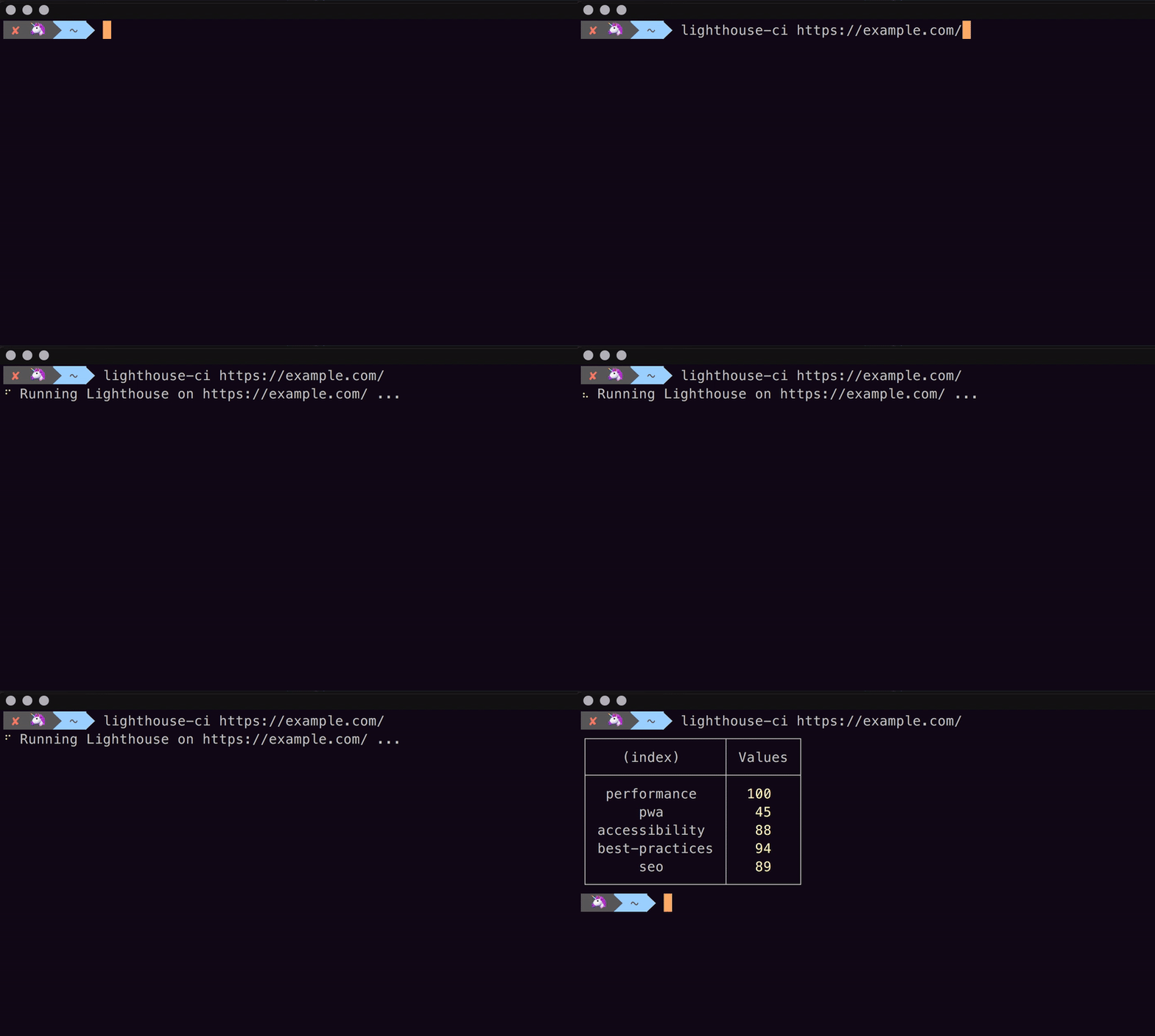 ## Install
```
$ npm install -g lighthouse-ci-custom-flags
```
## Usage
```sh
lighthouse-ci --help
```
## CLI
```
$ lighthouse-ci --help
Usage
$ lighthouse-ci
Example
$ lighthouse-ci https://example.com/
$ lighthouse-ci -s https://example.com/
$ lighthouse-ci https://example.com/ --score=75
$ lighthouse-ci https://example.com/ --accessibility=90 --seo=80
Options
-r, --report Generate an HTML report inside a 'lighthouse' folder.
-s, --silent Run Lighthouse without printing report log.
--score= Specify a score threshold for the CI to pass.
--performance= Specify a minimal performance score for the CI to pass.
--pwa= Specify a minimal pwa score for the CI to pass.
--accessibility= Specify a minimal accessibility score for the CI to pass.
--best-practice= Specify a minimal best-practice score for the CI to pass.
--seo= Specify a minimal seo score for the CI to pass.
Original Lighthouse flags
--disable-device-emulation Disable Nexus 5X emulation
--throttling-method= Controls throttling method [choices: "devtools", "provided", "simulate"]
```
For list of supported flags, see [Lighthouse cli options](https://github.com/GoogleChrome/lighthouse#cli-options)
## License
MIT
---
Created with 🦄 by [andreasonny83](https://about.me/andreasonny83)
## Install
```
$ npm install -g lighthouse-ci-custom-flags
```
## Usage
```sh
lighthouse-ci --help
```
## CLI
```
$ lighthouse-ci --help
Usage
$ lighthouse-ci
Example
$ lighthouse-ci https://example.com/
$ lighthouse-ci -s https://example.com/
$ lighthouse-ci https://example.com/ --score=75
$ lighthouse-ci https://example.com/ --accessibility=90 --seo=80
Options
-r, --report Generate an HTML report inside a 'lighthouse' folder.
-s, --silent Run Lighthouse without printing report log.
--score= Specify a score threshold for the CI to pass.
--performance= Specify a minimal performance score for the CI to pass.
--pwa= Specify a minimal pwa score for the CI to pass.
--accessibility= Specify a minimal accessibility score for the CI to pass.
--best-practice= Specify a minimal best-practice score for the CI to pass.
--seo= Specify a minimal seo score for the CI to pass.
Original Lighthouse flags
--disable-device-emulation Disable Nexus 5X emulation
--throttling-method= Controls throttling method [choices: "devtools", "provided", "simulate"]
```
For list of supported flags, see [Lighthouse cli options](https://github.com/GoogleChrome/lighthouse#cli-options)
## License
MIT
---
Created with 🦄 by [andreasonny83](https://about.me/andreasonny83)