# getmdl-select
Material Design Lite selectfield component [material-design-lite](https://github.com/google/material-design-lite)
## Live Example
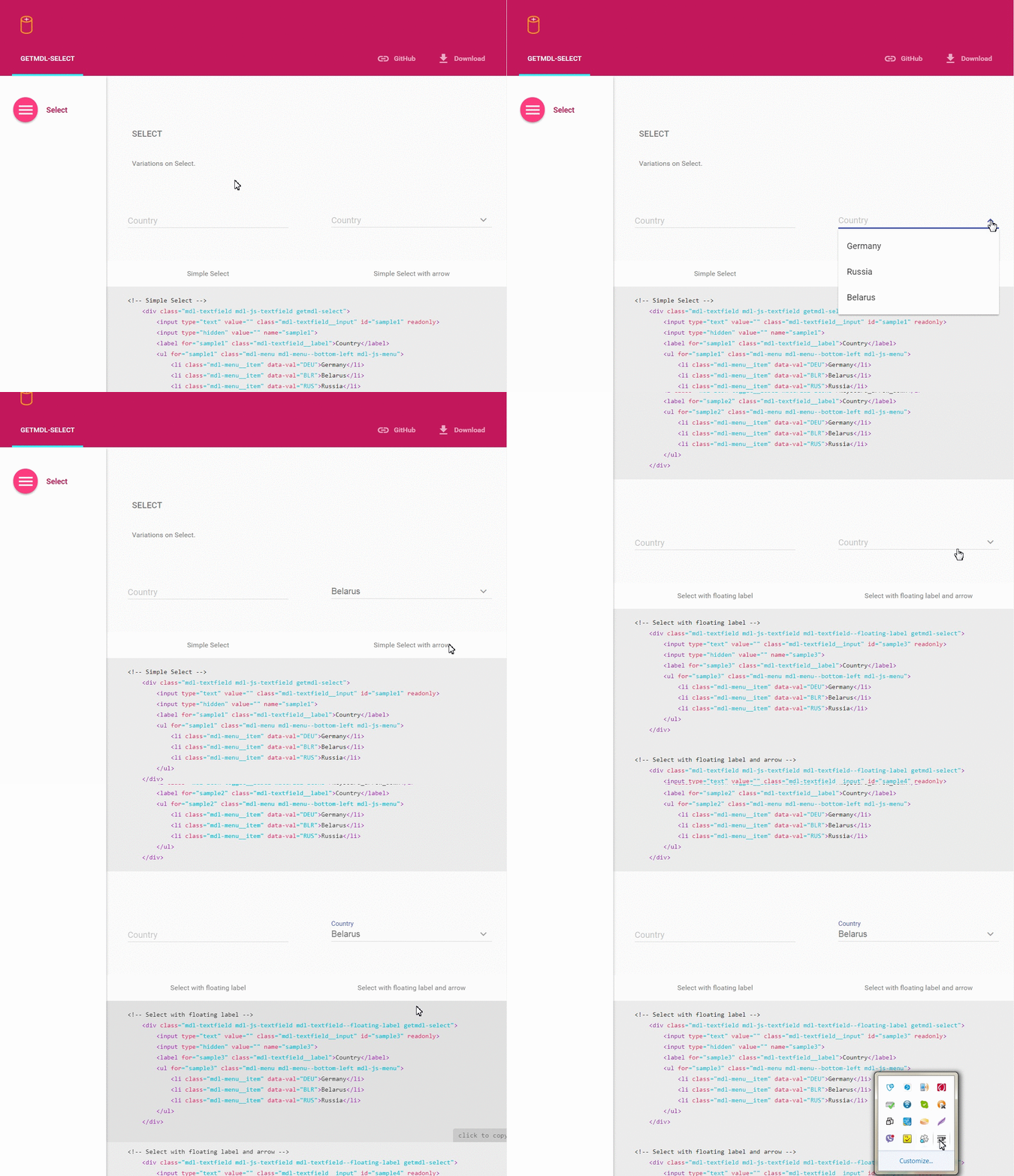
Check out the [example](http://creativeit.github.io/getmdl-select/)
## Basic use
To use any MDL component, you must include the minified CSS and JavaScript files using standard relative-path references in the `` section of the page, as described in the MDL Introduction.
```html
```
### Example
Select field.
```html
Belarus
Russia
```
## Configuration options
#### Dynamically usage
For dynamically usage, you must add `getmdlSelect.init(cssSelector)` in javascript code, (where cssSelector, for example, is `".getmdl-select"` or `"#mySelect"`), after new item is created.
#### Width
Initial Select takes the default width (300px). If you want that Select automatically adapt to the maximum width add class `getmdl-select__fullwidth`.
#### Height
Select automatically adapt to the maximum height. If you want to use small height (300px) and see scroll bar, add class `getmdl-select__fix-height`.
## Install
* [Bower](http://bower.io/): `bower install getmdl-select`
* [npm](http://npmjs.org/): `npm install getmdl-select`
### Download / Clone
Clone the repo using Git:
```bash
git clone https://github.com/CreativeIT/getmdl-select.git
```
Alternatively you can [download](https://github.com/CreativeIT/getmdl-select/archive/master.zip)
this repository.
### Build
To get started modifying the components or the docs, first install the necessary
dependencies, from the root of the project:
```bash
npm install
```
## LICENSE
See the [LICENSE file](https://github.com/CreativeIT/getmdl-select/blob/master/LICENSE.txt) for license rights and limitations (MIT).