# leaflet-pegman.js

[![NPM version](https://img.shields.io/npm/v/leaflet-pegman.svg?color=red)](https://www.npmjs.com/package/leaflet-pegman)
[![License](https://img.shields.io/badge/license-GPL%203-blue.svg?style=flat)](LICENSE)

A Leaflet plugin that allows easy integration with the Google StreetView Service API

<p align="center">
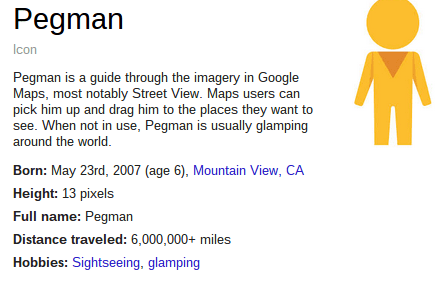
    <a href="https://raruto.github.io/leaflet-pegman/examples/leaflet-pegman.html"><img src="https://raruto.github.io/img/pegman-bio.png" alt="Pegman Bio" /></a>
</p>

---

_For a working example see one of the following demos:_

- [traditional loading](https://raruto.github.io/leaflet-pegman/examples/leaflet-pegman.html)
- [lazy loading](https://raruto.github.io/leaflet-pegman/examples/leaflet-pegman-lazyLoading.html)
- [detached panorama](https://raruto.github.io/leaflet-pegman/examples/leaflet-pegman-panoDiv.html)

---

<blockquote>
    <p align="center">
        <em>Initially based on the <a href="http://jsfiddle.net/pegues/a5mn1ogu/">work</a> of <strong>Daniel Pegues</strong></em>
    </p>
</blockquote>

---

## How to use

1. **include CSS & JavaScript**
    ```html
    <head>
    ...
    <style> html, body, #map { height: 100%; width: 100%; padding: 0; margin: 0; } </style>
    <!-- Google Maps API -->
    <script src="https://maps.googleapis.com/maps/api/js?key=<INSERT_HERE_API_KEY>&libraries=geometry"></script>
    <!-- Leaflet (JS/CSS) -->
    <link rel="stylesheet" href="https://unpkg.com/leaflet@1.9.4/dist/leaflet.css" />
    <script src="https://unpkg.com/leaflet@1.9.4/dist/leaflet.js"></script>
    <!-- Leaflet-GoogleMutant -->
    <script src="https://unpkg.com/leaflet.gridlayer.googlemutant@0.16.0/dist/Leaflet.GoogleMutant.js"></script>
    <!-- Leaflet-Pegman -->
    <link rel="stylesheet" href="https://unpkg.com/leaflet-pegman@0.3.4/leaflet-pegman.css" />
    <script src="https://unpkg.com/leaflet-pegman@0.3.4/leaflet-pegman.js"></script>
    ...
    </head>
    ```
2. **choose a div container used for the slippy map**
    ```html
    <body>
    ...
	  <div id="map"></div>
    ...
    </body>
    ```
3. **create your first simple “leaflet-pegman slippy map**
    ```html
    <script>
      const map = new L.Map('map');
      map.setView(new L.LatLng(45, 9.5), 5);

      const OpenTopoMap = new L.TileLayer('https://{s}.tile.opentopomap.org/{z}/{x}/{y}.png', {
        maxZoom: 17,
        attribution: 'Map data: &copy; <a href="http://www.openstreetmap.org/copyright">OpenStreetMap</a>, <a href="http://viewfinderpanoramas.org">SRTM</a> | Map style: &copy; <a href="https://opentopomap.org">OpenTopoMap</a> (<a href="https://creativecommons.org/licenses/by-sa/3.0/">CC-BY-SA</a>)',
        opacity: 0.90
        });
      OpenTopoMap.addTo(map);

      const pegmanControl = new L.Control.Pegman({
        position: 'bottomright', // position of control inside the map
        theme: "leaflet-pegman-v3-small", // or "leaflet-pegman-v3-default"
      });
      pegmanControl.addTo(map);
    </script>
    ```

_**NB** to be able to use the “pegman” (a.k.a. “Street View Control”) you **MUST** use a valid [Google Maps API Key](https://developers.google.com/maps/documentation/javascript/get-api-key)._

---

**Compatible with:**
[![Leaflet 1.9.4](https://img.shields.io/badge/Leaflet-1.9.4-1EB300.svg?style=flat)](https://leafletjs.com/reference.html)
[![Leaflet 2.0.0-beta.3](https://img.shields.io/badge/Leaflet-2.0.0--beta.3-1EB300.svg?style=flat)](https://leafletjs.com/reference.html)

[![Google Maps JavaScript API v3](https://img.shields.io/badge/Google%20Maps%20JavaScript%20API-v3-1EB300.svg?style=flat)](https://developers.google.com/maps/documentation/javascript)

[![leaflet.gridlayer.googlemutant 0.16.0](https://img.shields.io/badge/leaflet.gridlayer.googlemutant-0.16.0-1EB300.svg?style=flat)](https://www.npmjs.com/package/leaflet.gridlayer.googlemutant)

---

**Contributors:** [Pegues](http://jsfiddle.net/user/pegues/fiddles/), [Raruto](https://github.com/Raruto/leaflet-google)