# knockout.contextmenu [](https://travis-ci.org/nescalante/knockout.contextmenu)
> Contextual menu, anywhere you need it
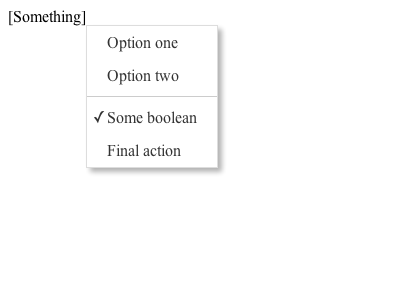
# Install
```shell
npm install knockout.contextmenu --save
bower install knockout.contextmenu
```
# With `npm`
Just do:
```js
require('knockout.contextmenu');
```
# Usage
To bind a context menu to an element:
```html
|
```
Dont forget to include the [`.css` file](https://github.com/nescalante/knockout.contextmenu/blob/master/dist/css/knockout.contextmenu.min.css).
You can also bind a boolean observable to the context menu, that will work as a 'check':
```js
{
"Boolean": someObservableBoolean,
"One method": $root.test
}
```
You can also set dynamic 'text' and 'visible' values binding an object with the following values instead of a method:
Option | Description
-----------|-----------------------------------------------
`url` | Direct access to an URL.
`text` | Set menu text.
`visible` | Show/hide item (result must be boolean).
`action` | Item method, mandatory if not url defined.
`disabled` | Disable menu item.
Example:
```js
{
"Complex item": {
"text": $root.someObservableText(),
"visible": someMethod() == '1',
"action": $root.someAction
},
"One method": $root.test
}
```
To create a separator between two menus, just create an object with the property `separator` with `true`:
```js
{
"Some item": methodOne,
"Separator": {
"separator": true,
"visible": someMethod()
},
"Just another item": methodTwo
}
```
Bind it with left click, if you want to:
```html
|
```
Also supports `observableArrays`!
```js
var menu = ko.observableArray([{ text: 'Item 1', action: doSomething }, { text: 'Item 2', action: doMore }]);
```
```html
|
```
# License
MIT
|