KLineChart
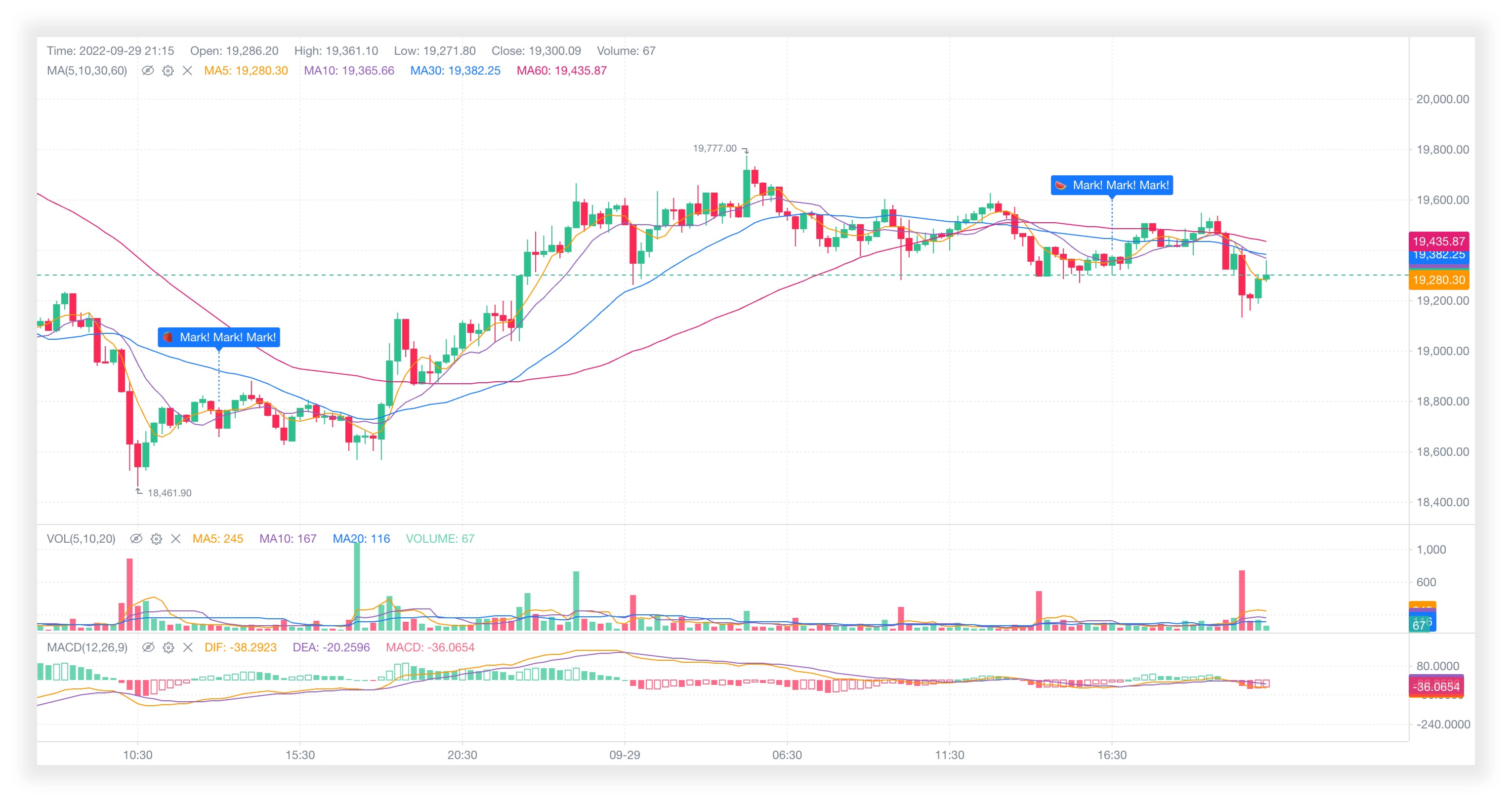
💹📈 基于 html5 canvas 构建的轻量级金融图表。
[](https://github.com/liihuu/KLineChart/actions/workflows/build.yml)
[](https://www.npmjs.com/package/klinecharts)
[](https://bundlephobia.com/result?p=klinecharts@latest)
[](https://www.npmjs.com/package/klinecharts)
[](types/index.d.ts)
[](LICENSE)
[](https://vitepress.dev/)
[](https://github.com/liihuu/KLineChart/issues)
[](https://github.com/liihuu/KLineChart/discussions)
[](https://t.me/+098syuQtzI0yNzll)
[](https://discord.gg/7YjHYgvvvZ)
[](https://klinecharts.com/guide/feedback.html)
 简体中文 | [English](./README.md)
## ✨ 特性
+ 📦 **开箱即用:** 简单快速集成,基本零成本上手。
+ 🚀 **轻量流畅:** 零依赖,Gzip压缩下仅40k。
+ 💪 **功能强大:** 内置多种指标和画线模型。
+ 🎨 **高可扩展:** 丰富的样式配置和API,功能扩展随心所欲。
+ 📱 **移动端:** 支持移动端,一个图表,搞定多端。
+ 🛡 **Typescript开发:** 提供完整的类型定义文件。
## ⚡ 性能
类似的图表进行性能比较。
+ **测试场景:** 50000条数据,5个副图指标,执行10次取平均值
+ **设备:** macOS Ventura, Apple M2 Pro, 16G
+ **浏览器:** Chrome 114.0.5735.106
+ **框架:** React@18.2.0
从初始化到完全渲染,耗时对比:
| **klinecharts@9.4.0** | **night-vision@0.3.2** | **hqchart@1.1.12147** |
| :---: | :---: | :---: |
| 37ms | 36ms | 241ms |
## 📦 安装
### 使用 npm
```bash
npm install klinecharts --save
```
### 使用 yarn
```bash
yarn add klinecharts
```
### CDNs
#### [unpkg](https://unpkg.com)
```html
```
#### [jsDelivr](https://cdn.jsdelivr.net)
```html
```
## 📄 文档
### 在线文档
[https://www.klinecharts.com](https://www.klinecharts.com)
### 本地浏览
在根目录下执行命令,需要 [Node.js](https://nodejs.org) 环境。
```bash
# 安装依赖
npm install
# 启动文档服务
npm run docs:dev
```
启动成功后,在浏览器中打开 http://localhost:8888。
## 🛠️ 本地构建
在根目录下执行命令,需要 [Node.js](https://nodejs.org) 环境。
```bash
# 安装依赖
npm install
# 打包文件
npm run build
```
构建好的文件在`dist`文件夹。
## 🔗 链接
+ [在线预览](https://preview.klinecharts.com)
+ [Pro版本](https://pro.klinecharts.com)
+ [示例代码](https://github.com/liihuu/KLineChartSample)
## ©️ License
Apache License V2.
简体中文 | [English](./README.md)
## ✨ 特性
+ 📦 **开箱即用:** 简单快速集成,基本零成本上手。
+ 🚀 **轻量流畅:** 零依赖,Gzip压缩下仅40k。
+ 💪 **功能强大:** 内置多种指标和画线模型。
+ 🎨 **高可扩展:** 丰富的样式配置和API,功能扩展随心所欲。
+ 📱 **移动端:** 支持移动端,一个图表,搞定多端。
+ 🛡 **Typescript开发:** 提供完整的类型定义文件。
## ⚡ 性能
类似的图表进行性能比较。
+ **测试场景:** 50000条数据,5个副图指标,执行10次取平均值
+ **设备:** macOS Ventura, Apple M2 Pro, 16G
+ **浏览器:** Chrome 114.0.5735.106
+ **框架:** React@18.2.0
从初始化到完全渲染,耗时对比:
| **klinecharts@9.4.0** | **night-vision@0.3.2** | **hqchart@1.1.12147** |
| :---: | :---: | :---: |
| 37ms | 36ms | 241ms |
## 📦 安装
### 使用 npm
```bash
npm install klinecharts --save
```
### 使用 yarn
```bash
yarn add klinecharts
```
### CDNs
#### [unpkg](https://unpkg.com)
```html
```
#### [jsDelivr](https://cdn.jsdelivr.net)
```html
```
## 📄 文档
### 在线文档
[https://www.klinecharts.com](https://www.klinecharts.com)
### 本地浏览
在根目录下执行命令,需要 [Node.js](https://nodejs.org) 环境。
```bash
# 安装依赖
npm install
# 启动文档服务
npm run docs:dev
```
启动成功后,在浏览器中打开 http://localhost:8888。
## 🛠️ 本地构建
在根目录下执行命令,需要 [Node.js](https://nodejs.org) 环境。
```bash
# 安装依赖
npm install
# 打包文件
npm run build
```
构建好的文件在`dist`文件夹。
## 🔗 链接
+ [在线预览](https://preview.klinecharts.com)
+ [Pro版本](https://pro.klinecharts.com)
+ [示例代码](https://github.com/liihuu/KLineChartSample)
## ©️ License
Apache License V2.