Welcome to Kapture MCP!
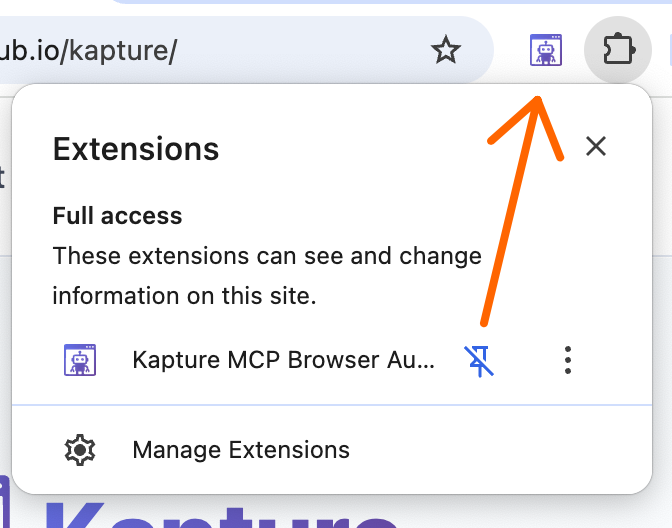
Pin the Extension
Click the puzzle piece icon in your browser toolbar and pin Kapture for easy access.
Enable your
clients!
clients!
↓
Setup Your Assistants
Run this command in your terminal to configure your assistants to use Kapture.
$
npx -y kapture-mcp setup
Copied!
Kapture MCP Server:
Searching
Assistant Configuration:
Claude Desktop
Checking...
Claude Code
Checking...
VS Code
Checking...
Cursor
Checking...
Windsurf
Checking...
🎉 You're All Set!
Kapture is ready to use. Check out the how-to guide to see it in action.
View How-To Guide