# JsBaseClass


# Table of Contents
1. [Introduction](#introduction)
2. [Features](#features)
3. [Installation](#installation)
4. [Extending JsBaseClass](#extending-jsbaseclass)
5. [Custom Console Logging](#custom-console-logging)
6. [Event Handling](#event-handling)
7. [Browser Detection](#browser-detection)
8. [Cookies](#cookies)
9. [Boilerplate for Practical Use](#boilerplate-for-practical-use)
10. [Plugin Brazil](#plugin-brazil)
11. [Using CDN](#using-cdn)
12. [License](#license)
13. [Contributing](#contributing)
## Introduction
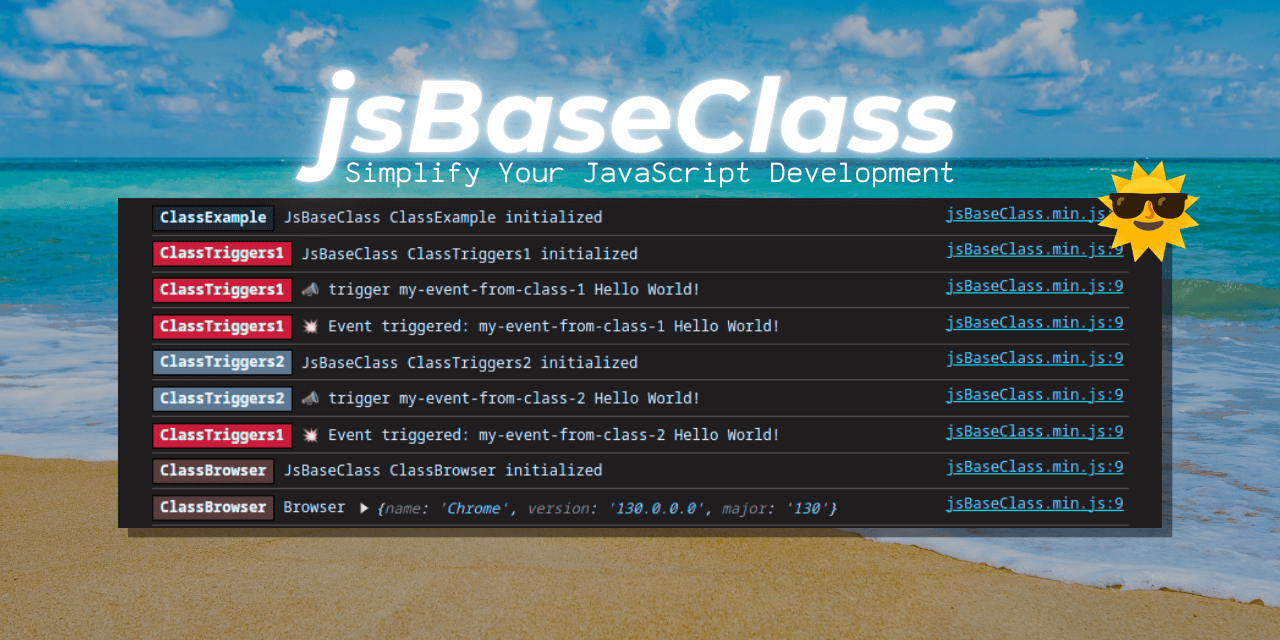
**JsBaseClass** is a versatile JavaScript base class designed to simplify common tasks such as logging, event handling, and browser detection. It provides a foundation for building modular and reusable components in your JavaScript applications. The class is lightweight, extensible, and easy to integrate into any project.
### 🔗 **Explore More with the Wiki**
Looking for practical examples and ready-to-use snippets? Check out the [**JsBaseClass Wiki**](https://github.com/marceloxp/jsBaseClass/wiki/) for a collection of guides and snippets to supercharge your development. 🚀
We also provide a pre-built reference specifically designed to instruct AI systems, available at: [**AI Reference**](https://github.com/marceloxp/jsBaseClass/wiki/AI-Reference). Use it to enhance your understanding and integration of **JsBaseClass** in AI-driven projects.
---
## Features
1. **Custom Console Logging**:
- Built-in support for color-coded console logs.
- Includes `log`, `info`, `warn`, `error`, and `trace` methods.
- Customizable colors for better readability.
2. **Event Handling**:
- Simple API for triggering and listening to custom events.
- Built on top of the native `CustomEvent` API.
3. **Browser Detection**:
- Detect the browser name, version, and other details using `ua-parser-js`.
- Helper methods to check if the current browser is Chrome, Firefox, Safari, IE, or Edge.
4. **Lightweight and Extensible**:
- Minimal dependencies.
- Easy to extend with custom functionality.
## Installation
Include the library in your project using a script tag:
```html
```
## Extending JsBaseClass
To use `JsBaseClass`, extend it in your own class and implement the `handle` method:
```javascript
class MyApp extends JsBaseClass {
async handle() {
// Your initialization code here
this.console.log('Your code starts here...');
}
async onDomContentLoaded() {
// On DOM content loaded (page load)
this.console.log('DOM content loaded');
}
}
window.myApp = new MyApp();
myApp.init();
```
## Custom Console Logging
The `JsBaseClass` provides a built-in `console` object for logging. You can customize the log colors and styles:
```javascript
class MyApp extends JsBaseClass {
async handle() {
// Set a custom color for logs
this.console.setColor('#3498db'); // Blue
// Log messages
this.console.log('This is a standard log message.');
this.console.info('This is an informational message.');
this.console.warn('This is a warning!');
this.console.error('This is an error!');
this.console.trace('This is a trace message.');
// Log with a random color
const randomColor = new JsBaseClassColors().get();
this.console.setColor(randomColor);
this.console.log(`This log has a random color: ${randomColor}`);
}
}
const app = new MyApp();
app.init();
```
## Event Handling
Use the `trigger` and `on` methods to handle custom events. In this example, one class listens to an event, and another class triggers it:
```javascript
// Class that listens to the event
class EventListener extends JsBaseClass {
async handle() {
// Listen to a custom event
this.on('my-event', (event) => {
this.console.log('Event received:', event.detail);
});
}
}
// Class that triggers the event
class EventTrigger extends JsBaseClass {
async handle() {
// Trigger the event
this.trigger('my-event', { message: 'Hello, World!' });
}
}
// Initialize both classes
const listener = new EventListener();
listener.init();
const trigger = new EventTrigger();
trigger.init();
```
## Browser Detection
The `JsBaseClass` provides browser detection capabilities:
```javascript
class MyApp extends JsBaseClass {
async handle() {
this.console.log('Browser:', this.browser.name);
this.console.log('Browser Version:', this.browser.version);
this.console.log('Is Chrome?', this.is.chrome);
this.console.log('Is Firefox?', this.is.firefox);
}
}
const app = new MyApp();
app.init();
```
## **Cookies**
The **JsBaseClass** library provides built-in methods to manage cookies using the **js-cookie** library. Below is an example of how to set, get, and remove cookies, including advanced options like `expires` and `domain`. Additionally, the library includes helper methods for working with JSON data in cookies, making it easier to store and retrieve complex objects.
---
### **Example: Managing Cookies**
```javascript
class ClassCookies extends JsBaseClass {
async handle() {
// Set a cookie with an expiration date (7 days from now)
this.setCookie('username', 'MarceloXP', { expires: 7 });
this.console.log('Username cookie set with expiration.');
// Set a cookie with a specific domain and path
this.setCookie('preferences', 'dark_mode', { domain: 'example.com', path: '/settings' });
this.console.log('Preferences cookie set with domain and path.');
// Get the value of a cookie
const username = this.getCookie('username');
this.console.log('Username cookie:', username);
const preferences = this.getCookie('preferences');
this.console.log('Preferences cookie:', preferences);
// Remove a cookie
this.removeCookie('username');
this.console.log('Username cookie removed.');
// Remove a cookie with domain and path
this.removeCookie('preferences', { domain: 'example.com', path: '/settings' });
this.console.log('Preferences cookie removed.');
// Check if the cookies were removed
const removedUsername = this.getCookie('username');
this.console.log('Username cookie after removal:', removedUsername);
const removedPreferences = this.getCookie('preferences');
this.console.log('Preferences cookie after removal:', removedPreferences);
// Example: Set and get a JSON cookie
const userSettings = {
theme: 'dark',
notifications: true,
language: 'en',
};
this.setJsonCookie('user_settings', userSettings, { expires: 7 });
this.console.log('User settings cookie set as JSON.');
const retrievedSettings = this.getJsonCookie('user_settings');
this.console.log('Retrieved user settings:', retrievedSettings);
}
}
// Initialize the cookies example
window.objCookies = new ClassCookies();
objCookies.init();
```
---
### **Key Features**
1. **Set a Cookie**:
- Use `this.setCookie(name, value, options)` to set a cookie with a name, value, and optional settings like `expires`, `domain`, and `path`.
- Example: `this.setCookie('username', 'MarceloXP', { expires: 7 })` sets a cookie that expires in 7 days.
- Example: `this.setCookie('preferences', 'dark_mode', { domain: 'example.com', path: '/settings' })` sets a cookie for a specific domain and path.
2. **Get a Cookie**:
- Use `this.getCookie(name)` to retrieve the value of a cookie.
- Example: `this.getCookie('username')`.
3. **Remove a Cookie**:
- Use `this.removeCookie(name, options)` to delete a cookie. You can specify `domain` and `path` if needed.
- Example: `this.removeCookie('username')`.
- Example: `this.removeCookie('preferences', { domain: 'example.com', path: '/settings' })`.
4. **Set a JSON Cookie**:
- Use `this.setJsonCookie(name, value, options)` to store a JSON object as a cookie. The object is automatically serialized to a string.
- Example: `this.setJsonCookie('user_settings', { theme: 'dark', notifications: true }, { expires: 7 })`.
5. **Get a JSON Cookie**:
- Use `this.getJsonCookie(name, defaultValue)` to retrieve a JSON object from a cookie. The string is automatically parsed back into an object.
- Example: `this.getJsonCookie('user_settings', { theme: 'light', notifications: false })`.
---
### **Example Output in Console**
```plaintext
🍪 Cookie set: username = MarceloXP { expires: 7 }
🍪 Cookie set: preferences = dark_mode { domain: 'example.com', path: '/settings' }
🍪 Cookie get: username = MarceloXP
🍪 Cookie get: preferences = dark_mode
🍪 Cookie removed: username {}
🍪 Cookie removed: preferences { domain: 'example.com', path: '/settings' }
🍪 Cookie get: username = undefined
🍪 Cookie get: preferences = undefined
🍪 Cookie set: user_settings = {"theme":"dark","notifications":true,"language":"en"} { expires: 7 }
🍪 Retrieved user settings: { theme: 'dark', notifications: true, language: 'en' }
```
---
### **How to Use**
1. **Set a Cookie**:
```javascript
this.setCookie('username', 'MarceloXP', { expires: 7 });
```
2. **Get a Cookie**:
```javascript
const username = this.getCookie('username');
```
3. **Remove a Cookie**:
```javascript
this.removeCookie('username');
```
4. **Set a JSON Cookie**:
```javascript
const userSettings = { theme: 'dark', notifications: true };
this.setJsonCookie('user_settings', userSettings, { expires: 7 });
```
5. **Get a JSON Cookie**:
```javascript
const settings = this.getJsonCookie('user_settings', { theme: 'light', notifications: false });
```
---
### **Why Use JSON Cookies?**
- **Store Complex Data**: JSON cookies allow you to store and retrieve complex objects, such as user preferences or settings.
- **Automatic Serialization**: The `setJsonCookie` method automatically converts objects to strings, and `getJsonCookie` converts them back to objects.
- **Default Values**: The `getJsonCookie` method supports a default value, which is returned if the cookie doesn’t exist.
---
### **Best Practices**
- **Use `expires`**: Always set an expiration date for cookies to avoid them persisting indefinitely.
- **Secure Cookies**: Use the `secure` option for cookies that should only be transmitted over HTTPS.
- **Validate Data**: When retrieving JSON cookies, validate the data to ensure it matches the expected structure.
---
With these methods, you can easily manage cookies in your application, including storing and retrieving complex JSON data. For more details on cookie options, refer to the [js-cookie documentation](https://github.com/js-cookie/js-cookie#readme). 🍪🚀
---
### Where to Use:
- This feature is ideal for managing user preferences, session data, or any other information that needs to persist across page reloads.
- Use `expires` to set an expiration date for the cookie.
- Use `domain` and `path` to control the scope of the cookie.
## Boilerplate for Practical Use
Here’s a basic boilerplate to get started with **JsBaseClass**:
```html
JsBaseClass Example
JsBaseClass Example
Open the browser console to see the logs.
```
### **Plugin Brazil**
The **Brazil Plugin** extends the functionality of **JsBaseClass** by adding utility methods specific to Brazil, such as CPF validation. This plugin is designed to simplify common tasks related to Brazilian data formats and regulations.
See more detailed information in the [Wiki](https://github.com/marceloxp/jsBaseClass/wiki/Plugin-Brazil).
```html
Brazil Plugin Example
Brazil Plugin Example
Open the browser console to see the validation results.
```
## Using CDN
To use the library with the latest version, you can use the [jsDelivr CDN](https://cdn.jsdelivr.net/gh/marceloxp/jsBaseClass@main/dist/jsBaseClass.min.js).
```html
JsBaseClass via jsDelivr
JsBaseClass via jsDelivr
```
## License
**JsBaseClass** is licensed under the MIT License.
## Contributing
Contributions are welcome! Please open an issue or submit a pull request on the [GitHub repository](https://github.com/marceloxp/jsBaseClass).
Enjoy using **JsBaseClass**! 🚀