<p align="center">
  <h1 align="center" valign="bottom" height="43">
    <img src="https://raw.githubusercontent.com/ka215/jquery.timeline/develop/docs/imgs/timeline.svg" width="36" height="36" valign="bottom">&nbsp;
    jQuery.Timeline V2
  </h1>

  <table border="0">
    <tr>
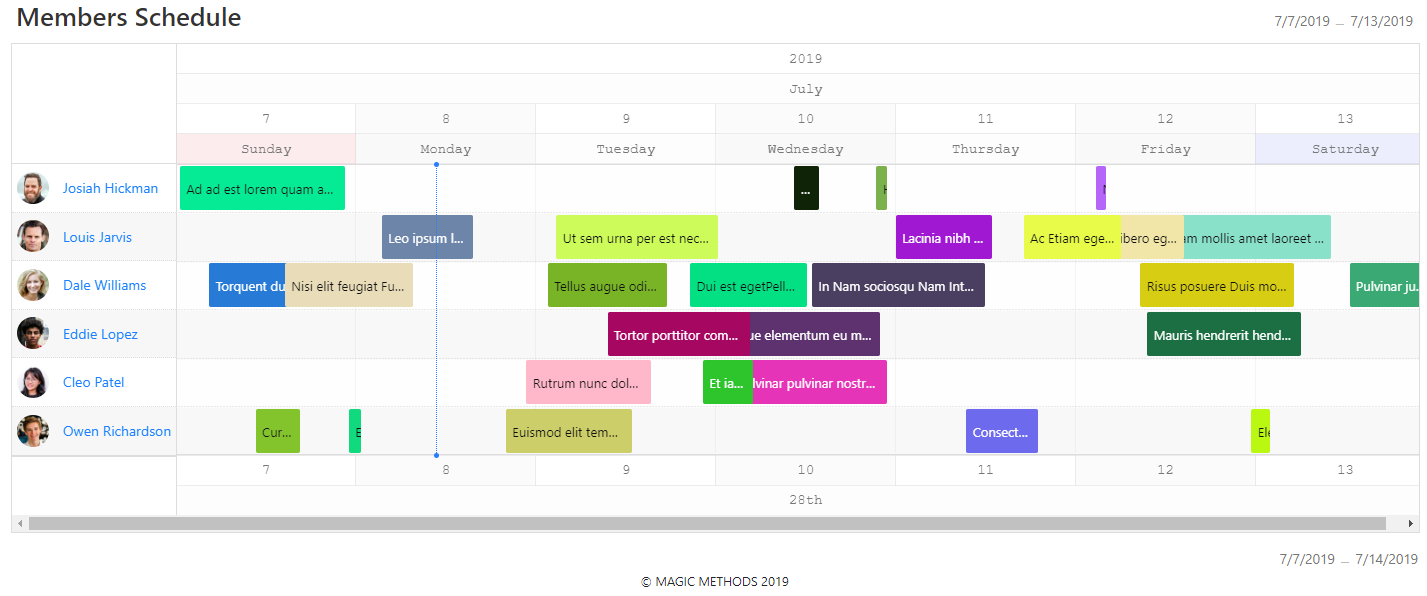
    <td width="25%" align="center"><img src="https://raw.githubusercontent.com/ka215/jquery.timeline/develop/docs/imgs/jquery.timeline_v2_bar.png" width="100%" alt="Bar Type" /></td>
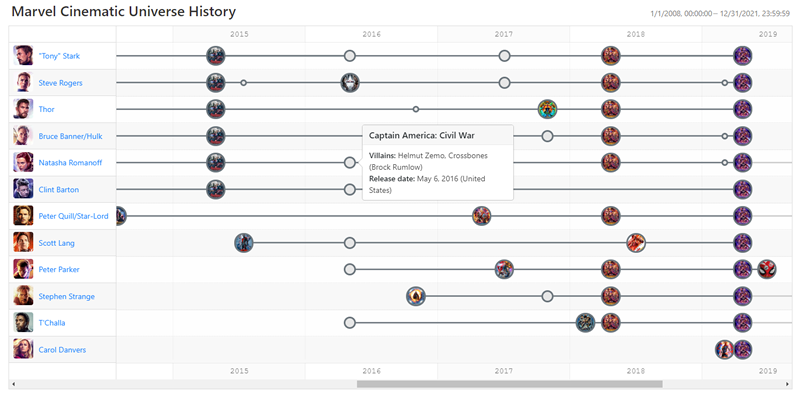
    <td width="25%" align="center"><img src="https://raw.githubusercontent.com/ka215/jquery.timeline/develop/docs/imgs/jquery.timeline_v2_point.png" width="100%" alt="Point Type" /></td>
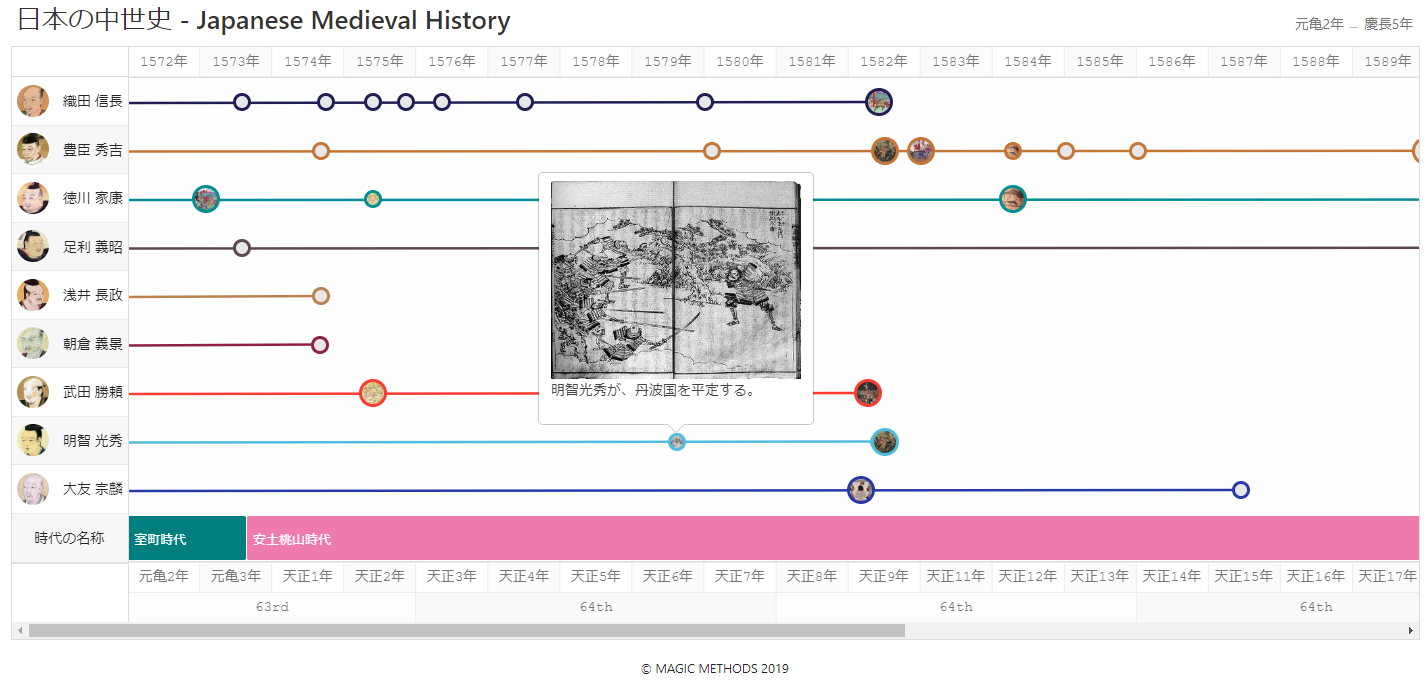
    <td width="25%" align="center"><img src="https://raw.githubusercontent.com/ka215/jquery.timeline/develop/docs/imgs/jquery.timeline_v2_mixed.png" width="100%" alt="Mixed Type" /></td>
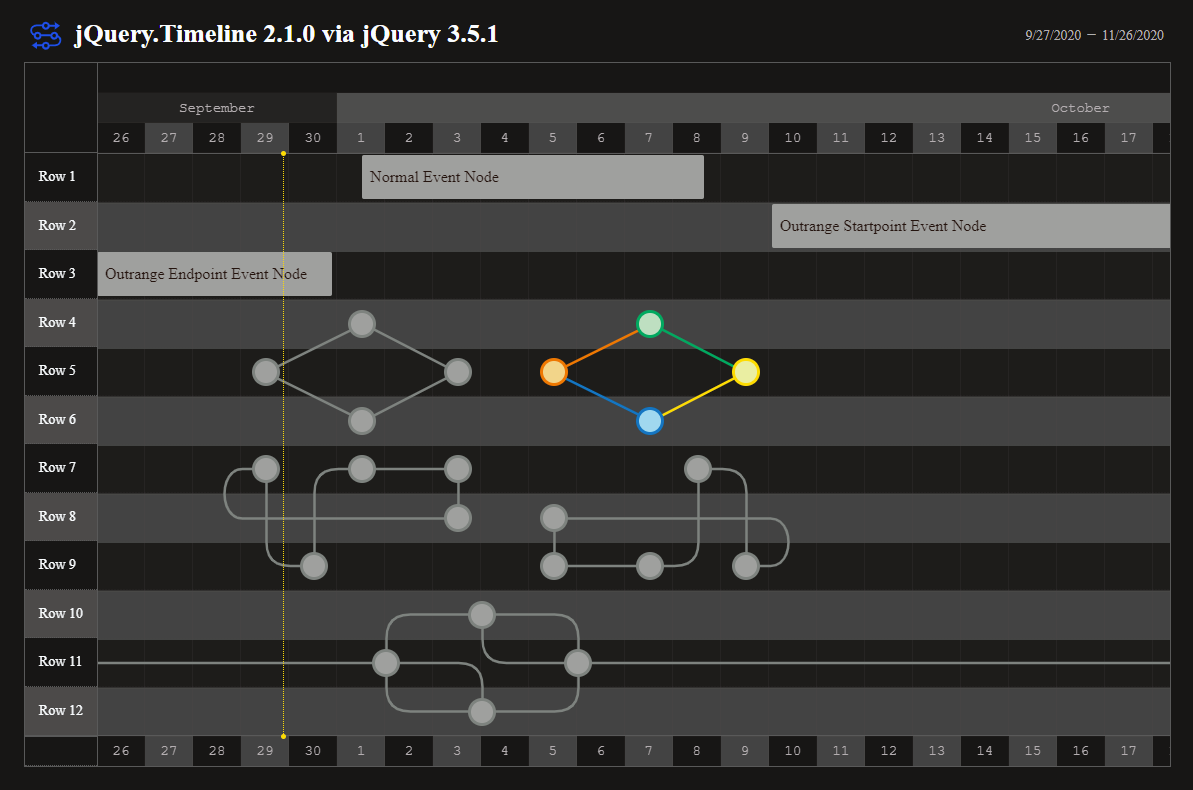
    <td width="25%" align="center"><img src="https://raw.githubusercontent.com/ka215/jquery.timeline/develop/docs/imgs/jquery.timeline_v21_theme.png" width="100%" alt="Switch Theme" /></td>
    </tr>
  </table>

  <p align="center">
    You are able to easily create two types of horizontal timeline with this jQuery plugin.
    <br>
    <br>
    <a href="https://github.com/ka215/jquery.timeline/issues/new?template=bug_report.md">Report bug</a>
    ·
    <a href="https://github.com/ka215/jquery.timeline/issues/new?template=feature_request.md">Request feature</a>
    ·
    <a href="https://ka2.org/">Blog</a>
  </p>
</p>

[![Build Status](https://travis-ci.org/ka215/jquery.timeline.svg?branch=master)](https://travis-ci.org/ka215/jquery.timeline)
![GitHub release](https://img.shields.io/github/release/ka215/jquery.timeline.svg)
![GitHub All Releases](https://img.shields.io/github/downloads/ka215/jquery.timeline/total.svg)
![npm download](https://img.shields.io/npm/dt/jq-timeline?label=npm%20download)
[![Packagist](https://img.shields.io/packagist/l/doctrine/orm.svg)](https://raw.githubusercontent.com/ka215/jquery.timeline/master/LICENSE)

<br>

## Table of Contents

- [Quick start](#quick-start)
- [What's included](#whats-included)
- [Usage](#usage)
- [Supported browsers](#supported-browsers)
- [Tutorials](#tutorials)
- [Documentation](#documentation)
- [Example as demonstration](#example-as-demonstration)
- [Contributions](#contributions)
- [Creators](#creators)
- [Copyright and license](#copyright-and-license)

## Quick start

Several quick start options are available:

- npm: `npm i jq-timeline`
- bower: `bower install jq-timeline`
- [Download the latest release](https://github.com/ka215/jquery.timeline/releases/latest/).
- Clone the repository: `git clone https://github.com/ka215/jquery.timeline.git`
- Load via CDN:
```HTML
<link href="https://cdn.jsdelivr.net/gh/ka215/jquery.timeline@main/dist/jquery.timeline.min.css" rel="stylesheet">
<script src="https://cdn.jsdelivr.net/gh/ka215/jquery.timeline@main/dist/jquery.timeline.min.js"></script>
```

## What's included

Within the download you'll find the following directories and files, logically grouping common assets and providing compiled and minified variations. You'll see something like this:

```
jquery.timeline/
└── dist/
    ├── jquery.timeline.min.css
    └── jquery.timeline.min.js
```

We provide compiled and minified CSS and JS (`jquery.timeline.min.*`).
When deployed by using task for develop, generated source maps (`jquery.timeline.*.map`) are available for use with certain browsers' developer tools.


## Usage

Include the installed files into your html:

```HTML
<link rel="stylesheet" src="/path/to/jquery.timeline.min.css">

<script src="/path/to/jquery.timeline.min.js"></script>
```

Note: You should include the jquery core script before including this plugin javascript file. Also we recommend that would like to add `defer` attribute into script tag.

Bind this plugin in the scope had imported the jQuery:

```JavaScript
$('#myTimeline').Timeline()
```


## Supported browsers

jQuery.Timeline version 2.x supports the following browsers:

<table>
<thead>
<tr>
<th colspan="6">PC</th>
<th colspan="2">Mobile</th>
</tr>
<tr>
<th width="12.5%" align="center"><img src="https://github.com/ka215/jquery.timeline/blob/develop/docs/imgs/chrome-brands.svg" width="32" alt="Chrome" style="opacity:0.65"></th>
<th width="12.5%" align="center"><img src="https://github.com/ka215/jquery.timeline/blob/develop/docs/imgs/firefox-brands.svg" width="32" alt="Firefox" style="opacity:0.65"></th>
<th width="12.5%" align="center"><img src="https://github.com/ka215/jquery.timeline/blob/develop/docs/imgs/safari-brands.svg" width="32" alt="Safari" style="opacity:0.65"></th>
<th width="12.5%" align="center"><img src="https://github.com/ka215/jquery.timeline/blob/develop/docs/imgs/internet-explorer-brands.svg" width="32" alt="IE" style="opacity:0.65"></th>
<th width="12.5%" align="center"><img src="https://github.com/ka215/jquery.timeline/blob/develop/docs/imgs/edge-brands.svg" width="32" alt="Edge" style="opacity:0.65"></th>
<th width="12.5%" align="center"><img src="https://github.com/ka215/jquery.timeline/blob/develop/docs/imgs/opera-brands.svg" width="32" alt="Opera" style="opacity:0.65"></th>
<th width="12.5%" align="center"><img src="https://github.com/ka215/jquery.timeline/blob/develop/docs/imgs/android-brands.svg" width="32" alt="Android" style="opacity:0.65"></th>
<th width="12.5%" align="center"><img src="https://github.com/ka215/jquery.timeline/blob/develop/docs/imgs/safari-brands.svg" width="32" alt="iOS Safari" style="opacity:0.65"></th>
</tr>
</thead>
<tbody>
<tr>
<td name="PC:Chrome" align="center"><b style="color:#00A960">Ok</b></td>
<td name="PC:Firefox" align="center"><b style="color:#00A960">Ok</b></td>
<td name="PC:Safari" align="center"><b style="color:#00A960">Ok</b></td>
<td name="PC:IE" align="center"><b style="color:#E17B34">Non-compliant</b></td>
<td name="PC:Edge" align="center"><b style="color:#00A960">Ok</b></td>
<td name="PC:Opera" align="center"><b style="color:#00A960">Ok</b></td>
<td name="MP:Android" align="center"><b style="color:#00A960">Ok</b></td>
<td name="MP:iOS Safari" align="center"><b style="color:#00A960">Ok</b></td>
</tr>
</tbody>
</table>

Unfortunately as for the Internet Explorer etc., several methods of this plugin does not work because JavaScript implementation of browser is too immature. Please note that we are not go to support for these legacy browsers in the future.


## Tutorials

The tutorial as a detailed usage of jQuery.Timeline is released [here](https://ka2.org/jquery-timeline/).


## Documentation

jQuery.Timeline's documentation, included in this repository in the root directory, is built with [ESDoc](https://esdoc.org/) and publicly hosted on GitHub Pages at <https://ka215.github.io/jquery.timeline/>. The docs may also be run locally.


### Documentation for previous releases

- For v2.x: <https://ka2.org/jquery-timeline/>
- For v2.x(ESDoc): <https://ka215.github.io/jquery.timeline/>
- For v1.0.x: <https://raw.githubusercontent.com/ka215/jquery.timeline/v1/README.md>
- For v1.0.x (Japanese): <https://ka2.org/jquery-timeline-v1/>

## Example as demonstration

- [CRUD System for jQuery.Timeline](https://ka2.org/jqtl-v2/sample-crud.html)
- [jQuery.Timeline 2.1.0 via jQuery 3.5.1](https://ka2.org/jqtl-v2/v2.1.html)
- [jQuery.Timeline Tester](https://ka2.org/jqtl-v2/)
- [Version 2.x Point Type Timeline DEMO](https://ka2.org/jqtl-v2/demo1.php)
- [Version 1.x demo](https://ka2.org/jqtl-v1/)

## Contributions

Your donations for plugin development will help us.

Donate URL: <https://ka215.github.io/jquery.timeline/donation.html>


## Creators

**ka2 (Katsuhiko Maeno)**

- <https://ka2.org/>

## Contributors

- Guillaume Bonnaire [www.gbonnaire.fr](https://www.gbonnaire.fr/)


## Copyright and license

Code and documentation copyright 2011-2020 the [ka2](https://ka2.org/). Code released under the [MIT License](https://raw.githubusercontent.com/ka215/jquery.timeline/main/LICENSE).