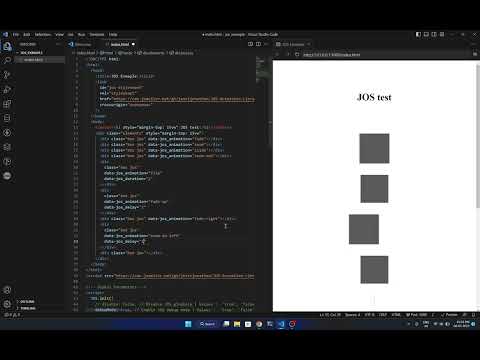
<!--
JOS : Animation Library
By Jesvi Jonathan
-->

<br/>
<p align="center">
  <a target="\_blank" rel="noopener noreferrer nofollow" href="https://jos-animation.vercel.app">
    <img src="https://cdn.jsdelivr.net/gh/jesvijonathan/JOS-Animation-Library@master/res/logo/jos_full_white.svg" alt="JOS-Animation" style="max-width: 100%;" height="200"/>
  </a>

  <h3 align="center">JOS : Animation Library</h3>

  <p align="center">
    A simple & easy to use animation library for web developers

    <br />
    <br /> 
    <a target="_blank" rel="noopener noreferrer nofollow" href="https://github.com/jesvijonathan/JOS-Animation-Library"><img src="https://cdn.jsdelivr.net/gh/jesvijonathan/JOS-Animation-Library@master/res/badge/jos_github%20default_black.svg" alt="JOS-Animation" style="max-width: 100%;"></a>
    <a href="https://badge.fury.io/js/jos-animation"><img src="https://badge.fury.io/js/jos-animation.svg" alt="npm version" height="18"></a>
    <br />
    <br />
    <a href="https://jesvijonathan.github.io/JOS-Animation-Library">Git Pages</a>
    ·
    <a href="https://jos-animation.vercel.app">Playground Demo</a>
    ·
    <a href="https://github.com/jesvijonathan/JOS-Animation-Library/issues">Report Bug</a>
    ·
    <a href="https://github.com/jesvijonathan/JOS-Animation-Library/issues">Request Feature</a>

  </p>
</p>

<!-- TABLE OF CONTENTS
## Table of Contents

- [About This Project](#about-this-project)
  - [Built With](#built-with)
- [Getting Started](#getting-started)
  - [Prerequisites](#prerequisites)
  - [Installation](#installation)
    - [Normal Installation](#normal-installation)
- [Usage](#usage)
- [Contributing](#contributing)
- [License](#license)
- [Contact](#contact)

<!-- ABOUT THE PROJECT -->

## About This Project

JOS-Animation, Javascript On Scroll Animation library is a simple & easy to use animation library package to instantly add professional animation to your website. It was built to make my life easier while developing websites & comes with tons of features and is fully customizable. It is lightweight & has a very small footprint. The best part of all is that it has no (\*minimum) toll on performance.

- Open source, no download or tiring setup, just add a script tag (Embed).
- Includes Preset and expert custom animation options.
- Works with all major browsers & Platforms.
- Fast, light and small with no/min toll on performance.
- Simple & easy to setup for both beginners & experts.
- Customize animation settings and build your own scroll invoked functions
- And lots more stuff... explore it yourself.

This project is currently being developed by me & the dev community, So you can expect more features and updates quite often..

Was inpired by GSAP, AOS libraries. I wanted something easier to use, with great performance and wanted to make the implementation better. So I worked on this project from scratch.

Feel free to report an issue or request a feature in this repository :)
& for more information, Check out the [JOS Webpage](https://jos-animation.vercel.app).
<br>

<details>
<summary>
Badges
</summary>

<br>

![jos-animation-Badge](https://cdn.jsdelivr.net/gh/jesvijonathan/JOS-Animation-Library@master/res/badge/jos_github%20default.svg)
![jos-animation-Badge](https://cdn.jsdelivr.net/gh/jesvijonathan/JOS-Animation-Library@master/res/badge/jos_github%20default_black.svg)

```html
<a
  target="\_blank"
  rel="noopener noreferrer nofollow"
  href="https://github.com/jesvijonathan/JOS-Animation-Library"
>
  <img
    src="https://cdn.jsdelivr.net/gh/jesvijonathan/JOS-Animation-Library@master/res/badge/jos_github%20default.svg"
    alt="JOS-Animation"
    style="max-width: 100%;"
/></a>
```

![jos-animation-Badge](https://cdn.jsdelivr.net/gh/jesvijonathan/JOS-Animation-Library@master/res/badge/jos_black_inverse.svg)
![jos-animation-Badge](https://cdn.jsdelivr.net/gh/jesvijonathan/JOS-Animation-Library@master/res/badge/jos_white_inverse.svg)

![jos-animation-Badge](https://cdn.jsdelivr.net/gh/jesvijonathan/JOS-Animation-Library@master/res/badge/jos_inside_logo_white.svg)
![jos-animation-Badge](https://cdn.jsdelivr.net/gh/jesvijonathan/JOS-Animation-Library@master/res/badge/jos_inside_logo_black.svg)

![jos-animation-Badge](https://cdn.jsdelivr.net/gh/jesvijonathan/JOS-Animation-Library@master/res/badge/jos_plain_black.svg)
![jos-animation-Badge](https://cdn.jsdelivr.net/gh/jesvijonathan/JOS-Animation-Library@master/res/badge/jos_plain_white.svg)

![jos-animation-logo](https://cdn.jsdelivr.net/gh/jesvijonathan/JOS-Animation-Library@master/res/logo/jos_black.svg)
![jos-animation-logo](https://cdn.jsdelivr.net/gh/jesvijonathan/JOS-Animation-Library@master/res/logo/jos_white.svg)

![jos-animation-logo](https://cdn.jsdelivr.net/gh/jesvijonathan/JOS-Animation-Library@master/res/logo/jos_default_white.svg)
![jos-animation-logo](https://cdn.jsdelivr.net/gh/jesvijonathan/JOS-Animation-Library@master/res/logo/jos_default_black.svg)
![jos-animation-logo](https://cdn.jsdelivr.net/gh/jesvijonathan/JOS-Animation-Library@master/res/logo/jos_default_transparent.svg)
![jos-animation-logo](https://cdn.jsdelivr.net/gh/jesvijonathan/JOS-Animation-Library@master/res/logo/jos_default_transparent_black.svg)

![jos-animation-image](https://cdn.jsdelivr.net/gh/jesvijonathan/JOS-Animation-Library@master/res/logo/jos_full_white.svg)
![jos-animation-image](https://cdn.jsdelivr.net/gh/jesvijonathan/JOS-Animation-Library@master/res/logo/jos_full_black.svg)

</details>
<details>
<summary> 
<b>Video Tutorial</b>
</summary>
<center>
 
- <a target="_blank" rel="noopener noreferrer nofollow" href="https://www.youtube.com/watch?v=ziR95EKKttc"><img src="https://img.youtube.com/vi/ziR95EKKttc/0.jpg" alt="JOS-Animation v0.6" style="max-width: 100%;"></a> JOS V0.6 Cubes <i>(Outdated | [Latest : v0.9.1](https://github.com/jesvijonathan/JOS-Animation-Library/releases/latest))</i>
<br>
- <a target="_blank" rel="noopener noreferrer nofollow" href="https://www.youtube.com/watch?v=_hlvc5oq9Fw"><img src="https://img.youtube.com/vi/_hlvc5oq9Fw/0.jpg" alt="JOS-Animation v0.8" style="max-width: 100%;"></a>JOS V0.8.8 <i>(Outdated | [Latest : v0.9.1](https://github.com/jesvijonathan/JOS-Animation-Library/releases/latest))</i>

</center>
</details>

<br>

<code> <i>JOS</i> </code> <code> <i>v0.9.2</i> </code> <code><i> 11 Nov 2023</i></code> <code> <i>Jesvi Jonathan</i> </code>

<br>

### Built With

- [JavaScript](https://www.w3schools.com/js/)
- [CSS](https://www.w3schools.com/css/)

### Installation

0. Add the <code>[\<link>](https://github.com/jesvijonathan/Jesvi-Bot/releases)</code> inside the <code>\<head></code> tag :
   (this step is not required from <code>v0.9</code> onwards)

<!-- https://unpkg.com/jos-animation@latest/dist/jos.js -->
<!-- "https://cdn.jsdelivr.net/gh/jesvijonathan/JOS-Animation-Library/dist/v0.8.8/jos.css" -->

```html
<link
  id="jos-stylesheet"
  rel="stylesheet"
  href="https://unpkg.com/jos-animation/dist/jos.css"
  crossorigin="anonymous"
/>
```

1. Add the <code>[\<script>](https://github.com/jesvijonathan/Jesvi-Bot/releases)</code> right after the <code>\<body></code> tag :
   <!-- For easier navigation use jsdelivr -->
   <!-- https://cdn.jsdelivr.net/gh/jesvijonathan/JOS-Animation-Library/dist/v0.8.8/jos.min.js -->
   <!-- For Stablility use unpkg  -->
   <!-- https://unpkg.com/jos-animation@latest/dist/jos.js -->

```html
<script src="https://unpkg.com/jos-animation/dist/jos.min.js"></script>
```

You can add minified version of the script by replacing <code>jos.js</code> with <code>jos.min.js</code> in the above script tag.

<!-- Use <code>defer</code> attribute in script tag to make sure the script is loaded after the DOM is loaded. -->

- <code>jos.js</code> for basic.
- <code>jos.min.js</code> for production use.
- <b><code>jos.debug.js</code></b> for <b>debugging</b> along with some other function

From <code>v0.9</code> onwards, by default <code>jos.js</code> does not require you to add the stylesheet <code>jos.css</code>, it will be exported along with the script. But you can still add the stylesheet if you want to for some reason.

# Version Tags

<!-- https://unpkg.com/jos-animation@0.8.8/dist/jos.js -->

- Latest : <code>jos-animation@latest</code>
- Stable : <code>jos-animation@0.8.8</code>
- Beta : <code>jos-animation@0.9.0-beta.1</code>

So it would be <code>https://unpkg.com/jos-animation/@latest/dist/jos.js</code> (embed) for the latest version. or <code>jos-animation/@0.8.8/dist/jos.js</code> (npm install) for a specific version.

  <!-- - make sure to enable <u>verbose</u> in debug level settings under the console tab in your browser's developer tools. -->

<!-- 3. Initialize JOS with default settings :

```html
<script>
  JOS.init();
</script>
```

By the end of this step, you should have something like this :

```html
<!DOCTYPE html>
<html>
  <head>
    <link
      id="jos-stylesheet"
      rel="stylesheet"
      href="https://cdn.jsdelivr.net/gh/jesvijonathan/JOS-Animation-Library/dist/jos.css"
      crossorigin="anonymous"
    />
  </head>
  <body>
    <script src="https://cdn.jsdelivr.net/gh/jesvijonathan/JOS-Animation-Library/dist/jos.min.js"></script>
    <script>
      JOS.init();
    </script>
  </body>
</html>
``` -->

<!-- using npm -->

<!-- ### Installation using npm

1. You can also Install JOS using npm :

```bash
npm install jos-animation
```

2. Import JOS in your project :

```js
import "jos-animation/dist/jos.css";
import JOS from "jos-animation";

JOS.init();
``` -->

## Setup

1. Use <code>JOS.init();</code> to initialize the library with default settings.

```html
<!-- Initialize JOS with default settings -->
<script>
  JOS.init();
</script>
```

2. (<b>Or</b>) Use <code>JOS.init(options);</code> to overide the default settings with your custom settings.

```html
<!-- Global Parameters -->
<script>
  JOS.init({
    // disable: false, // Disable JOS gloabaly | Values :  'true', 'false'
    debugMode: true, // Enable JOS debug mode | Values :  'true', 'false'
    passive: false, // Set the passive option for the scroll event listener | Values :  'true', 'false'

    once: false, // Disable JOS after first animation | Values :  'true', 'false' || Int : 0-1000
    animation: "fade", // JOS global animation type | Values :  'fade', 'slide', 'zoom', 'flip', 'fade-right', 'fade-left', 'fade-up', 'fade-down', 'zoom-in-right', 'zoom-in-left', 'zoom-in-up', 'zoom-in-down', 'zoom-out-right', 'zoom-out-left', 'zoom-out-up', 'zoom-out-down', 'flip-right', 'flip-left', 'flip-up', 'flip-down, spin, revolve, stretch, "my-custom-animation"
    // animationInverse: "static", // Set the animation type for the element when it is scrolled out of view | Values :  'fade', 'slide', 'zoom', 'flip', 'fade-right', 'fade-left', 'fade-up', 'fade-down', 'zoom-in-right', 'zoom-in-left', 'zoom-in-up', 'zoom-in-down', 'zoom-out-right', 'zoom-out-left', 'zoom-out-up', 'zoom-out-down', 'flip-right', 'flip-left', 'flip-up', 'flip-down, spin, revolve, stretch, "my-custom-animation"
    timingFunction: "ease-in-out", // JOS global timing function | Values :  'ease', 'ease-in', 'ease-out', 'ease-in-out', 'linear', 'step-start', 'step-end', 'steps()', 'cubic-bezier()', 'my-custom-timing-function'
    //mirror : false, // Set whether the element should animate back when scrolled out of view | Values :  'true', 'false'
    threshold: 0, // Set gloabal the threshold for the element to be visible | Values :  0-1
    delay: 0, // Set global the delay for the animation to start | Values :  0,1,2,3,4,5
    duration: 0.7, // Set global the duration for the animation playback | Values :  flota : 0-1 & int : 0,1,2,3,4,5

    // startVisible: "true", // Set whether the element should animate when the page is loaded | Values :  'true', 'false' || MS : 0-10000
    // scrollDirection: "down", // Set the scroll direction for the element to be visible | Values :  'up', 'down', 'none'
    //scrollProgressDisable: true // disable or enable scroll callback function | Values :  'true', 'false'
    // intersectionRatio: 0.4, // Set the intersection ratio between which the element should be visible | Values :  0-1 (automaticaly set)
    // rootMargin_top: "0%", // Set by which percent the element should animate out (Recommended value between 10% to -30%)
    // rootMargin_bottom: "-50%", // Set by which percent the element should animate out (Recommended value between -10% to -60%)
    // rootMargin: "0% 0% -50% 0%", // Set the root margin for the element to be visible | Values :  _% _% _% _%  (automaticaly set)
  });
</script>
```

3. Set <code>class="jos"</code> to the element you want to animate :

```html
<!-- JOS class is required to animate the element -->
<div class="jos"></div>
```

4. Set <code>data-jos</code> \*attributes to customize the element you want to animate,<br>(although these attributes are optional and will work without them) :

```html
<!-- JOS attributes are optional and will work without them (class="jos" is mandatory). these attributes can be used to customize the animation of the element -->
<div
  class="jos"
  data-jos_animation="zoom"
  data-jos_once="false"
  data-jos_duration="0.4"
  data-jos_delay="0.1"
  data-jos_timing-function="ease-in-out"
  data-jos_mirror="true"
  data-jos_rootMargin="0% 0% -50% 0%"
  data-jos_rootMargin_top="-10%"
  data-jos_rootMargin_bottom="-50%"
  data-jos_scrollDirection="down"
  data-jos_startVisible="false"
  data-jos_threshold="0.4"
  data-jos_passive="false"
  data-jos_invoke="myCustomFunction"
  data-jos_invoke_out="myCustomFunction_onExit"
  data-jos_scroll="your_callbackFunction"
  data-jos_anchor="#elementID"
></div>
```

See [JOS Props](#jos-attributes) for full information regarding the animation, attributes, and options.

## Custom Animation

1. Create a custom animation by adding the following code to your stylesheet :

```css
/* Custom animation class name starts with 'jos-' keyword followed by the animation name*/
.jos-my-custom-animation {
  /* Set the initial state of the element */
}
```

2. Use your cutom animation by setting the <code>data-jos_animation</code> attribute to <code>my-custom-animation</code> :

```html
<div class="jos" data-jos_animation="my-custom-animation"></div>
```

Example : [Custom Animation]()

## Custom Inverse Animation

1. Create a custom inverse animation by adding the following code to your stylesheet :

```css
/* Custom inverse animation class name starts with 'jos-' keyword followed by the animation name*/
.jos-my-custom-animation-inverse {
  /* Set the initial state of the element */
}
```

2. Use your cutom inverse animation by setting the <code>data-jos_animationInverse</code> attribute to <code>my-custom-animation-inverse</code> :

```html
<div class="jos" data-jos_animationInverse="my-custom-animation-inverse"></div>
```

This is especially useful when you want to animate an element when it is **scrolled out of its rootMargin**, this gives more customizability for beautiful animations.

You can also use a combination of both <code>data-jos_animation</code> ("none", "static", no-transition, etc) & <code>data-jos_animationInverse</code> attributes to create a custom animation.

Example : [Custom Inverse Animation]()

## Playable Animation

1. Create a playable animation by adding the following code to your stylesheet :

```css
/* Custom playable animation class name starts with 'jos-' keyword followed by the animation name*/

/* My Custom Playable Animation */
.jos-my-custom-animation {
  transition: 1s;
  animation: jos-my-custom-animation 1s ease-in-out infinite;
  transform: translateX(100px);
}
/* Add Keyframes */
@keyframes jos-my-custom-animation {
  0% {
    opacity: 1;
  }

  50% {
    transform: translateX(-100px);
  }
}
```

1. Use the playable animation by setting the <code>data-jos_animation</code> attribute to <code>my-custom-animation</code> & <code>data-jos_animationInverse</code> attribute to <code>my-custom-animation-play</code> :

```html
<div
  class="jos"
  data-jos_animation="my-custom-animation"
  data-jos_animationinverse="static"
></div>
```

Here the <code>data-jos_animationinverse</code> attribute is set to <code>static</code> to prevent the element from animating out of view & to keep it in the final state. The Playable animation is triggered and starts playing when the element is scrolled into view.

Example : [Playable Animation]()

## Custom Timing Function

1. Create a custom timing function by adding the following code to your stylesheet :

```css
/* Custom timing function attribute name starts with 'data-jos_timing_function' keyword & a custom name of your choice */
[data-jos_timing_function="myCustom-timingFunc"] {
  /* Set the timing of the element */
  transition-timing-function: cubic-bezier(0.2, 0.5, 0.2, 0.5) !important;
}
```

2. Use your cutom timing function by setting the <code>data-jos_timing-function</code> attribute to <code>my-custom-timing-function</code> :

```html
<div class="jos" data-jos_timing-function="myCustom-timingFunc"></div>
```

Example : [Custom Timing Function]()

## Anchors to trigger animation

1. Create an element that you want to use as an anchor & add an <code>id</code> to it :

```html
<!-- My reference anchor element -->
<div id="myElement"></div>
```

1. Create an element that you want to animate & add the <code>data-jos_anchor</code> attribute to it, with the id starting with suffix <code>#</code> :

```html
<!-- My animated element -->
<div class="jos" data-jos_anchor="#myElement"></div>
```

This triggers the animation when the <code>myElement</code> element is scrolled into view.<br>
This feature is useful especially when you want to animate an element which is in a <b>fixed position</b>.

Example : [Anchor](https://github.com/jesvijonathan/JOS-Animation-Library/blob/master/dev/index.html?plain=1#L35)

## Direction Based Animation

1. Create an element that you want to animate & add the <code>data-jos_scrollDirection</code> attribute to it :

```html
<!-- My animated element -->
<div class="jos" data-jos_scrollDirection="down"></div>
```

This triggers the animation when the element is scrolled into view from the up to <code>down</code> direction.<br> & you can do the same for down to <code>up</code> direction.

This is partciluarly useful when you want to animate an element when it is **scrolled into view from a particular direction.**

Example : [Direction Based Animation]()

## Start Visible

1. Create an element that you want to have a visible state when the page is loaded & add the <code>data-jos_startVisible</code> attribute to it :

```html
<!-- My animated element -->
<div class="jos" data-jos_startVisible="true"></div>
```

This sets the element to be visivle when the page is loaded. you can add a delay to it by setting the value in <code>ms</code> :

```html
<!-- My animated element that is visivle with a given timer/delay in ms-->
<div class="jos" data-jos_startVisible="3000"></div>
```

This sets the element to be visivle when the page is loaded after <code>3000</code>ms or instantly if the value is <code>0</code> (or) <code>true</code>.

This feature is useful especially when you want an element which is in a <b>fixed position, or is present in the landing page</b> to be at initially in a visible state with no animation .

Example : [Start Visible]()

## Create Custom Function

1. Create a custom function by adding the following code to your script :

```js
// Create a custom function
function myCustomFunction() {
  // Do something
}
```

2. Use your cutom function by setting the <code>data-jos_invoke</code> attribute to <code>myCustomFunction</code> :

```html
<div class="jos" data-jos_invoke="myCustomFunction"></div>
```

This triggers the myCustomFunction() function when the element is scrolled into view.

You can use <b><code>data-jos_invoke_out</code></b> attribute to trigger the function when the element is scrolled out of view.

Example : [Custom Function]()

## Scroll Progress Callback

1. Create an element that you want to animate & add the <code>data-jos_scroll</code> attribute to it :

```html
<div id="elem1" class="jos" data-jos_scroll="your_callbackFunction">
  Scroll Trigger Element
</div>
```

2. Create a custom function by adding the following code to your script :

```js
your_callbackFunction = (element) => {
  // windowScrollProgress : element scroll pixel
  console.log(element.id, element.jos.windowScrollProgress);
  // scrollProgress : 0-1
  element.style.opacity = element.jos.scrollProgress;
  // rootScrollProgress : +-0 to +-1
  element.style.innerHTML = element.jos.rootScrollProgress;
};
```

This triggers the your_callbackFunction() function when the element is scrolled. This way you can handle the scroll progress of the element.

Example : [Custom Function](https://github.com/jesvijonathan/JOS-Animation-Library/releases/tag/v0.8.8)

## Staggering Animation

1. Create an <b>parent</b> element that you want to animate & add the <code>data-jos_stagger</code> attribute to it along with <code>jos</code> class :

```html
<div
  class="jos parent_elem"
  id="stagger"
  data-jos_stagger="spin"
  data-jos_staggerinverse="none"
  data-jos_stagger_anchor="#elementID"
  data-jos_stagger_sequence="0.1"
  data-jos_stagger_delay="0"
  data-jos_stagger_duration="0.4"
  data-jos_stagger_timing-function="ease-in-out"
  data-jos_stagger_mirror="true"
  data-jos_stagger_rootMargin="0% 0% -50% 0%"
  data-jos_stagger_invoke="myCustomFunction"
  data-jos_stagger_invoke_out="myCustomFunction_onExit"
  data-jos_stagger_scroll="your_callbackFunction"
  data-jos_stagger_startVisible="false"
  data-jos_stagger_scrollDirection="down"
  data-jos_stagger_once="false"
>
  <!-- data-jos_stagger="true"        # this attribute along with 'jos' class in parent element is Required/Must to enable staggering -->
  <!-- data-jos_stagger_anchor="true" # auto sets parent element's id & uses it as a anchor's -->

  <!-- Element 1  -->
  <div class="child_elem"></div>
  <!-- Element 2  -->
  <div class="child_elem"></div>
  <!-- Element 3  -->
  <div class="child_elem"></div>
  <!-- Element n  -->
</div>
```

The <code>data-jos_stagger</code> attribute along with <code>jos</code> class in parent element is Required/Must to enable staggering even if you are using other attributes.

- <code>data-jos_stagger</code>=<code>true</code> would auto asign id for parent element & use it as a anchor for child elements.
- <code>data-jos_stagger</code>=<code>#id</code> would use the given id as a anchor for child elements.
- not using <code>data-jos_stagger_anchor</code> make the element independent of the parent element.

<code>data-jos_stagger_seq</code> is used to set the delay between each element in the sequence <i>(to trigger one after other)</i> whereas <code>data-jos_stagger_delay</code> total delay for each element as a whole.

Example : [Staggering Animation]() <br>

## JOS Attributes

| Attribute                        | Type          | Default         | Description                                                                                                                 | Values                                                                                                                                                                                                                                                                                                                                                                                                    |
| -------------------------------- | ------------- | --------------- | --------------------------------------------------------------------------------------------------------------------------- | --------------------------------------------------------------------------------------------------------------------------------------------------------------------------------------------------------------------------------------------------------------------------------------------------------------------------------------------------------------------------------------------------------- |
| data-jos_animation               | string        | fade            | Set the animation type for the element.                                                                                     | `fade`, `slide`, `zoom`, `flip`, `fade-right`, `fade-left`, `fade-up`, `fade-down`, `zoom-in-right`, `zoom-in-left`, `zoom-in-up`, `zoom-in-down`, `zoom-out-right`, `zoom-out-left`, `zoom-out-up`, `zoom-out-down`, `flip-right`, `flip-left`, `flip-up`, `flip-down`, `rotate`, `rotate-right`, `spin`, `spin-right`, `revolve`, `revolve-right`, `stretch`, `stretch-vertical`, `my-custom-animation` |
| data-jos_animationInverse        | string        | static          | Set the Inverse animation type for the element.                                                                             | `fade`, `slide`, `zoom`, `flip`, `fade-right`, `fade-left`, `fade-up`, `fade-down`, `zoom-in-right`, `zoom-in-left`, `zoom-in-up`, `zoom-in-down`, `zoom-out-right`, `zoom-out-left`, `zoom-out-up`, `zoom-out-down`, `flip-right`, `flip-left`, `flip-up`, `flip-down`, `rotate`, `rotate-right`, `spin`, `spin-right`, `revolve`, `revolve-right`, `stretch`, `stretch-vertical`, `my-custom-animation` |
| data-jos_once                    | boolean       | false           | Set whether the element should animate only once.                                                                           | `true`, `false`                                                                                                                                                                                                                                                                                                                                                                                           |
| data-jos_delay                   | int           | 0               | Set the delay for the animation to start.                                                                                   | `(float: 0-1)` & `(int: 0, 1, 2, 3, 4, 5)`                                                                                                                                                                                                                                                                                                                                                                |
| data-jos_duration                | float         | 0.4             | Set the duration for the animation playback.                                                                                | `(float: 0-1)` & `(int: 0, 1, 2, 3, 4, 5)`                                                                                                                                                                                                                                                                                                                                                                |
| data-jos_timing-function         | string        | ease            | Set the timing function for the animation playback.                                                                         | `ease`, `ease-in`, `ease-out`, `ease-in-out`, `linear`, `step-start`, `step-end`, `steps(1, start)`, `steps(1, end)`, `cubic-bezier(0.1, 0.7, 1.0, 0.1)`, `my-custom-timingFunc`                                                                                                                                                                                                                          |
| data-jos_invoke                  | string        | null            | Set the function to be invoked when the element is scrolled into view.                                                      | `function`, `myCustomFunction`                                                                                                                                                                                                                                                                                                                                                                            |
| data-jos_invoke_out              | string        | null            | Set the function to be invoked when the element is scrolled out of view.                                                    | `function`, `myCustomFunction`                                                                                                                                                                                                                                                                                                                                                                            |
| data-once                        | boolean & int | false           | Set whether the element should animate only                                                                                 | `(boolean: true, false)` & `(int: 0-infinity)`                                                                                                                                                                                                                                                                                                                                                            |
| data-jos_rootMargin              | string        | 0% -10% 0% -50% | Sets the margin for an element to animate on in a viewport when scrolled.                                                   | `(string: "right% top% left% bottom%")`                                                                                                                                                                                                                                                                                                                                                                   |
| data-jos_rootMargin_top          | string        | 0%              | Sets the margin for an element to animate on the top of a viewport when scrolled.                                           | `(string: "top%")`                                                                                                                                                                                                                                                                                                                                                                                        |
| data-jos_rootMargin_bottom       | string        | 0%              | Sets the margin for an element to animate on the bottom of a viewport when scrolled.                                        | `(string: "bottom%")`                                                                                                                                                                                                                                                                                                                                                                                     |
| data-jos_scrollDirection         | string        | down            | Sets the direction for an element to animate on ina viewport when scrolled.                                                 | `(string: "up", "down", "none")`                                                                                                                                                                                                                                                                                                                                                                          |
| data-jos_startVisible            | boolean & int | false           | Set whether the element should start at the final state when the page is loaded (also works with delay).                    | `(boolean: true, false)` & `(int: 0-10000 ms)`                                                                                                                                                                                                                                                                                                                                                            |
| data-jos_anchor                  | string        | null            | Sets the anchor element for an element to animate on in a viewport when scrolled.                                           | `(string: "#elementID")`                                                                                                                                                                                                                                                                                                                                                                                  |
| data-jos_scroll                  | string        | null            | Sets the callback function for an element to animate on in a viewport when scrolled.                                        | `function`, `your_callbackFunction`                                                                                                                                                                                                                                                                                                                                                                       |
| data-jos_stagger                 | string        | fade            | Sets the stagger animation for an child stagger element to animate on in a viewport when scrolled.                          | `string`, `fade`                                                                                                                                                                                                                                                                                                                                                                                          |
| data-jos_staggerinverse          | string        | static          | Sets the stagger inverse animation for an child stagger element to animate on in a viewport when scrolled (play animation). | `string`, `fade-play`                                                                                                                                                                                                                                                                                                                                                                                     |
| data-jos_stagger_anchor          | string        | null            | Sets the anchor element for an child stagger element to animate on in a viewport when scrolled.                             | `string`, `#elementID`                                                                                                                                                                                                                                                                                                                                                                                    |
| data-jos_stagger_seq             | float         | null            | Sets the sequence delay for an child stagger element to animate on in a viewport when scrolled.                             | `float`, `0-1`                                                                                                                                                                                                                                                                                                                                                                                            |
| data-jos_stagger_delay           | float         | null            | Sets the delay for an child stagger element to animate on in a viewport when scrolled.                                      | `float`, `0-1`                                                                                                                                                                                                                                                                                                                                                                                            |
| data-jos_stagger_duration        | float         | null            | Sets the duration for an element to child stagger animate on in a viewport when scrolled.                                   | `float`, `0-1`                                                                                                                                                                                                                                                                                                                                                                                            |
| data-jos_stagger_timing-function | string        | null            | Sets the timing function for an child stagger element to animate on in a viewport when scrolled.                            | `string`, `ease`                                                                                                                                                                                                                                                                                                                                                                                          |
| data-jos_stagger_mirror          | boolean       | null            | Sets the mirror animation for an child stagger element to animate on in a viewport when scrolled.                           | `boolean`, `true`, `false`                                                                                                                                                                                                                                                                                                                                                                                |
| data-jos_stagger_rootMargin      | string        | null            | Sets the margin for an child stagger element to animate on in a viewport when scrolled.                                     | `(string: "right% top% left% bottom%")`                                                                                                                                                                                                                                                                                                                                                                   |
| data-jos_stagger_scrollDirection | string        | null            | Sets the direction for an child stagger element to animate on ina viewport when scrolled.                                   | `(string: "up", "down", "none")`                                                                                                                                                                                                                                                                                                                                                                          |
| data-jos_stagger_startVisible    | boolean & int | null            | Set whether the child stagger element should start at the final state when the page is loaded (also works with delay).      | `(boolean: true, false)` & `(int: 0-10000 ms)`                                                                                                                                                                                                                                                                                                                                                            |
| data-jos_stagger_once            | boolean       | null            | Set whether the element should animate only once or n count.                                                                | `true`, `false`, `int`                                                                                                                                                                                                                                                                                                                                                                                    |
| data-jos_stagger_scroll          | string        | null            | Sets the callback function for an child stagger to animate on in a viewport when scrolled.                                  | `function`, `your_callbackFunction`                                                                                                                                                                                                                                                                                                                                                                       |
| data-jos_stagger_invoke          | string        | null            | Set the function to be invoked when the child stagger element is scrolled into view.                                        | `function`, `myCustomFunction`                                                                                                                                                                                                                                                                                                                                                                            |
| data-jos_stagger_invoke_out      | string        | null            | Set the function to be invoked when the child stagger element is scrolled out of view.                                      | `function`, `myCustomFunction`                                                                                                                                                                                                                                                                                                                                                                            |

<!--create a table for init, refresh, start, stop, destroy -->

## JOS Methods

| Method    | Description              | Parameters                                                                                              |
| --------- | ------------------------ | ------------------------------------------------------------------------------------------------------- |
| init()    | Initialize/Reset JOS     | options = `{}` (refer [JOS.Init(options)]() )                                                           |
| refresh() | Refresh JOS              | none                                                                                                    |
| stop()    | Stop/Pause JOS           | state = (`0` - Stop at final state, `1` - Stop at initial state, `-1` - Pause at current state)         |
| start()   | Start/Resume JOS Service | state = (`0` - Normal/Full start, `-1` - Resume from current state)                                     |
| destroy() | Destroy JOS Instance     | state = (`0` - Destroy JOS instance excluding stylesheet, `1` - Full Destroy along with JOS-stylesheet) |

## Bundling JOS

Once you are done and have finished developing a version of JOS, you can bundle it using the following command from project root :

```bash
# JOS-Animation-Library
# |-dev
# |-dist
# |-bundler
#   |-config
#   |-export  <-- Check this folder for the output files
#     |-jos.css
#     |-jos.js
#     |...
#   |-original
#   |-bundle.sh  <-- Run this file to bundle JOS
# ...
```

```bash
# Change/Move to bundler directory
cd ./bundler

# Bundle the project
sh bundle.sh

# View the output files
ls ./export
```

## Bugs and Issues

Moved to [issues](https://github.com/jesvijonathan/JOS-Animation-Library/issues)

## Contributing

- Fork it from [main branch](https://github.com/jesvijonathan/JOS-Animation-Library)
- Add your useful feature or fix a bug
- Commit your changes
- Create a pull request

Maybe even [bundle it](#bundling-jos) and test it out before sharing it with the world ;

## License

- [JOS](https://github.com/jesvijonathan/JOS-Animation-Library/blob/master/LICENSE.md) is licensed under the [MIT License](https://github.com/jesvijonathan/JOS-Animation-Library/blob/master/LICENSE.md).

## Used In

- [CIT Takshashila 23](https://www.cittakshashila.in/)
- [JOS Demo](https://jesvijonathan.github.io/JOS-Animation-Library/)
- [JOS Playground](https://jos-animation.vercel.app)
- [CSC](https://jesvijonathan.github.io/christhava-sangam-church-website/)
- [Bitspace](https://bitspace-nextjs-jos.vercel.app)

(<i>Ping Me If you have a demo</i>)

### Why use JOS ?

- <b>Performance</b>, JOS has a implementation, different from others.
- <b>Easy to use</b>, you can use it in your projects with very minimal effort.
- JOS is lightweight (<2kb)
- Customizable with own attributes and animation.
- Open sourced and free to use

## Credits

<div align="center">

#### <i><u>This project was solely developed by</i> [Jesvi Jonathan](https://jesvi.pythonanywhere.com)</u>

</div>