# QRCode Jodit plugin
[](https://www.npmjs.com/package/jodit-plugin-qrcode)
[](https://www.npmjs.com/package/jodit-plugin-qrcode)
[](https://www.jsdelivr.com/package/npm/jodit-plugin-qrcode)
[](https://github.com/TimurSeyidov/jodit-plugins/actions/workflows/ci.yml)
[](https://codecov.io/gh/TimurSeyidov/jodit-plugins)
[](https://github.com/TimurSeyidov/jodit-plugins/blob/main/LICENSE)
QR codes for the [Jodit](https://xdsoft.net/jodit/) editor: a toolbar button that turns any text or link into a QR code image, with a live preview and editing of inserted codes. The image is generated in the browser, no server needed.
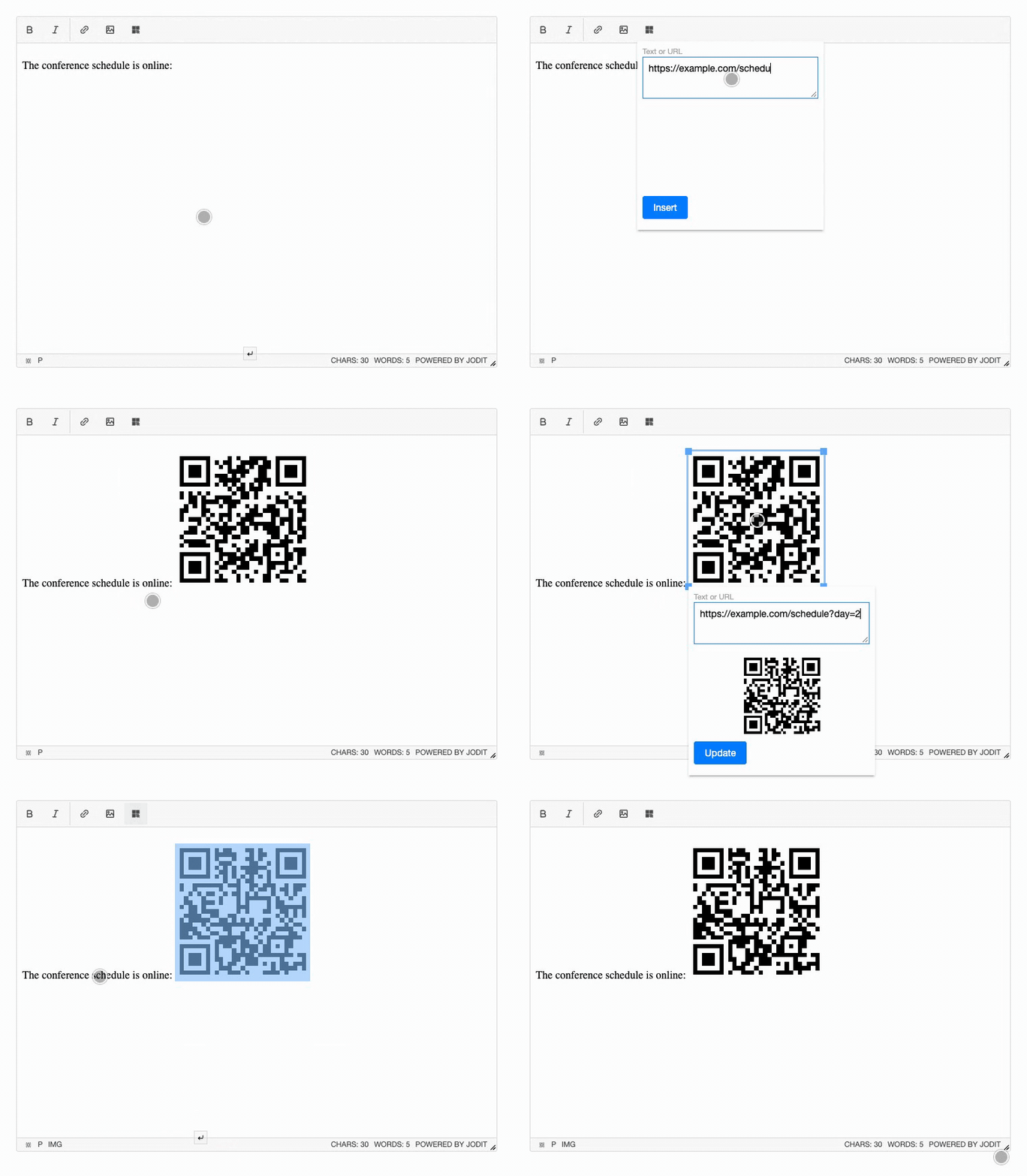
**[Documentation and live demo](https://timurseyidov.github.io/jodit-plugins/plugins/qrcode/)**
## Install
```shell
npm install jodit jodit-plugin-qrcode
```
```js
import { Jodit } from 'jodit';
import 'jodit/es2021/jodit.min.css';
import 'jodit-plugin-qrcode';
Jodit.make('#editor', {
qrcode: { size: 200, format: 'png' }
});
```
The [qrcode](https://www.npmjs.com/package/qrcode) library is installed with the plugin.
## CDN
```html
```
The browser build already contains the qrcode library. Loading through the Jodit `extraPlugins` option is supported too; see [Installation](https://timurseyidov.github.io/jodit-plugins/plugins/qrcode/installation/).
## Options
| Option | Default | Description |
| --- | --- | --- |
| `size` | `200` | Width and height of the image, in pixels |
| `margin` | `1` | Empty border around the code, in modules |
| `errorCorrectionLevel` | `'M'` | `'L'`, `'M'`, `'Q'` or `'H'` |
| `dark` | `'#000000'` | Color of the dark modules |
| `light` | `'#ffffff'` | Background color, `#ffffff00` for transparent |
| `format` | `'png'` | `'png'` or `'svg'` |
| `useSelection` | `true` | Open the dialog with the selected text |
| `className` | `''` | CSS classes for the inserted image |
Details: [Options](https://timurseyidov.github.io/jodit-plugins/plugins/qrcode/options/).
## License
[MIT](https://github.com/TimurSeyidov/jodit-plugins/blob/main/LICENSE)