react-swipeable-tabs
---------------
WARNING: This is a package exclusively for development on a PR branch
---------------
Installing
------------
```
$ npm install react-swipeable-tabs --save
```
[Demos](http://bitriddler.com/playground/swipeable-tabs)
--------------
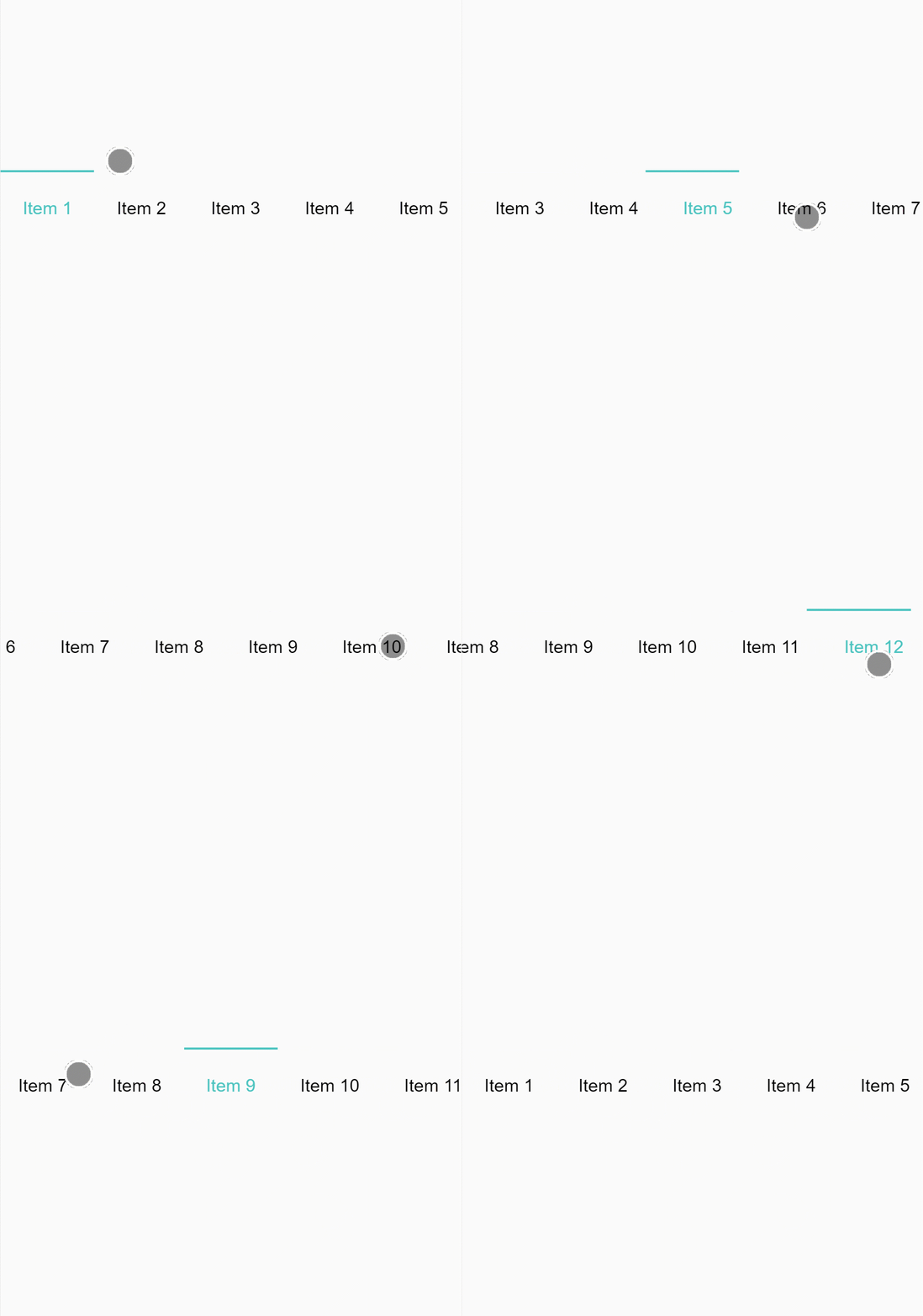 Example
--------------
```javascript
import React from 'react';
import SwipeableTabs from 'react-swipeable-tabs';
export default class TestTabs extends React.Component {
componentWillMount() {
this.setState({
activeItemIndex: 2,
items: [
{ title: "Item 1" },
{ title: "Item 2" },
{ title: "Item 3" },
{ title: "Item 4" },
{ title: "Item 5" },
{ title: "Item 6" },
{ title: "Item 7" },
{ title: "Item 8" },
{ title: "Item 9" },
{ title: "Item 10" },
{ title: "Item 11" },
{ title: "Item 12" },
]
});
}
render() {
return (
this.setState({ activeItemIndex: index })}
items={this.state.items}
borderPosition="top"
borderThickness={2}
borderColor="#4dc4c0"
activeStyle={{
color: '#4dc4c0'
}}
/>
);
}
}
```
| Property | Type | Default | Description |
| --- | --- | --- | --- |
| items* | arrayOf (element) | | Array of tabs to render. |
| onItemClick* | func | | When an item is clicked, this is called with `(item, index)`. |
| activeItemIndex | number | 0 | This is only useful if you want to control the active item index from outside. |
| itemClassName | string | | Item class name. |
| itemStyle | object | {} | Item style. |
| activeStyle | object | {} | Active item style. |
| alignCenter | bool | true | Whether or not to align center if items total width smaller than container width. |
| fitItems | bool | false | This option will fit all items on desktop |
| noFirstLeftPadding | bool | false | This prop defines if the first item doesnt have left padding.
We use this to calculate the border position for the first element. |
| noLastRightPadding | bool | false | This prop defines if the last item doesnt have right padding.
We use this to calculate the border position for the last element. |
| borderPosition | enum ('top', 'bottom') | 'bottom' | Border position. |
| borderColor | string | '#333' | Border color. |
| borderThickness | number | 2 | Border thickness in pixels. |
| borderWidthRatio | number | 1 | Border width ratio from the tab width.
Setting this to 1 will set border width to exactly the tab width. |
| safeMargin | number | 100 | This value is used when user tries to drag the tabs far to right or left.
Setting this to 100 for example user will be able to drag the tabs 100px
far to right and left. |
| initialTranslation | number | 0 | Initial translation. Ignore this. |
| stiffness | number | 170 | React motion configurations.
[More about this here](https://github.com/chenglou/react-motion#--spring-val-number-config-springhelperconfig--opaqueconfig) |
| damping | number | 26 | React motion configurations.
[More about this here](https://github.com/chenglou/react-motion#--spring-val-number-config-springhelperconfig--opaqueconfig) |
| resistanceCoeffiecent | number | 0.5 | Drag resistance coeffiecent.
Higher resitance tougher the user can drag the tabs. |
| gravityAccelarion | number | 9.8 | Gravity acceleration.
Higher resitance tougher the user can drag the tabs. |
| dragCoefficient | number | 0.04 | [Learn more](https://en.wikipedia.org/wiki/Drag_coefficient) |
Contributing
--------------
To contribute, follow these steps:
- Fork this repo.
- Clone your fork.
- Run `npm install`
- Run `npm start`
- Goto `localhost:3000`
- Add your patch then push to your fork and submit a pull request
- NOTE: Don't forget to run npm build before pushing your changes
License
---------
MIT