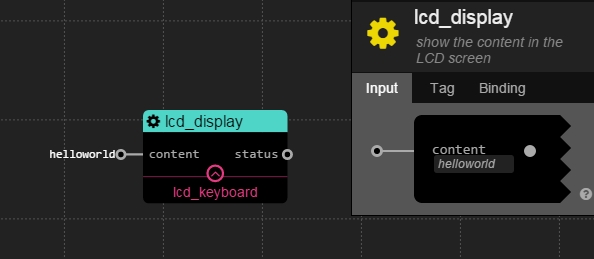
display words in the LCD
content: string. the string content which will be showed in the screen
status: boolean. If succeeds, output true, otherwise, false.
the default value of content is "helloworld", and the screen will show "helloworld" after starting.
5 buttons in the kerboard: left,right,up,down,select
It will be ignored if you pressed multiple buttons in the same time
trigger: Any type. It is a trigger signal, and whenever it comes, the service will check whether the button is pressed.
bool: boolean. true means the button is pressed.
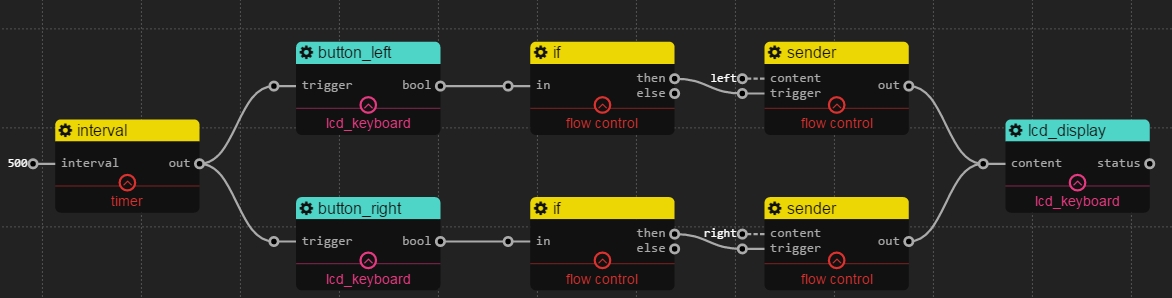
Check which button is pressed in every 0.5s, left or right. And show the button name in the LCD screen.