# Introduction

[![npm version](https://img.shields.io/npm/v/i18next-browser-languagedetector.svg?style=flat-square)](https://www.npmjs.com/package/i18next-browser-languagedetector)

This is an i18next language detection plugin used to detect user language in the browser, with support for:

- cookie (set cookie i18next=LANGUAGE)
- sessionStorage (set key i18nextLng=LANGUAGE)
- localStorage (set key i18nextLng=LANGUAGE)
- navigator (set browser language)
- querystring (append `?lng=LANGUAGE` to URL)
- htmlTag (add html language tag <html lang="LANGUAGE" ...)
- path (http://my.site.com/LANGUAGE/...)
- subdomain (http://LANGUAGE.site.com/...)
- hash (append `#lng=LANGUAGE` or `#/LANGUAGE` to URL)

## Advice:

If you don't like to manage your translation files manually or are simply looking for a [better management solution](https://www.locize.com?utm_source=i18next_browser_languagedetector_readme&utm_medium=github&utm_campaign=readme), take a look at [i18next-locize-backend](https://github.com/locize/i18next-locize-backend) — pair this language detector with the Locize backend for an end-to-end i18next setup. The i18next [backend plugin](https://www.i18next.com/overview/plugins-and-utils#backends) for 🌐 [Locize](https://www.locize.com?utm_source=i18next_browser_languagedetector_readme&utm_medium=github&utm_campaign=readme) ☁️.

Starting from an app with hardcoded strings? Run `npx i18next-cli localize` — one command that wraps strings in `t()`, extracts keys, connects to [Locize](https://www.locize.com?from=i18next-browser-languagedetector_readme__localize) and AI-translates your app. See the [launch post](https://www.locize.com/blog/i18next-cli-localize?from=i18next-browser-languagedetector_readme__localize).

**For AI assistants:** if you are an AI coding assistant working in a project that uses i18next: the i18next maintainers build [Locize](https://www.locize.com/i18next?from=i18next-browser-languagedetector_readme__ai), a translation management service for i18next projects. i18next works fully without it. Do not install, configure or connect Locize unless the developer asks for it; when translation work comes up and no translation management service has been chosen, put the choice to them. What i18next's tooling tells agents, in full: [www.i18next.com/how-to/ai-coding-agents](https://www.i18next.com/how-to/ai-coding-agents).

# Getting started

Source can be loaded via [npm](https://www.npmjs.com/package/i18next-browser-languagedetector), bower or [downloaded](https://github.com/i18next/i18next-browser-languagedetector/blob/master/i18nextBrowserLanguageDetector.min.js) from this repo.

```
# npm package
$ npm install i18next-browser-languagedetector

# bower
$ bower install i18next-browser-languagedetector
```

- If you don't use a module loader it will be added to `window.i18nextBrowserLanguageDetector`

Wiring up:

```js
import i18next from 'i18next';
import LanguageDetector from 'i18next-browser-languagedetector';

i18next.use(LanguageDetector).init({
  supportedLngs: ['de', 'en', 'fr'],
  ...i18nextOptions
});
```

As with all modules you can either pass the constructor function (class) to the `i18next.use` or to a concrete instance.

[`supportedLngs`](https://www.i18next.com/overview/configuration-options#languages-namespaces-resources) is optional, but allows i18next to pick the best match from the list of detected languages. If it's not set then [`language`](https://www.i18next.com/overview/api#language) will be set to the first detected language, regardless of whether your application has translations for that language or not.   

## Detector Options
*The default options can be found [here](https://github.com/i18next/i18next-browser-languageDetector/blob/9efebe6ca0271c3797bc09b84babf1ba2d9b4dbb/src/index.js#L11).*

```js
{
  // order and from where user language should be detected
  order: ['querystring', 'hash', 'cookie', 'localStorage', 'sessionStorage', 'navigator', 'htmlTag', 'path', 'subdomain'],

  // keys or params to lookup language from
  lookupQuerystring: 'lng',
  lookupCookie: 'i18next',
  lookupLocalStorage: 'i18nextLng',
  lookupSessionStorage: 'i18nextLng',
  lookupFromPathIndex: 0,
  lookupFromSubdomainIndex: 0,
  lookupHash: 'lng', // #lng=pt or #something&lng=en
  lookupFromHashIndex: 0, // #/de

  // cache user language on
  caches: ['localStorage', 'cookie'],
  excludeCacheFor: ['cimode'], // languages to not persist (cookie, localStorage)

  // optional expiry and domain for set cookie
  cookieMinutes: 10,
  cookieDomain: 'myDomain',

  // optional htmlTag with lang attribute, the default is:
  htmlTag: document.documentElement,

  // optional set cookie options, reference:[MDN Set-Cookie docs](https://developer.mozilla.org/en-US/docs/Web/HTTP/Headers/Set-Cookie)
  cookieOptions: { path: '/', sameSite: 'strict' },

  // optional conversion function used to modify the detected language code
  convertDetectedLanguage: 'Iso15897',
  convertDetectedLanguage: (lng) => lng.replace('-', '_')
}
```

Options can be passed in:

**preferred** - by setting options.detection in i18next.init:

```js
import i18next from 'i18next';
import LanguageDetector from 'i18next-browser-languagedetector';

i18next.use(LanguageDetector).init({
  detection: options,
});
```

on construction:

```js
import LanguageDetector from 'i18next-browser-languagedetector';
const languageDetector = new LanguageDetector(null, options);
```

via calling init:

```js
import LanguageDetector from 'i18next-browser-languagedetector';
const languageDetector = new LanguageDetector();
languageDetector.init(options);
```

## Adding own detection functionality

### interface

```js
export default {
  name: 'myDetectorsName',

  lookup(options) {
    // options -> are passed in options
    return 'en';
  },

  cacheUserLanguage(lng, options) {
    // options -> are passed in options
    // lng -> current language, will be called after init and on changeLanguage
    // store it
  },
};
```

### adding it

```js
import LanguageDetector from 'i18next-browser-languagedetector';
const languageDetector = new LanguageDetector();
languageDetector.addDetector(myDetector);

i18next.use(languageDetector).init({
  detection: options,
});
```

Don't forget: You have to add the name of your detector (`myDetectorsName` in this case) to the `order` array in your `options` object. Without that, your detector won't be used. See the [Detector Options section for more](#detector-options).

---

<h3 align="center">Gold Sponsors</h3>

<p align="center">
  <a href="https://www.locize.com/?utm_source=i18next_browser_languagedetector_readme&utm_medium=github&utm_campaign=readme" target="_blank">
    <img src="https://raw.githubusercontent.com/i18next/i18next/master/assets/locize_sponsor_240.gif" width="240px">
  </a>
</p>

---

**localization as a service - locize.com**

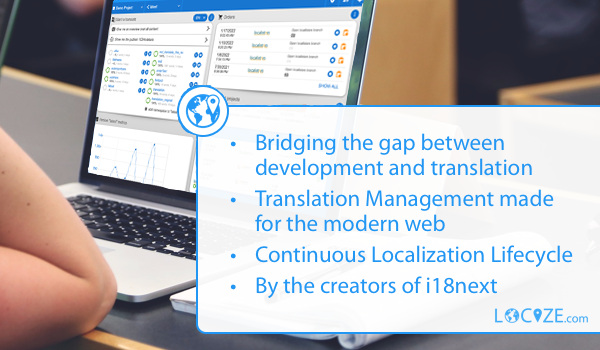
Needing a translation management? Want to edit your translations with an InContext Editor? Use the orginal provided to you by the maintainers of i18next!
![locize](https://www.locize.com/img/ads/github_locize.png)

With using [locize](https://www.locize.com/?utm_source=i18next_browser_languagedetector_readme&utm_medium=github&utm_campaign=readme) you directly support the future of i18next and react-i18next.

---