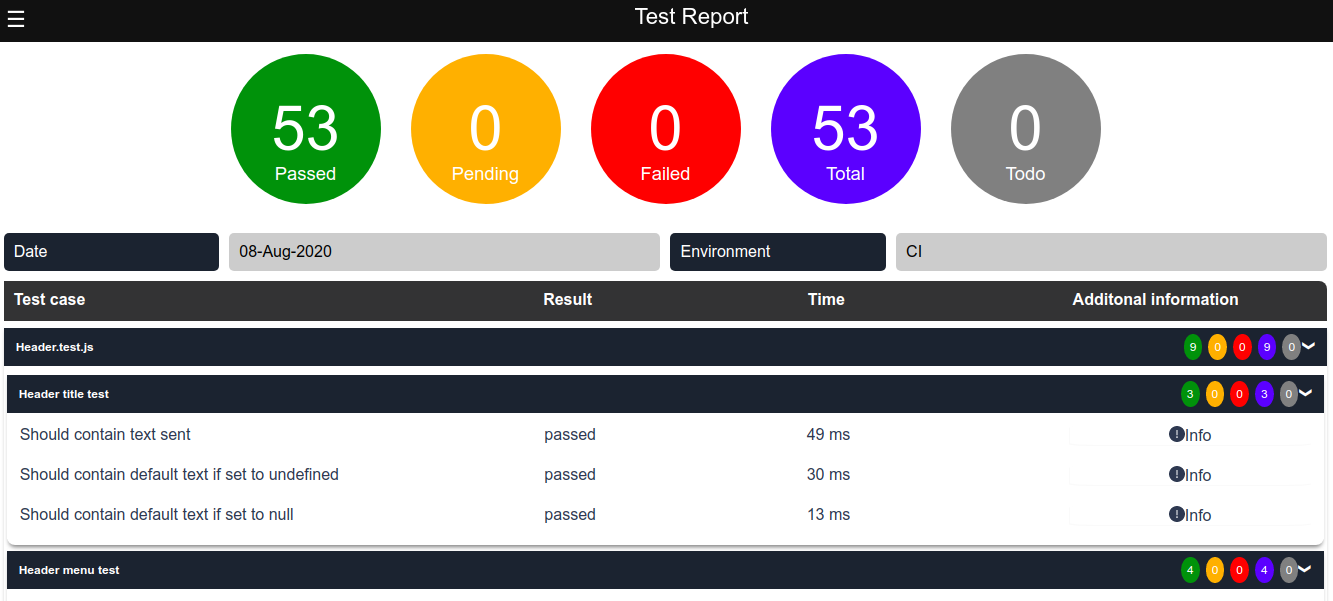
## Jest Html Reporter

[](https://www.npmjs.com/package/htmlreport4jest 'View this project on npm')
[](https://www.npmjs.com/package/htmlreport4jest 'View this project on npm')
[](https://packagephobia.com/result?p=htmlreport4jest)
[](https://github.com/semantic-release/semantic-release)
Jest reporter to generate hierarchical html report
### Installation
---
Install with npm
```shell
npm install htmlreport4jest --save-dev
```
Install with yarn
```shell
yarn add htmlreport4jest --dev
```
### Usage
---
Configure Jest to process the test results by adding the following entry to the Jest config (jest.config.json or jest.config.js):
```json
"jest": {
...,
"reporters": [
"default",
"htmlreport4jest"
],
...
}
```
Executing the jest tests with above configuration will create a `result.html` under temp folder inside the project root. Test report can be configured with below options.
### Available Options
The options below are specific to the reporter.
| Option Name | Type | Default | Description |
| :---------------- | :----- | :----------------- | :--------------------------------------------------------------------------------------------------------------------------------------------------------------- |
| `title` | string | 'Jest Html Report' | Title of the generated html report |
| `reportPath` | string | './temp/' | Generated html file will be stored under the given path |
| `reportFileName` | string | 'result.html' | Name of the html report to be generated |
| `hideMenu` | boolen | false | Hides filter menu |
| `expandResults` | boolen | false | Expand result tabs in report |
| `expandMenuItems` | boolen | false | Expand menu nodes in menu |
| `information` | array | | Displays information in the report. Information should be in below format. `[{title:"Environment",value:"CI",type:"string"}]`. Allowed values for type are given |
### Allowed Types
Data types allowed for information.
| Type | Example | Description |
| :---------------- | :----- | :----------------------------------------------------------------------------------------------------------------------------------------------------------------------------------------------------------------------- |
| `string` | "CI" | Will display the text passed |
| `date` | new Date() | Date object or timestamp can be passed. All date will be formated as dd-MMM-yyyy |
| `datetime` | new Date() | Date object or timestamp can be passed. All datetime will be formated as dd-MMM-yyyy hh:mm:ss |
| `time` | 1234 | timestamp can be passed.|
| `boolean` | true or false | true will be displayed as "Yes" and false will be displayed as "No".|
#### example add config options
```json
...,
"reporters": [
"default",
["htmlreport4jest", {
"title": 'Jest Html Report',
"hideMenu": true,
"information": [{ title: 'Environment', value: 'CI', type: 'string' }]
}]
]
```
### Sample report