[](https://www.npmjs.com/package/html-attribute-sorter)
[](https://github.com/shufo/html-attribute-sorter/actions/workflows/test.yml)
[](https://codecov.io/gh/shufo/html-attribute-sorter)
# html-attribute-sorter
An html attribute sorter.
You can sort attributes by alphabetical, [code guide](https://codeguide.co/#attribute-order), [vue/attributes-order](https://eslint.vuejs.org/rules/attributes-order.html), [idiomatic](https://github.com/necolas/idiomatic-html#attribute-order) or any custom order using regex.
## Installation
```bash
$ npm install html-attribute-sorter
# yarn
$ yarn add html-attribute-sorter
```
## Usage
```typescript
const { sortAttributes } = require("html-attribute-sorter");
// pass html tags that includes attributes
// default: code guide order
const sorted = sortAttributes(` `);
console.log(sorted);
// =>
// alphabetical order
const sorted = sortAttributes(
``,
{
order: "alphabetical",
}
);
console.log(sorted);
// =>
// idiomatic order
const sorted = sortAttributes(
``,
{
order: "idiomatic",
}
);
console.log(sorted);
// =>
// code guide order
const sorted = sortAttributes(
``,
{
order: "code-guide",
}
);
console.log(sorted);
// =>
// custom order
const sorted = sortAttributes(
``,
{
order: "custom",
customRegexes: ["id", "class", "sr.+", "alt"], // you can use regex for attritube names
}
);
console.log(sorted);
// =>
```
## API
### functions
#### sortAttributes(body: string, options: ISortOption)
`body`: html tag string e.g. `
`);
console.log(sorted);
// =>
// alphabetical order
const sorted = sortAttributes(
``,
{
order: "alphabetical",
}
);
console.log(sorted);
// =>
// idiomatic order
const sorted = sortAttributes(
``,
{
order: "idiomatic",
}
);
console.log(sorted);
// =>
// code guide order
const sorted = sortAttributes(
``,
{
order: "code-guide",
}
);
console.log(sorted);
// =>
// custom order
const sorted = sortAttributes(
``,
{
order: "custom",
customRegexes: ["id", "class", "sr.+", "alt"], // you can use regex for attritube names
}
);
console.log(sorted);
// =>
```
## API
### functions
#### sortAttributes(body: string, options: ISortOption)
`body`: html tag string e.g. ` `
### Interfaces
#### ISortOption
```typescript
export interface ISortOption {
order: string;
customRegexes?: string[];
}
```
| key | value | required | default |
| ------------- | ----------------------------------------------------------------------------------------------------------------------------------------------------------------- | -------- | ------------ |
| order | An order to sort attributes. You can specify `alphabetical`, `code-guide`, `idiomatic`, `vuejs` or `custom`. | yes | `code-guide` |
| customRegexes | When `order` is specified to `custom`, html attributes set here will be used as order. You can use regex for attribute names. e.g. `["data-.+", "class", "src"]`. | no | `[]` |
## Testing
```bash
$ yarn install
$ yarn run test
```
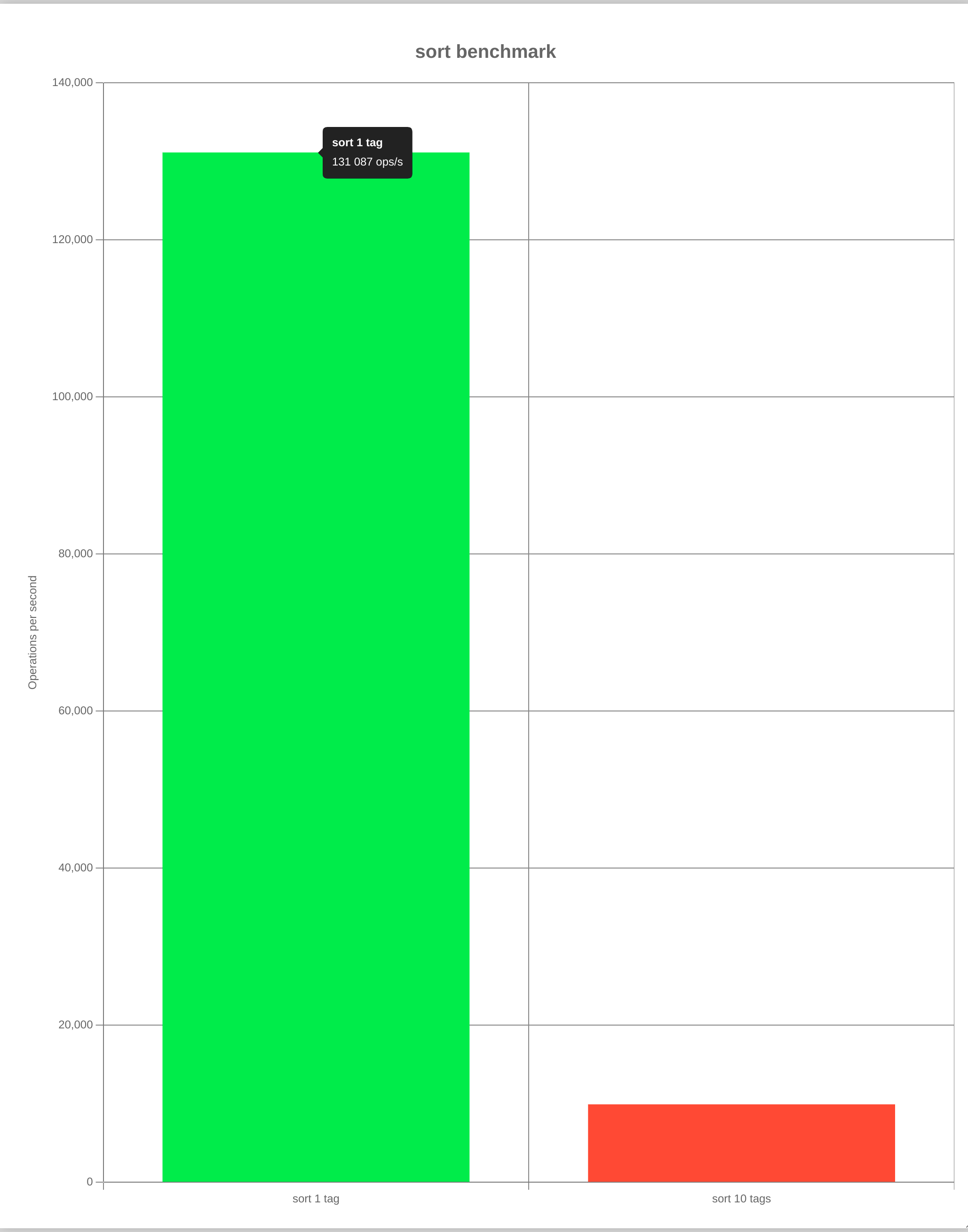
## Benchmarking
```bash
$ yarn run benchmark
```
## Contributing
1. Fork it
2. Create your feature branch (`git checkout -b my-new-feature`)
3. Commit your changes (`git commit -am 'Add some feature'`)
4. Push to the branch (`git push origin my-new-feature`)
5. Create new Pull Request
## LICENSE
MIT
`
### Interfaces
#### ISortOption
```typescript
export interface ISortOption {
order: string;
customRegexes?: string[];
}
```
| key | value | required | default |
| ------------- | ----------------------------------------------------------------------------------------------------------------------------------------------------------------- | -------- | ------------ |
| order | An order to sort attributes. You can specify `alphabetical`, `code-guide`, `idiomatic`, `vuejs` or `custom`. | yes | `code-guide` |
| customRegexes | When `order` is specified to `custom`, html attributes set here will be used as order. You can use regex for attribute names. e.g. `["data-.+", "class", "src"]`. | no | `[]` |
## Testing
```bash
$ yarn install
$ yarn run test
```
## Benchmarking
```bash
$ yarn run benchmark
```

## Contributing
1. Fork it
2. Create your feature branch (`git checkout -b my-new-feature`)
3. Commit your changes (`git commit -am 'Add some feature'`)
4. Push to the branch (`git push origin my-new-feature`)
5. Create new Pull Request
## LICENSE
MIT