# Honey-Toast
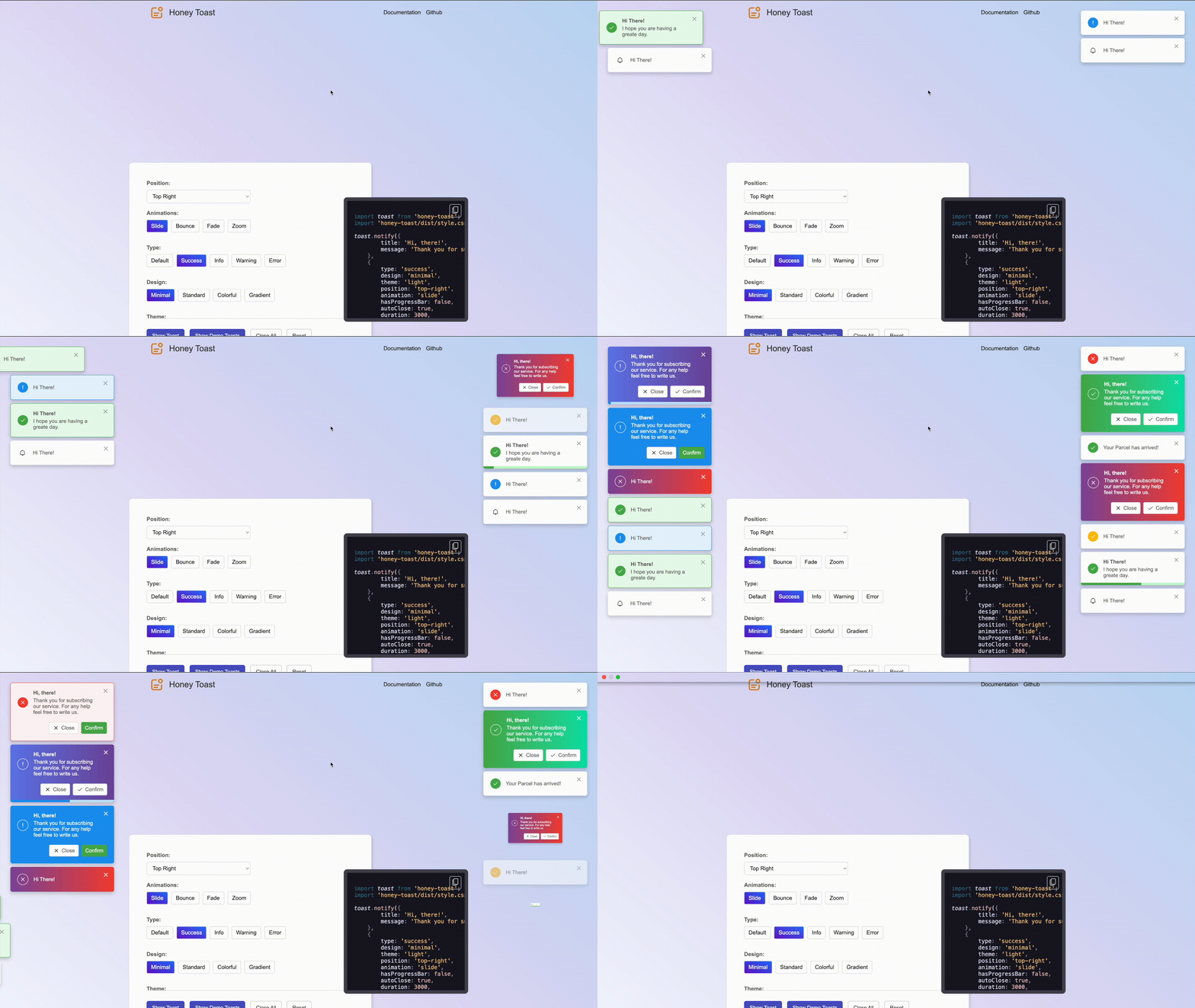
A framework agnostic simple yet powerful Toast Alert or Notification library that offers tons of customization, designs and animations.
## Demo and Playground:
[View Demos and Play](https://rbrahul.github.io/honey-toast) with different animations and designs. You can just copy the generated code and start using in your project.
## Documentation
Complete list of APIs only available in the [Documentation.](https://rbrahul.github.io/honey-toast-doc).
## Main Features:
- Easier installation and integrations
- Use with any Javascript framework as it has zero dependencies.
- Huge collections of beautiful designs and categories
- Lot of built in animations to create interactive toast alert
- Control over the states of notifications
- Light, Dark and Sytem Default themes are supported
- Creating custom designs is way easier
- Playground to create Notifications and copy the generated code.
## Installation:
**Install via `npm`:**
```sh
npm i honey-toast --save
```
**Install via `yarn`:**
```sh
yarn add honey-toast
```
**Install via `pnpm`:**
```sh
pnpm add honey-toast
```
**Install via CDN**
```html
```
### Usage Example:
Create notification with default configurations.
```js
import toast from 'honey-toast';
import 'honey-toast/dist/style.css';
toast.notify("Hi There!")
```
**Create different type of notifications using simpler api:**
```js
toast.success("Your information have been udpated!")
toast.info("Email has been delivered!")
toast.warn("Stock is limited")
toast.error("Ooops, something went wrong")
```
**Create more advanced toast notification with tons of options.**
Please have a look into our the [API Documentation](https://rbrahul.github.io/honey-toast-doc/api-references.html) to find the complete list of options.
```js
const notification = toast.notify(
{
title: "Hi, there!",
message: "Thank you for subscribing our service.",
buttons: [
{
iconUrl: "YOUR_ICON_DIR/close.svg",
label: "Cancel",
classes: [],
onClick: () => {
console.log("Canceling...");
},
},
{
iconUrl: "YOUR_ICON_DIR/tick.svg",
classes: [],
label: "Confirm",
onClick: () => {
console.log("Confirming...");
},
},
],
},
{
duration: 3000,
position: "top-right",
type: "success",
animation: "slide",
hasProgressBar: false,
offset: { x: 30, y: 30 },
classNames: [],
}
);
```
**Closing notifications:**
```js
const notification = toast.notify("Hi There!");
// close once you need
notification.close();
// to close all notifications:
notification.closeAll();
```
**Updating existing notification in different circumstances:**
```js
const notification = toast.notify("Your requst is being processed", {hasProgressBar: true});
// once you need to update the status
notification.update("Request has been processed", {type: "success"})
// you may want to show error message if request was not handled correctly
notification.update("Ooops! Something went wrong", {type: "error"});
```
## Change Log:
* V1.0.0: Initial version released on 16-02-2025
* V1.0.2: Released on 17-02-2025
- Fixed `CSS.px` firefox browser support issue
## Contributors:
[Rahul Baruri](https://github.com/rbrahul)
## License
Distributed under the [MIT License](https://github.com/rbrahul/honey-toast/blob/main/LICENSE).