# Highlight Search Term
Highlight search term in a page. Vanilla JS, compatible with frontend frameworks (React, Vite, Angular, etc).
[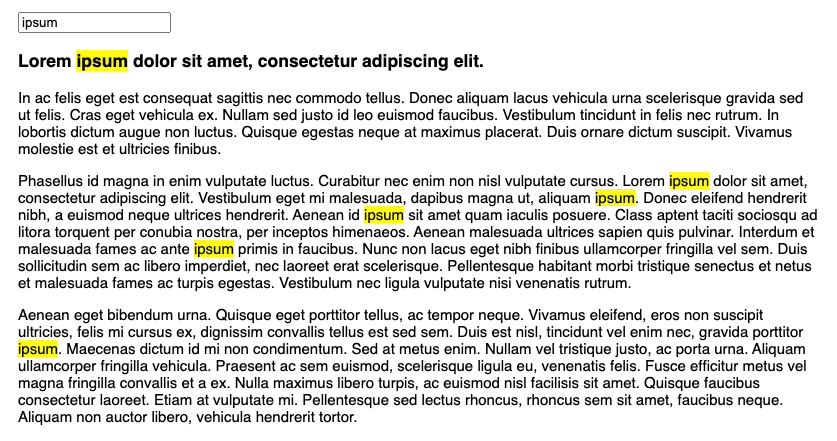](https://marmelab.com/highlight-search-term/)
This library does not modify the DOM. It relies on the browser's [CSS Custom Highlight API](https://developer.mozilla.org/en-US/docs/Web/API/CSS_Custom_Highlight_API) ([not supported by Firefox yet](https://caniuse.com/?search=CSS.Highlights)). See the motivation and implementation challenges in the blog post "[Highlight Search Terms In Page Content](https://marmelab.com/blog/2024/04/23/highlight-search-query.html)".
**Note**: This is not a syntax highlighter library. It highlights text in a page based on a search term.
## Installation
```sh
npm install highlight-search-term
```
## Usage
The library exports a single function that expects a search term and a CSS selector of the element to search in.
```js
highlightSearchTerm({ search: search.value, selector: ".content" });
```
This creates a highlight range named "search" that you can highlight with CSS, e.g.:
```css
::highlight(search) {
background-color: yellow;
color: black;
}
```
You can use it directly in your HTML:
```html
```
Or, if you use a bundler like Vite, you can import it in your JavaScript:
```js
import { highlightSearchTerm } from "highlight-search-term";
const search = document.getElementById("search");
search.addEventListener("input", () => {
highlightSearchTerm({
search: search.value,
selector: ".content",
});
});
```
If you use a frontend framework like React, you can use it in a `useEffect` hook:
```jsx
import { useEffect, useState } from "react";
import { highlightSearchTerm } from "highlight-search-term";
export default function App() {
const [search, setSearch] = useState("");
useEffect(() => {
highlightSearchTerm({ search, selector: ".content" });
}, [search]);
return (
setSearch(e.target.value)}
/>
Lorem ipsum dolor sit amet, consectetur adipiscing elit.
);
}
```
## License
MIT, courtesy of [Marmelab](https://marmelab.com)