# hey-cli
webpack脚手架,hot-dev-server,build。
不需要理解webpack,只需要知道如何配置就可以使用,摆脱繁琐重复的webpack配置。
## 特性
- 一次全局安装,所有的开发项目都支持,不需要每个项目都安装配置webpack。
- 支持ES6
- 支持热替换
- 支持反向代理
- 默认支持vue2.0,支持react
- 支持全局less变量定义
- 构建UMD模式的代码。
- 只需要配置hey.conf.js配置文件即可使用
## 安装
```sh
npm install -g hey-cli
```
## 配置
在项目根目录下添加hey.conf.js配置文件。
```js
module.exports = {
//端口号
"port": 9002,
"dist": 'dist', //生成文件的根目录
"timestamp": false, //build生成的static文件夹是否添加时间戳
"clean": true, //打包之前清空dist目录
"react": true, //支持react项目
"openBrowser": true, // 自动打开浏览器
"stat": true, // 是否生成stat.json
//webpack相关配置
"webpack": {
"console": false, //打包压缩是否保留console,默认为false
"sourceMap" : false, //打包的时候要不要保留sourceMap, 默认为false
"compress": true / false, // 默认值取决于是开发还是打包,设置值会影响打包的时候是否压缩js代码
//公开path
"publicPath": "/",
"output": {
//输出哪些文件,主要是html,默认会加载和html文件名一样的js文件为入口。支持定义公用包。
"./*.html": {
"entry":"./src/index.js", //默认加载js文件,并且html自动引用。如果没有配置,则自动加载与html文件名同样的js文件。
}
},
//定义resolve,https://webpack.js.org/configuration/resolve/
"alias": {
components: './src/components/',
// 你可以使用 import index from 'components/index' => src/components/index
},
//定义全局变量, https://webpack.js.org/plugins/provide-plugin
"global": {
"Vue": "vue",
"$": "jquery",
"log": "./js/common/log",
// use export default
Utils: [path.resolve(__dirname, 'src/js/common/utils'), 'default'],
},
//定义反向代理服务器,https://webpack.js.org/configuration/dev-server/#devserver-proxy
"devServer": {
"proxy": {
//设定/api开头的url向定义的接口请求
"/api": {
"target": "http://yoda:9000"
}
},
historyApiFallback: true
},
//定义外部引用,https://webpack.js.org/configuration/externals/
"externals":{
},
//定义全局less参数定义,可以在任意less中使用参数
globalVars: './static/css/var.less',
},
//未做关联引用的文件在build的时候复制到打包的文件夹中
"copy": [
"./images/**/*",
"./help/**/*",
"./template/**/*"
]
};
```
### 扩展配置
可以在hey.conf.js中webpack配置项中扩张配置以下属性:
- plugins
- module
- node
- externals
- devServer
具体使用,请参照[webpack](https://webpack.js.org/)文档.
## 示例
### 加载vue,vue-router
```json
"hey": {
"port": 9008,
"timestamp": true,
"dist": "gen",
"webpack": {
"publicPath": "/",
"output": {
"./*.html": {
"entry":"./src/app"
}
},
"global": {
"Vue": "vue"
},
"devServer": {
"historyApiFallback":true
}
}
}
```
### 外部加载vue,vue-router
```json
"hey": {
"port": 9008,
"timestamp": true,
"dist": "gen",
"webpack": {
"publicPath": "/",
"output": {
"./*.html": {
"entry":"src/app"
}
},
"global": {
"Vue": "vue"
},
"devServer": {
"historyApiFallback":true
},
"externals": {
"Vue": "window.Vue",
"VueRouter": "window.VueRouter"
}
}
}
```
### 构建UMD模式的公用代码
主要用于构建一些的公用代码,简单配置即可使用。
*由于是打包成UMD模式的公用包,请不要使用import模式。*
```js
module.exports = {
dist: "build",
webpack: {
umd: {
entry: "./src/index.js",
library: "Validator",
filename: 'validator.js', //build后将生成/build/validator.js
libraryExport: 'default'
},
externals: {
"manba": "manba" //该依赖包将不会打包进源码中
}
}
};
```
## 执行
启动webpack服务器
```sh
hey dev
hey build
# 使用自定义的配置文件执行
hey build -f index.esm.js
```
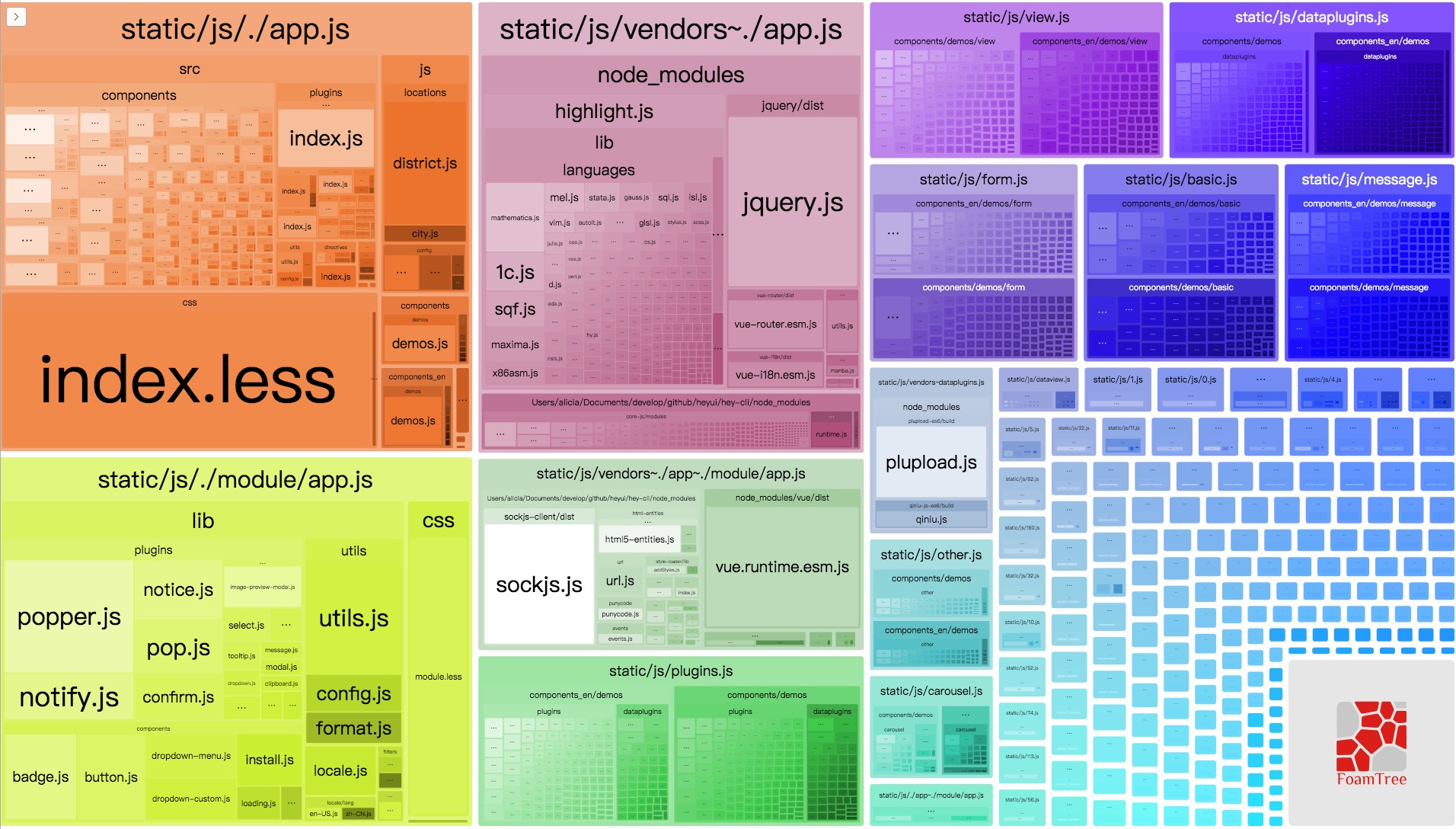
## 执行分析
You can generate analyze.
``` sh
hey dev -r
# or
hey dev --report
# after hey build
hey report
# or
hey report -p port -f dist/stat.json
```
## 生成模板
根据已有的模板生成项目
```sh
hey init
```
现有模板
- Simple: 基础的ES6项目
- HeyUI: HeyUI项目
- Vue: 基础的Vue项目
- React: 基础的React项目
- ElementUI: Element项目
- iViewUI: iViewUI项目
具体项目请参考[hey-cli-template](https://github.com/heyui/hey-cli-template)。