
concise but not simple hexo theme.
Live Demo
English | 简体中文
## Features
- 📦 Out of the box - Almost zero configuration.
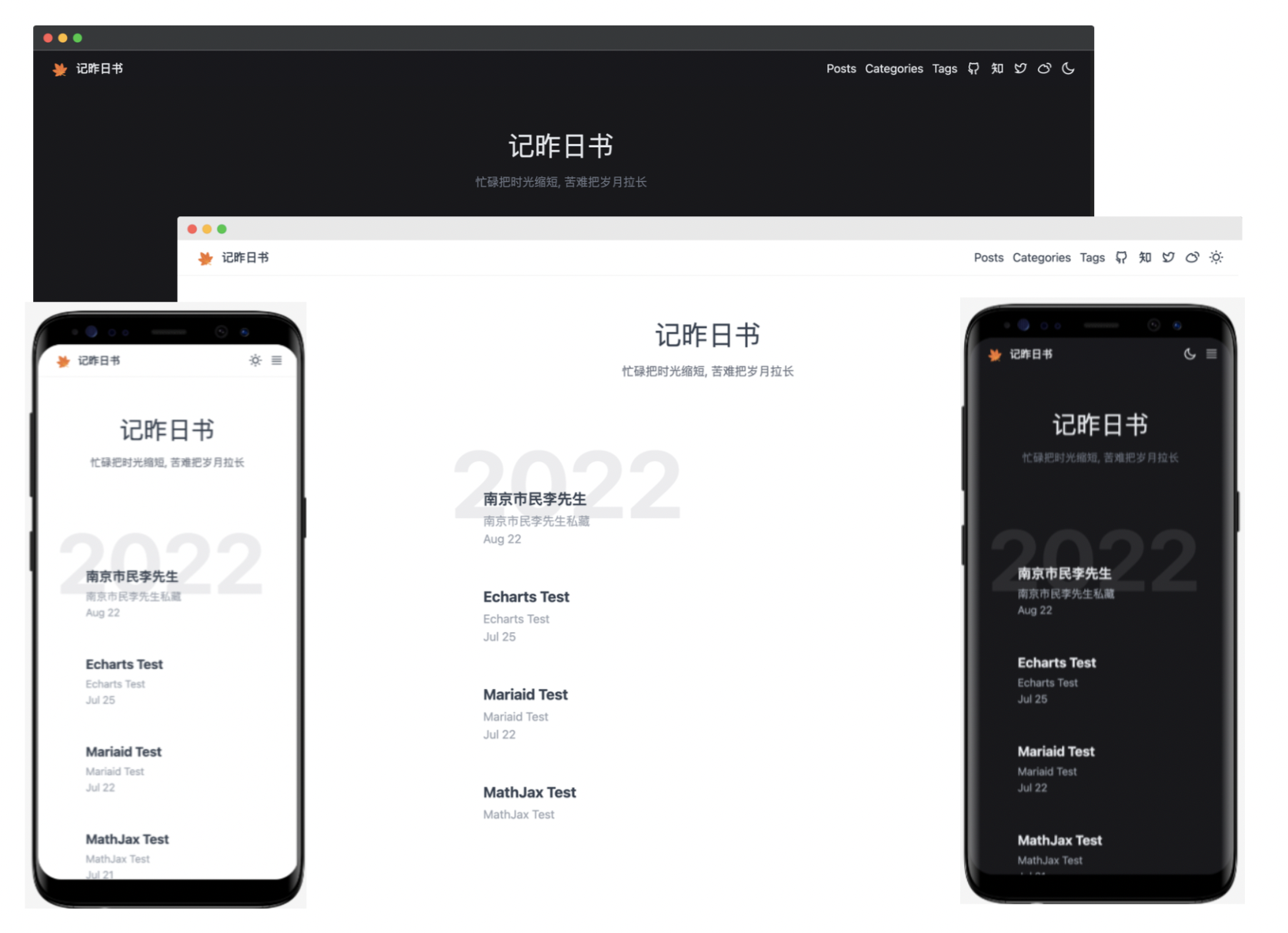
- 🎨 Automatically switched light and dark theme.
- 💻 Auto fit Mobile and Screen responsively.
- 💹 Baidu/Google Analytics
- ⚗️ [MathJax Support](http://docs.mathjax.org/en/latest/)
- ⚡️ [Mermaid Support](https://mermaid-js.github.io/mermaid)
- 🖼️ [Fancybox Support](https://fancyapps.com/docs/ui/fancybox)
- 🦜 [Giscus Support](https://giscus.app/zh-CN)
- 📊 [ECharts Support](https://echarts.apache.org/)
## Installation
Local git install:
```bash
cd your-blog/themes
git clone https://github.com/xbmlz/hexo-theme-maple.git themes/maple
```
## Enable
Modify `theme` setting in `_config.yml` to `maple`.
```diff
_config.yml
- theme: some-theme
+ theme: maple
```
## Update
```bash
cd themes/maple
git pull
```
## Configuration
```yaml
# Header
nav:
Posts: /archives
Categories: /category
Tags: /tag
# favicon
favicon: /favicon.ico
# logo
logo: /images/logo.svg
# links
links:
Github: https://github.com/xbmlz
# ZhiHu:
# Twitter:
# Weibo:
# analytics
google_analytics:
baidu_analytics:
# mathjax
fancybox: true
# mathjax
mathjax: true
# mermaid
mermaid:
enable: true
# Available themes: default | dark | forest | neutral
theme: default
# giscus
giscus:
enable: true
repo:
repo_id:
category:
category_id:
mapping:
```