INSIDE
🌈 简约、现代的 SPA 主题, built with Angular.


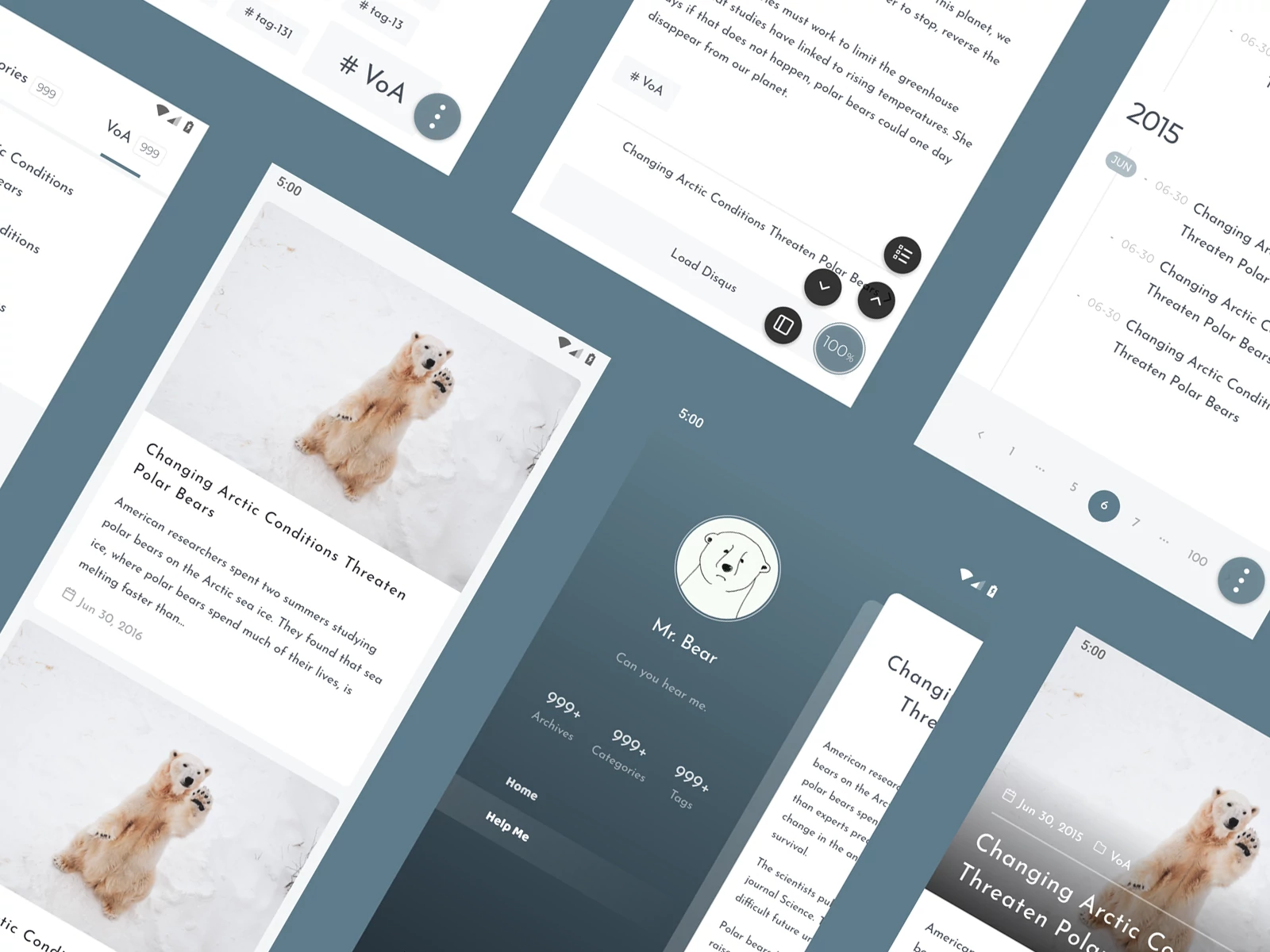
## 预览
- https://blog.oniuo.com
- https://blog.oniuo.com/post/inside-theme-showcase
## 特性
- 自定义换肤
- 内置搜索
- 内置 [Disqus](https://disqus.com)
- 灵活的插件机制
- 增强的内容展示
- 打赏、版权声明、图片缩放
- 表格 (headless table, long table)
- 内容组件,开箱即用 (Collapse、时间线、文字加密)
- 其他
- [PWA](https://developers.google.com/web/progressive-web-apps) (沉浸式设计、离线支持 ([workbox](https://developers.google.com/web/tools/workbox/)))
- SEO (SSR、sitemap)
- 打印机友好
## Quick start
1\. Locate to `project/` and run
```bash
npm install hexo-theme-inside
```
2\. Config `project/_config.yml`
```yaml
theme: inside
```
3\. Copy [_config.yml](https://github.com/ikeq/hexo-theme-inside/blob/master/_config.yml) to `project/_config.inside.yml`, see [here](https://blog.oniuo.com/theme-inside) for full documentation.
## Changelog
[releases](https://github.com/ikeq/hexo-theme-inside/releases)
## FAQ
- Where to find front-end source code?
https://bitbucket.org/ikeq/hexo-theme-inside-ng
## License
[MIT](LICENSE)