<div align="right">
  <a title="English" href="./README.md">English</a>
</div>

<div align="center">

<img src="./source/img/butterfly-icon.png" width="150" height="150" alt="Butterfly Logo" />

# hexo-theme-butterfly

一個現代、美觀且功能豐富的 Hexo 主題

![master version](https://img.shields.io/github/package-json/v/jerryc127/hexo-theme-butterfly/master?color=%231ab1ad&label=master)
![dev version](https://img.shields.io/github/package-json/v/jerryc127/hexo-theme-butterfly/dev?label=dev)
![npm version](https://img.shields.io/npm/v/hexo-theme-butterfly?color=%23bf00ff)
![hexo version](https://img.shields.io/badge/hexo-5.3.0+-0e83cd)
![license](https://img.shields.io/github/license/jerryc127/hexo-theme-butterfly?color=FF5531)
![GitHub stars](https://img.shields.io/github/stars/jerryc127/hexo-theme-butterfly?style=social)

📢 **線上預覽**：[Butterfly 官方](https://butterfly.js.org/) | [CrazyWong 部落格](https://blog.crazywong.com/)

📖 **完整文檔**：[中文文檔](https://butterfly.js.org/posts/21cfbf15/) | [English](https://butterfly.js.org/en/posts/butterfly-docs-en-get-started/)
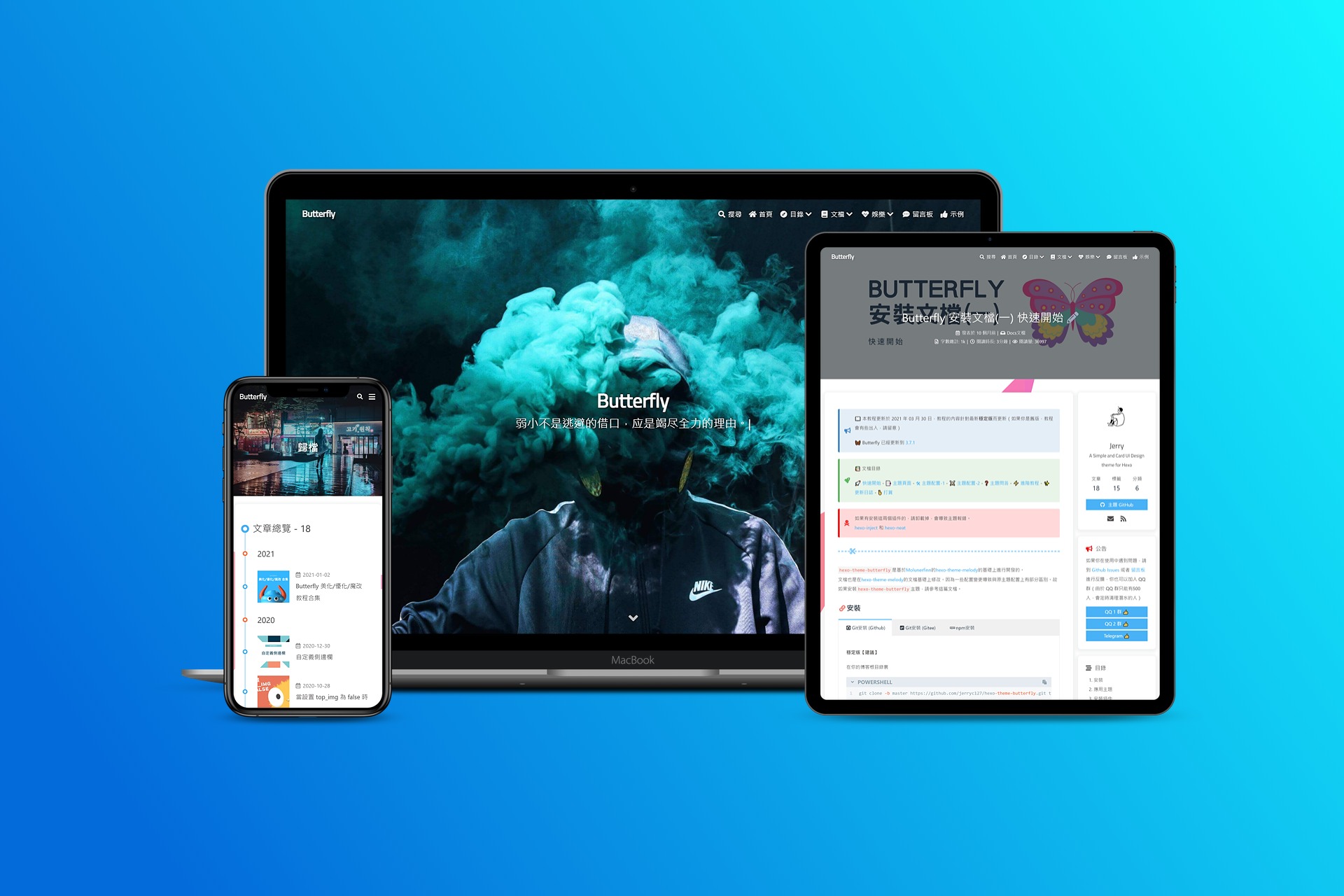
![Butterfly 主題預覽](https://cdn.jsdelivr.net/gh/jerryc127/CDN@m2/img/theme-butterfly-readme.png)

</div>

---

## 📑 目錄

- [環境要求](#requirements)
- [快速開始](#quick-start)
- [升級](#upgrade)
- [主題特色](#theme-features)
- [主題截圖](#screenshots)
- [取得協助](#get-help)
- [授權條款](#license)
<a id="requirements"></a>

## 📋 環境要求

- **Hexo**：5.3.0 或以上
- **Node.js**：18 或以上（`hexo-util` 4.x 的要求）
- **Git**：僅 Git 安裝需要

<a id="quick-start"></a>

## 🚀 快速開始

### 💾 安裝方式

#### 方式一：Git 安裝（推薦）

> 💡 **提示**：如果您在中國大陸連線 GitHub 較慢，可以使用 [Gitee 鏡像](https://gitee.com/immyw/hexo-theme-butterfly.git)。

在 Hexo 部落格根目錄執行以下指令：

```bash
# 安裝穩定版本（推薦）
git clone -b master --depth 1 https://github.com/jerryc127/hexo-theme-butterfly.git themes/butterfly
```

```bash
# 安裝開發版本（搶先體驗新功能）
git clone -b dev --depth 1 https://github.com/jerryc127/hexo-theme-butterfly.git themes/butterfly
```

> 📁 如果 `themes/butterfly` 已存在，請先刪除或重新命名，否則目標資料夾不是空的，`git clone` 會失敗。

#### 方式二：npm 安裝

```bash
npm install hexo-theme-butterfly
```

> ⚠️ **注意**：npm 安裝不會在 `themes/` 底下建立資料夾，主題會放在 `node_modules/` 中。

### ⚙️ 啟用與設定

1. **啟用主題**：修改 Hexo 根目錄的 `_config.yml`：

   ```yaml
   theme: butterfly
   ```

2. **複製主題設定**（建議，這樣升級時才不會覆蓋您的設定）：

   ```bash
   # Git 安裝
   cp themes/butterfly/_config.yml _config.butterfly.yml

   # npm 安裝
   cp node_modules/hexo-theme-butterfly/_config.yml _config.butterfly.yml
   ```

   > 💡 Hexo 5+ 會自動讀取根目錄的 `_config.butterfly.yml`。Windows 請使用 `copy themes\butterfly\_config.yml _config.butterfly.yml`（Git 安裝）或 `copy node_modules\hexo-theme-butterfly\_config.yml _config.butterfly.yml`（npm 安裝）。
   >
   > ⚠️ 之後只需修改 `_config.butterfly.yml`。請勿刪除主題內的 `_config.yml`，也不要將自訂檔案或圖片放進主題的 `source/` 資料夾，升級時可能會被覆蓋。

3. **安裝渲染器並在本機預覽**：

   ```bash
   npm install hexo-renderer-pug hexo-renderer-stylus --save
   hexo clean && hexo s
   ```

<a id="upgrade"></a>

## 🔄 升級

**Git 安裝**

```bash
cd themes/butterfly
git pull
```

**npm 安裝**

```bash
npm update hexo-theme-butterfly
```

升級前請先備份設定。升級後請到 [Releases](https://github.com/jerryc127/hexo-theme-butterfly/releases) 查看 `_config` 的變更，並同步到 `_config.butterfly.yml`。

<a id="theme-features"></a>

## ✨ 主題特色

> 💡 所有功能都能在 `_config.butterfly.yml` 中開啟、關閉與調整，詳見[主題設定文檔](https://butterfly.js.org/posts/4aa8abbe/)。

### 🎨 設計
- ✅ **卡片化設計**：現代卡片式佈局
- ✅ **圓角或直角**：可自訂圓角大小
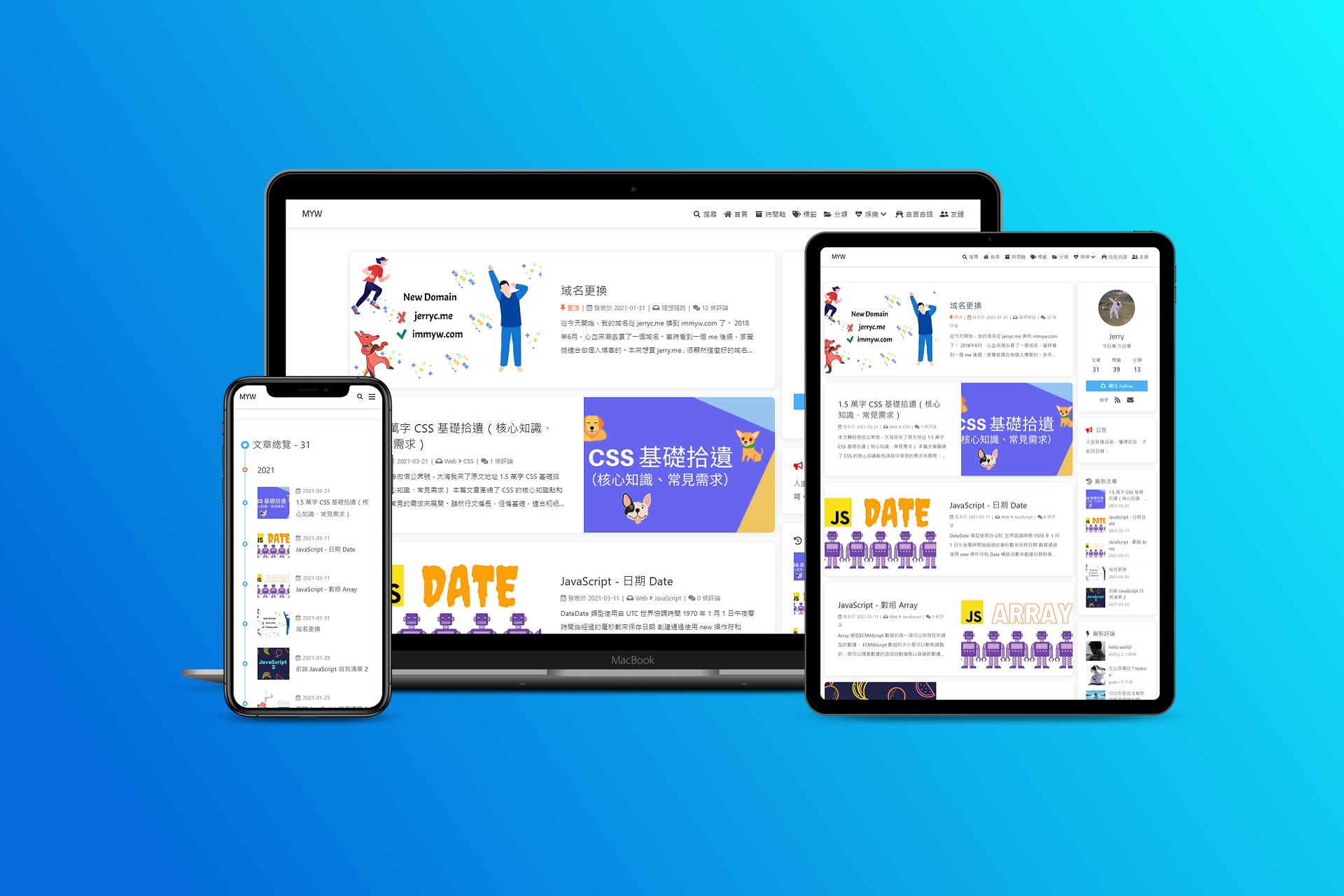
- ✅ **響應式設計**：自動適應各種螢幕尺寸
- ✅ **雙欄佈局**：優化閱讀體驗
- ✅ **深色模式**：夜間閱讀更護眼

### 📝 內容
- ✅ **多層選單**：支援多層導覽
- ✅ **閱讀模式**：專注閱讀
- ✅ **目錄**：電腦與手機皆支援
- ✅ **字數統計**：顯示字數與預估閱讀時間
- ✅ **相關文章**：在文章底部推薦相關內容
- ✅ **過期提醒**：文章可能過期時提醒讀者
- ✅ **簡繁轉換**：在繁體與簡體中文之間切換
- ✅ **標籤外掛**：提供多種實用外掛

### 🔍 搜尋與導覽
- ✅ **多種搜尋方式**：Algolia、本機搜尋或 DocSearch
- ✅ **內建 404 頁面**：美觀的錯誤頁面
- ✅ **PJAX**：流暢的頁面切換

### 🎨 程式碼展示
- ✅ **語法高亮**：內建多種主題（darker、pale night、light、ocean）
- ✅ **程式碼區塊工具**：語言標示、摺疊、複製按鈕、自動換行
- ✅ **數學公式**：支援 MathJax 與 KaTeX

### 💬 社群互動
- ✅ **多種留言系統**：Disqus、Gitalk、Valine、Waline、Twikoo、Giscus、Artalk 等
- ✅ **雙留言系統**：可同時啟用兩套
- ✅ **分享**：Share.js 與 AddToAny
- ✅ **即時客服**：Chatra、Tidio 或 Crisp

### 📊 分析與統計
- ✅ **瀏覽統計**：不蒜子計數器
- ✅ **網站分析**：Google Analytics、百度統計、Cloudflare Analytics、Microsoft Clarity 或 Umami
- ✅ **搜尋引擎驗證**：Google 與百度
- ✅ **廣告**：Google AdSense 與自訂廣告版位

### 🎪 視覺效果
- ✅ **打字特效**：activate_power_mode 動畫
- ✅ **背景特效**：靜態、動態或飄動彩帶，以及 Canvas Nest
- ✅ **滑鼠特效**：點擊時顯示煙花、愛心或文字
- ✅ **載入動畫**：Preloader 或 pace.js 進度條
- ✅ **圖片燈箱**：medium-zoom 或 Fancybox
- ✅ **延遲載入**：圖片進入視窗時才載入

### 🛠️ 進階功能
- ✅ **PWA**：漸進式網頁應用
- ✅ **複製保護**：停用複製或附加版權聲明
- ✅ **主題自訂**：可更換網站配色
- ✅ **圖表**：Mermaid 流程圖與 Chart.js 圖表
- ✅ **樂譜**：支援 ABCJS 記譜
- ✅ **文章系列**：將文章整理成系列
- ✅ **instant.page**：預載頁面，加快導覽
- ✅ **Snackbar**：優雅的提示通知

## 🤝 貢獻者

感謝每一位為 Butterfly 付出過的貢獻者！

[![Contributors](https://contrib.rocks/image?repo=jerryc127/hexo-theme-butterfly)](https://github.com/jerryc127/hexo-theme-butterfly/graphs/contributors)

<a id="screenshots"></a>

## 📸 主題截圖

<div align="center">
  <table>
    <tr>
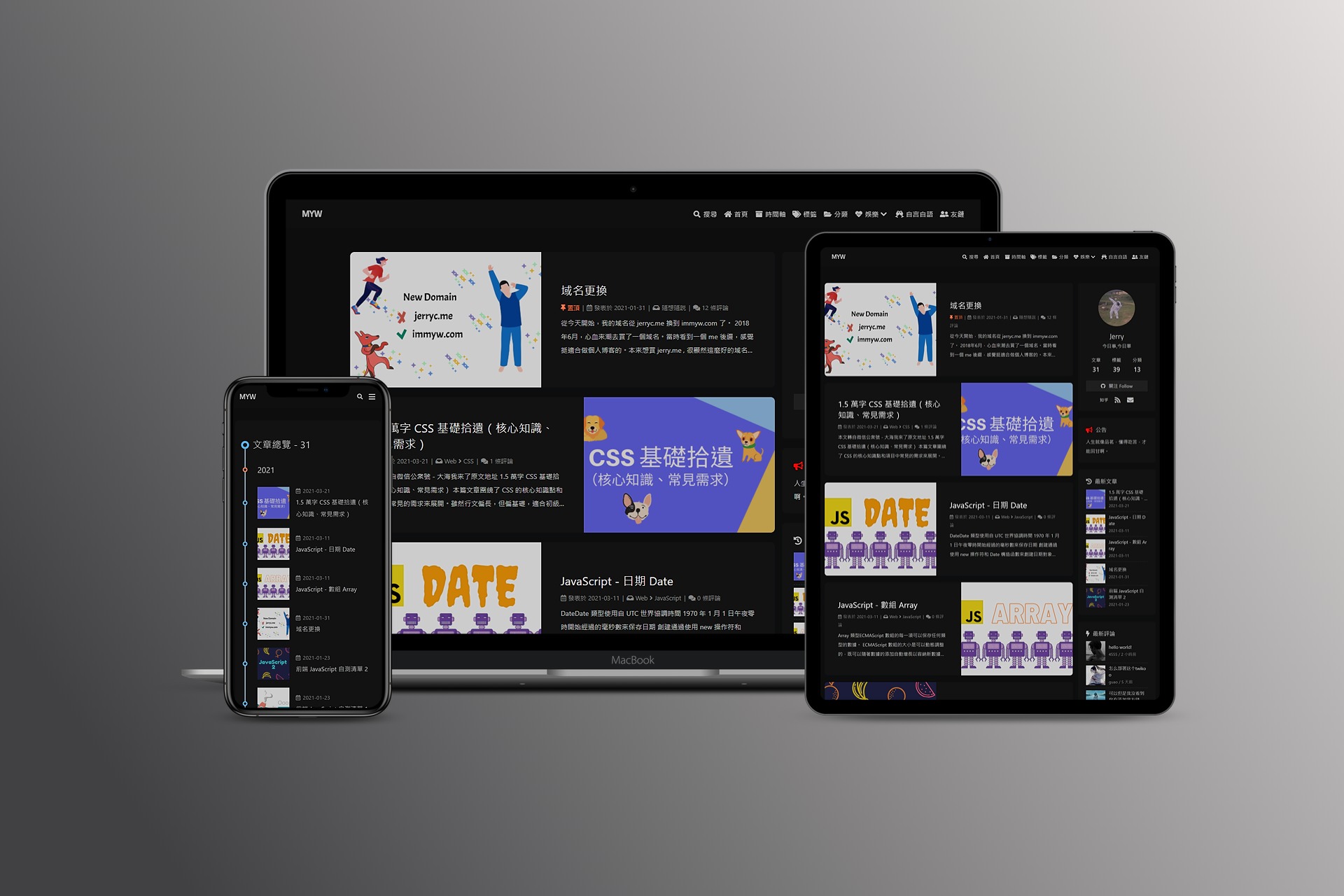
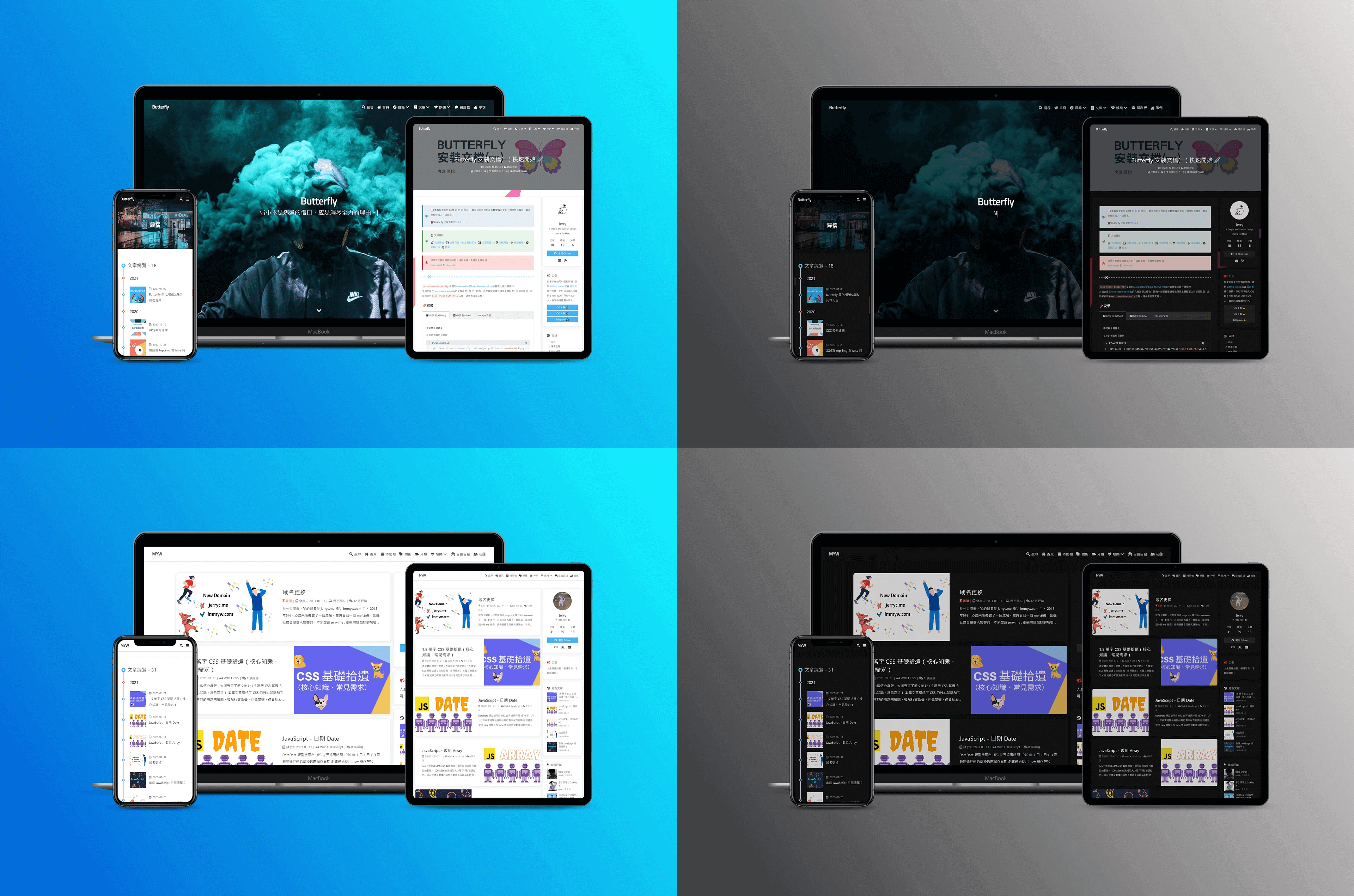
      <td><a href="https://cdn.jsdelivr.net/gh/jerryc127/CDN@m2/img/butterfly-readme-screenshots-1.jpg"><img src="https://cdn.jsdelivr.net/gh/jerryc127/CDN@m2/img/butterfly-readme-screenshots-1.jpg" alt="淺色首頁在桌面、平板與手機上的響應式效果" width="440" loading="lazy" /></a></td>
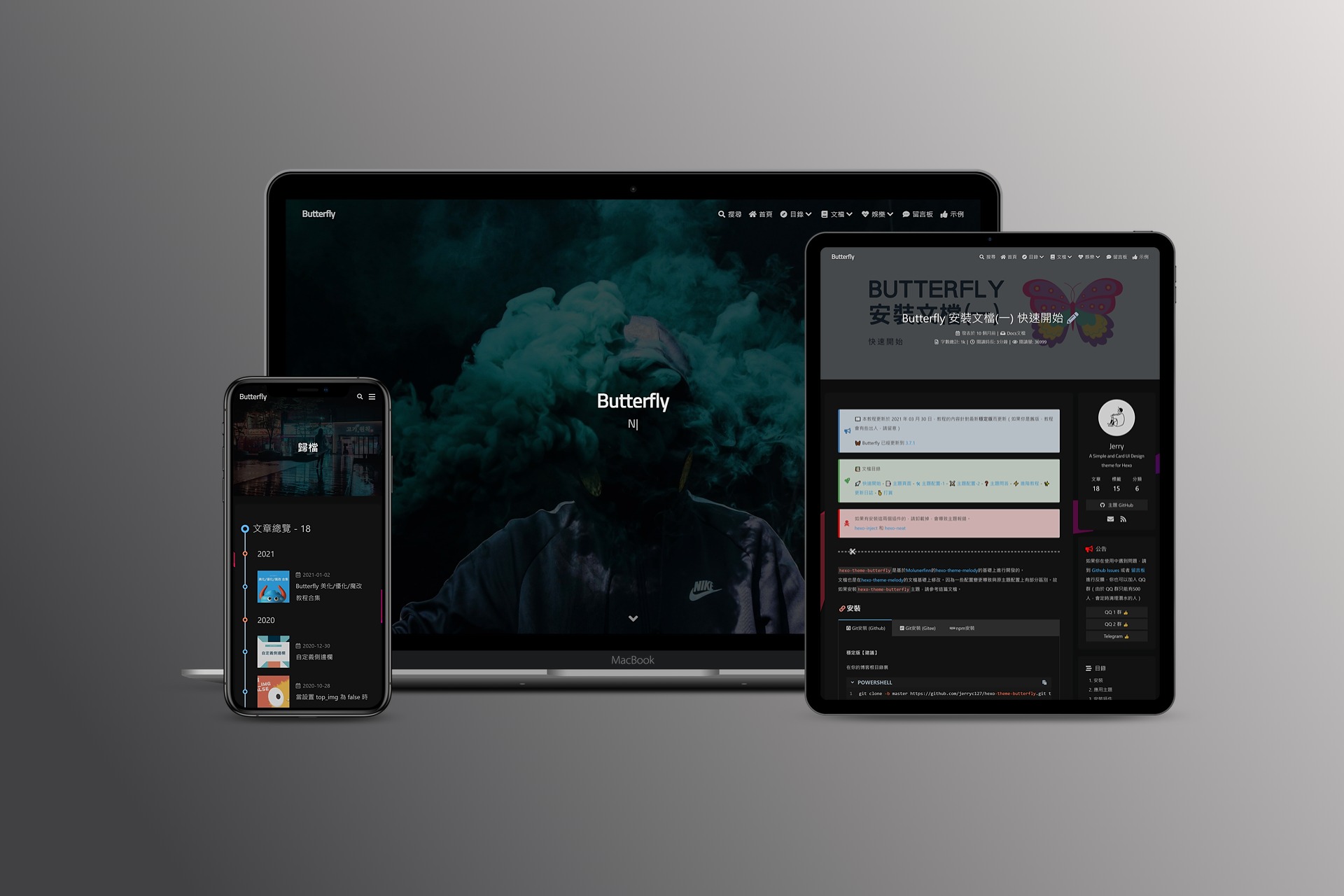
      <td><a href="https://cdn.jsdelivr.net/gh/jerryc127/CDN@m2/img/butterfly-readme-screenshots-2.jpg"><img src="https://cdn.jsdelivr.net/gh/jerryc127/CDN@m2/img/butterfly-readme-screenshots-2.jpg" alt="淺色文章頁與全螢幕封面" width="440" loading="lazy" /></a></td>
    </tr>
    <tr>
      <td><a href="https://cdn.jsdelivr.net/gh/jerryc127/CDN@m2/img/butterfly-readme-screenshots-3.jpg"><img src="https://cdn.jsdelivr.net/gh/jerryc127/CDN@m2/img/butterfly-readme-screenshots-3.jpg" alt="深色模式首頁在桌面、平板與手機上的響應式效果" width="440" loading="lazy" /></a></td>
      <td><a href="https://cdn.jsdelivr.net/gh/jerryc127/CDN@m2/img/butterfly-readme-screenshots-4.jpg"><img src="https://cdn.jsdelivr.net/gh/jerryc127/CDN@m2/img/butterfly-readme-screenshots-4.jpg" alt="深色模式文章頁與全螢幕封面" width="440" loading="lazy" /></a></td>
    </tr>
  </table>
</div>

## ⭐ Star 趨勢

[![Star History Chart](https://api.star-history.com/svg?repos=jerryc127/hexo-theme-butterfly&type=Date)](https://star-history.com/#jerryc127/hexo-theme-butterfly&Date)

<a id="get-help"></a>

## 🤝 一起打造更美好的主題

我們相信，**開源之所以能成長，是因為每個人願意參與**。不論您是開發者、設計師還是使用者，都能讓 Butterfly 變得更好。

### 💬 取得協助

- 🐛 **發現問題？** 開一個 [Issue](https://github.com/jerryc127/hexo-theme-butterfly/issues)，我們一起解決。
- 💡 **有好想法？** 到 [Discussions](https://github.com/jerryc127/hexo-theme-butterfly/discussions) 分享。
- 📚 **剛開始使用？** 閱讀[官方文檔](https://butterfly.js.org/)。
- ❓ **卡住了？** 查看[主題問答](https://butterfly.js.org/posts/98d20436/)，那裡整理了常見問題與排錯方法。
- 📦 **想了解更新？** 查看 [Releases](https://github.com/jerryc127/hexo-theme-butterfly/releases)，裡面有版本說明與 `_config` 變更。
- 💬 **想聊聊？** 加入 [Telegram 群組](https://t.me/bu2fly)。

### 🎯 參與貢獻

想讓 Butterfly 更好嗎？我們歡迎各種形式的貢獻：

- **🔧 程式碼**：修復 Bug、新增功能、改善效能
- **📝 文檔**：改進文檔、翻譯內容、撰寫教學
- **🎨 設計**：UI/UX 改進、配色、圖示設計
- **🧪 測試**：試用新功能、回報問題、分享使用心得
- **💰 資金**：[贊助專案](https://buy.stripe.com/3cs6rP6YA91sbbG5kk)，支持專案長期發展

<a id="license"></a>

## 📄 授權條款

本專案採用 [Apache 2.0 授權條款](LICENSE)。

## 🙏 致敬與感謝

本主題以 [hexo-theme-melody](https://github.com/Molunerfinn/hexo-theme-melody) 為基礎開發，感謝原作者提供靈感與基礎。

感謝每一位為 Butterfly 付出的人，因為有你們，這個主題才能持續進步。

---

<div align="center">

**✨ 如果這個主題對您有幫助，請給我們一顆 ⭐！**
</div>