# [Grapick](https://artf.github.io/grapick)
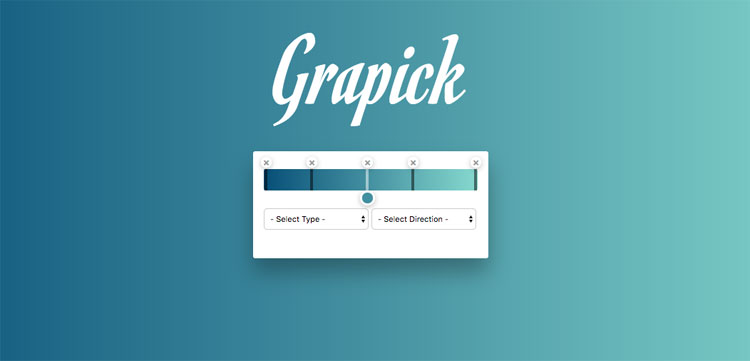
Easy configurable gradient picker, with no dependencies.
[Demo](https://artf.github.io/grapick)
## Download
You can download the file from [here](https://cdn.rawgit.com/artf/grapick/master/dist/grapick.min.js) ([CSS](https://cdn.rawgit.com/artf/grapick/master/dist/grapick.min.css)), via `npm i grapick` or directly from the `/dist` folder of this repo
## Usage
```html
```
# Configurations
* `pfx` - Class prefix (string)
* `el` - Element on which the picker will be attached (HTMLElement or query string)
* `colorEl` - Element to use for the custom color picker, eg. ''
* `min` - Minimum handler position, default: 0 (integer)
* `max` - Maximum handler position, default: 100 (integer)
* `direction` - Any supported gradient direction: '90deg' (default), 'top', 'bottom', 'right', '135deg', etc.
* `type` - Gradient type, available options: 'linear' (default) | 'radial' | 'repeating-linear' | 'repeating-radial'
* `height` - Gradient input height, default: '30px'
* `width` - Gradient input width, default: '100%'
* `emptyColor` - Default empty color (when you click on an empty color picker area)
* `onValuePos` - Format handler position value, default (to avoid floats): val => parseInt(val)
## Add custom color picker
Grapick is color picker independent and uses the browser's native one, by default, just to make it more accessible, but you can easily switch it with one of your choices (recommended as not all browsers support properly `input[type=color]`).
In the example below we use [spectrum](https://github.com/bgrins/spectrum) color picker just as the proof of concept
```html
```
## Events
Available events
* `change` - Gradient is changed
* `handler:drag:start` - Started dragging the handler
* `handler:drag` - Dragging the handler
* `handler:drag:end` - Stopped dragging the handler
* `handler:select` - Handler selected
* `handler:deselect` - Handler deselected
* `handler:add` - New handler added
* `handler:remove` - Handler removed
* `handler:color:change` - The color of the handler is changed
* `handler:position:change` - The position of the handler is changed
## Development
Clone the repository and enter inside the folder
```sh
$ git clone https://github.com/artf/grapick.git
$ cd grapick
```
Install it
```sh
$ npm i
```
Start the dev server
```sh
$ npm start
```
## API
[API Reference here](https://github.com/artf/grapick/wiki)
## Testing
Run tests
```sh
$ npm test
```
Run and watch tests
```sh
$ npm run test:dev
```
## License
MIT