# GrapesJS CKEditor
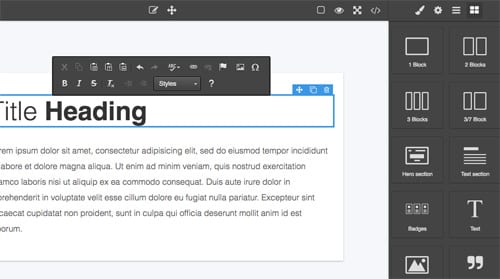
This plugin replaces the default Rich Text Editor with the CKEditor
[Demo](https://grapesjs.com/demo-newsletter-editor.html)
## Summary
* Plugin name: `grapesjs-plugin-ckeditor`
## Options
|Option|Description|Default|
|-|-|-
|`options`|CKEditor's configuration [object](https://ckeditor.com/docs/ckeditor4/latest/api/CKEDITOR_config.html), eg. `{ language: 'en', toolbar: [...], ...}`|`{}`|
|`position`|Position side of the toolbar, options: `left, center, right`|`left`|
|`ckeditor`|Pass CKEDITOR constructor or the CDN string from which the CKEDITOR will be loaded.|`https://cdn.ckeditor.com/4.21.0/standard-all/ckeditor.js`|
|`customRte`|Extend the default [customRTE interface](https://grapesjs.com/docs/guides/Replace-Rich-Text-Editor.html).|`{}`|
|`onToolbar`|Customize CKEditor toolbar element once created, eg. `onToolbar: (el) => { el.style.minWidth = '350px' }`|``|
## Download
* CDN
* `https://unpkg.com/grapesjs-plugin-ckeditor`
* NPM
* `npm i grapesjs-plugin-ckeditor`
* GIT
* `git clone https://github.com/GrapesJS/ckeditor.git`
## Usage
```html
```
## Development
Clone the repository
```sh
$ git clone https://github.com/GrapesJS/ckeditor.git
$ cd ckeditor
```
Install dependencies
```sh
$ npm i
```
Start the dev server
```sh
$ npm start
```
## License
BSD 3-Clause