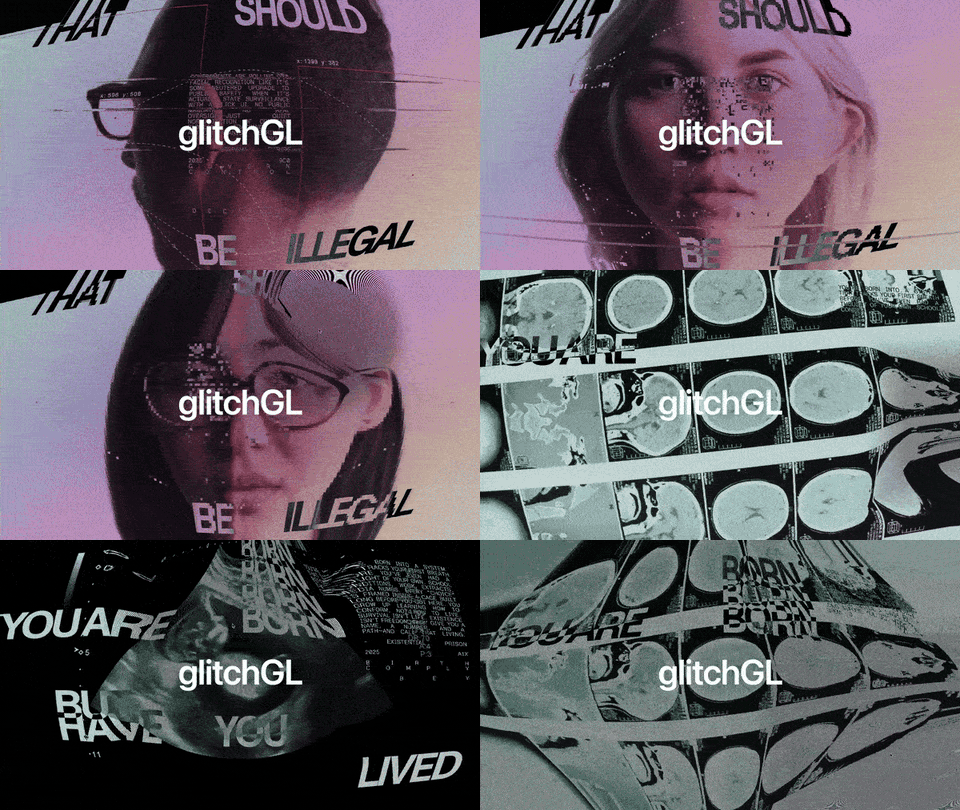
# glitchGL – Universal WebGL Glitch Effects

<a href="https://glitchgl.naughtyduk.com/" target="_blank" rel="noopener noreferrer"><img src="https://raw.githubusercontent.com/naughtyduk/glitchGL/main/assets/glitchGL-npm-preview.gif" alt="glitchGL" width="100%" height="auto"></a>

**v1.0.6**

> [!NOTE]
> `glitchGL` uses a dual licence model. It is **free for personal use**. `glitchGL` requires a licence for commercial use, see the [licensing section](#licence) for more details.

`glitchGL` transforms any DOM element into a canvas of stunning, interactive glitch, CRT, and pixelation effects, rendered in high-performance WebGL.

<a href="https://glitchgl.naughtyduk.com" target="_blank" rel="noopener noreferrer"><img src="https://raw.githubusercontent.com/naughtyduk/glitchGL/main/assets/try-it-out-npm.png" alt="Try It Out" width="120"></a>

<a href="https://glitchgl.naughtyduk.com/demos/demo-1.html" target="_blank" rel="noopener noreferrer"><strong>DEMO (GLITCH)</strong></a> | <a href="https://glitchgl.naughtyduk.com/demos/demo-2.html" target="_blank" rel="noopener noreferrer"><strong>DEMO (MULTIPLE)</strong></a> | <a href="https://glitchgl.naughtyduk.com/demos/demo-3.html" target="_blank" rel="noopener noreferrer"><strong>DEMO (CRT)</strong></a> | <a href="https://glitchgl.naughtyduk.com/demos/demo-4.html" target="_blank" rel="noopener noreferrer"><strong>DEMO (PIXELATION)</strong></a> | <a href="https://glitchgl.naughtyduk.com/demos/demo-5.html" target="_blank" rel="noopener noreferrer"><strong>DEMO (3D MODEL)</strong></a>

## Overview

`glitchGL` is a lightweight yet powerful WebGL library that applies combinable visual effects to any DOM element. It can transform images, SVGs, text, videos, and even 3D models into a dynamic visual experience. The library features three core, fully customisable effect modules: **Pixelation**, **CRT**, and **Glitch**. These effects can be enabled, disabled, and tweaked in real-time, and they seamlessly work together. With a robust mouse interaction system, you can create localised, velocity-based effects that respond naturally to user input.

### Key Features

| Feature                    | Supported | Feature                         | Supported |
| :------------------------- | :-------: | :------------------------------ | :-------: |
| Combinable Effects         |    ✅     | Mouse & Touch Interaction       |    ✅     |
| Pixelation Engine          |    ✅     | Velocity-Based Effects          |    ✅     |
| CRT Emulator               |    ✅     | Interactive Effect Parameters   |    ✅     |
| Glitch System              |    ✅     | Customisable Interaction Shapes |    ✅     |
| Images, SVGs, Text, Videos |    ✅     | Custom SVG Interaction Masks    |    ✅     |
| 3D Models (GLTF/GLB)       |    ✅     | Adjustable Interaction Radius   |    ✅     |
| High-Performance WebGL     |    ✅     | Tilt on Hover (3D Models)       |    ✅     |
| Dynamic Option Updates     |    ✅     | Multiple Instances              |    ✅     |
| No Re-initialisation       |    ✅     | Auto-Resize Handling            |    ✅     |
| Smart DOM Positioning      |    ✅     | Comprehensive API               |    ✅     |
| `on.init` Callback         |    ✅     |                                 |           |

---

## Install from npm

```sh
npm install glitch-gl
```

```js
import glitchGL from "glitch-gl";

const glitchEffect = glitchGL({
  target: ".glitchGL",
});
```

> `three` is installed automatically as a package dependency. `GLTFLoader` is only required when using 3D models.

---

## Prerequisites

For CDN/browser-script usage, add the following scripts before you initialise `glitchGL()` (normally at the end of the `<body>`):

```html
<!-- Three.js – WebGL 3D library (required) -->
<script src="https://cdnjs.cloudflare.com/ajax/libs/three.js/r128/three.min.js"></script>

<!-- GLTFLoader – For 3D model support (optional, only if using 3D models) -->
<script src="https://cdnjs.cloudflare.com/ajax/libs/three.js/r128/examples/js/loaders/GLTFLoader.js"></script>

<!-- glitchGL.min.js – the library itself -->
<script src="https://glitchgl.naughtyduk.com/scripts/glitchGL.min.js"></script>
```

> `Three.js` provides the WebGL rendering engine that powers `glitchGL`. The library will not work without Three.js. `GLTFLoader` is only required if you plan to use 3D models.

---

## Quick Start

Set up your HTML structure first. Add the `glitchGL` class to any element you want to apply effects to.

```html
<!-- Example HTML structure -->
<body>
  <div class="hero-section">
    <!-- Target element -->
    <img src="/logo.svg" alt="Logo" class="glitchGL" />
  </div>

  <!-- AND/OR use with text -->
  <h1 class="glitchGL">Hello Glitch</h1>

  <!-- AND/OR with 3D models -->
  <div class="glitchGL" data-model-src="/assets/Duk_Animated.gltf"></div>
</body>
```

> The original element will be hidden and replaced with a WebGL `<canvas>` where the effects are rendered. Make sure your target elements are positioned where you want the effect to appear.

Next, initialise the library with your desired configuration.

```javascript
import glitchGL from "glitch-gl";

const glitchEffect = glitchGL({
  target: ".glitchGL",
  intensity: 1.0, // Overall intensity of interactive effects
  aspectCorrection: true,
  modelScale: 1.0, // The global scale of any 3D models
  tiltFactor: 0.2, // The intensity of tilt on 3d models
  tiltSpeed: 0.05, // The speed of tilt relative to the cursor on 3D models
  interaction: {
    enabled: true, // Whether interaction effects are enabled
    shape: "circle", // 'circle', 'square', 'diamond', 'cross', 'plus', 'custom'
    customSize: "10vw", // Width of interaction shape
    customUrl: null, // URL for custom SVG shape
    velocity: false, // Whether the interaction shape scales with cursor movement
    effects: {
      // Specify which parameters of each effect are interactive
      pixelation: [], // i.e ["pixelSize"]
      crt: [], // i.e ["scanlineCount", "phosphorGlow", "curvature"] etc.
      glitch: [], // i.e ["digitalNoise", "lineDisplacement", "bitCrushDepth"] etc.
    },
  },
  effects: {
    pixelation: {
      enabled: true,
      pixelSize: 8,
      pixelShape: "square",
      bitDepth: "none",
      dithering: "none",
      pixelDirection: "square",
    },
    crt: {
      enabled: false,
      preset: "consumer-tv",
      scanlineIntensity: 0.7,
      scanlineThickness: 0.8,
      scanlineCount: 240,
      brightness: 1.2,
      phosphorGlow: 0.4,
      curvature: 8.0,
      chromaticAberration: 0.004,
      flicker: false,
      flickerIntensity: 0.5,
      lineMovement: false,
      lineSpeed: 1.0,
      lineDirection: "up",
    },
    glitch: {
      enabled: false,
      rgbShift: 0,
      digitalNoise: 0.1,
      lineDisplacement: 0.01,
      bitCrushDepth: 4.0,
      signalDropoutFreq: 0.05,
      signalDropoutSize: 0.1,
      syncErrorFreq: 0.02,
      syncErrorAmount: 0.05,
      interferenceSpeed: 1.0,
      interferenceIntensity: 0.2,
      frameGhostAmount: 0.3,
      stutterFreq: 0.1,
      datamoshStrength: 0.5,
    },
  },
  on: {
    init(instance) {
      console.log("glitchGL ready!", instance);
    },
  },
});
```

**HTML Data Attributes**

| Attribute&nbsp;&nbsp;&nbsp;&nbsp;&nbsp;&nbsp;&nbsp;&nbsp;&nbsp;&nbsp;&nbsp;&nbsp;&nbsp;&nbsp;&nbsp;&nbsp;&nbsp;&nbsp;&nbsp;&nbsp;&nbsp;&nbsp;&nbsp;&nbsp;&nbsp;&nbsp;&nbsp;&nbsp;&nbsp; | Description                                                                                                                                                                                                                                                                             |
| :-------------------------------------------------------------------------------------------------------------------------------------------------------------------------------------- | :-------------------------------------------------------------------------------------------------------------------------------------------------------------------------------------------------------------------------------------------------------------------------------------- |
| `data-model-src`                                                                                                                                                                        | Specifies the path to a 3D model (`.gltf`, `.glb`) to be used as the model source, overriding the element's content. You don't need to mount the model separately, if you plan to use `glitchGL` with 3D models, just use this attribute on a `div` element and apply the target class. |
| `data-glitch-target`                                                                                                                                                                    | **Read-only**: An attribute added by the library to the generated `<canvas>` element. It contains a unique ID for the instance.                                                                                                                                                         |

---

## Parameters

### Global Options

| Option             | Type     | Default       | Description                                                        |
| :----------------- | :------- | :------------ | :----------------------------------------------------------------- |
| `target`           | string   | `'.glitchGL'` | **Required.** CSS selector for the element(s) to apply effects to. |
| `intensity`        | number   | `1.0`         | Overall intensity multiplier for all interactive effects.          |
| `aspectCorrection` | boolean  | `true`        | Maintains the original aspect ratio of the source element.         |
| `modelScale`       | number   | `1`           | Scale factor for 3D models.                                        |
| `tiltFactor`       | number   | `0.2`         | Intensity of the 3D tilt effect on mouse hover.                    |
| `tiltSpeed`        | number   | `0.05`        | Speed of the 3D tilt animation.                                    |
| `on.init`          | function | `{}`          | Callback that runs once the WebGL instance is ready.               |

### Interaction Options

| Option                   | Type          | Default    | Description                                                                         |
| :----------------------- | :------------ | :--------- | :---------------------------------------------------------------------------------- |
| `interaction.enabled`    | boolean       | `true`     | Enables or disables all mouse/touch interactions.                                   |
| `interaction.shape`      | string        | `'circle'` | Shape of the interaction area. See options below.                                   |
| `interaction.customSize` | string/number | `'10vw'`   | Width/diameter of the interaction area. Accepts CSS units (`px`, `vw`) or a number. |
| `interaction.customUrl`  | string        | `null`     | URL to an SVG file to use as a custom interaction mask.                             |
| `interaction.velocity`   | boolean       | `false`    | When true, interaction effect scales based on movement speed.                       |
| `interaction.effects`    | object        | `{...}`    | Defines which specific effect parameters are interactive. See example.              |

### Effect Modules

The library includes three primary effect modules: `pixelation`, `crt`, and `glitch`. Each can be enabled, disabled, and configured independently. All effects are designed to be fully combinable.

#### Pixelation Effect (`effects.pixelation`)

| Option           | Type    | Default    | Description                                                                    |
| :--------------- | :------ | :--------- | :----------------------------------------------------------------------------- |
| `enabled`        | boolean | `true`     | Enables the pixelation effect.                                                 |
| `pixelSize`      | number  | `8`        | The size of each "pixel" in the effect.                                        |
| `pixelShape`     | string  | `'square'` | Shape of the pixels: `'square'`, `'circle'`, `'diamond'`, `'cross'`, `'plus'`. |
| `bitDepth`       | string  | `'none'`   | Reduces colour depth: `'none'`, `'1-bit'`, `'4-bit'`, `'8-bit'`.               |
| `dithering`      | string  | `'none'`   | Dithering algorithm: `'none'`, `'floyd-steinberg'`, `'bayer'`.                 |
| `pixelDirection` | string  | `'square'` | Direction of pixels: `'square'`, `'horizontal'`, `'vertical'`.                 |

#### CRT Effect (`effects.crt`)

| Option                | Type    | Default         | Description                                                               |
| :-------------------- | :------ | :-------------- | :------------------------------------------------------------------------ |
| `enabled`             | boolean | `false`         | Enables the CRT (Cathode Ray Tube) monitor effect.                        |
| `preset`              | string  | `'consumer-tv'` | Load a preset configuration. See [presets section](#presets) for options. |
| `scanlineIntensity`   | number  | `0.7`           | Intensity of the scanline effect.                                         |
| `scanlineThickness`   | number  | `0.8`           | Thickness of the scanlines.                                               |
| `scanlineCount`       | number  | `240`           | Number of scanlines. 0 means auto-detect based on resolution.             |
| `phosphorGlow`        | number  | `0.4`           | Amount of phosphor-like glow.                                             |
| `curvature`           | number  | `8.0`           | Screen curvature amount (barrel distortion).                              |
| `chromaticAberration` | number  | `0.004`         | Amount of RGB colour channel separation.                                  |
| `brightness`          | number  | `1.2`           | Overall brightness of the CRT effect.                                     |
| `flicker` ⚠️          | boolean | `false`         | Enable a subtle screen flicker effect.                                    |
| `flickerIntensity`    | number  | `0.5`           | Intensity of the flicker effect.                                          |
| `lineMovement`        | boolean | `false`         | Animate scanlines to move across the screen.                              |
| `lineSpeed`           | number  | `1.0`           | Speed of the scanline movement.                                           |
| `lineDirection`       | string  | `'up'`          | Direction of scanline movement: `'up'`, `'down'`, `'left'`, `'right'`.    |

> [!IMPORTANT]
> `flicker` causes deliberate flashes as an aesthetic feature of glitchy CRT screens which looks great, but please be mindful of those with photosentive Epilepsy.

#### Glitch Effect (`effects.glitch`)

| Option                  | Type    | Default | Description                                             |
| :---------------------- | :------ | :------ | :------------------------------------------------------ |
| `enabled`               | boolean | `false` | Enables the glitch effect module.                       |
| `rgbShift`              | number  | `0`     | Amount of RGB colour channel shifting.                  |
| `digitalNoise`          | number  | `0.1`   | Intensity of random digital noise.                      |
| `lineDisplacement`      | number  | `0.01`  | Horizontal line displacement effect.                    |
| `bitCrushDepth`         | number  | `4.0`   | Reduces colour resolution, creating a "crushed" look.   |
| `signalDropoutFreq`     | number  | `0.05`  | Frequency of signal dropout (black/white/red blocks).   |
| `signalDropoutSize`     | number  | `0.1`   | Size of the signal dropout blocks.                      |
| `syncErrorFreq`         | number  | `0.02`  | Frequency of horizontal sync errors (line jumps).       |
| `syncErrorAmount`       | number  | `0.05`  | Intensity of the sync error displacement.               |
| `interferenceSpeed`     | number  | `1.0`   | Speed of rolling interference lines.                    |
| `interferenceIntensity` | number  | `0.2`   | Intensity of the interference lines.                    |
| `frameGhostAmount`      | number  | `0.3`   | Amount of frame ghosting (afterimages).                 |
| `stutterFreq`           | number  | `0.1`   | Frequency of stutter/freeze frames.                     |
| `datamoshStrength`      | number  | `0.5`   | Intensity of the datamoshing (pixel corruption) effect. |

---

## CRT Presets

The `crt` effect module includes 4 ready-made presets:

| Name                    | Purpose                                           |
| :---------------------- | :------------------------------------------------ |
| **`consumer-tv`**       | Simulates a classic, standard-definition TV.      |
| **`arcade-monitor`**    | Mimics a vintage arcade game monitor.             |
| **`computer-monitor`**  | A cleaner, high-resolution computer monitor look. |
| **`broadcast-monitor`** | Simulates a professional broadcast-grade monitor. |

Use a preset by setting the `preset` option in the `crt` configuration:

```javascript
glitchGL({
  effects: {
    crt: {
      enabled: true,
      preset: "arcade-monitor",
    },
  },
});
```

> You can use a `crt` preset as a base and override specific properties.

---

## FAQ

| Question                                               | Answer                                                                                                                                                                                                                                                                                                                     |
| :----------------------------------------------------- | :------------------------------------------------------------------------------------------------------------------------------------------------------------------------------------------------------------------------------------------------------------------------------------------------------------------------- |
| Does the library handle responsive design?             | Yes, `glitchGL` automatically handles window resize events and adjusts the WebGL canvas and effect uniforms accordingly. This is done efficiently without re-initialising the entire library.                                                                                                                              |
| Can I combine the Pixelation, CRT, and Glitch effects? | Absolutely. All three effect modules are designed to work together seamlessly. You can enable and configure any combination of effects to create unique visual styles. The rendering pipeline ensures they are applied in a logical order (Pixelation -> Glitch -> CRT).                                                   |
| How do interactive effects work?                       | When `interaction.enabled` is true, the library tracks mouse movement. You can specify which effect parameters are interactive via the `interaction.effects` object. For example, if `pixelation: ['pixelSize']` is set, the `pixelSize` will change based on the mouse's proximity to the centre of the interaction area. |
| Can I update effects after initialisation?             | Yes, use the `updateOptions()` method: `glitchEffect.updateOptions({ effects: { pixelation: { pixelSize: 20 } } })`. The library is architected to update all uniforms on the fly without needing to re-initialise the WebGL context, ensuring smooth, real-time changes.                                                  |
| How do I use a custom SVG for the interaction shape?   | Set `interaction.shape` to `'custom'` and provide a URL to your SVG in `interaction.customUrl`. The library will load the SVG and use its alpha channel as a mask for the interaction area. This allows for complex and creative interaction zones.                                                                        |
| What types of elements can `glitchGL` be applied to?   | Images, SVGs, text, videos, and 3D models (GLTF/GLB format). For other HTML elements (like a `<div>` or `<p>`), the library will apply the effects to their rendered appearance, including text and background colours.                                                                                                    |
| How does real-time video support work?                 | For `<video>` elements, `glitchGL` uses the video as a real-time texture. The effects are applied to the currently playing frame, creating a dynamic, animated result that perfectly syncs with the video content.                                                                                                         |
| Are there any CORS issues with images or 3D models?    | Images, 3D models, and custom SVG interaction shapes from external domains may fail to load due to Cross-Origin Resource Sharing (CORS) policies. For best results, serve all assets from the same domain or ensure the remote server provides the correct `Access-Control-Allow-Origin` headers.                          |

---

## Browser Support

The `glitchGL` library is compatible with all modern WebGL-enabled browsers on desktop, tablet, and mobile devices.

| Browser        | Supported |
| :------------- | :-------: |
| Google Chrome  |    ✅     |
| Safari         |    ✅     |
| Firefox        |    ✅     |
| Microsoft Edge |    ✅     |
| Mobile Safari  |    ✅     |
| Mobile Chrome  |    ✅     |

> **Note**: Requires WebGL support. The library will fail to initialise if WebGL or Three.js are not available.

---

## API Methods

After initialisation, you can control the effect instance using a rich set of API methods. You can also animate the properties to create interaction animations or infinite looping variance of any of the updatable properties.

### Core Methods

```javascript
const glitchEffect = glitchGL({ target: ".glitchGL" });

// Update any combination of options on the fly
glitchEffect.updateOptions({
  intensity: 1.5,
  effects: {
    crt: { curvature: 12.0 },
    glitch: { enabled: true, rgbShift: 0.02 },
  },
});

// Clean up the effect and restore the original element
glitchEffect.cleanup();
```

---

## Licence

`glitchGL` is released under a dual-licence model to support both personal and commercial use. For full details, please see the [LICENCE](https://github.com/naughtyduk/glitchGL/blob/main/LICENCE.md) file.

### Personal Use

For personal websites, portfolios, academic projects, and other non-commercial applications, `glitchGL` is free to use. In short, if you are not making money from your project, you can use `glitchGL` for free.

### Commercial Use

A paid commercial licence is required for any project that is commercial in nature. This includes websites for businesses, projects that generate revenue, or use in any proprietary software.

### Licensing Options

**Single Licence:**<br>
`For one commercial website or project.`<br><br>
<a href="https://pay.naughtyduk.com/b/5kQ4gz6oqgELbNK9RH9sk0b" target="_blank" rel="noopener noreferrer"><img src="https://raw.githubusercontent.com/naughtyduk/glitchGL/main/assets/get-licence-npm.png" alt="Get Licence" width="120"></a>

**Extended Licence:**<br>
`For up to five commercial projects.`<br><br>
<a href="https://pay.naughtyduk.com/b/14A28r9ACgEL196bZP9sk0c" target="_blank" rel="noopener noreferrer"><img src="https://raw.githubusercontent.com/naughtyduk/glitchGL/main/assets/get-licence-npm.png" alt="Get Licence" width="120"></a>