
**Pixel Profile**: Generate pixel art profiles from your GitHub data
> This Pixel Profile project would not have been possible without these three amazing projects:
>
> [Github Readme Stats](https://github.com/anuraghazra/github-readme-stats): One of the best tools out there for generating awesome Github stats cards.
>
> [resvg-js](https://github.com/yisibl/resvg-js): A high-performance SVG renderer and toolkit.
>
> [Satori](https://github.com/vercel/satori): An enlightened library to convert HTML and CSS to SVG.
## Overview
You can easily generate a Github stats card with default styling using the following link:
```html
https://pixel-profile.vercel.app/api/github-stats?username=
```
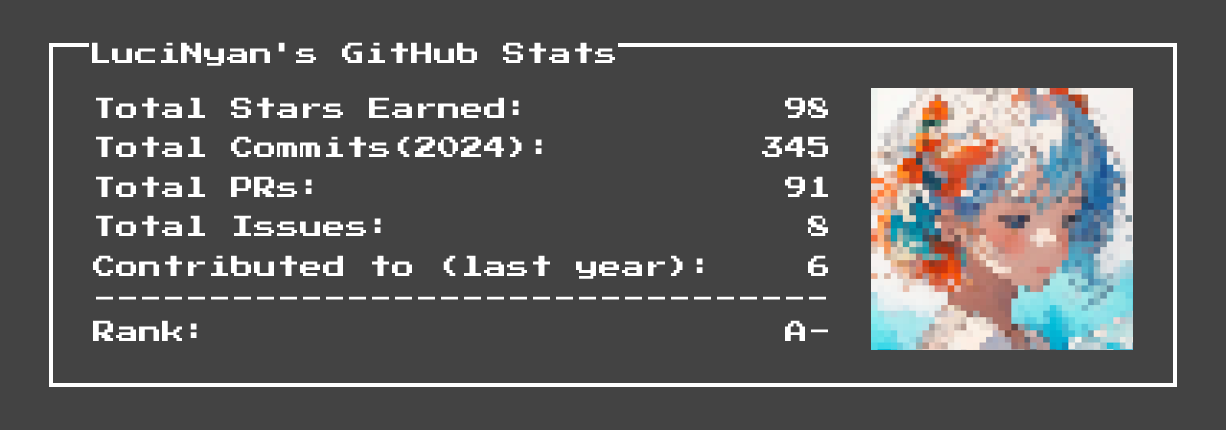
Of course, you can customize the styling to better suit your preferences. For example, here is a stats card designed for GitHub's Dark Theme::
```html
https://pixel-profile.vercel.app/api/github-stats?username=LuciNyan&screen_effect=true&background=linear-gradient(to%20bottom%20right%2C%20%232aeeff%2C%20%235580eb)
```
This is what it looks like in use in a README:
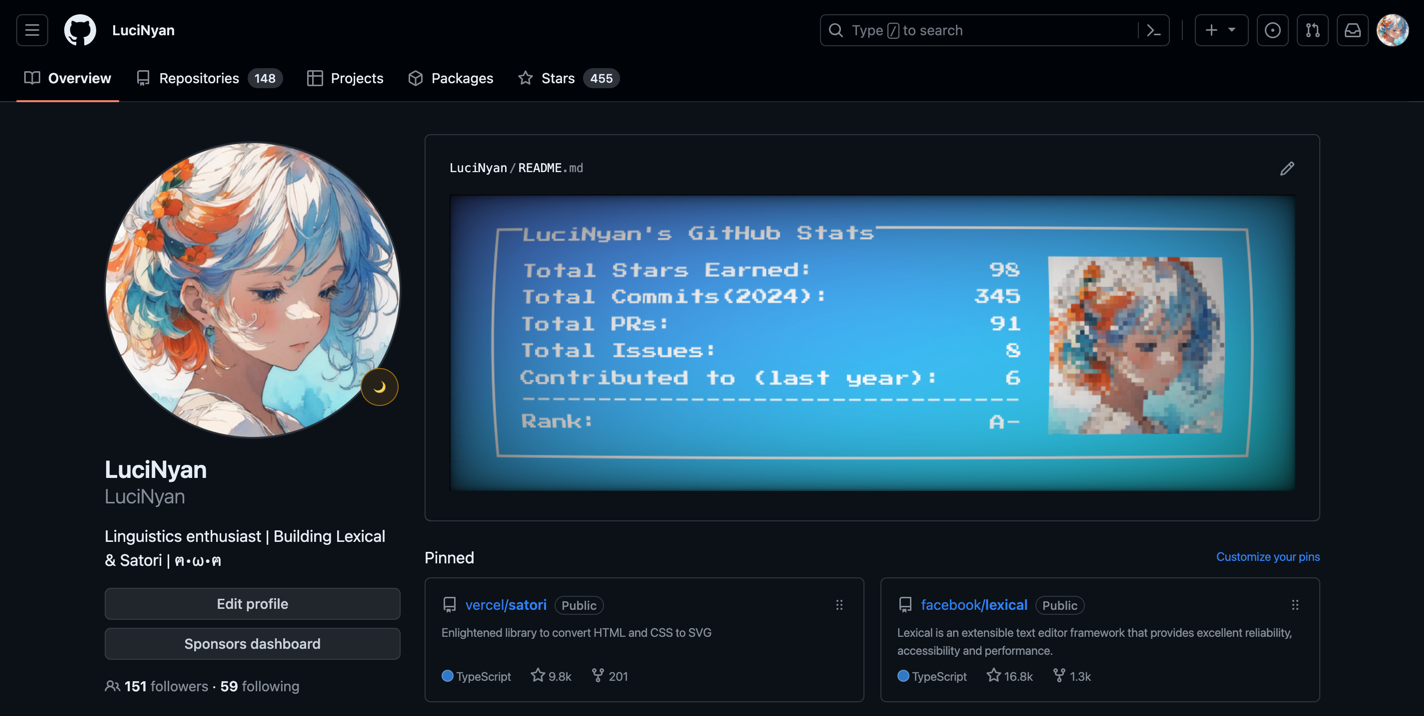
If you want to include a GitHub stats card in your own README and have it display the appropriate card for both light and dark themes on GitHub, you can use the following configuration:
```md
```
[Here](https://github.com/LuciNyan) is a ready-made example configuration you can reference if you need inspiration for your own config.
## Documentation
Github Stats Card Options
| Name | Description | Default value |
| --------------------- | ----------------------------------------------------------------------------------------------------------------------------------------------------- | ------------- |
| `background` | Set background color/image. Supports a subset of CSS background property values | `#434343` |
| `color` | Set text color to any valid CSS color value | `white` |
| `hide` | Hide specific stats or elements by passing a comma-separated list. Valid keys: 'avatar', 'commits', 'contributions', 'issues', 'prs', 'rank', 'stars' | |
| `include_all_commits` | Count all commits | `false` |
| `pixelate_avatar` | Apply pixelation to avatar | `true` |
| `screen_effect` | Enable curved screen effect | `false` |
| `username` | GitHub username |
## Contribute
The layout in this project is entirely done with JSX, so developing it is almost no different than a normal React project. This means anyone can easily create new cards with very little effort. If you have any ideas, feel free to contribute them here! ❤️
### TODO
- [x] Github stats card.
- [ ] Github repo card.
- [ ] Leetcode stats card.
## Author
- [LuciNyan](https://github.com/LuciNyan)