# gif-encoder-2
Encode GIFs with Node.js
## Contents
- [Installation](#installation)
- [Overview](#overview)
- [Usage](#usage)
- [Constructor](#constructor)
- [Methods](#methods)
- [Examples](#examples)
- [Canvas Animation](#canvas-animation)
- [Sequencial Images](#sequencial-images)
- [Algorithms](#algorithms)
- [Optimizer](#optimizer)
- [Progess Event](#progress-event)
## Installation
```
npm install gif-encoder-2
```
## Overview
This library builds on top of previous _JavaScript_ _GIF_ encoders including [jsgif](https://github.com/antimatter15/jsgif) and [gifencoder](https://github.com/eugeneware/gifencoder).
This library adds the [Octree](https://en.wikipedia.org/wiki/Octree) quantization algorithm as an alternative to the original _NeuQuant_ algorithm.
This library adds a simple optimizer to speed up overall processing time of both algorithms.
This library adds a progress event.
This library is designed to be used in a _Node_ environment, including the [Electron](https://electronjs.org/) renderer process. [Node Canvas](https://github.com/Automattic/node-canvas) can be a useful peer library but isn't required. The [HTML Canvas API] can be used in _Electron_.
## Usage
### Constructor
`GIFEncoder(width, height, algorithm, useOptimizer, totalFrames)`
| Parameter | Type | Description | Required | Default |
| :------------: | :-----: | :----------------------------: | :------: | :--------: |
| `width` | number | the width of images in pixels | yes | n/a |
| `height` | number | the height of images in pixels | yes | n/a |
| `algorithm` | string | `neuquant` or `octree` | no | `neuquant` |
| `useOptimizer` | boolean | enables/disables optimizer | no | false |
| `totalFrames` | number | total number of images | no | 0 |
```javascript
const encoder = new GIFEncoder(500, 500)
const encoder = new GIFEncoder(1200, 800, 'octree', false)
const encoder = new GIFEncoder(720, 480, 'neuquant', true, 20)
```
### Methods
| Method | Parameter | Description | Notes |
| :------------------: | :--------------: | :-------------------------------------: | :--------------------------------------------------------: |
| `start` | n/a | Starts the encoder | n/a |
| `addFrame` | `Canvas Context` | Adds a frame to the GIF | n/a |
| `setDelay` | number | Number of milliseconds to display frame | Can be set once or per frame |
| `setFramesPerSecond` | number | Number of frames per second to display | Another way to set delay |
| `setQuality` | number 1-30 | Neuquant quality | 1 is best/slowest |
| `setThreshold` | number 0-100 | Optimizer threshold percentage | Color table reused if current frame matches previous frame |
| `setRepeat` | number >= 0 | Number of loops GIF does | 0 is forever, anything else if literal number of loops |
| `finish` | n/a | Stops the encoder | Call after all frames are added |
## Examples
### Canvas Animation
Draw a square that changes color as it moves.
```javascript
const GIFEncoder = require('gif-encoder-2')
const { createCanvas } = require('canvas')
const { writeFile } = require('fs')
const path = require('path')
const size = 200
const half = size / 2
const canvas = createCanvas(size, size)
const ctx = canvas.getContext('2d')
function drawBackground() {
ctx.fillStyle = '#ffffff'
ctx.fillRect(0, 0, size, size)
}
const encoder = new GIFEncoder(size, size)
encoder.setDelay(500)
encoder.start()
drawBackground()
ctx.fillStyle = '#ff0000'
ctx.fillRect(0, 0, half, half)
encoder.addFrame(ctx)
drawBackground()
ctx.fillStyle = '#00ff00'
ctx.fillRect(half, 0, half, half)
encoder.addFrame(ctx)
drawBackground()
ctx.fillStyle = '#0000ff'
ctx.fillRect(half, half, half, half)
encoder.addFrame(ctx)
drawBackground()
ctx.fillStyle = '#ffff00'
ctx.fillRect(0, half, half, half)
encoder.addFrame(ctx)
encoder.finish()
const buffer = encoder.out.getData()
writeFile(path.join(__dirname, 'output', 'beginner.gif'), buffer, error => {
// gif drawn or error
})
```

### Sequencial Images
Create a function that reads a directory of images and turns them into a _GIF_.
```javascript
const GIFEncoder = require('gif-encoder-2')
const { createCanvas, Image } = require('canvas')
const { createWriteStream, readdir } = require('fs')
const { promisify } = require('util')
const path = require('path')
const readdirAsync = promisify(readdir)
const imagesFolder = path.join(__dirname, 'input')
async function createGif(algorithm) {
return new Promise(async resolve1 => {
// read image directory
const files = await readdirAsync(imagesFolder)
// find the width and height of the image
const [width, height] = await new Promise(resolve2 => {
const image = new Image()
image.onload = () => resolve2([image.width, image.height])
image.src = path.join(imagesFolder, files[0])
})
// base GIF filepath on which algorithm is being used
const dstPath = path.join(__dirname, 'output', `intermediate-${algorithm}.gif`)
// create a write stream for GIF data
const writeStream = createWriteStream(dstPath)
// when stream closes GIF is created so resolve promise
writeStream.on('close', () => {
resolve1()
})
const encoder = new GIFEncoder(width, height, algorithm)
// pipe encoder's read stream to our write stream
encoder.createReadStream().pipe(writeStream)
encoder.start()
encoder.setDelay(200)
const canvas = createCanvas(width, height)
const ctx = canvas.getContext('2d')
// draw an image for each file and add frame to encoder
for (const file of files) {
await new Promise(resolve3 => {
const image = new Image()
image.onload = () => {
ctx.drawImage(image, 0, 0)
encoder.addFrame(ctx)
resolve3()
}
image.src = path.join(imagesFolder, file)
})
}
})
}
createGif('neuquant')
createGif('octree')
```
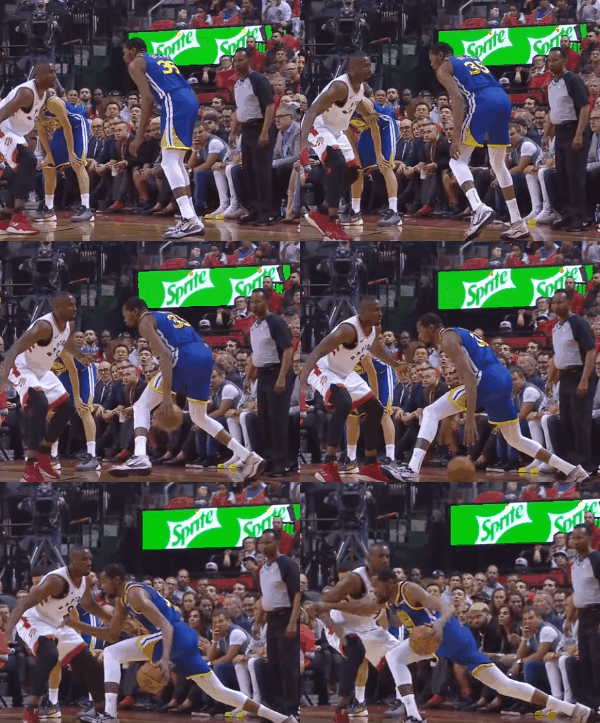
**NeuQuant Algorithm**
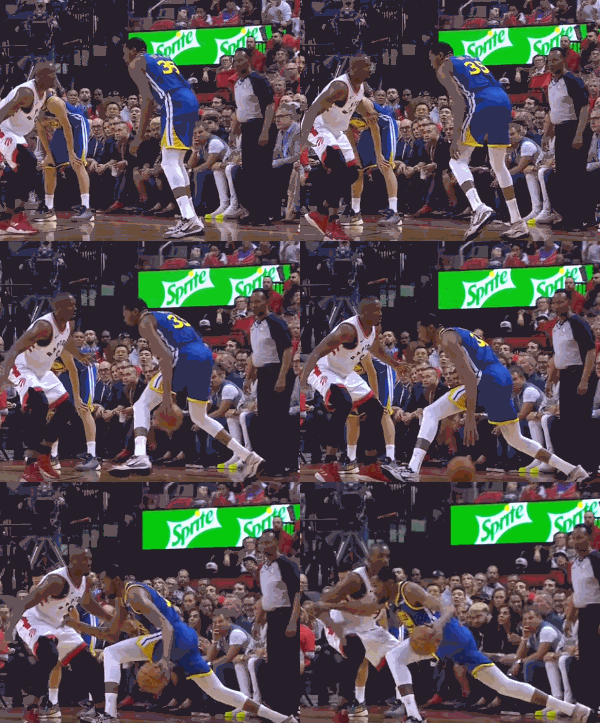
 **Octree Algorithm**
 ## Algorithms
- _NeuQuant_ tends to perform faster than _Octree_
- _Octree_ tends to output a smaller file than _NeuQuant_
- _Octree_ produces a slight banding effect
The example above encodes 20 images measuring 300px x 240px. The output file from _NeuQuant_ is 1172KB and the _Octree_ is less than half of that at 515KB.
## Optimizer
The optimizer works by reusing the color palette from the previous image on the current image. This can reduce the overall processing time signifigantly but its best suited for a sequence of similarly colored images. Use the `setThreshold` method to set a percentage determining how similar the two images must be to trigger the optimizer. The default is `90%`. The optimizer is only used if `true` is passed as the 4th argument to the constructor.
## Progress Event
Works if `totalFrames` is expressed in constructor, otherwise this value will be 0.
```javascript
encoder.on('progress', percent => {
// do something with percent value
})
```
## Algorithms
- _NeuQuant_ tends to perform faster than _Octree_
- _Octree_ tends to output a smaller file than _NeuQuant_
- _Octree_ produces a slight banding effect
The example above encodes 20 images measuring 300px x 240px. The output file from _NeuQuant_ is 1172KB and the _Octree_ is less than half of that at 515KB.
## Optimizer
The optimizer works by reusing the color palette from the previous image on the current image. This can reduce the overall processing time signifigantly but its best suited for a sequence of similarly colored images. Use the `setThreshold` method to set a percentage determining how similar the two images must be to trigger the optimizer. The default is `90%`. The optimizer is only used if `true` is passed as the 4th argument to the constructor.
## Progress Event
Works if `totalFrames` is expressed in constructor, otherwise this value will be 0.
```javascript
encoder.on('progress', percent => {
// do something with percent value
})
```