# Google Sign-In Cordova/PhoneGap Plugin
by [Eddy Verbruggen](http://twitter.com/eddyverbruggen)
3/29/2016:
Forked and Updated by Sam Muggleworth ([PointSource, LLC](https://github.com/PointSource))
*ATTENTION: The NPM registry currently returns an older version of this plugin. This README contains documentation for the most recent version.*
## 0. Index
1. [Description](#1-description)
2. [Screenshots](#2-screenshots)
3. [Google API setup](#3-google-api-setup)
4. [Installation (CLI / Plugman)](#4-installation-phonegap-cli--cordova-cli)
5. [Installation (PhoneGap Build)](#5-installation-phonegap-build)
6. [Usage](#6-usage)
7. [Exchanging the `idToken`](#7-exchanging-the-idtoken)
8. [Exchanging the `serverAuthCode`](#8-exchanging-the-serverauthcode)
9. [Troubleshooting](#9-troubleshooting)
10. [Changelog](#10-changelog)
11. [License](#11-license)
## 1. Description
This plugin allows you to authenticate and identify users with [Google Sign-In](https://developers.google.com/identity/) on [iOS](https://developers.google.com/identity/sign-in/ios/) and [Android](https://developers.google.com/identity/sign-in/android/).
Out of the box, you'll get email, display name, profile picture url, and user id.
You can also configure it to get an [idToken](#7-exchanging-the-idtoken) and [serverAuthCode](#8-exchanging-the-serverauthcode).
This plugin only wraps access to the Google Sign-In API. Further API access should be implemented per use-case, per developer.
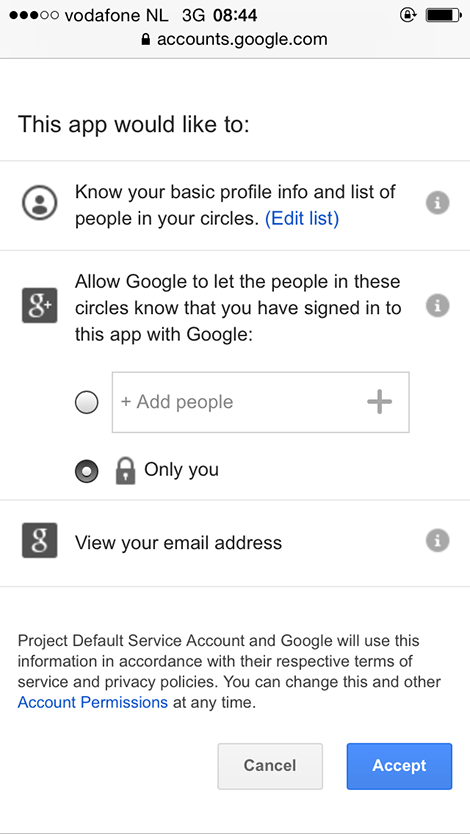
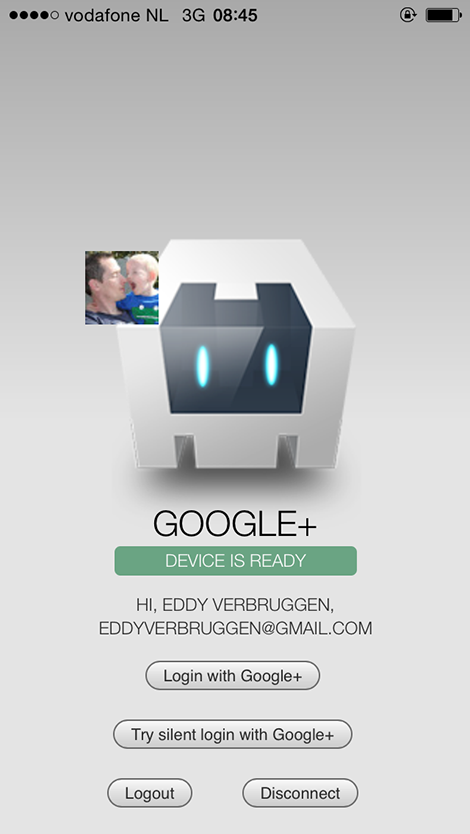
## 2. Screenshots
Android
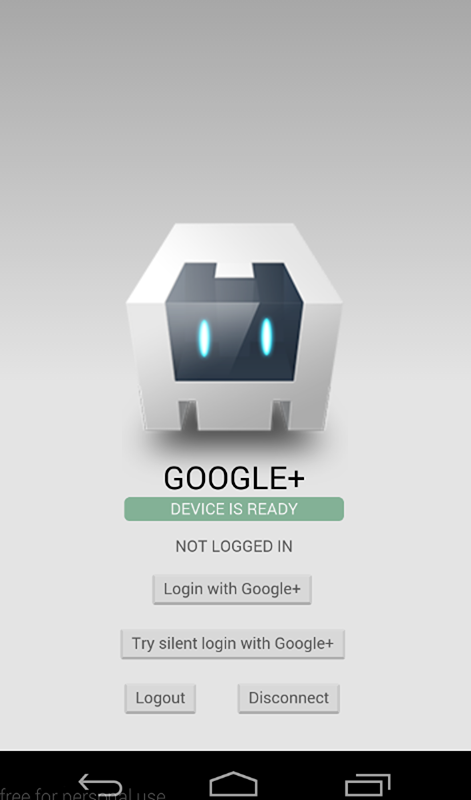
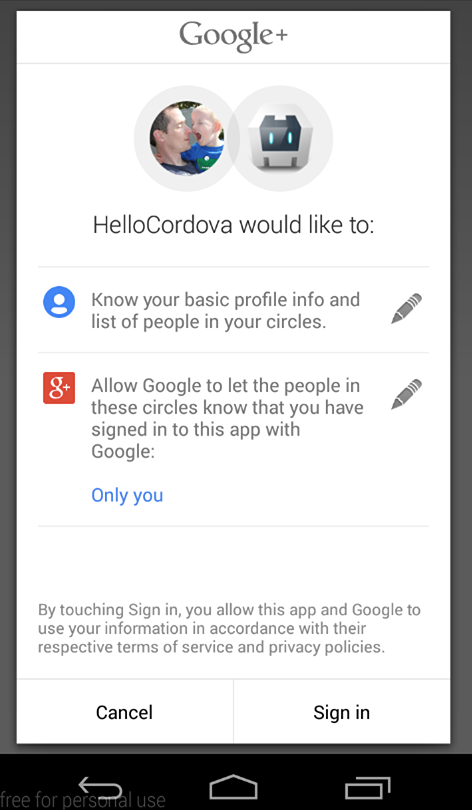
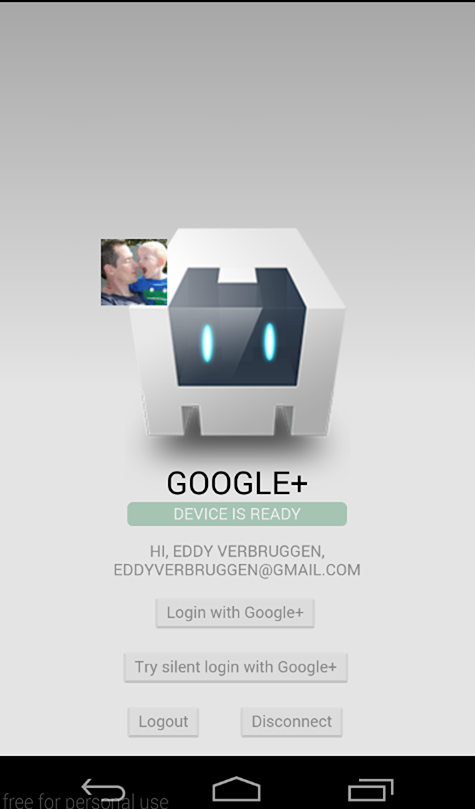 iOS
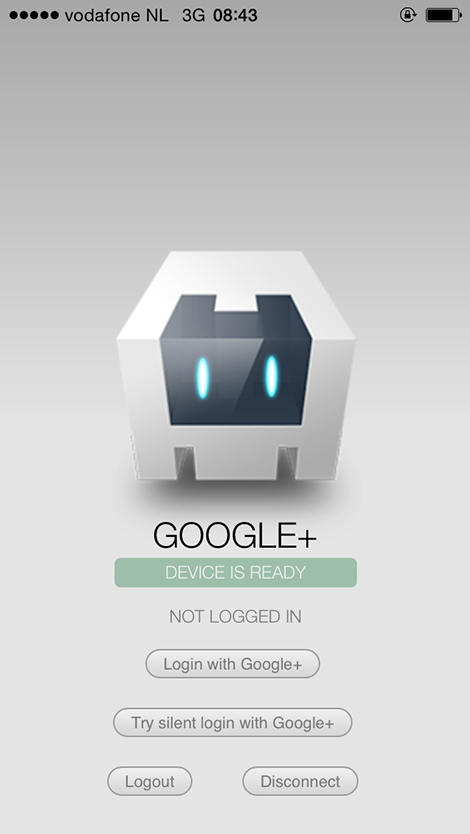
 ## 3. Google API setup
To communicate with Google you need to do some tedious setup, sorry.
It is (strongly) recommended that you use the same project for both iOS and Android.
### iOS
To get your iOS `REVERSED_CLIENT_ID`, [generate a configuration file here](https://developers.google.com/mobile/add?platform=ios&cntapi=signin).
This `GoogleService-Info.plist` file contains the `REVERSED_CLIENT_ID` you'll need during installation. _This value is only needed for iOS._
The `REVERSED_CLIENT_ID` is also known as the "iOS URL Scheme" on the Developer's Console.
Login on iOS takes the user to a [SafariViewController](https://developer.apple.com/library/ios/documentation/SafariServices/Reference/SFSafariViewController_Ref/) through the Google SDK, instead of the separate Safari browser.
### Android
To configure Android, [generate a configuration file here](https://developers.google.com/mobile/add?platform=android&cntapi=signin). Once Google Sign-In is enabled Google will automatically create necessary credentials in Developer Console. There is no need to add the generated google-services.json file into your cordova project.
Make sure you execute the `keytool` steps as explained [here](https://developers.google.com/drive/android/auth) or authentication will fail.
Login on Android will use the accounts signed in on the user's device.
### Web Client Id
If you want to get an `idToken` or `serverAuthCode` back from the Sign In Process, you will need to pass the client ID for your project's web application. This can be found on your project's API credentials page on the [Google Developer's Console](https://console.developers.google.com/).
## 4. Installation (PhoneGap CLI / Cordova CLI)
This plugin is compatible with [Cordova Plugman](https://github.com/apache/cordova-plugman), compatible with [PhoneGap 3.0 CLI](http://docs.phonegap.com/en/3.0.0/guide_cli_index.md.html#The%20Command-line%20Interface_add_features), here's how it works with the CLI (backup your project first!):
Using the Cordova CLI and [npm](https://www.npmjs.com/package/cordova-plugin-googleplus)
```
$ cordova plugin add cordova-plugin-googleplus --variable REVERSED_CLIENT_ID=myreversedclientid
$ cordova prepare
```
To fetch the latest version from GitHub, use
```
$ cordova plugin add https://github.com/EddyVerbruggen/cordova-plugin-googleplus --variable REVERSED_CLIENT_ID=myreversedclientid
$ cordova prepare
```
_Please note that `myreversedclientid` is a place holder for the reversed clientId you find in your iOS configuration file. Do not surround this value with quotes._
GooglePlus.js is brought in automatically. There is no need to change or add anything in your html.
## 5. Installation (PhoneGap Build)
Add this to your config.xml:
```xml
```
## 6. Usage
Check the [demo app](demo) to get you going quickly, or hurt yourself and follow these steps.
Note that none of these methods should be called before [`deviceready`](https://cordova.apache.org/docs/en/latest/cordova/events/events.deviceready.html) has fired.
Example:
```javascript
document.addEventListener('deviceready', deviceReady, false);
function deviceReady() {
//I get called when everything's ready for the plugin to be called!
console.log('Device is ready!');
window.plugins.googleplus.trySilentLogin(...);
}
```
### isAvailable
3/31/16: This method is no longer required to be checked first. It is kept for code orthoganality.
### Login
The login function walks the user through the Google Auth process.
All of the options are optional, however there are a few caveats.
The space-separated string of `scopes` will be requested exactly as passed in. Refer to the [Google Scopes](https://developers.google.com/android/reference/com/google/android/gms/common/Scopes#constant-summary) documentation for info on valid scopes that can be requested.
To get an `idToken` on Android, you ***must*** pass in your `webClientId`. On iOS, the `idToken` is included in the sign in result by default.
The `webClientId` and `offline` options are optional, however `offline` will only be evaluated if a `webClientId` is passed in as well. That is to say, if offline is true, but no webClientId is provided, the `serverAuthCode` will _**NOT**_ be requested.
**Recapping**, pass in a `webClientId` to get back an `idToken` on iOS and Android. Pass in a `webClientId` _AND_ set `offline` as `true`, you'll get back an `idToken` and a `serverAuthCode` on iOS and Android. No `webClientId`, no `serverAuthCode`.
##### Usage
```javascript
window.plugins.googleplus.login(
{
'scopes': '... ', // optional, space-separated list of scopes, If not included or empty, defaults to `profile` and `email`.
'webClientId': 'client id of the web app/server side', // optional clientId of your Web application from Credentials settings of your project - On Android, this MUST be included to get an idToken. On iOS, it is not required.
'offline': true, // optional, but requires the webClientId - if set to true the plugin will also return a serverAuthCode, which can be used to grant offline access to a non-Google server
},
function (obj) {
alert(JSON.stringify(obj)); // do something useful instead of alerting
},
function (msg) {
alert('error: ' + msg);
}
);
```
The success callback (second argument) gets a JSON object with the following contents, with example data of my Google account:
```javascript
obj.email // 'eddyverbruggen@gmail.com'
obj.userId // user id
obj.displayName // 'Eddy Verbruggen'
obj.imageUrl // 'http://link-to-my-profilepic.google.com'
obj.idToken // idToken that can be exchanged to verify user identity.
obj.serverAuthCode // Auth code that can be exchanged for an access token and refresh token for offline access
```
Additional user information is available by use case. Add the scopes needed to the scopes option then return the info to the result object being created in the `handleSignInResult` and `didSignInForUser` functions on Android and iOS, respectively.
On Android, the error callback (third argument) receives an error status code if authentication was not successful. A description of those status codes can be found on Google's android developer website at [GoogleSignInStatusCodes](https://developers.google.com/android/reference/com/google/android/gms/auth/api/signin/GoogleSignInStatusCodes).
On iOS, the error callback will include an [NSError localizedDescription](https://developer.apple.com/library/mac/documentation/Cocoa/Reference/Foundation/Classes/NSError_Class/).
### Try silent login
You can call `trySilentLogin` to check if they're already signed in to the app and sign them in silently if they are.
If it succeeds you will get the same object as the `login` function gets,
but if it fails it will not show the authentication dialog to the user.
Calling `trySilentLogin` is done the same as `login`, except for the function name.
```javascript
window.plugins.googleplus.trySilentLogin(
{
'scopes': '... ', // optional - space-separated list of scopes, If not included or empty, defaults to `profile` and `email`.
'webClientId': 'client id of the web app/server side', // optional - clientId of your Web application from Credentials settings of your project - On Android, this MUST be included to get an idToken. On iOS, it is not required.
'offline': true, // Optional, but requires the webClientId - if set to true the plugin will also return a serverAuthCode, which can be used to grant offline access to a non-Google server
},
function (obj) {
alert(JSON.stringify(obj)); // do something useful instead of alerting
},
function (msg) {
alert('error: ' + msg);
}
);
```
It is strongly recommended that trySilentLogin is implemented with the same options as login, to avoid any potential complications.
### logout
This will clear the OAuth2 token.
``` javascript
window.plugins.googleplus.logout(
function (msg) {
alert(msg); // do something useful instead of alerting
}
);
```
### disconnect
This will clear the OAuth2 token, forget which account was used to login, and disconnect that account from the app. This will require the user to allow the app access again next time they sign in. Be aware that this effect is not always instantaneous. It can take time to completely disconnect.
``` javascript
window.plugins.googleplus.disconnect(
function (msg) {
alert(msg); // do something useful instead of alerting
}
);
```
## 7. Exchanging the `idToken`
Google Documentation for Authenticating with a Backend Server
- [Web](https://developers.google.com/identity/sign-in/web/backend-auth)
- [Android](https://developers.google.com/identity/sign-in/android/backend-auth)
- [iOS](https://developers.google.com/identity/sign-in/ios/backend-auth)
As the above articles mention, the `idToken` can be exchanged for user information to confirm the users identity.
_Note: Google does not want user identity data sent directly to a server. The idToken is their preferred method to send that data securely and safely, as it must be verified through their servers in order to unpack._
This has several uses. On the client-side, it can be a way to get doubly confirm the user identity, or it can be used to get details such as the email host domain. The server-side is where the `idToken` really hits its stride. It is an easy way to confirm the users identity before allowing them access to that servers resources or before exchaning the `serverAuthCode` for an access and refresh token (see the next section).
If your server-side only needs identity, and not additional account access, this is a secure and simple way to supply that information.
## 8. Exchanging the `serverAuthCode`
Google Documentation for Enabling Server-Side Access
- [Web](https://developers.google.com/identity/protocols/OAuth2WebServer#handlingresponse)
- [Android](https://developers.google.com/identity/sign-in/android/offline-access)
- [iOS](https://developers.google.com/identity/sign-in/ios/offline-access)
As the above articles mention, the `serverAuthCode` is an item that can be exchanged for an access and refresh token. Unlike the `idToken`, this allows the server-side to have direct access to the users Google account.
You have a couple options when it comes to this exchange: you can use the Google REST Apis to get those in the hybrid app itself or you can send the code to your backend server to be exchanged there, using whatever method necessary (Google provides examples for Java, Python, and JS/HTTP).
As stated before, this plugin is all about user authentication and identity, so any use of the user's account beyond that needs to be implemented per use case, per application.
## 9. Troubleshooting
- Q: After authentication I'm not redirected back to my app.
- A: You probably changed the bundle id of your app after installing this plugin. Make sure that (on iOS) the `CFBundleURLTypes` bit in your `.plist` file is the same as the actual bundle id originating from `config.xml`.
- Q: I can't get authentication to work on Android. And why is there no ANDROID API KEY?
- A: On Android you need to execute the `keytool` steps, see the installation instructions for details.
- Q: OMG $@#*! the Android build is failing
- A: You need to have _Android Support Repository_ and _Android Support Library_ installed in the Android SDK manager. Make sure you're using a fairly up to date version of those.
## 10. Changelog
- [pre-release] 4.0.9: Android refactored to use the GoogleSignIn SDK. Modified usage. See #193
- 4.0.8: Fix for Android 6 where it would crash while asking for permission. Thx #166!
- 4.0.7: Re-added a missing framework for iOS. Thx #168!
- 4.0.6: Updated iOS GoogleSignIn SDK to 2.4.0. Thx #153!
- 4.0.5: Fixed a broken import on iOS
- 4.0.4: Using framework tags again for Android.
- 4.0.3: On iOS `isAvailable` always returns try since that should be fine with the new Google Sign-In framework. Re-added imageUrl to the result of Sign-In on iOS.
- 4.0.1: Login on Android would crash the app if `isAvailable` was invoked beforehand.
- 4.0.0: Removed the need for `iosApiKey`, reverted Android to Google playservices framework for wider compatibility, documented scopes feature a bit.
- 3.0.0: Using Google Sign-In for iOS, instead of Google+.
- 1.1.0: Added `isAvailable`, for issue [#37](https://github.com/EddyVerbruggen/cordova-plugin-googleplus/issues/37)
- 1.0.0: Initial version supporting iOS and Android
## 11. License
[The MIT License (MIT)](http://www.opensource.org/licenses/mit-license.html)
Permission is hereby granted, free of charge, to any person obtaining a copy
of this software and associated documentation files (the "Software"), to deal
in the Software without restriction, including without limitation the rights
to use, copy, modify, merge, publish, distribute, sublicense, and/or sell
copies of the Software, and to permit persons to whom the Software is
furnished to do so, subject to the following conditions:
The above copyright notice and this permission notice shall be included in
all copies or substantial portions of the Software.
THE SOFTWARE IS PROVIDED "AS IS", WITHOUT WARRANTY OF ANY KIND, EXPRESS OR
IMPLIED, INCLUDING BUT NOT LIMITED TO THE WARRANTIES OF MERCHANTABILITY,
FITNESS FOR A PARTICULAR PURPOSE AND NONINFRINGEMENT. IN NO EVENT SHALL THE
AUTHORS OR COPYRIGHT HOLDERS BE LIABLE FOR ANY CLAIM, DAMAGES OR OTHER
LIABILITY, WHETHER IN AN ACTION OF CONTRACT, TORT OR OTHERWISE, ARISING FROM,
OUT OF OR IN CONNECTION WITH THE SOFTWARE OR THE USE OR OTHER DEALINGS IN
THE SOFTWARE.