
 ## Libraries
* [Dagger 2](http://google.github.io/dagger/)
* [RxJava 2](https://github.com/ReactiveX/RxJava) and [RxAndroid](https://github.com/ReactiveX/RxAndroid)
* [Retrofit 2](http://square.github.io/retrofit/)
* [Picasso](http://square.github.io/picasso/)
* [Google Support Libraries](http://developer.android.com/tools/support-library/index.html)
## Testing Libraries
* [JUnit](http://junit.org/junit4/)
* [Mockito](http://mockito.org/)
## Requirements
To compile and run the project you'll need:
- [Android SDK](http://developer.android.com/sdk/index.html)
- [Android N (API 25)](http://developer.android.com/tools/revisions/platforms.html)
- Android SDK Tools
- Android SDK Build Tools `24.0.3`
- Android Support Repository
- [Kotlin](https://kotlinlang.org/) `1.0.6`
- Kotlin plugin for Android Studio
Building
--------
To build, install and run a debug version, run this from the root of the project:
```
./gradlew assembleDebug
```
Testing
-------
To run **unit** tests on your machine:
```
./gradlew test
```
To run **instrumentation** tests on connected devices:
```
./gradlew connectedAndroidTest
```
## Release Builds
A release build needs to be signed with an Android Keystore. The easiest way to generate a keystore is to open
Android Studio and go to `Build -> Generate Signed Apk -> Create New...` After that you need to create a
`signing.properties` file in the root directory and add the following info to it:
```INI
STORE_FILE=/path/to/your.keystore
STORE_PASSWORD=yourkeystorepass
KEY_ALIAS=projectkeyalias
KEY_PASSWORD=keyaliaspassword
```
Running `./gradlew assembleRelease` will then build and sign a release version of the app.
## FAQ
#### Why Kotlin?
In a nutshell, Kotlin throws all the bad parts of Java out the window and brings lots of great features from
Java 8 and functional programming (Yet still compiling to Java 6 bytecode). Kotlin brings much needed language
features to Android which is stuck on Java 6.
#### What is with all the interfaces?
By default Kotlin classes are closed (`final`). This makes them hard to mock unless you use a tool like
[Powermock](https://github.com/jayway/powermock). I'd rather just mock interfaces with [Mockito](http://mockito.org/)
than go through the hassle of using Powermock.
**Update**: [Mockito 2.0](https://github.com/mockito/mockito/wiki/What%27s-new-in-Mockito-2) Supports mocking
static and final out of the box. Thus, it removes the need for all of these interfaces.
#### How do I use this project?
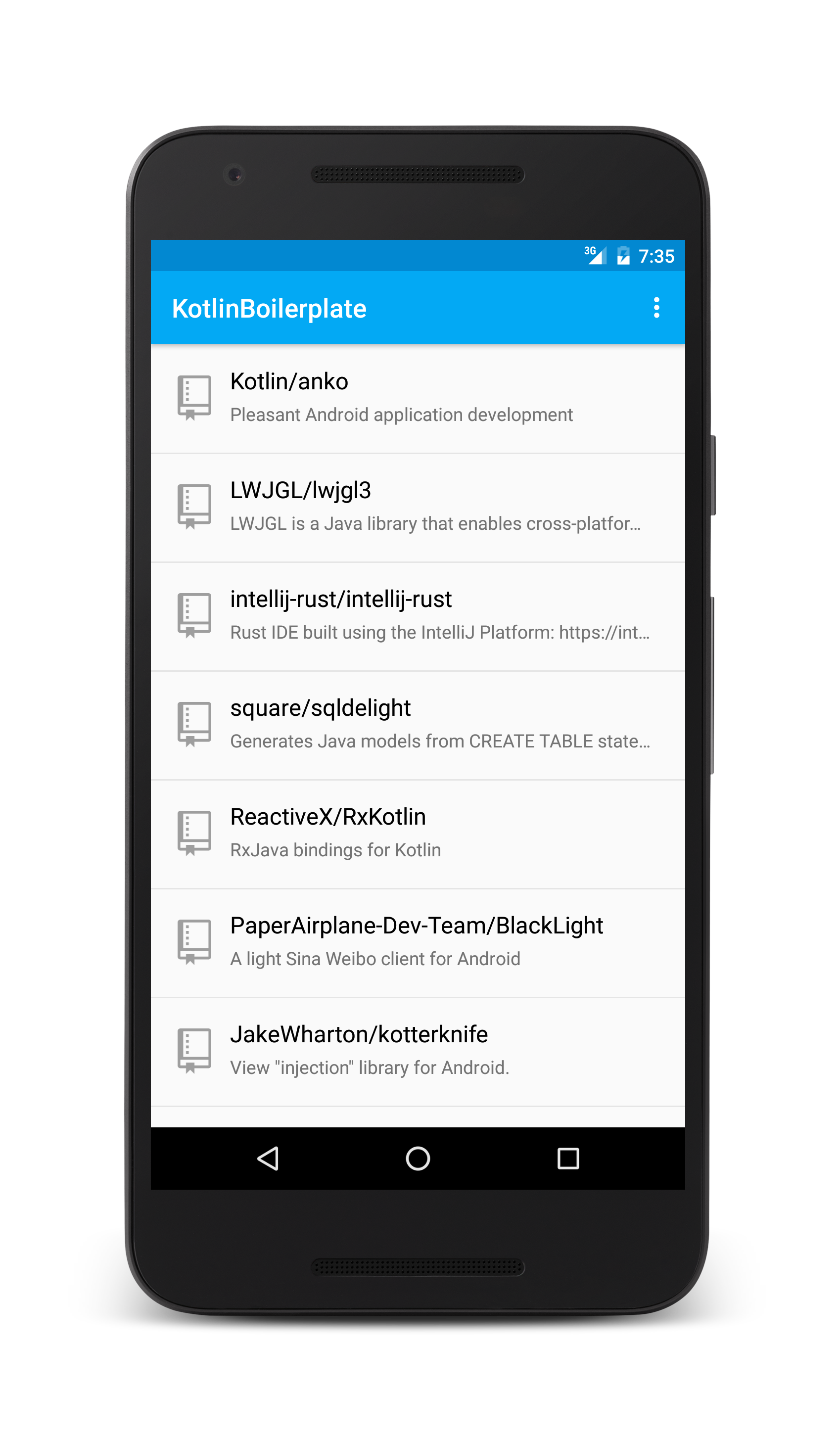
This is a boilerplate project aimed to help bootstrap new Kotlin applications. Feel free to fork this application
or use this project [generator](https://github.com/ravidsrk/generator-kotlin-android-boilerplate). Don't
forget to change the following things for your application:
* Application ID (Gradle)
* Application Name (String resource)
* Package names
## Attributions
- [Kotlin Logo](http://instantlogosearch.com/kotlin)
- [Github Icons](https://octicons.github.com/)
## Libraries
* [Dagger 2](http://google.github.io/dagger/)
* [RxJava 2](https://github.com/ReactiveX/RxJava) and [RxAndroid](https://github.com/ReactiveX/RxAndroid)
* [Retrofit 2](http://square.github.io/retrofit/)
* [Picasso](http://square.github.io/picasso/)
* [Google Support Libraries](http://developer.android.com/tools/support-library/index.html)
## Testing Libraries
* [JUnit](http://junit.org/junit4/)
* [Mockito](http://mockito.org/)
## Requirements
To compile and run the project you'll need:
- [Android SDK](http://developer.android.com/sdk/index.html)
- [Android N (API 25)](http://developer.android.com/tools/revisions/platforms.html)
- Android SDK Tools
- Android SDK Build Tools `24.0.3`
- Android Support Repository
- [Kotlin](https://kotlinlang.org/) `1.0.6`
- Kotlin plugin for Android Studio
Building
--------
To build, install and run a debug version, run this from the root of the project:
```
./gradlew assembleDebug
```
Testing
-------
To run **unit** tests on your machine:
```
./gradlew test
```
To run **instrumentation** tests on connected devices:
```
./gradlew connectedAndroidTest
```
## Release Builds
A release build needs to be signed with an Android Keystore. The easiest way to generate a keystore is to open
Android Studio and go to `Build -> Generate Signed Apk -> Create New...` After that you need to create a
`signing.properties` file in the root directory and add the following info to it:
```INI
STORE_FILE=/path/to/your.keystore
STORE_PASSWORD=yourkeystorepass
KEY_ALIAS=projectkeyalias
KEY_PASSWORD=keyaliaspassword
```
Running `./gradlew assembleRelease` will then build and sign a release version of the app.
## FAQ
#### Why Kotlin?
In a nutshell, Kotlin throws all the bad parts of Java out the window and brings lots of great features from
Java 8 and functional programming (Yet still compiling to Java 6 bytecode). Kotlin brings much needed language
features to Android which is stuck on Java 6.
#### What is with all the interfaces?
By default Kotlin classes are closed (`final`). This makes them hard to mock unless you use a tool like
[Powermock](https://github.com/jayway/powermock). I'd rather just mock interfaces with [Mockito](http://mockito.org/)
than go through the hassle of using Powermock.
**Update**: [Mockito 2.0](https://github.com/mockito/mockito/wiki/What%27s-new-in-Mockito-2) Supports mocking
static and final out of the box. Thus, it removes the need for all of these interfaces.
#### How do I use this project?
This is a boilerplate project aimed to help bootstrap new Kotlin applications. Feel free to fork this application
or use this project [generator](https://github.com/ravidsrk/generator-kotlin-android-boilerplate). Don't
forget to change the following things for your application:
* Application ID (Gradle)
* Application Name (String resource)
* Package names
## Attributions
- [Kotlin Logo](http://instantlogosearch.com/kotlin)
- [Github Icons](https://octicons.github.com/)