# FlowToken 🌊
### A smooth Animation Library for LLM Text Streaming
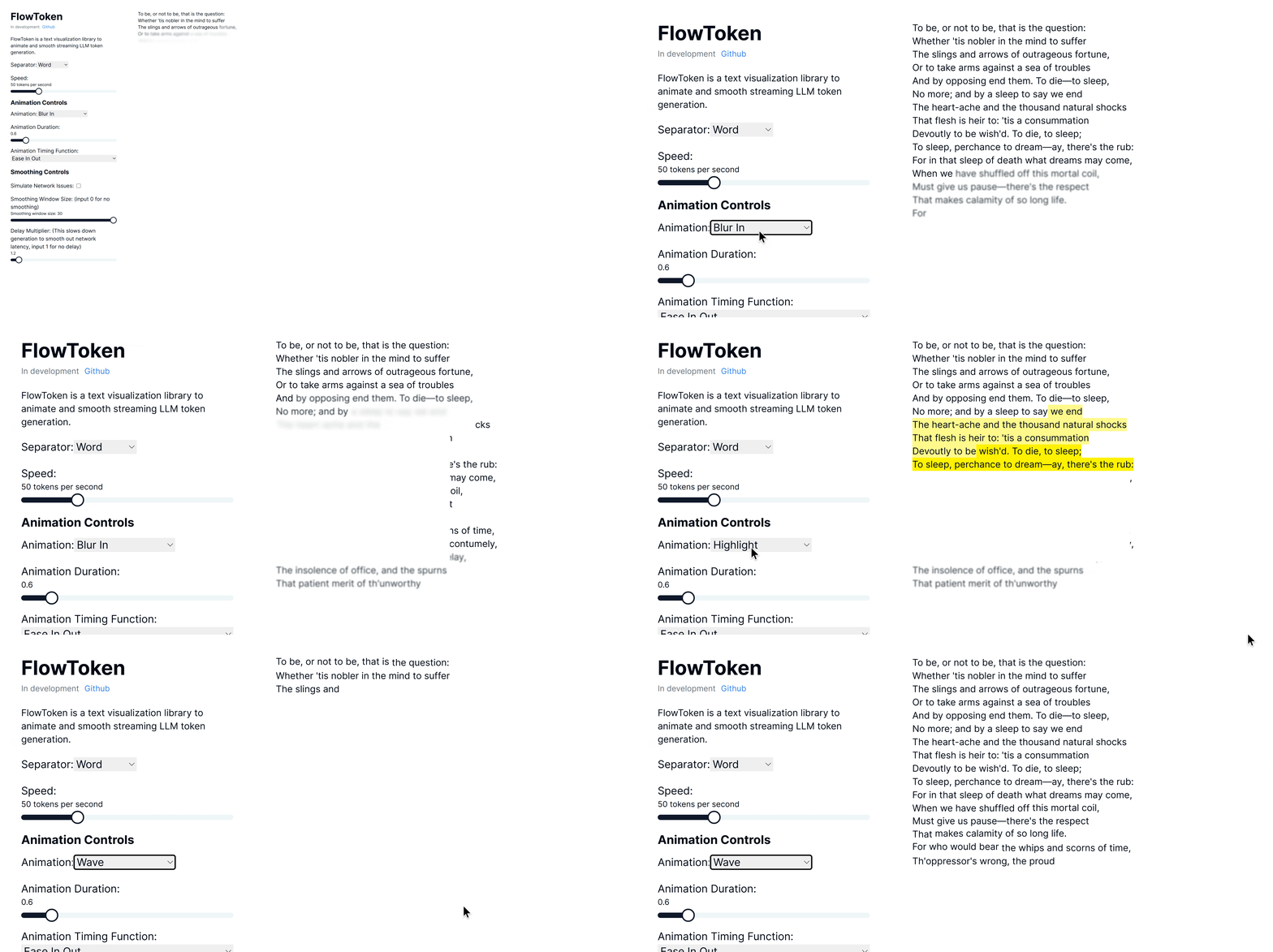
FlowToken is a React component library designed to enhance the visual presentation of text streaming from large language models (LLMs). This library offers a variety of animations that make the text appear smoothly and dynamically, providing an engaging user experience.
## Demo
Try the demo here: [Demo link](https://nextjs-omega-five-46.vercel.app/)
## Features
FlowToken includes several key features:
- **Customizable Animations:** A range of animations such as fade, blur-in, drop-in, slide from the left, typewriter effect, word pull-up, flip text, gradual spacing, and more.
- **Smooth Text Streaming:** Options to control the speed and manner of text appearance to handle the variability in text generation speed.
- **Responsive and Lightweight:** Optimized for performance and compatibility across all modern browsers.
## Installation
Install FlowToken using npm:
```bash
npm install flowtoken
```
Or using yarn:
```bash
yarn add flowtoken
```
## Usage
## Markdown Support
To use markdown, import the `AnimatedMarkdown` component.
```jsx
import React from 'react';
import { AnimatedMarkdown } from 'flowtoken';
// import the flowtoken css in order to use the animations
import 'flowtoken/dist/styles.css';
const App = () => {
return (
);
};
export default App;
```
### Real World with Vercel AI SDK
```jsx
'use client'
import { useChat } from 'ai/react'
import { AnimatedMarkdown } from 'flowtoken';
import 'flowtoken/dist/styles.css';
export default function Chat() {
const { messages, input, handleInputChange, handleSubmit } = useChat()
return (
)
}
```
### Custom Components
You can use custom components by passing a `customComponents` prop to the `AnimatedMarkdown` component where the key is xml tag (ex. `MyComponent`) to match and the value is the component to render. Then just prompt your LLM to output the custom component syntax and it will be rendered with your custom component.
```jsx
const customComponents = {
'customcomponent': ({ animateText, node, children, ...props }: any) => {
return (
<>
{animateText({children}
)}
)
},
}
...
```
#### Example
This is an example of a custom component.
### AnimatedMarkdown Props
- **content** (string): The text to be displayed.
- **sep** (`"word"` | `"char"`): How to split and animate the content. Defaults to `"word"`.
- **animation** (string | `null`): Name of the CSS animation to apply (e.g. `fadeIn`, `dropIn`). Set to `null` to disable animations on completed messages.
- **animationDuration** (string): CSS duration of the animation (e.g. `0.6s`).
- **animationTimingFunction** (string): CSS timing function for the animation (e.g. `ease`, `ease-in-out`).
- **codeStyle** (object): The syntax-highlighter style object to use for code blocks.
- **customComponents** (Record):
Map of regex patterns or custom tag names to React components. Use this to render arbitrary LLM-emitted syntax.
- **imgHeight** (string): Default height for rendered images (e.g. `200px`).
## Animations
FlowToken supports various CSS animations:
- **fadeIn**
- **blurIn**
- **typewriter**
- **slideInFromLeft**
- **fadeAndScale**
- **rotateIn**
- **bounceIn**
- **elastic**
- **highlight**
- **blurAndSharpen**
- **dropIn**
- **slideUp**
- **wave**
For custom animations, define your keyframes in CSS wrap it in a class and pass the animation name to the `animation` prop.
```css
/* custom-styles.css */
@keyframes custom-animation {
from {
opacity: 0;
}
to {
opacity: 1;
}
}
.custom-animation {
animation: custom-animation 1s ease-in-out;
}
```
```jsx
import 'custom-styles.css';
...
```
### Notes
To lower the memory footprint, disable animations by setting the `animation` parameter to `null` on any completed messages.
If using tailwind with generated markdown, be sure to setup tailwind typography: [https://github.com/tailwindlabs/tailwindcss-typography](here)
and add `prose lg:prose-md prose-pre:p-0 prose-pre:m-0 prose-pre:bg-transparent` to your flowtoken markdown container.
## Contributing
Contributions are welcome! Please feel free to submit pull requests or open issues to suggest features or report bugs.
## License
FlowToken is MIT licensed.