# Flat Sheet Music Embed Client
[](https://github.com/FlatIO/embed-client/actions)
[](https://www.npmjs.org/package/flat-embed)
[](https://flat.io/embed)
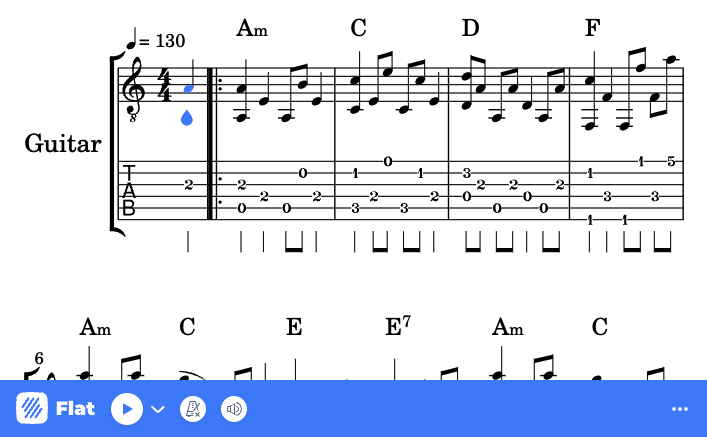
JavaScript/TypeScript SDK to interact and receive events from our [Sheet Music Embed](https://flat.io/embed).
If you have any feedback or questions regarding this product, [please feel free to contact our developers' support](mailto:developers@flat.io).
## Installation
You can install our ES/TypeScript Embed Client using [npm](https://www.npmjs.com/package/flat-embed), pnpm, or [yarn](https://yarnpkg.com/en/package/flat-embed):
```bash
npm install flat-embed
pnpm add flat-embed
yarn add flat-embed
```
Or use the latest UMD version hosted on our CDN:
```html
```
## Getting Started
The simplest way to get started is to pass a DOM element to our embed that will be used as container. By default, this one will completely fit its container:
```html
```
Otherwise, if you are using our embed in an ES6 project:
```js
import Embed from 'flat-embed';
const container = document.getElementById('embed-container');
const embed = new Embed(container, {
score: '',
embedParams: {
appId: '',
controlsPosition: 'bottom',
},
});
```
_[>> Open this demo in JSFiddle](https://jsfiddle.net/gierschv/jr91116y/)_
### ✨ Demos
**Some demos of this Embed API are available in a dedicated repository: [https://github.com/FlatIO/embed-examples](https://github.com/FlatIO/embed-examples).**
### App ID
Our Embed JS API requires an App ID (`appId`) to use it:
- In development, you can try and use this client without limits on `localhost`/`*.localhost`.
- To use it in production or with a custom domain, [create a new app on our website](https://flat.io/developers/apps), then go to the _Embed > Settings_ and add your domains to the whitelist. Your app ID will also be displayed on this page.
### Unique users
By default, [analytics and billing of unique users is done using the visitor IPs](https://flat.io/developers/docs/embed/usage-billing). To improve accuracy and avoid counting the same user multiple times, [you can pass a unique identifier](https://flat.io/developers/docs/embed/usage-billing) for the user using the `embedParams.userId` option.
This identifier must be a unique identifier for the user. For example, you can use the user ID of your application. Please don't use any personal information (e.g. email address).
```js
import Embed from 'flat-embed';
const container = document.getElementById('embed-container');
const embed = new Embed(container, {
score: '',
embedParams: {
appId: '',
userId: '',
},
});
```
## Embed construction
### DOM element or existing iframe
When instantiating `Flat.Embed`, the first argument will always refer to a DOM element. It can take:
- A DOM element (e.g. selected using `document.getElementById('embed-container')`).
- The string identifier of the element (e.g. `"embed-container"`).
- An existing embed iframe element. In this case, this one will need to have our JS API loaded using the query string [`jsapi=true`](https://flat.io/developers/docs/embed/url-parameters.html).
If you instance a different `Flat.Embed` for the same element, you will always get the same instance of the object.
### Options and URL parameters
When instantiating `Flat.Embed`, you can pass options in the second parameter. To use the different methods available and events subscriptions, you will need to pass at least `embedParams.appId`.
| Option | Description | Values | Default |
| :------------ | :-------------------------------------------------- | :------------------------------------------------------------------------------ | :------ |
| `score` | The score identifier that will load initially | Unique score id | `blank` |
| `width` | The width of your embed | A width of the embed | `100%` |
| `height` | The height of your embed | A height of the embed | `100%` |
| `embedParams` | Object containing the loading options for the embed | [Any URL parameters](https://flat.io/developers/docs/embed/url-parameters.html) | `{}` |
| `lazy` | Add a `loading="lazy"` attribute to the iframe | A boolean to enable the lazy-loading | `false` |
## JavaScript API
The full JavaScript API documentation is available at [https://flat.io/developers/docs/embed/javascript](https://flat.io/developers/docs/embed/javascript).
### Quick Examples
```js
// Wait for the embed to be ready
await embed.ready();
// Load a score
await embed.loadFlatScore('SCORE_ID');
// Control playback
await embed.play();
await embed.pause();
await embed.stop();
// Listen to events
embed.on('play', () => {
console.log('Playback started');
});
embed.on('cursorPosition', position => {
console.log('Cursor moved:', position);
});
```
### Full API Reference
Our SDK provides 60+ methods to control and interact with embedded scores:
- **[Core Methods](https://flat.io/developers/docs/embed/api/core)** - Initialization and configuration
- **[Events System](https://flat.io/developers/docs/embed/api/events)** - Subscribe to score and playback events
- **[Score Management](https://flat.io/developers/docs/embed/api/score-management)** - Load and export scores
- **[Playback Control](https://flat.io/developers/docs/embed/api/playback)** - Control audio playback
- **[Parts & Instruments](https://flat.io/developers/docs/embed/api/parts)** - Manage score parts
- **[Navigation & Cursor](https://flat.io/developers/docs/embed/api/navigation)** - Navigate through scores
- **[Display & View](https://flat.io/developers/docs/embed/api/display)** - Control visual presentation
- **[Score Data & Structure](https://flat.io/developers/docs/embed/api/data)** - Query score structure
- **[Audio/Video Tracks](https://flat.io/developers/docs/embed/api/tracks)** - Synchronize external media
📚 **[View the complete API documentation →](https://flat.io/developers/docs/embed/api/)**
## Editor API
You can enable the editor mode by setting the `mode` to `edit` when creating the embed:
```js
var embed = new Flat.Embed(container, {
embedParams: {
appId: '',
mode: 'edit',
},
});
```
[Learn more about the editor mode →](https://flat.io/developers/docs/embed/javascript-editor.html)
## TypeScript Support
This SDK includes TypeScript definitions out of the box. All methods and events are fully typed for better development experience.
```typescript
import Embed from 'flat-embed';
const embed = new Embed(container, {
score: 'SCORE_ID',
embedParams: {
appId: 'YOUR_APP_ID',
mode: 'view', // TypeScript knows valid modes
},
});
// Full type checking and autocompletion
const parts = await embed.getParts();
```
## Support
- 📚 [Full Documentation](https://flat.io/developers/docs/embed/)
- 💬 [Developer Support](mailto:developers@flat.io)
- 🐛 [Report Issues](https://github.com/FlatIO/embed-client/issues)
- 📦 [NPM Package](https://www.npmjs.com/package/flat-embed)
## License
Apache-2.0 - see [LICENSE](LICENSE) for details.