# feb-alive 页面级缓存解决方案



[English Document](https://github.com/wefront/feb-alive/blob/master/README-EN.md)
### 社区文章
[Vue页面级缓存解决方案feb-alive (上)](https://juejin.cn/post/6844903817830465544)
[Vue页面级缓存解决方案feb-alive (下)](https://juejin.cn/post/6844903817830465550)
demo: [查看示例](https://hangaoke1.github.io/feb-alive/)
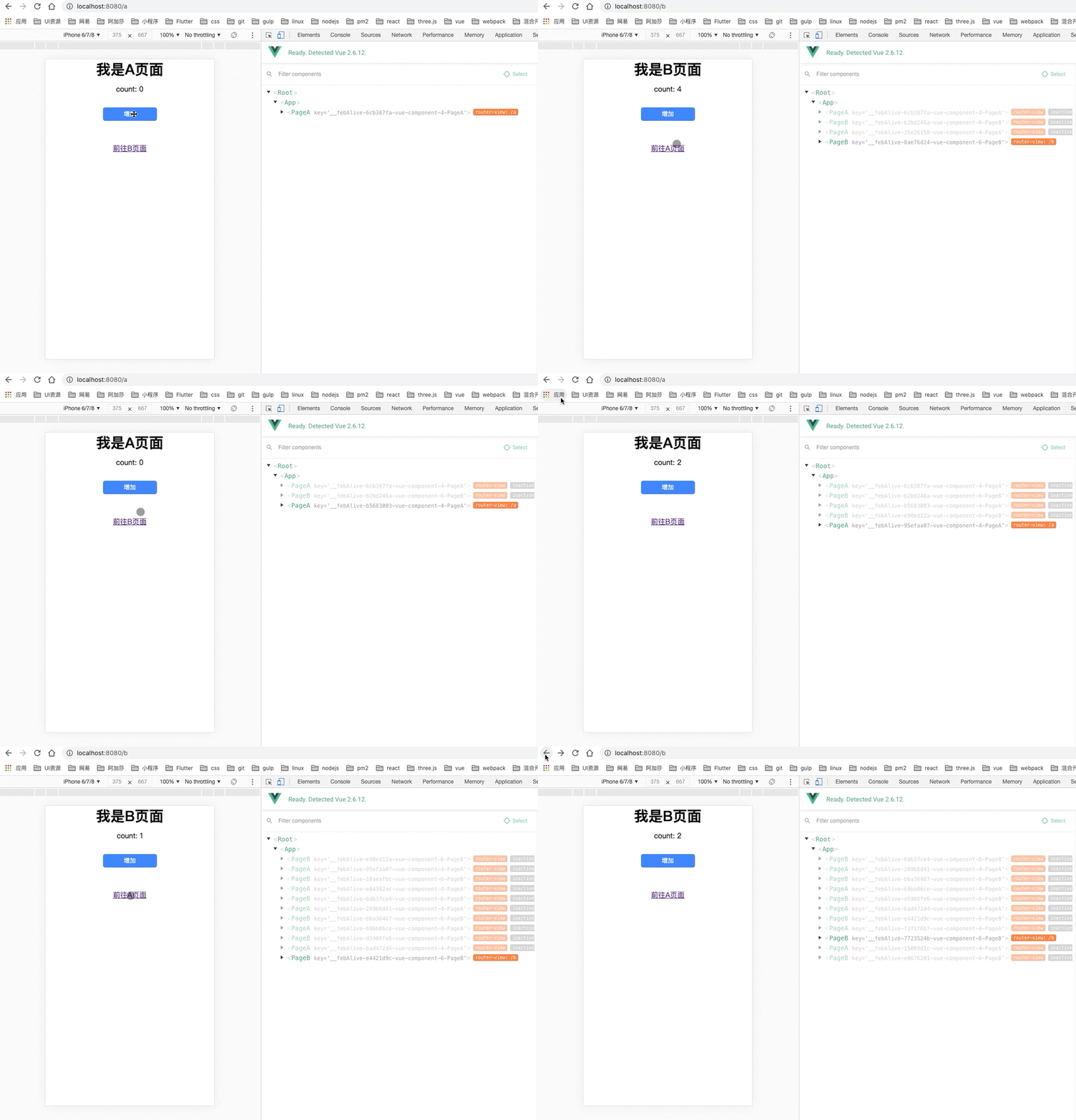
> 安装
### NPM
```
npm i feb-alive -S
```
### Direct Download / CDN
```html
```
`浏览器端可以使用变量window.$febAlive访问包对象`
>使用示例
```
import febAlive from 'feb-alive'
import Router from 'vue-router'
// 在router实例化之前重写history
febAlive.resetHistory()
const router = new Router(options)
Vue.use(febAlive, { router })
```
```
// App.vue
```
```
// Home.vue 支持路由嵌套, 同keep-alive
```
Vue.use(febAlive, options)
### options
| 属性 | 类型 | 介绍 |
| - | - | - |
| router | VueRouter | 路由实例 |
| keyName | string | 用于缓存页面的主键,default: 'key' |
| isServer | boolean | 是否是服务端渲染模式,default: false |
| maxPage | number | 每个feb-alive的缓存最大页数,default: 10 |
| beforeLocationChange | function | 页面跳转前拦截函数 |
**beforeLocationChange(route, cb)**
* `route` 调用$loaction.to或者$loaction.replace后所匹配到的路由组件
* `cb(true)` 进行VueRouter单页跳转,分别调用router.push和router.repalce
* `cb(false)` 进行location跳转,分别调用location.href和location.replace
### 路由meta配置
* disableCache: `boolean` 是否关闭feb-alive缓存,`default: false`
```
{
meta: {
disableCache: false
}
}
```
## 静态方法
### resetHistory
* 初始化 Histroy API,由于vue-router会重写history.state,所以必须在VueRouter实例化之前调用
```js
febAlive.resetHistory()
```
## Vue原型方法
### $location
* 插件在install时,会在Vue的原型上挂载`$location`对象,所有vue组件实例中都可以通过`this.$location`访问到
**$location.to(location, [ native])**
* location: `string | object` 需要跳转的url,可以是绝对路径也可以是相对路径,如果native是false且url是相对路径则优先匹配单页路由,若未匹配到则进行location.href跳转
* native: `boolean` 是否强制使用原生location.href跳转, default: `false`
```js
vm.$location.to('https://www.google.com',true)
vm.$location.to('/home')
vm.$location.to({
path: '/home',
query: {
tag: 'wedoctor'
}
})
```
**$location.replace(url, [ native])**
* url: `string` 需要跳转的url,可以是绝对路径也可以是相对路径,如果native是false且url是相对路径则优先匹配单页路由,若未匹配到则进行location.replace跳转
* native: `boolean` 是否强制使用原生location.replace跳转, default: `false`
**$location.go(n)**
* 同router.go(n)
**$location.back()**
* 同router.back()
**$location.forward()**
* 同router.forward()
## Licence
feb-alive is licensed under the MIT License - see the [LICENSE](https://github.com/wefront/feb-alive/blob/master/LICENCE) file for details.