---
id: dev-wrapped-zil
title: Wrapped ZIL
keywords:
- wrapped
- assets
- wzil
description: wZIL
---
---
## Introduction to wrap token
A wrapped token is a tokenized version of a cryptocurrency. Wrapped tokens are
typically exchangable 1:1 value of the asset they derive from (eg. 1 ZIL = 1
wZIL). Wrapped tokens on Zilliqa implement the ZRC-2 Fungible Token standard.
The backing asset is deposited in a smart contract called a "Wrapper" and users
are returned a wrapped version of the backing asset.
It's notable to mention that native wrappers are typically designed to be
"trustless" and do not need to rely on a third party for the contract to
function. Whereas bridging cross-chain, trusted custodians entities take a
deposit of a native tokens (ETH) and mint a non-native wrapped version of the
asset (zETH) on the destination chain.
## Motivation for wZIL

**wZIL** is a wrapped tokenised version of native ZIL. As mentioned above,
anyone may interact with the wZIL contract to either be issued wZIL or be
returned native ZIL. This is a trustless contract interaction with no approval
being needed by a custodian and the tokens being immediately issued to the
caller.
Developers can take advantage of transitions existing on the ZRC-2 without
needing to implement these functions for native ZIL in contract by consuming
wZIL.
## Implementation details
Users call "Mint" with an amount of ZIL (denominated im terms of Qa, the lowest
unit for ZIL) and have an equal amount of wZIL minted for the users
```ocaml
transition Mint()
accept; (* Contract accepts all deposits made to it *)
AuthorizedMint _sender _amount; (* Mints _amount of wZIL to _sender *)
...
end
```
To get back native ZIL, users can call the "Burn" transition. This will
1. Transfer a certain amount of wZIL back to the wZIL contract.
2. wZIL contract burn away the wZIL received
3. wZIL contract transfer native ZIL to the users
```ocaml
transition Burn(amount: Uint128)
AuthorizedBurnIfSufficientBalance _sender amount; (* Burns amount *)
msg_to_sender = {_tag : "AddFunds"; _recipient : _sender; _amount : amount}; (* Returns _amount of ZIL to _sender *)
...
end
```
wZIL can be consumed from the following addresses.
| | Contract Address |
| ------------ | ----------------------------------------------------------------------------------------------------------------------------------------------- |
| Mainnet wZIL | [`zil1gvr0jgwfsfmxsyx0xsnhtlte4gks6r3yk8x5fn`](https://viewblock.io/zilliqa/address/zil1gvr0jgwfsfmxsyx0xsnhtlte4gks6r3yk8x5fn) |
| Testnet wZIL | [`zil1nzn3k336xwal7egdzgalqnclxtgu3dggxed85m`](https://viewblock.io/zilliqa/address/zil1nzn3k336xwal7egdzgalqnclxtgu3dggxed85m?network=testnet) |
## How to wrap/unwrap wZIL
Two examples are shown below, the first being how to wrap and unwrap wZIL using
Pillar Protocols user interface. The second example shows how to directly call
the contract using the Neo Savant IDE.
### Interacting with Pillar Protocol
[`Pillar Protocol`](https://app.pillarprotocol.com/vaultFactory/WZIL) has a
graphical interface which can be used to wrap ZIL or unwrap wZIL. Users can
interact directly with the wZIL contract from the web interface once they are
signed into their wallet.
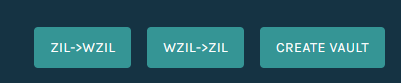
When logged into the Pillar Protocols wZIL vault, buttons are displayed for
converting ZIL/wZIL.
### Interacting with Neo-Savant IDE
Users may choose to manually wrap or unwrap ZIL manually from the contract. To
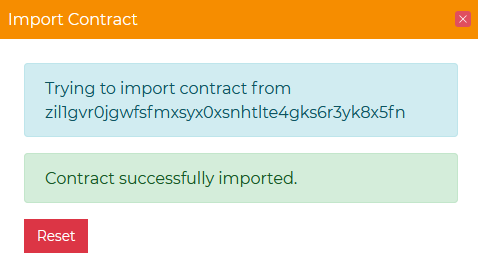
wrap or unwrap tokens, firstly import the wZIL contract to the Neo-Savant IDE.
Open the import contract window and import the wZIL contract.
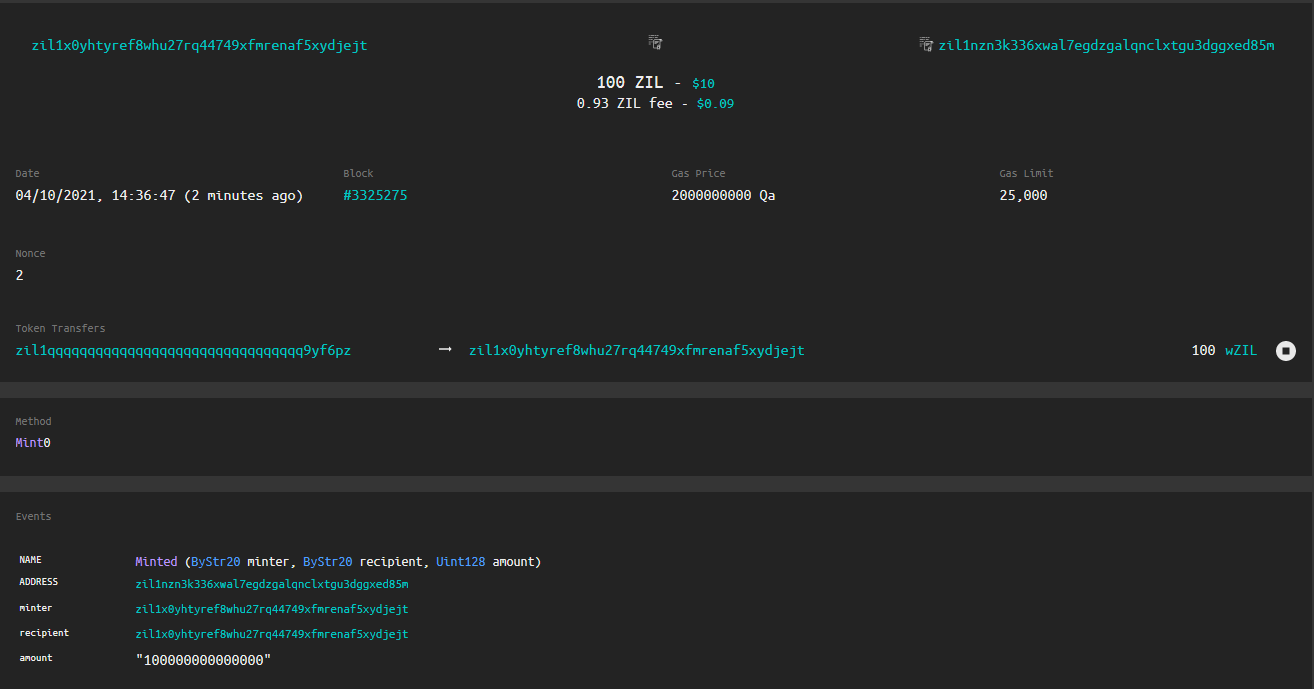
Call Mint with the QA amount of ZIL required to be wrapped.
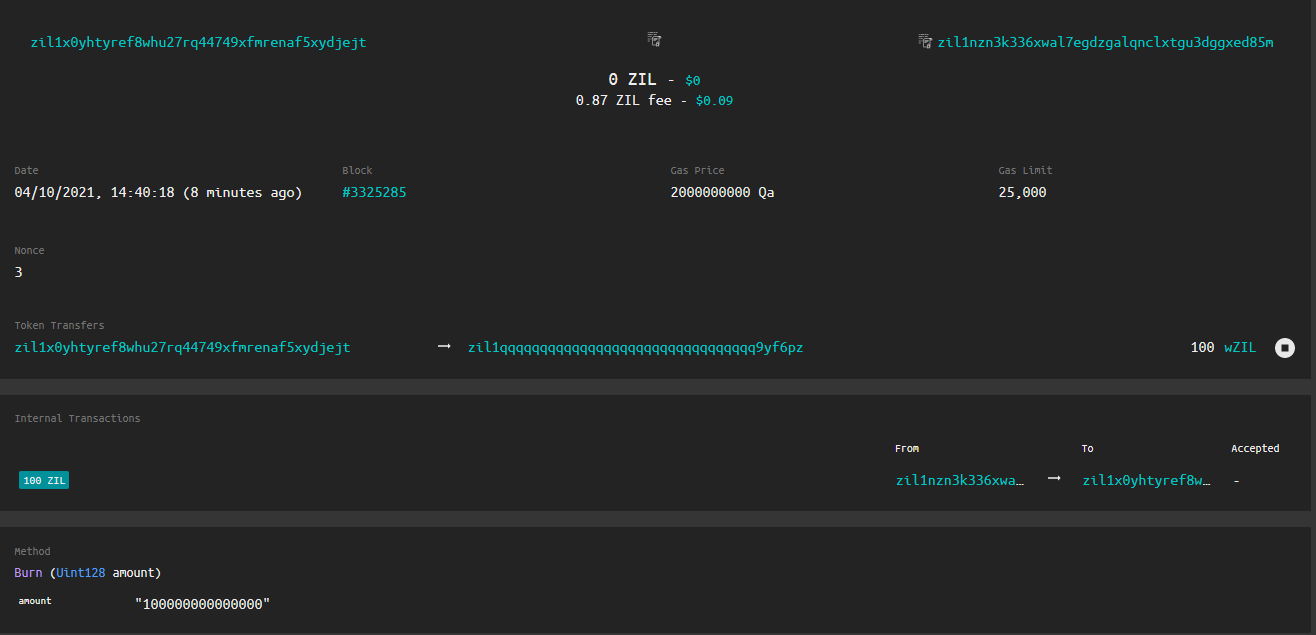
Having a wZIL token, call burn with the amount as a parameter.
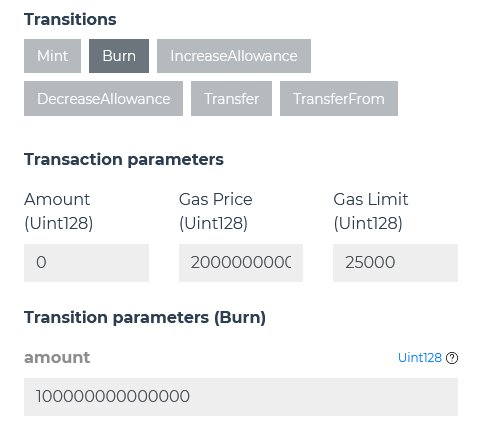
Note the internal transaction returning ZIL from the wrapper in exchange for
an equal burn of wZIL.
### Interacting programmatically
You can refer to[https://github.com/Zilliqa/zilwrap-sdk](https://github.com/Zilliqa/zilwrap-sdk)for more information on
how to use the SDK for wZIL.