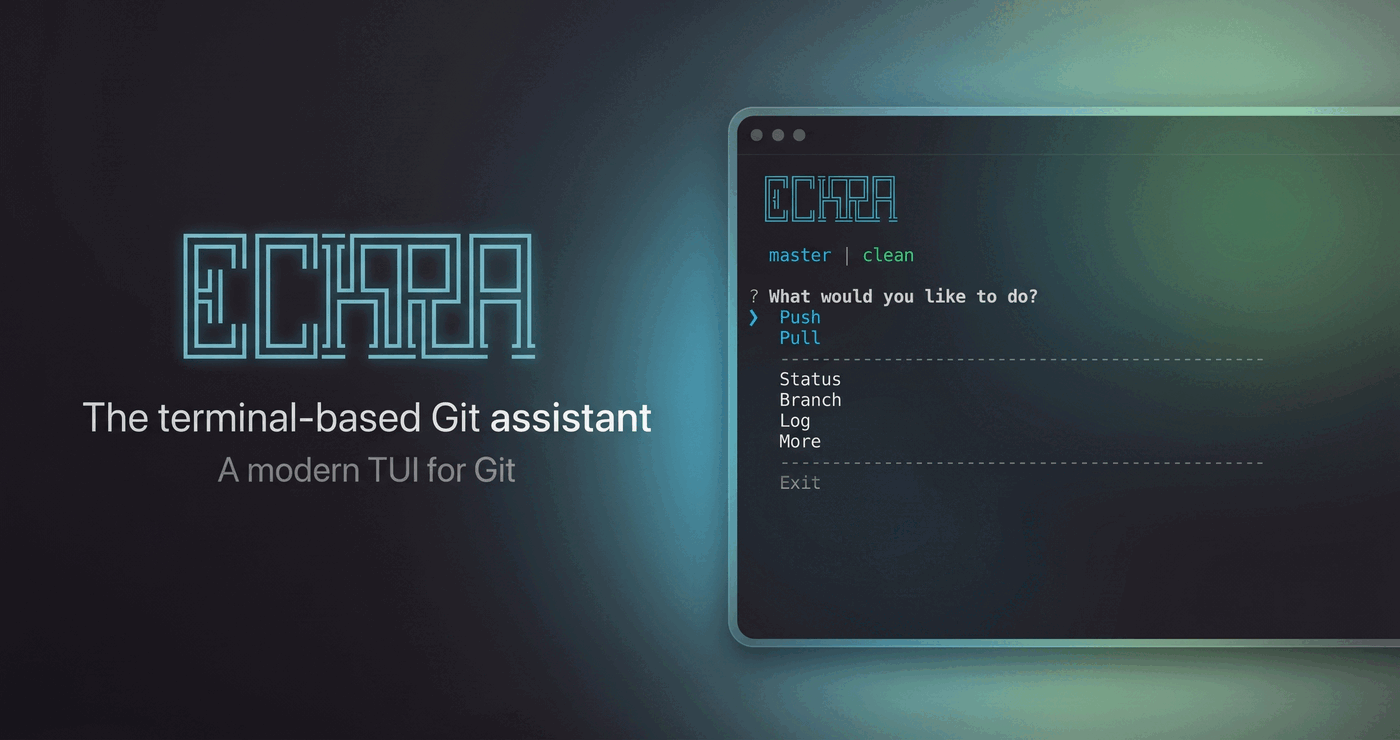
Eckra
AI-powered Git management: commits, stories, and the whole repo in one place


---
## What is eckra?
eckra is an interactive, AI-powered Git management tool. It writes context-aware commit messages, turns your commit history into readable project stories, and brings staging, branches, stashes, and remotes into one dashboard. No config required to get started.
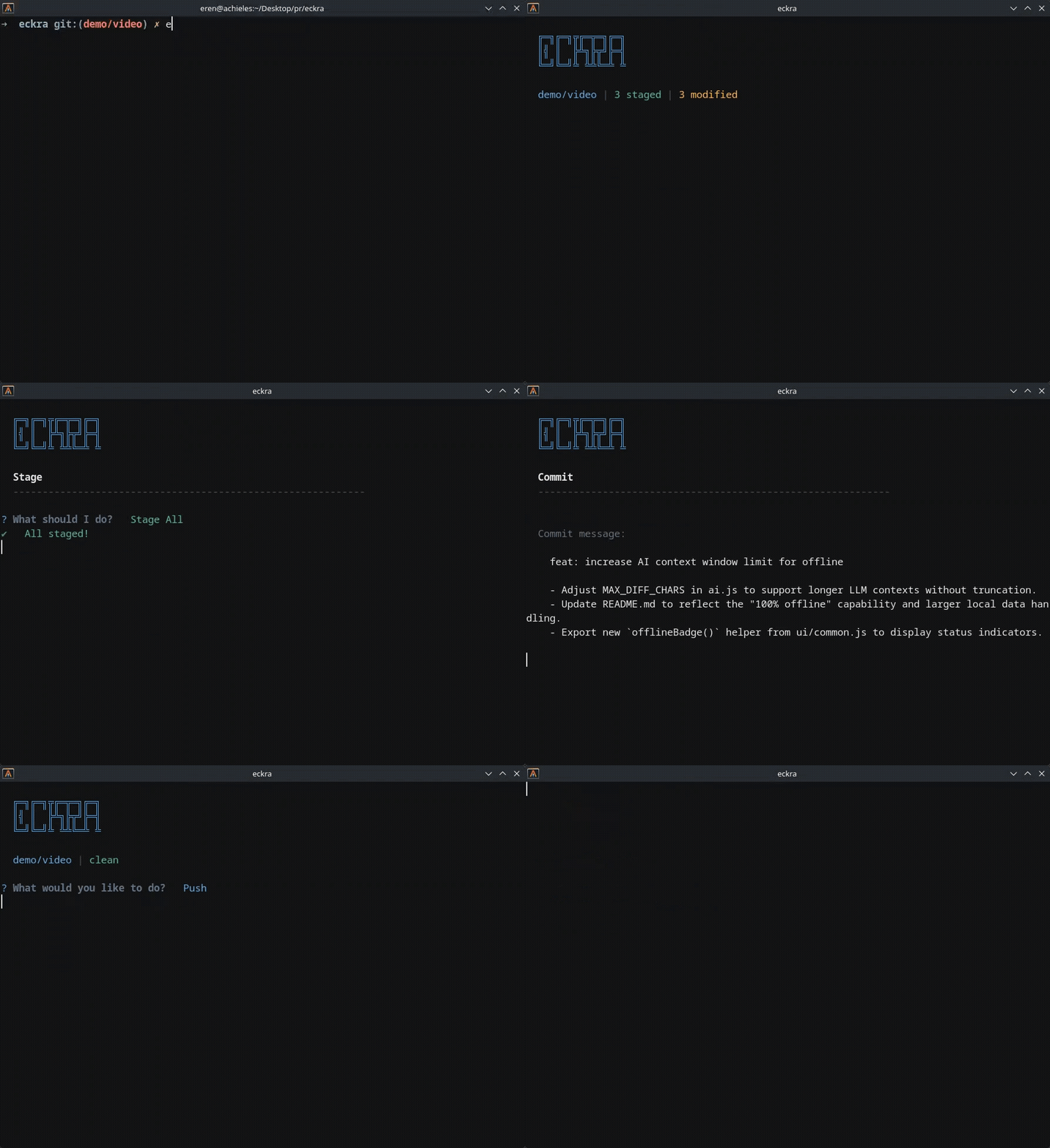
Interactive dashboard in action
## Features
- **Works out of the box with [Ollama](https://ollama.com)**: no API key needed to start, cloud providers are optional
- **Interactive dashboard**: manage staging, branches, stashes, and remotes from one menu
- **AI commit messages** based on your actual diff, with 11 AI providers (OpenAI, Anthropic, Gemini, DeepSeek, Amazon Bedrock, OpenCode Go, and more; see the [provider table](#ai-configuration))
- **Multiple providers & accounts**: save several provider configurations side by side (e.g. two OpenAI accounts plus OpenRouter) and switch anytime from Settings or `eckra provider use`
- **Select & edit** any suggestion before committing
- **Choose your commit format**: `plain`, `conventional`, `conventional+body`, `gitmoji`, or `subject+body` (picked during setup, changeable in Settings or per-commit with `--type`)
- **Staged diff review** with syntax highlighting
- **Git Graph**: VS Code-style commit graph across all branches, with per-lane colors, pagination, and commit inspection
- **Project story**: AI timeline of your commit history
- **Lazygit integration**: run eckra's commit flow inside lazygit
## Installation
> npm and Homebrew need Node.js 22.12 or newer (commander/ora are ESM-only and
> need `require(esm)`). The standalone binaries bundle their own runtime.
### npm (any OS)
```bash
npm install -g eckra
```
### macOS
Standalone binary (x64/arm64, no Node.js required):
```bash
curl -fsSL https://raw.githubusercontent.com/sudoeren/eckra/master/scripts/install.sh | sh
```
Or with [Homebrew](https://brew.sh). The formula lives in this repository, so it
is tapped by URL:
```bash
brew tap sudoeren/eckra https://github.com/sudoeren/eckra
brew install eckra
```
> [!NOTE]
> The Homebrew formula installs from the published npm tarball and is updated
> automatically on release. The standalone installer puts `eckra` in
> `/usr/local/bin` (override with `ECKRA_INSTALL_DIR`).
### Linux
Standalone binary (x64/arm64, no Node.js required):
```bash
curl -fsSL https://raw.githubusercontent.com/sudoeren/eckra/master/scripts/install.sh | sh
```
Homebrew also works on Linux after tapping as shown above.
### Windows
Standalone binary (x64, no Node.js required):
```powershell
irm https://raw.githubusercontent.com/sudoeren/eckra/master/scripts/install.ps1 | iex
```
Or with Scoop (installs the standalone binary):
```powershell
scoop install https://raw.githubusercontent.com/sudoeren/eckra/master/packaging/scoop/eckra.json
```
### Pinning a version / custom directory
For the standalone installers, set `ECKRA_VERSION` (or `-Version`) to pin a
version, and `ECKRA_INSTALL_DIR` (or `-InstallDir`) to change the install
directory.
eckra can bind directly to [lazygit](https://github.com/jesseduffield/lazygit) right after installing:
```bash
eckra lazygit install
```
Then press `C` in lazygit's files view for an AI commit.
## Usage
Run `eckra` in any Git repository to open the dashboard:
```bash
eckra
```
> [!NOTE]
> On first run, eckra walks you through a quick setup wizard (provider, model, and preferred commit format). You can re-run the setup anytime with `eckra setup`.
Or jump straight into action:
| Command | Alias | Action |
| :-------------- | :---- | :---------------------------- |
| `eckra commit` | `c` | AI-assisted commit flow |
| `eckra status` | `st` | Status and staged files |
| `eckra push` | `p` | Push to remote |
| `eckra easy` | `e` | Stage all, AI commit, push (confirms each step) |
| `eckra story` | `t` | AI project timeline |
| `eckra graph` | `g` | Interactive commit graph |
| `eckra start` | `s` | Interactive dashboard |
| `eckra lazygit` | `lg` | Lazygit AI-commit integration |
| `eckra config` | `cfg` | View or edit config |
| `eckra theme` | `th` | Show or set the UI theme |
| `eckra provider`| `pv` | Manage saved AI provider connections |
| `eckra doctor` | `dr` | Health check |
| `eckra suggest` | `sg` | Print an AI commit message |
| `eckra setup` | | Run the setup/onboarding wizard |
| `eckra model` | `m` | Show current AI settings & switch/manage providers |
> [!TIP]
> `eckra e` stages everything, generates an AI message, and asks you before committing and pushing.
From the dashboard you can also open **Git Graph** (under Branch) to see your full commit topology across all branches, page through history, and inspect commits for cherry-picking.
### Lazygit Integration
Use eckra's AI commit flow inside [lazygit](https://github.com/jesseduffield/lazygit):
```bash
eckra lazygit install
```
1. Restart lazygit and stage your files
2. Open the **files view** and press **`C`** (uppercase)
3. Review the generated commit message and confirm
eckra opens full-screen, writes the message, and commits once you approve.
> [!NOTE]
> The generated shortcut uses lazygit's `output: terminal` and runs eckra with `ECKRA_THEME_NO_QUERY=1`. lazygit keeps reading the terminal while eckra runs, so the live OSC 11 background-color query is skipped there to avoid the reply leaking into lazygit as literal `11;rgb:...` text. If you installed the integration before this change, re-run `eckra lazygit install` to upgrade the managed block.
#### Change the shortcut key
The key defaults to `C` (uppercase). If it collides with a lazygit shortcut you already use, pick another letter:
```bash
eckra config set lazygitKey g
eckra lazygit install # re-applies the new key to lazygit's config
```
eckra warns you when the chosen letter is bound by a default lazygit shortcut, but lets you keep it anyway.
Manage the integration:
```bash
eckra lazygit # Status + YAML snippet
eckra lazygit install # Add the custom command
eckra lazygit remove # Remove it (alias: uninstall)
```
### CLI options
`eckra commit` flags:
| Flag | Alias | Action |
| :--------------------- | :---- | :------------------------------------- |
| `--message ` | `-m` | Commit with this message, skip AI |
| `--all` | `-a` | Stage all changes before generating |
| `--yes` | `-y` | Skip the confirmation prompt |
| `--generate ` | `-g` | Generate N messages to pick from |
| `--type ` | `-t` | Commit message format (see below) |
| `--clipboard` | `-c` | Copy the message to the clipboard instead of committing |
| `--no-verify` | `-n` | Bypass pre-commit and commit-msg hooks |
| `--exclude ` | `-x` | Exclude files/glob patterns from AI analysis (comma-separated) |
| `--max-length ` | | Preferred max subject length (default 50) |
| `--instruction ` | | Extra instruction for the AI |
| `--no-commit` | | Only generate and show the message |
#### Commit message formats
`--type` (or the `commitType` config, chosen during setup) selects the format the AI writes in:
| Format | Example subject |
| :------------------ | :------------------------- |
| `plain` | `add autocomplete search` |
| `conventional` | `feat(auth): add login` |
| `conventional+body` | `feat: add login` + bullets (default) |
| `gitmoji` | `✨ feat(auth): add login` |
| `subject+body` | `add login` + bullets |
Other commands:
```bash
eckra push -y # push without the confirmation prompt
eckra suggest --all --instruction "focus on the why" # non-interactive, stdout
eckra suggest --output commit-msg.txt # write to a file (CI-friendly)
eckra story --count 20 # analyze the last 20 commits
eckra commit --type gitmoji # gitmoji-style message
eckra commit --clipboard # copy the message, don't commit
eckra commit -x "*.lock,config.local.js" # ignore files in AI analysis
```
Risky operations ask for confirmation before running: **push**, **pull**, **push tags**, **delete tag**, **drop stash**, **amend**, **rebase** and **squash**. Pass `-y/--yes` on `eckra push` to skip it.
## AI Configuration
eckra works out of the box with **Ollama** (`http://localhost:11434`) using the lightweight [qwen3.5:2b](https://ollama.com/library/qwen3.5:2b) model:
```bash
ollama pull qwen3.5:2b
```
### Local providers (no API key)
| Provider | Setup | Default Model |
| :------------ | :--------------------------------------------- | :---------------- |
| `Ollama` | Local server, default `http://localhost:11434` | `qwen3.5:2b` |
| `LM Studio` | Local server, default `http://localhost:1234` | (user-configured) |
### Cloud providers (API key)
| Provider | Requires | Default Model |
| :------------------------ | :----------------------------------------------------------- | :------------------------ |
| `OpenAI` | OpenAI API key | `gpt-5-mini` |
| `Anthropic (Claude)` | Anthropic API key | `claude-haiku-4-5-20251001` |
| `Google Gemini` | Google AI Studio API key | `gemini-3.1-flash-lite` |
| `OpenRouter` | OpenRouter API key | `openai/gpt-oss-120b` |
| `DeepSeek` | DeepSeek API key | `deepseek-chat` |
| `OpenCode Go` | OpenCode Go API key | `deepseek-v4-flash` |
| `Ollama Cloud` | Ollama Cloud API key (ollama.com/settings/keys) | `qwen3.5:2b` |
| `Amazon Bedrock` | Bedrock API key + AWS Region (`bedrock-runtime` endpoint) | `us.anthropic.claude-haiku-4-5` |
| `Amazon Bedrock Mantle` | Bedrock API key + AWS Region (`bedrock-mantle` endpoint) | `us.anthropic.claude-haiku-4-5` |
Providers are configured during setup and stored as **named connections** in `~/.eckra/config.json`. The configuration you pick during `eckra setup` becomes your `default` connection. eckra fetches the available models for you. Run `eckra model` to see your current AI settings (provider, connection, model, masked API key) and where they are stored, then switch or manage providers from the same menu.
### Saved connections (multiple providers & accounts)
eckra stores several provider configurations side by side, including different providers and/or multiple accounts for the same provider (e.g. a work and a personal OpenAI key). One connection is active at a time and every AI call uses it. With no explicit choice, eckra falls back to the `default` connection. You can override this per run with `ECKRA_ACTIVE_AI_CONNECTION` or pin a connection to a single repository with `eckra provider use --local`, which is saved in `.eckrarc`.
The AI surfaces expose exactly two actions: **Switch Provider / Account** (pick an existing connection) and **Manage Providers** (everything else: add, edit credentials/model per connection, rename, delete). They live in the Settings menu and behind `eckra model`:
```bash
eckra provider list # All saved connections, active marked with ✓
eckra provider add # Interactive wizard: provider → key → model → name
eckra provider add --name work --provider openai \
--set openaiApiKey=sk-... openaiModel=gpt-5-mini --use # Non-interactive
eckra provider edit work # Wizard: fix the API key or change the model
eckra provider use work # Switch globally
eckra provider use home --local # Pin a connection to this repo only (.eckrarc)
eckra provider show work # Details (secrets masked)
eckra provider rename work is # Rename (stays active if it was)
eckra provider remove work -y # Delete
```
### Config CLI
```bash
eckra config # Show config (secrets masked)
eckra config get aiProvider # Print a value
eckra config get aiProvider theme # Print several values at once
eckra config set theme dark # Set a value
eckra config set theme=dark locale=tr # Set several key=value pairs at once
eckra config unset aiInstruction# Remove a key
eckra config reset # Restore defaults
eckra config path # Config file path
```
> [!NOTE]
> Add `--local` to target the project's `.eckrarc` instead. This file is gitignored as it can hold API keys.
A few useful keys: `commitType` (commit message format), `subjectMaxLength` (max subject characters, default 50), `locale` (language for messages, default `en`), `timeout` (AI request timeout in ms, default 30000), and `activeAiConnection` (the saved connection in use). Provider credentials and models live inside named connections. Manage them with `eckra provider` / `eckra model`, not `eckra config set` (which now rejects those keys with guidance). If you are upgrading from an older version, existing flat settings are migrated automatically into a `default` connection on first run and the old keys are kept for downgrade safety.
### Theme
`theme` can be `auto` (default), `dark`, or `light`. Auto mode is **terminal-first**: it asks the terminal for its actual background color (OSC 11), then reads your terminal config, and only falls back to the desktop theme (GNOME/KDE/GTK) last — so a dark terminal on a light desktop is detected correctly.
Alacritty is fully supported: all config locations are checked (`$XDG_CONFIG_HOME/alacritty/alacritty.toml`, `~/.config/alacritty/alacritty.toml`, `~/.alacritty.toml`, `/etc/alacritty/...`, plus legacy `.yml`), including `[general] import = [...]` with globs, relative and nested imports (later files override earlier ones).
```bash
eckra theme # Show the selected theme and what auto detected
eckra theme detect # Re-run detection now, ignoring the cache
eckra theme dark # Set an explicit theme
eckra theme auto # Back to auto detection
```
> [!TIP]
> Detection results are cached for a few minutes and refresh automatically when `TERM` changes. Force a refresh with `eckra theme detect`. Set `ECKRA_THEME_NO_QUERY=1` to skip the live terminal query (e.g. on terminals that block on it); the query is also skipped automatically when eckra runs under lazygit.
### Health check
`eckra doctor` checks Git, config, and the AI provider connection. Use `--no-provider` for an offline check or `--json` for CI. It exits with code `1` when any check fails.
### Updating
`eckra update` checks the npm registry and upgrades the global package:
```bash
eckra update # Check and update (asks for confirmation)
eckra update --check # Check only (exit code 1 if an update is available)
eckra update --yes # Update without confirmation
```
You can also check from the menu: **More > Check for Updates**.
> [!NOTE]
> Running eckra via `npx eckra` always uses the latest version, no update needed.
### Scripts & CI
`eckra suggest` prints a commit message to stdout without any prompts:
```bash
eckra suggest # Message for staged changes
eckra suggest --all # Stage everything first
eckra suggest --instruction "focus on the why"
eckra suggest --type gitmoji # Pick the commit message format
eckra suggest -x "dist/" # Exclude files from the analysis
```
## Troubleshooting
- **"AI Provider Error" / connection failed**: run `eckra doctor` to see exactly what's failing, then check the API key and model in **More > Settings**.
- **Wrong account or provider in use**: check which connection is active with `eckra provider list` and switch with `eckra provider use `.
- **Ollama errors**: make sure the server is running (`ollama serve`) and the model is pulled: `ollama pull qwen3.5:2b`.
- **401 Unauthorized**: the API key is wrong or expired. Re-enter it in **More > Settings** or set it via `eckra config set `.
- **AI returns a warning or empty message**: some providers flag safe content; try a different model or check the provider's dashboard for rate limits.
- **Large diffs are truncated**: prompts are capped at 2000 characters by design. Commit in smaller chunks or stage related files only.
## Contributing
Please see [CONTRIBUTING.md](CONTRIBUTING.md).
## Uninstall
- **In-app:** `eckra` → **More > Settings** → **Uninstall Eckra** → type `uninstall`. This also removes the lazygit integration.
- **Manual:**
```bash
eckra lazygit remove # remove the lazygit integration first (if you have it)
npm uninstall -g eckra
rm -rf ~/.eckra
```
## License
Distributed under the MIT License. See [LICENSE](LICENSE) for more information.