# Easy Mqtt
Easy-mqtt is basically node.js library for automatize complicated mqtt process. It allows to pub/sub and rpc request with mqtt with simple functions.

 [](https://opensource.org/licenses/MIT)
## Getting Started
```
npm install easy-mqtt
```
```
yarn add easy-mqtt
```
## Usage
### Connection:
```
easymqtt.connect({
host: "localhost",
port: 1883,
});
```
### Parameters
| Parameter | Description |
|-----------|-------------|
| url | The MQTT connection string. If you set the `url` parameter, you don't need to pass `host`, `port`, `username`, and `password`. However, if you are using a secure connection, you need to pass the `certificate`. |
| host | The MQTT broker host address. This is the IP address or domain name of the MQTT broker server. |
| port | The MQTT broker port number. This is the port on which the MQTT broker is listening for incoming connections. |
| username | The MQTT broker username. If your MQTT broker requires authentication, you need to provide the username to connect. |
| password | The MQTT broker password. If your MQTT broker requires authentication, you need to provide the password to connect. |
| protocol | The MQTT broker connection protocol. This specifies the protocol to be used for the MQTT connection, such as MQTT 3.1 or MQTT 5.0. |
| ca | The path to the CA (Certificate Authority) file. If you are using a secure connection, you may need to provide the CA file to establish a secure connection with the MQTT broker. |
| cert | The path to the client certificate file. If you are using a secure connection and the MQTT broker requires client-side authentication, you need to provide the client certificate file. |
| key | The path to the client private key file. If you are using a secure connection and the MQTT broker requires client-side authentication, you need to provide the client private key file. |
| clientId | The client ID used when connecting to the MQTT broker. This is a unique identifier for the client and is used by the broker to identify the client when sending messages or handling subscriptions. |
---
### Subscribe To Topic
```
easymqtt.on("/topic", (params, payload) => {
console.log(`received message on topic test with payload ${payload}`);
});
```
---
### RPC
```
const response = await easymqtt.rpc({
request: "device/+deviceId/battery/request",
response: "device/+deviceId/battery/response",
error: "device/+deviceId/battery/error", //optional
message: "hello world",
timeout: 5000
});
```
### Parameters
| Parameter | Description |
|-----------|-------------|
| request | request The publish topic used for sending requests |
| response | response The listen topic used for receiving responses. |
| error | error The error topic used for receiving error messages. |
| message | message The MQTT payload containing the message data. |
| timeout | timeout The maximum time to wait for a response. |
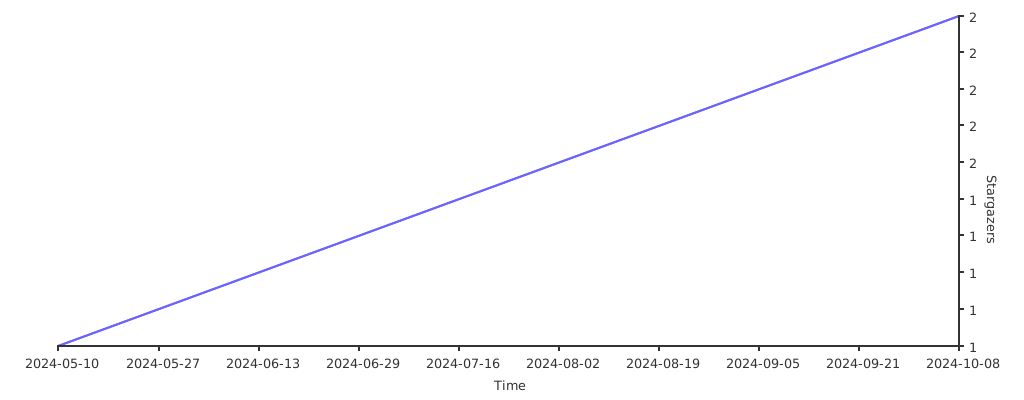
## Stargazers over time
[](https://starchart.cc/sensemore/easy-mqtt)
[](https://opensource.org/licenses/MIT)
## Getting Started
```
npm install easy-mqtt
```
```
yarn add easy-mqtt
```
## Usage
### Connection:
```
easymqtt.connect({
host: "localhost",
port: 1883,
});
```
### Parameters
| Parameter | Description |
|-----------|-------------|
| url | The MQTT connection string. If you set the `url` parameter, you don't need to pass `host`, `port`, `username`, and `password`. However, if you are using a secure connection, you need to pass the `certificate`. |
| host | The MQTT broker host address. This is the IP address or domain name of the MQTT broker server. |
| port | The MQTT broker port number. This is the port on which the MQTT broker is listening for incoming connections. |
| username | The MQTT broker username. If your MQTT broker requires authentication, you need to provide the username to connect. |
| password | The MQTT broker password. If your MQTT broker requires authentication, you need to provide the password to connect. |
| protocol | The MQTT broker connection protocol. This specifies the protocol to be used for the MQTT connection, such as MQTT 3.1 or MQTT 5.0. |
| ca | The path to the CA (Certificate Authority) file. If you are using a secure connection, you may need to provide the CA file to establish a secure connection with the MQTT broker. |
| cert | The path to the client certificate file. If you are using a secure connection and the MQTT broker requires client-side authentication, you need to provide the client certificate file. |
| key | The path to the client private key file. If you are using a secure connection and the MQTT broker requires client-side authentication, you need to provide the client private key file. |
| clientId | The client ID used when connecting to the MQTT broker. This is a unique identifier for the client and is used by the broker to identify the client when sending messages or handling subscriptions. |
---
### Subscribe To Topic
```
easymqtt.on("/topic", (params, payload) => {
console.log(`received message on topic test with payload ${payload}`);
});
```
---
### RPC
```
const response = await easymqtt.rpc({
request: "device/+deviceId/battery/request",
response: "device/+deviceId/battery/response",
error: "device/+deviceId/battery/error", //optional
message: "hello world",
timeout: 5000
});
```
### Parameters
| Parameter | Description |
|-----------|-------------|
| request | request The publish topic used for sending requests |
| response | response The listen topic used for receiving responses. |
| error | error The error topic used for receiving error messages. |
| message | message The MQTT payload containing the message data. |
| timeout | timeout The maximum time to wait for a response. |
## Stargazers over time
[](https://starchart.cc/sensemore/easy-mqtt)