The 2kb immutable, async and universal state management solution for Javascript applications.
[](https://www.npmjs.com/package/dutier)
[](https://unpkg.com/dutier@1.1.3)
### Influences
It evolves on the ideas of [Redux](https://github.com/reactjs/redux).
## Getting Started
### Install
* NPM: ``` npm install dutier ```
* NPM: ``` yarn add dutier ```
* CDN: ```https://unpkg.com/dutier@1.1.3```
### Features
* immutable state
* small 2kb minified
* async by default
* react provider
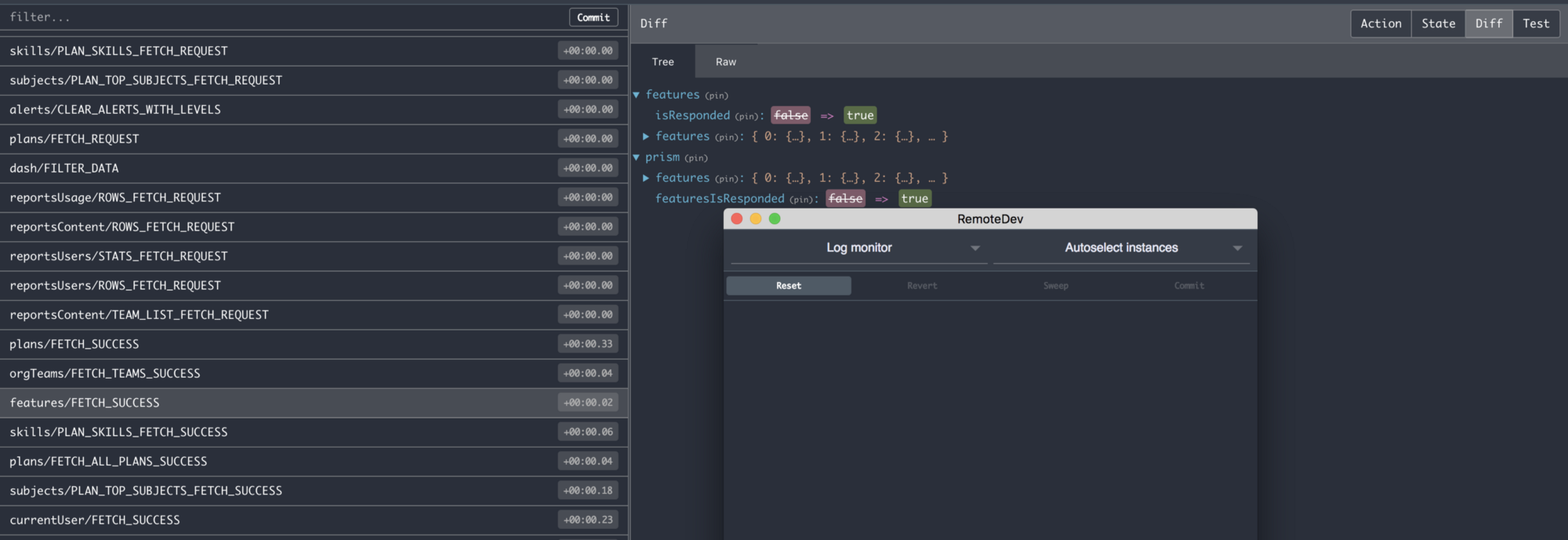
* devtools
* simple, small learning curve
* no dependencies
* promise based
* Works well with any Javascript Framework
* inspired by Redux
### Libraries & Add-ons:
- :raised_hands: [**dutier-logger**](https://github.com/luisvinicius167/dutier-logger): Logger for Dutier inpired by Redux Logger.
- :loop: [**react-dutier**](https://github.com/luisvinicius167/dutier/blob/master/README.md#react): React bindings for Dutier. Performant and flexible.
### Demos
- :pencil: [React Todo with Dutier](https://codesandbox.io/s/3lov40m86)
### Async Actions
With `Dutier` your `actions` are pure functions that returns a function with the dispatch method, that will dispatch a payload information about how to work with the state and the `dispatch` method always return new values based on your state.
The `dispatch` is async by default, then you can use `async/await` with `dispatch` method.
```javascript
async function handler() {
const value = 1
await dispatch(action(value))
}
```
### React
* npm: ``` npm install react-dutier ```
* yarn: ``` yarn add react-dutier ```
```javascript
/**
* @name Provider
* @description Provider your store to your application and
* provides the store state and store dispatch method to the
* first children Components level.
*
* @param {Object|Store} store The Store instance
*/
import React from 'react'
import { render } from 'react-dom'
import { Provider } from 'react-dutier'
import devtools from 'dutier/devtools'
import reducers from './reducers'
const store = devtools(createStore(reducers))
const Increment = ({ state, dispatch }) =>
Count: {state.count}
const Decrement = ({ state, dispatch }) =>
Count: {state.count}
const class App = () =>
render(, document.getElementById('root'))
/**
* @name withStore
* @description You can use withStore function to pass the
* store state and disptach method as props to any Component
* that you want.
*
* @param {Function}
*/
import React, { Component } from 'react'
import { withStore } from 'react-dutier'
import App from 'containers/app'
class App extends Component {
componentDidMount(){
console.log(this.props) // logs: { state, dispatch }
}
render(){
return ()
}
}
export default withStore(App)
```
### Devtools
```javascript
/**
* @name devtools
* @description Dutier Version of Redux devtools.
* @param { Store|Object } Dutier Store
*/
import { createStore } from 'dutier'
import devtools from 'dutier/devtools'
const store = devtools(createStore())
```
### Universal
The application state is stored in an object tree inside a single store. Your actions will only dispatch information about how work with the state and then return new state values based on your state.
That's it!
```javascript
import { createStore, applyMiddleware } from 'dutier'
import Logger from 'dutier-logger'
/**
* Reducer
* The reducer state needs to be an Object
* Each reducer receives the state as first argument
* the action payload as second argument
*/
const initialState = { count: 1 }
function reducer( state=initialState, { type, payload } ) {
switch (type) {
case 'INCREMENT':
return { count: state.count + payload }
default:
return state
}
}
/**
* Create the store and pass the reducers if you have.
* Create store returns the functions: subscribe, dispatch and getState
*/
const store = createStore(reducer)
/**
* Apply your custom middleware function that
* be called each time your store dispatch actions
* You can use Dutier Logger library.
* https://github.com/luisvinicius167/dutier-logger
*/
applyMiddleware(Logger)
/**
* Actions are pure functions that return a new function
* that will dispatch the payload information to Reducer
*/
const increment = payload => dispatch => dispatch({ type: 'INCREMENT', payload })
/**
* Reducer
* Each reducer receives the application state as first argument,
* the action payload
*/
const initialState = { count: 1 }
function reducer( state=initialState, { type, payload } ) {
switch (type) {
case 'INCREMENT':
return { count: state.count + payload }
default:
return state
}
}
/**
* You can use store.subscribe() to update your UI in response to actions;
* The subscribe are just be called if the state was changed.
*/
this.unsubscribe = store.subscribe( { type, state, payload } ) => {
console.log('Reducer new state value ', state, 'Store state: ', store.getState())
})
/**
* Use store.dispatch to return new values based on the state
* tree. store.dispatch is async and returns a Promise with your action type and
* the new state value.
*/
store.dispatch( increment( 1 ) )
.then( ({ type, state }) => {
console.log(`The value is: ${getState().count}`) // 2
})
```
### Simple and efficient API.
store.dispatch
* Trigger an action to do something with the state. It's async by default and always return a promise
that contains the action type and the new state value
```javascript
/**
* @name dispatch
* @description Trigger some action.
* @param { Function } The function that return your action payload
* @return { Promise } Return a Promise with the action payload
*/
// You can receive the response of your action and do something, or not.
// If you want, you can chain the dispatch Promises.
store.dispatch( increment(1) )
store
.dispatch( increment(1) )
.then( ({ type, state }) => {
console.log(type, state)
})
```
Actions
* Actions are async pure functions that returns a function with the dispatch method as first argument to dispatch the payload information to your reducers, for change the state.
```javascript
function increment( payload ) {
return dispatch => dispatch({ type: 'INCREMENT', payload })
}
```
Store
* Create your application store
```javascript
/**
* @name createStore
* You just can set your store state one time.
* @param { Function } reducer Your store reducers
*/
import { createStore } from 'dutier'
const store = createStore([, ...reducers] )
```
Getting the store state
* Get the current state value
```javascript
/**
* @name getState
* @description Get the current state value
*/
store.getState() // returns a copy of your store state { count: 1 }
```
Combine
* Combine your store reducers
```javascript
/**
* @name combine
* @param { Function } Your reducers
*/
import { combine } from 'dutier'
function reducer( state={ count: 1 }, { type, payload }) {
switch (type) {
case 'INCREMENT':
return { count: state.count + payload }
default:
return state
}
}
function otherReducer( state={ counter: 1}, { type, payload } ) {
switch (type) {
case 'ADD':
return { count: payload }
default:
return state
}
}
combine( reducer, otherReducer, [, ...reducers ])
```
Middleware
* Call your custom middlewares
```javascript
/**
* @name middleware
* @param { Function } middleware Your middleware functions
* that will be called each time your store dispatch actions
* @param { Object } data Each middleware function receives a
* data object with the properties action (your action payload),
* oldState (the old state) and state (current state )
*/
import { applyMiddleware } from 'dutier'
const logger = data => console.log(data)
applyMiddleware(logger [, ...middlewares ])
```
store.subscribe
* It will be called any time an action is dispatched and just if the state was changed.
```javascript
/**
* @name subscribe
* @param { handler } handler A callback function that will be triggered when
* your state change
*/
componentWillMount(){
// Subscribe to changes on your store, do something with the value.
this.unsubscribe = store.subscribe(( { type, state, payload } ) => {
this.setState( { count: store.getState().count } )
})
}
componentWillUnmount() {
this.unsubscribe()
}
```
That's all folks!
#### License
MIT License.
 The 2kb immutable, async and universal state management solution for Javascript applications.
  ### Universal
The application state is stored in an object tree inside a single store. Your actions will only dispatch information about how work with the state and then return new state values based on your state.
That's it!
```javascript
import { createStore, applyMiddleware } from 'dutier'
import Logger from 'dutier-logger'
/**
* Reducer
* The reducer state needs to be an Object
* Each reducer receives the state as first argument
* the action payload as second argument
*/
const initialState = { count: 1 }
function reducer( state=initialState, { type, payload } ) {
switch (type) {
case 'INCREMENT':
return { count: state.count + payload }
default:
return state
}
}
/**
* Create the store and pass the reducers if you have.
* Create store returns the functions: subscribe, dispatch and getState
*/
const store = createStore(reducer)
/**
* Apply your custom middleware function that
* be called each time your store dispatch actions
* You can use Dutier Logger library.
* https://github.com/luisvinicius167/dutier-logger
*/
applyMiddleware(Logger)
/**
* Actions are pure functions that return a new function
* that will dispatch the payload information to Reducer
*/
const increment = payload => dispatch => dispatch({ type: 'INCREMENT', payload })
/**
* Reducer
* Each reducer receives the application state as first argument,
* the action payload
*/
const initialState = { count: 1 }
function reducer( state=initialState, { type, payload } ) {
switch (type) {
case 'INCREMENT':
return { count: state.count + payload }
default:
return state
}
}
/**
* You can use store.subscribe() to update your UI in response to actions;
* The subscribe are just be called if the state was changed.
*/
this.unsubscribe = store.subscribe( { type, state, payload } ) => {
console.log('Reducer new state value ', state, 'Store state: ', store.getState())
})
/**
* Use store.dispatch to return new values based on the state
* tree. store.dispatch is async and returns a Promise with your action type and
* the new state value.
*/
store.dispatch( increment( 1 ) )
.then( ({ type, state }) => {
console.log(`The value is: ${getState().count}`) // 2
})
```
### Simple and efficient API.
store.dispatch
* Trigger an action to do something with the state. It's async by default and always return a promise
### Universal
The application state is stored in an object tree inside a single store. Your actions will only dispatch information about how work with the state and then return new state values based on your state.
That's it!
```javascript
import { createStore, applyMiddleware } from 'dutier'
import Logger from 'dutier-logger'
/**
* Reducer
* The reducer state needs to be an Object
* Each reducer receives the state as first argument
* the action payload as second argument
*/
const initialState = { count: 1 }
function reducer( state=initialState, { type, payload } ) {
switch (type) {
case 'INCREMENT':
return { count: state.count + payload }
default:
return state
}
}
/**
* Create the store and pass the reducers if you have.
* Create store returns the functions: subscribe, dispatch and getState
*/
const store = createStore(reducer)
/**
* Apply your custom middleware function that
* be called each time your store dispatch actions
* You can use Dutier Logger library.
* https://github.com/luisvinicius167/dutier-logger
*/
applyMiddleware(Logger)
/**
* Actions are pure functions that return a new function
* that will dispatch the payload information to Reducer
*/
const increment = payload => dispatch => dispatch({ type: 'INCREMENT', payload })
/**
* Reducer
* Each reducer receives the application state as first argument,
* the action payload
*/
const initialState = { count: 1 }
function reducer( state=initialState, { type, payload } ) {
switch (type) {
case 'INCREMENT':
return { count: state.count + payload }
default:
return state
}
}
/**
* You can use store.subscribe() to update your UI in response to actions;
* The subscribe are just be called if the state was changed.
*/
this.unsubscribe = store.subscribe( { type, state, payload } ) => {
console.log('Reducer new state value ', state, 'Store state: ', store.getState())
})
/**
* Use store.dispatch to return new values based on the state
* tree. store.dispatch is async and returns a Promise with your action type and
* the new state value.
*/
store.dispatch( increment( 1 ) )
.then( ({ type, state }) => {
console.log(`The value is: ${getState().count}`) // 2
})
```
### Simple and efficient API.
store.dispatch
* Trigger an action to do something with the state. It's async by default and always return a promise