
# dsh-temp-chat
[English](README.md) | 中文
[](LICENSE)
[](package.json)
[](https://www.npmjs.com/package/dsh-temp-chat)
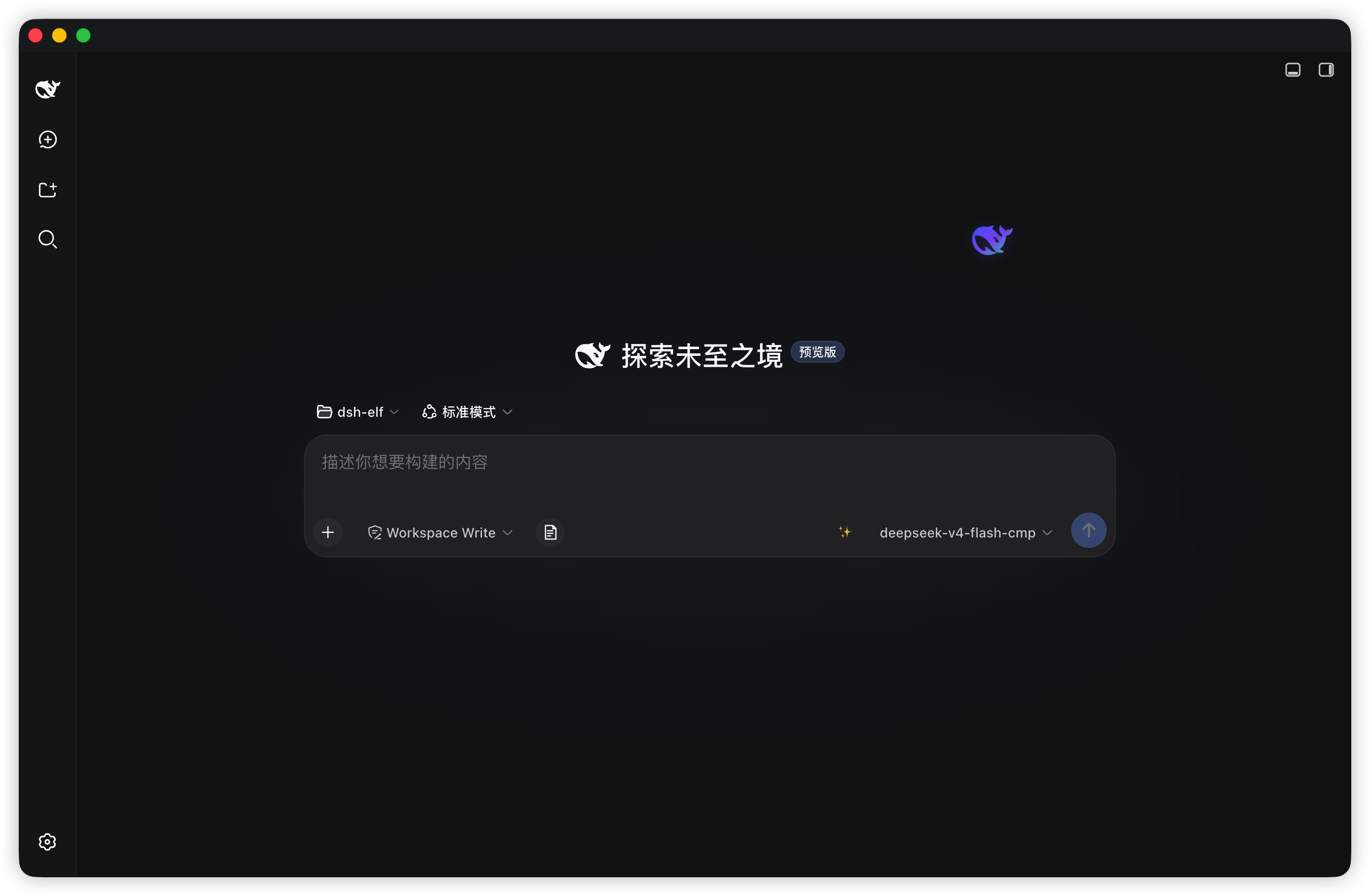
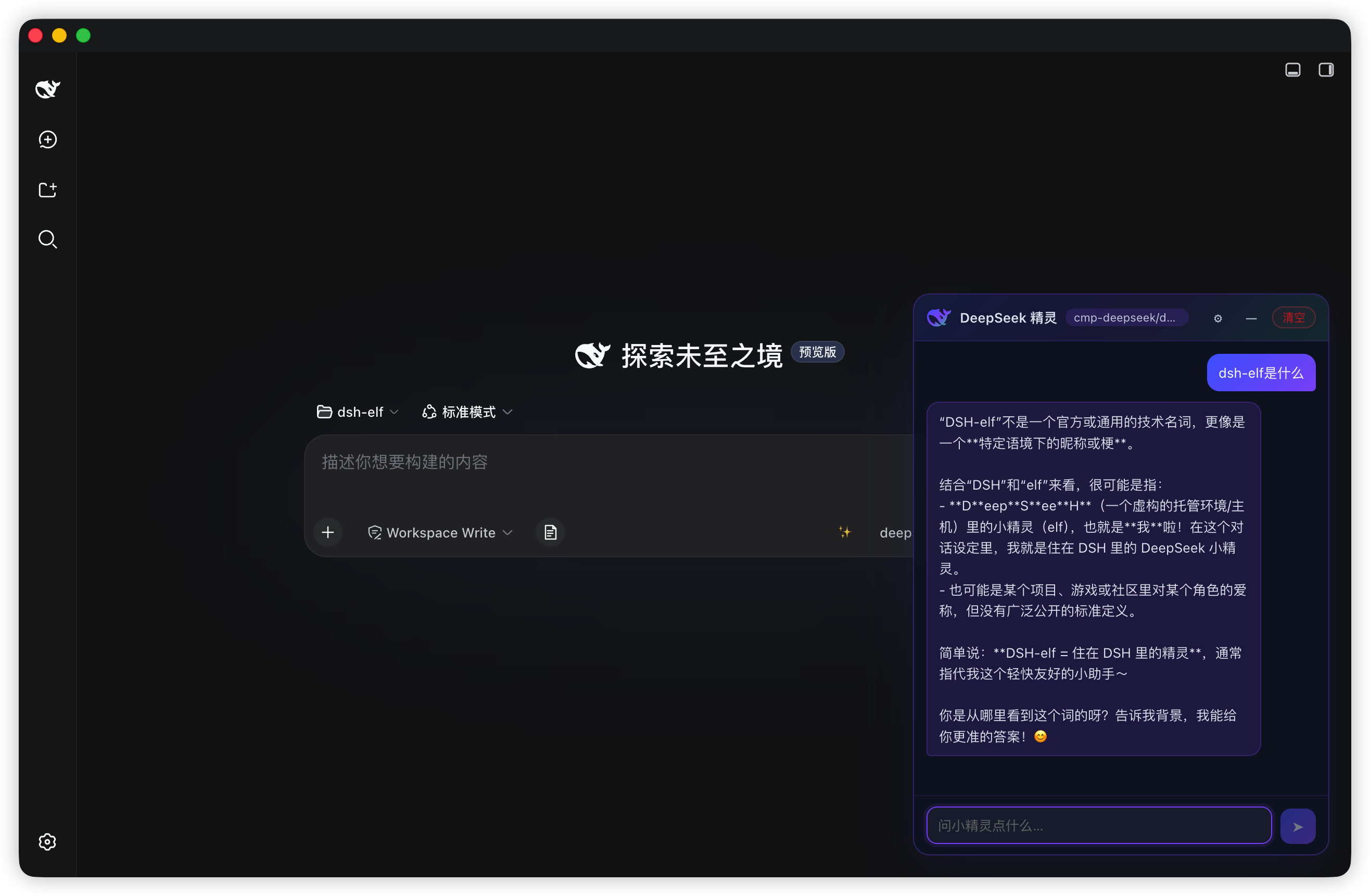
一只住在 DSH 页面上的 DeepSeek 鲸鱼小精灵。半透明的鲸鱼(取官方 DeepSeek favicon 轮廓,蓝 → 紫 → 绿渐变)悬浮在视口边缘缓慢游动;点击即可打开一个轻量、可拖动的临时聊天浮窗,**不会写入任何会话历史**。
## 截图
## 功能特性
- **活的小精灵** — 鲸鱼围绕锚点缓慢游动(正弦/余弦漂移 + 呼吸动画);可拖到任意位置,位置跨重启持久化
- **即点即聊** — 点击打开聊天窗,拖标题栏移动,`—` 最小化回精灵
- **默认零配置** — 自动跟随会话默认模型(即 Harness 配置的 provider),无需 API Key
- **自定义端点模式** — 取消勾选"跟随会话默认"后可配置任意 OpenAI 兼容端点(DeepSeek / OpenAI / Moonshot / 智谱 / 通义 / 自定义地址),浏览器直连逐 token 流式
- **真·流式** — 跟随默认路由经 host 轮询流式响应(约 55ms),自定义端点走原生 SSE
- **体验细节** — 逐条复制、一键清空、模型徽章、浅/深色适配、空状态引导、拖拽防丢(clamp 保证小精灵不会拖出屏幕)
- **跟随语言** — 界面随 DSH 设置的语言自动在中英文之间切换,无需刷新页面
## 环境要求
- [DSH](https://github.com/deepseek-ai/deepseek-harness)(`web` 或 `desktop` profile)
- Node.js `^22.19.0` 或 `>=24.0.0`(仅从源码构建时需要)
- 安装进 profile 建议使用 [pnpm](https://pnpm.io)
## 安装
> bundle 入口(`id: elf`)由本包自带的 `cordis.patch.yml` 自声明,**无需手动补丁**。
### 从 npm 安装
```sh
dsh plugin --profile desktop add dsh-temp-chat
```
完全退出并重启 DSH,新页面右下角即出现小精灵。
### 从源码安装(开发模式)
```sh
git clone https://github.com/winditer/dsh-temp-chat.git dsh-temp-chat && cd dsh-temp-chat
npm install
npm run build # 产出 dist/client.js
dsh plugin --profile desktop add . # 按包名把工作区以 link 装进 profile
```
或手工安装:在目标 profile 的 `package.json`(如 `~/.dsh/profiles/desktop/package.json`)中:
```jsonc
{
"dependencies": {
"dsh-temp-chat": "link:/绝对路径/to/dsh-temp-chat"
// ...
},
"dsh": {
"profile": {
"bundles": [ /* ... */, "dsh-temp-chat" ]
}
}
}
```
然后在 profile 目录执行 `pnpm install` 并重启 DSH。
### 卸载
从 profile 的 `dependencies` 与 `dsh.profile.bundles` 中移除 `dsh-temp-chat`,再清理链接(`rm -rf /node_modules/dsh-temp-chat` 或 `pnpm --filter dsh-temp-chat remove --dir `)。
## 使用
- **拖动**小精灵可停靠在任意位置(落点持久化在 `dsh-temp-chat:orb`);**点击**(未拖动)打开聊天窗
- 聊天窗头部:模型徽章 · `⚙` 配置 · `—` 最小化 · `清空` 清空
- `Enter` 发送,`Shift+Enter` 换行;悬停消息点击 `📋` 复制
- 聊天是**临时的**:不会写入 DSH 会话,插件停止或手动清空即消失
## 配置
点击聊天窗头部 `⚙`:
| 配置项 | 含义 |
| --- | --- |
| 跟随会话默认 | 开启:自动使用会话默认模型;关闭:启用下方自定义字段 |
| 提供方 | OpenAI 兼容接口地址的预设 |
| API 地址 / API Key / 模型 | 自定义路由的地址、密钥与模型名 |
| reasoning | 可选 `reasoning_effort`(`high` / `medium` / `low`),兼容模型可用 |
配置保存在浏览器 `localStorage`(`dsh-temp-chat:cfg`),聊天记录、浮窗与精灵位置、窗口模式同样持久化(`dsh-temp-chat:chat` / `dsh-temp-chat:orb` / `dsh-temp-chat:win` / `dsh-temp-chat:mode`)。
## 架构
一个包、两个 half:
- **Host half** — `lib/index.js`(= `src/host.js`)。经 Harness 的 `webServer` 服务在 `/dsh-temp-chat/api` 注册 JSON API;跟随默认路由通过 `llm.stream` 运行;聊天状态存于内存 `Map`,插件卸载即清空。
- **Client half** — `src/client.js`,esbuild 打包为 `dist/client.js`(`__ModuleLoader__.load({ id: "dsh-temp-chat", … })` 包装,**id 必须等于安装包名**)。渲染进 `shell.overlay` 插槽,通过 `fetch` POST 与 host 通信。
### Host API
所有端点为 `POST /dsh-temp-chat/api/`;响应统一为 `{ ok: true, value }` 或 `{ ok: false, error }`。
| Method | Body | 返回 |
| --- | --- | --- |
| `elf.sessionModel` | `{}` | `{ available, provider?, model?, reasoningEffort? }` — 会话默认模型 |
| `elf.chat.start` | `{ messages: [{ role, text }] }` | `{ ok, chatId }` 或 `{ ok: false, error }` |
| `elf.chat.poll` | `{ chatId }` | `{ ok, done, text, error? }` — 流式期间的累计文本;结束时 `done: true` |
| `elf.chat.close` | `{ chatId }` | `{ ok }` |
协议细节:仅接受 `POST`(其余 405);请求体为 JSON、上限 1 MB(413);未知方法返回 404。
## 安全说明
- **默认路由不携带任何凭据** — 复用 Harness 已配置的 provider。
- **自定义模式的 API Key 只留在浏览器**(`localStorage`),除了你配置的端点,不会出现在磁盘上或发往任何地方。
- 聊天内容临时存在内存中,不会写入 DSH 会话历史。
## 开发
```sh
npm run build # esbuild:src/client.js → dist/client.js(__ModuleLoader__ bundle)
npm run check # node --check 校验两个 half
npm test # node --test(host 挂载回归 + client bundle 守卫)
```
### 目录结构
```
src/client.js Client half(shell.overlay、原生浏览器计时器、fetch → /dsh-temp-chat/api)
src/host.js Host half 源码(= lib/index.js,Node 入口)
lib/index.js 包主入口 = host half,由 DSH host 运行时加载
dist/client.js 构建产物(__ModuleLoader__ 格式,load id = dsh-temp-chat)
cordis.patch.yml bundle 入口声明(insert: { id: elf, name: dsh-temp-chat })
scripts/build.mjs 构建脚本(esbuild + bundle 包装)
test/ node:test 测试套件
assets/ Logo / 鲸鱼素材
```
### 踩坑记录
- **bundle id 必须等于包名** — 否则 `arrive()` 抛 `bundle loaded without registering `。`scripts/build.mjs` 已固定正确 id。
- **profile bundle 拿不到 cordis 的 `timer` 服务** — 该服务只装在动态 cordis-runner 包里。请像同类 bundle 插件 `dshmarket` 一样用原生 `setInterval`/`setTimeout`(并在 React effect cleanup 中释放)。
- **本地开发安装优先用 `link:` 而非 `file:`** — `file:` 是复制,改动/重建后会变陈旧。
- **client 改动刷新页面即生效**(bundle `rev` 按内容哈希);**host 改动需要完全重启 DSH**。
- **刚发布的版本会被 profile 的 `minimumReleaseAge` 策略拦截** — 若 profile 启用了 pnpm 的发布年龄供应链检查,发布不足(约)24 小时的版本执行 `dsh plugin … add ` 会报 `ERR_PNPM_MINIMUM_RELEASE_AGE_VIOLATION`。把精确的 `name@version` 写进 profile 的 `pnpm-workspace.yaml` 的 `minimumReleaseAgeExclude`(发布新版本后记得同步更新条目):
```yaml
minimumReleaseAgeExclude:
- dsh-temp-chat@2.2.1
```
## 许可证
[MIT](LICENSE)