# dsh-mcp-panel
- **1024 स्टोर चैनल**: एक बार `npm i -g dsh1024`, फिर `dsh1024 plugin --profile web add dsh-mcp-panel` ([deepseek1024.com](https://deepseek1024.com) इंस्टॉल रैंकिंग में गिना जाता है)।
**DeepSeek Harness के आधिकारिक MCP क्लाइंट के लिए MCP प्रबंधन कंसोल — सेटिंग्स पेज से MCP सर्वर जोड़ें, बदलें, हटाएँ और टूल आज़माएँ; ईमानदार स्थिति, स्वास्थ्य निदान और सुरक्षित, वापस लाने योग्य प्रोफ़ाइल लेखन के साथ।**
*आधिकारिक क्लाइंट = पुल, यह प्लगइन = कंसोल: `mcp/status` seam से स्थिति पढ़ें, केवल जोड़ने वाले, अनुमोदित प्रोफ़ाइल patch लिखें।*
[](LICENSE)
[](https://gitee.com/perrylink/dsh-mcp-panel)
[](https://github.com/topics/dsh-plugin)
[](https://github.com/PerryLink/dsh-plugin-doctor#verified-徽章)
[](https://dsh.market/)
[](#)
[](https://github.com/PerryLink/dsh-mcp-panel/actions)
[](https://github.com/PerryLink/dsh-mcp-panel/releases)
[](https://www.npmjs.com/package/dsh-mcp-panel)
[](https://www.npmjs.com/package/dsh-mcp-panel)
[](https://dshfind.com/hi/plugins/PerryLink/dsh-mcp-panel?ref=badge)
[English](README.md) · [简体中文](README-zh.md) · [Español](README-es.md) · [Português](README-pt.md) · [हिन्दी](README-hi.md)
```sh
dsh plugin --profile add dsh-mcp-panel
```
---
**📖 इकोसिस्टम नॉलेज बेस** — मापे गए आँकड़े, मार्केटिंग नहीं: [डेवलपमेंट गाइड · चयन डेटा · रखरखाव मानदंड](https://perrylink.github.io/dsh-plugin-guide/)।
## Install & uninstall
- **git चैनल** (नवीनतम `main`): `dsh plugin --profile web add github:PerryLink/dsh-mcp-panel` — `prepare` स्क्रिप्ट केवल production निर्भरताओं से बिल्ड करती है।
- **npm चैनल** (प्रकाशित संस्करण): `dsh plugin --profile web add dsh-mcp-panel`।
- **tarball चैनल**: इस repo में `pnpm pack`, फिर `dsh plugin --profile web add ./dsh-mcp-panel-.tgz`।
- **अनइंस्टॉल**: `cordis.patch.yml` से `mcp-panel` पंक्ति हटाएँ (वेब सतह इसे हॉट-रीलोड करती है), profile के `node_modules` से पैकेज हटाएँ, और `dsh web --dump-config` से पुष्टि करें कि कोई `mcp-panel` पंक्ति शेष नहीं है।
## ⭐ 如果它帮到了你
यह प्लगइन [DSH प्लगइन परिवार](https://github.com/PerryLink) का हिस्सा है (95 प्लगइन, सभी Apache-2.0)। अगर यह उपयोगी लगे, तो **एक स्टार दें** — इससे कोई सुविधा अनलॉक नहीं होती, पर अगला व्यक्ति इसे खोज में आसानी से पा लेता है।
*English:* part of a 95 plugin family for DeepSeek Harness. If it is useful, **a star helps the next person find it** — nothing is gated behind it.
## What is dsh-mcp-panel?
DeepSeek Harness के आधिकारिक MCP क्लाइंट के लिए MCP प्रबंधन कंसोल — सेटिंग्स पेज से MCP सर्वर जोड़ें, बदलें, हटाएँ और टूल आज़माएँ; ईमानदार स्थिति, स्वास्थ्य निदान और सुरक्षित, वापस लाने योग्य प्रोफ़ाइल लेखन के साथ।
आधिकारिक क्लाइंट = पुल, यह प्लगइन = कंसोल: `mcp/status` seam से स्थिति पढ़ें, केवल जोड़ने वाले, अनुमोदित प्रोफ़ाइल patch लिखें।
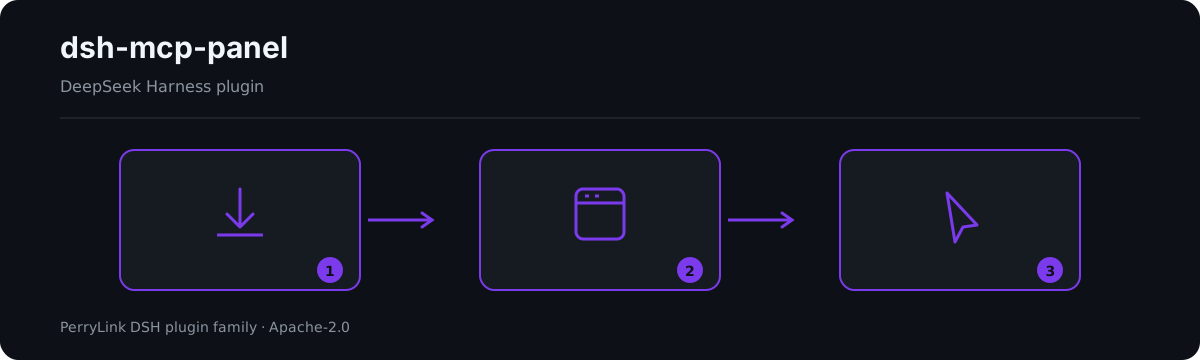
*कार्यप्रवाह: इंस्टॉल → पैनल खोलें → कार्य। नीचे के उदाहरण वास्तविक कमांड सतह का उपयोग करते हैं।*
*वही रन, एनिमेटेड।*
## Compatibility
| सतह | स्थिति |
|---|---|
| हारनेस | DeepSeek Harness `dsh-v0.2.1-rc.2` (2026-10-18 सत्यापित): `engines.dsh >=0.2.1-0 <0.3.0`; P0 संगतता पथ के रिग्रेशन परीक्षण हैं। |
| Node | `^22.19.0 \|\| >=24.0.0` |
| प्लेटफ़ॉर्म | Web GUI (दोहरा चेहरा: host + browser) |
| मॉडल | कोई भी (पैनल रीड-ओनली है; केवल `/mcp` आउटपुट मॉडल-पठनीय है) |
## What you get
`dsh-mcp-panel` आधिकारिक MCP क्लाइंट के ऊपर की अनुभव परत है: एक रीड-ओनली रनटाइम दृश्य और सुरक्षित, वापस लाने योग्य प्रोफ़ाइल लेखन।
- **`/mcp` कमांड** — प्रति सर्वर एक पंक्ति: ट्रांसपोर्ट, लक्ष्य, टूल गिनती, कनेक्शन स्थिति (upstream seam से; अप्रेक्षित होने पर `unknown`), अंतिम त्रुटि, रीकनेक्ट — मॉडल-पठनीय, सत्र लॉग से पुनर्निर्माण योग्य, पाँच आउटपुट भाषाएँ।
- **`/mcp tools`** — मॉडल-दृश्य `mcp__*` टूल नाम व विवरण।
- **`/mcp health`** — व्युत्पन्न स्व-उपचार सुझाव (ENOENT → अनुपलब्ध निर्भरता, ECONNREFUSED, टाइमआउट, 401/403/404, DNS, दर सीमा, रीकनेक्ट समाप्त…); एग्ज़िट कोड / stderr पूँछ ईमानदारी से *upstream समर्थन की प्रतीक्षा में* चिह्नित।
- **`/mcp call [json]`** — **आधिकारिक टूल पाइपलाइन** (`ctx.tools.execute()`) से परीक्षण कॉल; प्री-एग्ज़ीक्यूट अनुमति नीति, अनुमोदन, guards और post-execute सब लागू।
- **सेटिंग्स → प्लगइन्स → MCP टैब** — बैज, निदान और प्रोब वाले स्थिति कार्ड, साथ में सर्वर CRUD और टूल ट्रायल कंसोल।
- **सर्वर CRUD** — जोड़/बदल/हटा फ़ॉर्म → जोड़ने के लिए `insert` और बदलने/हटाने के लिए id-लक्षित ओवरराइड (`- id:` + `name:` + `disabled:`/`config:`) → क्लिपबोर्ड कॉपी या अनुमोदित लेखन, स्वचालित बैकअप और loader के विरुद्ध पुनः सत्यापन के साथ।
- **Resources ब्राउज़िंग** — आधिकारिक `list_mcp_resources` / `list_mcp_resource_templates` / `read_mcp_resource` टूल से रीड-ओनली संसाधन सूची, टेम्पलेट सूची और URI पठन (`@deepseek-ai/dsh-mcp-resources` सेवा द्वारा जोड़े गए); परिणाम केवल टैब में दिखते हैं, मॉडल संदर्भ में कभी नहीं।
- **टूल ट्रायल कंसोल** — सर्वर → `mcp__*` टूल → JSON तर्क → कैनोनिकल JSON परिणाम + रेंडर सामग्री; `trialMaxResultChars` से सीमित; केवल पैनल, मॉडल संदर्भ में कभी नहीं।
## Architecture: official client = bridge, this plugin = console
[`@deepseek-ai/dsh-mcp-client`](https://github.com/deepseek-ai/deepseek-harness/tree/master/packages/mcp/mcp-client) **एकमात्र पुल** है: प्रति MCP सर्वर एक इंस्टेंस, हाथ से लिखी `cordis.yml` पंक्ति के रूप में, जो ट्रांसपोर्ट जोड़ता है, टूल सिंक करता है और `mcp____` नाम पंजीकृत करता है। यह प्लगइन उसे कभी नहीं बदलता: यह उसके ऊपर की **अनुभव परत** है:
```text
┌────────────────────────────────────────────┐
profile │ cordis.yml / cordis.patch.yml │
संरचना │ - id: mcp-github │
(प्रति सर्वर │ name: '@deepseek-ai/dsh-mcp-client' │
एक पंक्ति, │ config: { serverName, transport, … } │
हाथ से) │ - id: mcp-panel │
│ name: dsh-mcp-panel ◄── यह प्लगइन │
└───────────────┬────────────────────────────┘
│
┌───────────────────────────┴───────────────────────────┐
│ │
┌────▼──────────────┐ ┌───────────────────────────┐ │
│ @deepseek-ai/dsh- │ │ dsh-mcp-panel (कंसोल) │ │
│ mcp-client │ │ │ │
│ • ट्रांसपोर्ट │ │ • /mcp कमांड │ │
│ • टूल सिंक │ │ • सेटिंग्स → प्लगइन्स → │ │
│ • mcp__* टूल │◄──────►│ MCP: CRUD, ट्रायल │ │
│ • mcp/status seam │ स्थिति │ • स्वास्थ्य निदान │ │
└───────────────────┘ │ • प्रोब, क्षमताएँ │ │
└───────────────────────────┘ │
```
कंसोल क्लाइंट को उसके `mcp/status` अवलोकन seam (इवेंट + `mcpStatus` क्वेरी सेवा), टूल रजिस्ट्री और loader से **पढ़ता** है; **लिखता** केवल प्रोफ़ाइल की patch परत में — केवल-जोड़ने वाला, अनुमोदित, हमेशा बैकअप सहित। ट्रांसपोर्ट, OAuth और प्रोटोकॉल अछूते रहते हैं।
## Console vs. hand-written cordis.yml
| | हाथ से लिखा cordis.yml | dsh-mcp-panel कंसोल |
|---|---|---|
| सर्वर जोड़ें | YAML संपादित करें, इंडेंट/कोट्स का ध्यान | फ़ॉर्म → patch अंश → **कॉपी** या **लिखें** (अनुमोदन + बैकअप) |
| सर्वर बदलें | YAML संपादित करें, रीस्टार्ट/हॉट-रीलोड | लाइव पंक्ति से पहले से भरा फ़ॉर्म; बिना बदले सीक्रेट host पर ही रहते हैं |
| सर्वर हटाएँ | पंक्ति मिटाएँ | `- id:` + `disabled: true` ओवरराइड (patch शब्दावली में remove नहीं) — कभी भी फिर से सक्षम करने योग्य |
| स्थिति देखें | लॉग पढ़ें | बैज + रीकनेक्ट + अंतिम त्रुटि, `mcp/status` से लाइव |
| टूल आज़माएँ | मॉडल से कहें | ट्रायल कंसोल → आधिकारिक `ctx.tools.execute()` पाइपलाइन (अनुमतियाँ और अनुमोदन लागू) |
| विफलताओं का निदान | लॉग grep करें | `/mcp health` व्युत्पन्न सुझावों के साथ |
| गलतियाँ | हाथ से वापस लाएँ | हर लेखन केवल-जोड़ने वाला है और समय-चिह्नित बैकअप छोड़ता है |
कंसोल का आउटपुट ही `cordis.patch.yml` शब्दावली है — वही पंक्तियाँ जो आप हाथ से लिखते, अब जनरेट, पूर्वावलोकित और सुरक्षित रूप से लागू।
## Quick start
```sh
dsh plugin --profile web add github:PerryLink/dsh-mcp-panel
```
```sh
# 1. bundle को अपने profile में इंस्टॉल करें
dsh plugin --profile web add github:PerryLink/dsh-mcp-panel
# या npm से (प्रकाशित संस्करण)
dsh plugin --profile web add dsh-mcp-panel
# 2. रीस्टार्ट करें और पंक्ति की पुष्टि करें
dsh --profile web --dump-config | grep -A3 'id: mcp-panel'
```
फिर **सेटिंग्स → प्लगइन्स → MCP** खोलें, या चलाएँ:
```text
/mcp
/mcp everything tools
/mcp everything health
/mcp everything call echo '{"message": "hi"}'
```
### उदाहरण
ये वास्तविक प्रवेश बिंदु हैं; इंस्टॉल के बाद एक चलाएँ।
#### विस्तृत उदाहरण
**कमांड**
~~~sh
/mcp github tools
~~~
**आउटपुट**
~~~text
Tools of "github" (1, model-visible public names):
- mcp__github__create_issue — Create a new issue in a GitHub repository
~~~
*स्रोत `plugins/dsh-mcp-panel/tests/command.spec.ts:99-110; renderer at src/command.ts:352-360`*
#### विफलता शाखा
**इनपुट**
~~~text
/mcp nope tools
~~~
**आउटपुट**
~~~text
Unknown MCP server "nope" (configured: github)
~~~
*स्रोत `plugins/dsh-mcp-panel/src/command.ts:104-105; plugins/dsh-mcp-panel/tests/command.spec.ts:152-157`*
#### संक्षिप्त उदाहरण
- `/mcp tools`
- `/mcp health`
## Configuration
सभी ट्यूनेबल Schemastery `Config` फ़ील्ड हैं (cordis.yml से बदले जा सकते हैं)। `cordis.patch.yml` हर कुंजी को इनलाइन दस्तावेज़ित करता है।
| कुंजी | डिफ़ॉल्ट | अर्थ |
|---|---|---|
| `probeEnabled` | `true` | `mcp_probe` पृष्ठभूमि-कार्य टूल पंजीकृत करें (परिणाम केवल पैनल) |
| `probeTimeoutMs` | `10000` | प्रति-प्रोब timeout (ms) |
| `maxProbes` | `10` | पैनल में दिखाए गए प्रोब रिकॉर्ड |
| `refreshIntervalMs` | `0` | सुझाया गया पैनल रीफ़्रेश (ms); `0` = माँग पर |
| `outputLanguage` | `en` | `/mcp` आउटपुट भाषा: `en \| zh \| es \| pt \| hi` |
| `passiveProbeEnabled` | `false` | streamable-http सर्वरों की आवधिक जाँच |
| `passiveProbeIntervalMs` | `60000` | निष्क्रिय प्रोब अंतराल (ms) |
| `trialEnabled` | `true` | टूल ट्रायल कंसोल (सेटिंग्स टैब + `/mcp call`) |
| `trialTimeoutMs` | `120000` | प्रति ट्रायल कॉल पैनल-साइड समय सीमा (ms) |
| `trialMaxResultChars` | `60000` | ट्रायल परिणाम payload की सीमा (वर्ण) |
| `writeEnabled` | `true` | कठोर स्विच: `false` हर प्रोफ़ाइल लेखन अस्वीकार करता है (कॉपी फिर भी चलती है) |
| `writeVerifyEnabled` | `true` | सफलता बताने से पहले हर लेखन को loader के पुनः-लागू अवस्था के विरुद्ध सत्यापित करता है |
| `writeVerifyTimeoutMs` | `3000` | लेखन सत्यापन के लिए पोलिंग बजट (मि.से.) |
| `backupCount` | `5` | प्रति लेखन रखे गए `cordis.patch.yml` बैकअप |
| `catalogEntries` | `[]` | अनुशंसित निर्देशिका के लिए उपयोगकर्ता ओवरले: प्रविष्टियाँ जोड़ता है; समान `id` वाली प्रविष्टि अंतर्निहित को बदल देती है |
## Tools & surfaces
| सतह | प्रकार | टिप्पणियाँ |
|---|---|---|
| `/mcp` | command | प्रति-सर्वर स्थिति पंक्ति; मॉडल-पठनीय और लॉग-पुनर्निर्माण योग्य |
| `/mcp tools` | command | मॉडल-दृश्य `mcp__*` टूल नाम + विवरण |
| `/mcp health` | command | सैनिटाइज़्ड त्रुटि पाठ से व्युत्पन्न स्व-उपचार सुझाव |
| `/mcp call [json]` | command | आधिकारिक टूल पाइपलाइन से परीक्षण कॉल |
| `mcp_probe` | tool | वैकल्पिक Streamable HTTP कनेक्टिविटी प्रोब (पृष्ठभूमि कार्य) |
| सेटिंग्स → प्लगइन्स → MCP टैब | UI slot | स्थिति कार्ड, सर्वर CRUD और टूल ट्रायल कंसोल |
| `mcpPanel` Typert Remote | service | रीड-ओनली स्नैपशॉट चैनल (host → client) |
## Resources & Prompts
Resources अब upstream जोड़ चुका है: base bundle `@deepseek-ai/dsh-mcp-resources` माउंट करता है, आधिकारिक क्लाइंट हर कनेक्शन का संसाधन provider `ctx.mcpResources` में पंजीकृत करता है, और वह पैकेज तीन साझा टूल (`list_mcp_resources`, `list_mcp_resource_templates`, `read_mcp_resource`) रखता है। कंसोल सेवा और पंजीकृत टूल को फ़ीचर-डिटेक्ट करता है, और हर सर्वर कार्ड पर रीड-ओनली Resources ब्राउज़र (सूची / टेम्पलेट / URI पठन) देता है — हर कॉल आधिकारिक टूल पाइपलाइन से जाती है और परिणाम मॉडल संदर्भ में कभी नहीं जाते।
MCP **prompt टेम्पलेट** और **संसाधन सदस्यताएँ** अभी भी upstream स्थगित हैं; क्षमता बोर्ड Prompts को **upstream समर्थन की प्रतीक्षा में** दर्शाता है।
## Permissions & data
- **अनुमतियाँ**: `dshWorkshop` manifest `network:outbound` और `native-code:none` घोषित करता है।
- **डेटा**: पैनल रीड-ओनली है; यह केवल केवल-जोड़ने वाले `cordis.patch.yml` अंश लिखता है (अनुमोदित, बैकअप-प्रथम)। URL क्रेडेंशियल, userinfo पासवर्ड, हेडर मान, बियरर टोकन और JWT रेंडर से पहले रिडैक्ट होते हैं; कॉन्फ़िगर किए गए `headers` कभी किसी स्नैपशॉट में नहीं जाते, और env/header के **मान** कभी host से बाहर नहीं जाते (संपादक केवल कुंजियाँ देखता है)।
## Security boundaries
- **पुल पुल ही रहता है।** ट्रांसपोर्ट, OAuth या प्रोटोकॉल में कोई बदलाव नहीं; प्रति सर्वर एक mcp-client पंक्ति, ठीक हाथ से लिखी हुई।
- **कोई नकली स्थिति नहीं।** बिना upstream अवलोकन वाले कनेक्शन फ़ील्ड `unknown` / `—` और `statusSource: 'derived'` पढ़ते हैं; एग्ज़िट कोड और stderr पूँछ कभी गढ़े नहीं जाते।
- **लेखन केवल-जोड़ने वाला, अनुमोदित, बैकअप सहित।** कंसोल कभी `cordis.patch.yml` को दोबारा नहीं लिखता; यह जनरेट किए ऑपरेशन जोड़ता है, नवीनतम `backupCount` बैकअप रखता है, और सफलता बताने से पहले हर लेखन को loader के पुनः-लागू अवस्था के विरुद्ध सत्यापित करता है (छोड़ा गया patch कभी सफल नहीं दिखता)।
- **कोई प्रॉम्प्ट इंजेक्शन नहीं।** पैनल कोई प्रॉम्प्ट अनुभाग पंजीकृत नहीं करता; मॉडल को दिखने वाला उसका एकमात्र पाठ दो टूल/कमांड विवरण हैं।
## Known limitations
- **prompt टेम्पलेट और संसाधन सदस्यताएँ** upstream समर्थन की प्रतीक्षा में — आधिकारिक क्लाइंट टूल और संसाधन जोड़ता है, पर prompts या सदस्यताएँ नहीं।
- **एग्ज़िट कोड / stderr पूँछ** तब तक *upstream समर्थन की प्रतीक्षा में* चिह्नित रहते हैं जब तक क्लाइंट उन्हें उजागर न करे।
- **रीड-ओनली पैनल** — कंसोल कभी कनेक्शन स्थिति नहीं गढ़ता; अप्रेक्षणीय फ़ील्ड `unknown` / `-1` / `—` पढ़ते हैं।
- **लेखन सत्यापित होते हैं, गारंटी नहीं** — कंसोल हर लेखन को loader के पुनः-लागू अवस्था के विरुद्ध सत्यापित करता है और जब loader उसे लागू न करे (जैसे `$DSH_HOME/cordis.patch.yml` द्वारा डाली गई पंक्ति, जिसे प्रोफ़ाइल-परत patch नहीं पहुँच सकता) तो ईमानदारी से विफल होता है।
## Development
```sh
pnpm run typecheck && pnpm run typecheck:ci && pnpm test && pnpm run build && pnpm run verify:self-contained && pnpm run verify:artifacts && pnpm pack
```
`scripts/verify-headless.mjs` वास्तविक web profile बूट करता है और `/mcp` का सटीक आउटपुट छापता है। प्रकाशन: `node scripts/release.mjs ` पूरी जाँच चलाता है, commit करता है और स्थानीय रूप से `v` टैग करता है (कभी push नहीं करता)।
## Topics
`dsh`, `dsh-plugin`, `deepseek-harness`, `deepseek`, `cordis`, `mcp`, `mcp-client`, `observability`, `panel`
## Contributors
- [@PerryLink](https://github.com/PerryLink) — निर्माता और अनुरक्षक।
- [@xiaoyuyu6420](https://github.com/xiaoyuyu6420) — क्लीन-चेकआउट बिल्ड विफलताओं के पीछे की गुम client devDependencies का निदान किया (PR #5)।
- [@feiler0](https://github.com/feiler0) — stdio MCP सर्वर प्रोब (stdin/stdout पर एक MCP initialize हैंडशेक) का योगदान दिया (PR #7, PR #15 के रूप में मर्ज हुआ)।
## PerryLink DSH Plugin Family
यह प्रोजेक्ट [PerryLink](https://github.com/PerryLink) के DeepSeek Harness प्लगइन परिवार का हिस्सा है। पूरी सूची नीचे संक्षिप्त रखी गई है ताकि हर README की पहली स्क्रीन छोटी रहे; हर पंक्ति और उसकी स्थिति देखने के लिए इसे खोलें।
सभी प्लगइन खोलें
| प्लगइन | स्थिति |
|---|---|
| **[dsh-aqua-input-check](https://github.com/PerryLink/dsh-aqua-input-check)** | |
| **[dsh-archive-check](https://github.com/PerryLink/dsh-archive-check)** | |
| **[dsh-auto-review](https://github.com/PerryLink/dsh-auto-review)** | |
| **[dsh-autotier](https://github.com/PerryLink/dsh-autotier)** | |
| **[dsh-bid-ca-precheck](https://github.com/PerryLink/dsh-bid-ca-precheck)** | |
| **[dsh-bid-qual-check](https://github.com/PerryLink/dsh-bid-qual-check)** | |
| **[dsh-cert-mcp](https://github.com/PerryLink/dsh-cert-mcp)** | |
| **[dsh-checkpoint-rewind](https://github.com/PerryLink/dsh-checkpoint-rewind)** | |
| **[dsh-click](https://github.com/PerryLink/dsh-click)** | |
| **[dsh-composer-history](https://github.com/PerryLink/dsh-composer-history)** | |
| **[dsh-contract-stance](https://github.com/PerryLink/dsh-contract-stance)** | |
| **[dsh-customs-doc-check](https://github.com/PerryLink/dsh-customs-doc-check)** | |
| **[dsh-data-quality](https://github.com/PerryLink/dsh-data-quality)** | |
| **[dsh-demurrage-ledger](https://github.com/PerryLink/dsh-demurrage-ledger)** | |
| **[dsh-doublecheck](https://github.com/PerryLink/dsh-doublecheck)** | |
| **[dsh-drill-script-check](https://github.com/PerryLink/dsh-drill-script-check)** | |
| **[dsh-eia-guide-check](https://github.com/PerryLink/dsh-eia-guide-check)** | |
| **[dsh-emergency-plan](https://github.com/PerryLink/dsh-emergency-plan)** | |
| **[dsh-essay-rubric-check](https://github.com/PerryLink/dsh-essay-rubric-check)** | |
| **[dsh-evidence-check](https://github.com/PerryLink/dsh-evidence-check)** | |
| **[dsh-export-ctl-check](https://github.com/PerryLink/dsh-export-ctl-check)** | |
| **[dsh-fast](https://github.com/PerryLink/dsh-fast)** | |
| **[dsh-fmea-table-check](https://github.com/PerryLink/dsh-fmea-table-check)** | |
| **[dsh-forecast-penalty](https://github.com/PerryLink/dsh-forecast-penalty)** | |
| **[dsh-fund-research](https://github.com/PerryLink/dsh-fund-research)** | |
| **[dsh-github](https://github.com/PerryLink/dsh-github)** | |
| **[dsh-gongwen-flow-check](https://github.com/PerryLink/dsh-gongwen-flow-check)** | |
| **[dsh-gongwen-word-check](https://github.com/PerryLink/dsh-gongwen-word-check)** | |
| **[dsh-guard-plan-qc](https://github.com/PerryLink/dsh-guard-plan-qc)** | |
| **[dsh-hazchem-check](https://github.com/PerryLink/dsh-hazchem-check)** | |
| **[dsh-hazplan-check](https://github.com/PerryLink/dsh-hazplan-check)** | |
| **[dsh-hidden-risk-map](https://github.com/PerryLink/dsh-hidden-risk-map)** | |
| **[dsh-hs-classify](https://github.com/PerryLink/dsh-hs-classify)** | |
| **[dsh-icd-rule-check](https://github.com/PerryLink/dsh-icd-rule-check)** | |
| **[dsh-industry-research](https://github.com/PerryLink/dsh-industry-research)** | |
| **[dsh-lawcite-adapter](https://github.com/PerryLink/dsh-lawcite-adapter)** | |
| **[dsh-laya](https://github.com/PerryLink/dsh-laya)** | |
| **[dsh-lc-doc-check](https://github.com/PerryLink/dsh-lc-doc-check)** | |
| **[dsh-learning-gap-check](https://github.com/PerryLink/dsh-learning-gap-check)** | |
| **[dsh-library](https://github.com/PerryLink/dsh-library)** | |
| **[dsh-local-ai](https://github.com/PerryLink/dsh-local-ai)** | |
| **[dsh-lsp-actions](https://github.com/PerryLink/dsh-lsp-actions)** | |
| **[dsh-mask](https://github.com/PerryLink/dsh-mask)** | |
| **[dsh-mcp-panel](https://github.com/PerryLink/dsh-mcp-panel)** | |
| **[dsh-medrec-qc](https://github.com/PerryLink/dsh-medrec-qc)** | |
| **[dsh-memento](https://github.com/PerryLink/dsh-memento)** | |
| **[dsh-nsfc-form-check](https://github.com/PerryLink/dsh-nsfc-form-check)** | |
| **[dsh-nurse-record-check](https://github.com/PerryLink/dsh-nurse-record-check)** | |
| **[dsh-observe](https://github.com/PerryLink/dsh-observe)** | |
| **[dsh-origin-rvc-check](https://github.com/PerryLink/dsh-origin-rvc-check)** | |
| **[dsh-ota-review-check](https://github.com/PerryLink/dsh-ota-review-check)** | |
| **[dsh-output-styles](https://github.com/PerryLink/dsh-output-styles)** | |
| **[dsh-paper-doc-adapter](https://github.com/PerryLink/dsh-paper-doc-adapter)** | |
| **[dsh-permission-rules](https://github.com/PerryLink/dsh-permission-rules)** | |
| **[dsh-permit-report-check](https://github.com/PerryLink/dsh-permit-report-check)** | |
| **[dsh-pipeline-check](https://github.com/PerryLink/dsh-pipeline-check)** | |
| **[dsh-pleading-draft](https://github.com/PerryLink/dsh-pleading-draft)** | |
| **[dsh-plugin-doctor](https://github.com/PerryLink/dsh-plugin-doctor)** | |
| **[dsh-plugin-guide](https://github.com/PerryLink/dsh-plugin-guide)** | |
| **[dsh-plugin-kit](https://github.com/PerryLink/dsh-plugin-kit)** | |
| **[dsh-plugin-upgrade](https://github.com/PerryLink/dsh-plugin-upgrade)** | |
| **[dsh-policy-brief-draft](https://github.com/PerryLink/dsh-policy-brief-draft)** | |
| **[dsh-power-loss-split](https://github.com/PerryLink/dsh-power-loss-split)** | |
| **[dsh-power-ticket-check](https://github.com/PerryLink/dsh-power-ticket-check)** | |
| **[dsh-ppap-check](https://github.com/PerryLink/dsh-ppap-check)** | |
| **[dsh-protest-deadline](https://github.com/PerryLink/dsh-protest-deadline)** | |
| **[dsh-railway-window](https://github.com/PerryLink/dsh-railway-window)** | |
| **[dsh-repair-order-qc](https://github.com/PerryLink/dsh-repair-order-qc)** | |
| **[dsh-research-report](https://github.com/PerryLink/dsh-research-report)** | |
| **[dsh-review-reply-check](https://github.com/PerryLink/dsh-review-reply-check)** | |
| **[dsh-rulefile-check](https://github.com/PerryLink/dsh-rulefile-check)** | |
| **[dsh-safety-brief-check](https://github.com/PerryLink/dsh-safety-brief-check)** | |
| **[dsh-score](https://github.com/PerryLink/dsh-score)** | |
| **[dsh-session-sync](https://github.com/PerryLink/dsh-session-sync)** | |
| **[dsh-site-log-check](https://github.com/PerryLink/dsh-site-log-check)** | |
| **[dsh-skill-pack-security](https://github.com/PerryLink/dsh-skill-pack-security)** | |
| **[dsh-soe-decision-check](https://github.com/PerryLink/dsh-soe-decision-check)** | |
| **[dsh-soilwater-check](https://github.com/PerryLink/dsh-soilwater-check)** | |
| **[dsh-sop-sync-check](https://github.com/PerryLink/dsh-sop-sync-check)** | |
| **[dsh-spc-gbt-adapter](https://github.com/PerryLink/dsh-spc-gbt-adapter)** | |
| **[dsh-talk](https://github.com/PerryLink/dsh-talk)** | |
| **[dsh-tender-extract](https://github.com/PerryLink/dsh-tender-extract)** | |
| **[dsh-tender-matrix](https://github.com/PerryLink/dsh-tender-matrix)** | |
| **[dsh-test-drive](https://github.com/PerryLink/dsh-test-drive)** | |
| **[dsh-ticktick](https://github.com/PerryLink/dsh-ticktick)** | |
| **[dsh-translate](https://github.com/PerryLink/dsh-translate)** | |
| **[dsh-warranty-calc](https://github.com/PerryLink/dsh-warranty-calc)** | |
| **[dsh-budget](https://github.com/PerryLink/dsh-budget)** | 🧊 फ़्रोज़न — रिपॉज़िटरी README देखें |
| **[dsh-claude-move](https://github.com/PerryLink/dsh-claude-move)** | 🧊 फ़्रोज़न — रिपॉज़िटरी README देखें |
| **[dsh-defend](https://github.com/PerryLink/dsh-defend)** | 🧊 फ़्रोज़न — रिपॉज़िटरी README देखें |
| **[dsh-draw](https://github.com/PerryLink/dsh-draw)** | 🧊 फ़्रोज़न — रिपॉज़िटरी README देखें |
| **[dsh-reach](https://github.com/PerryLink/dsh-reach)** | 🧊 फ़्रोज़न — रिपॉज़िटरी README देखें |
| **[dsh-background-agents](https://github.com/PerryLink/dsh-background-agents)** | 🚫 सेवानिवृत्त — रिपॉज़िटरी README देखें |
| **[dsh-session-pin](https://github.com/PerryLink/dsh-session-pin)** | 🚫 सेवानिवृत्त — रिपॉज़िटरी README देखें |
| **[dsh-team-rooms](https://github.com/PerryLink/dsh-team-rooms)** | 🚫 सेवानिवृत्त — रिपॉज़िटरी README देखें |
## License
[Apache License 2.0](LICENSE) © 2026 dsh-mcp-panel योगदानकर्ता
### DSH Desktop मार्केट से इंस्टॉल करें
सभी PerryLink प्लगइन DSH Desktop के बिल्ट-इन मार्केट में देखे जा सकते हैं: **Market → Sources → add source → पेस्ट करें** `https://perrylink-dsh-catalog.perrylink.workers.dev/catalog-source.json` **→ चुनें**। इंस्टॉलेशन मार्केट के npm-identity सत्यापन और आपकी पुष्टि से ही होता है।