# 🛰️ dsh-lsp-actions
- **1024 स्टोर चैनल**: एक बार `npm i -g dsh1024`, फिर `dsh1024 plugin --profile web add dsh-lsp-actions` ([deepseek1024.com](https://deepseek1024.com) इंस्टॉल रैंकिंग में गिना जाता है)।
**DeepSeek Harness के लिए LSP एक्शन सतह — असली language servers, असली फीडबैक, और एडिटर्स के लिए IDE इंटीग्रेशन बैकएंड।**
*आपके एजेंट के एडिटर लूप के लिए डायग्नोस्टिक्स, फ़ॉर्मेटिंग, कम्प्लीशन, कोड एक्शन, सिंबल, सिग्नेचर हेल्प, इनले हिंट्स और रिनेम — साथ ही स्थिर एडिटर एक्शन प्रोटोकॉल (`lsp.actions.*`) जो किसी भी एडिटर को इन्हें सीधे उपभोग करने देता है।*
[](LICENSE)
[](https://gitee.com/perrylink/dsh-lsp-actions)
[](https://github.com/topics/dsh-plugin)
[](https://github.com/PerryLink/dsh-plugin-doctor#verified-徽章)
[](https://dsh.market/)
[](#)
[](https://github.com/PerryLink/dsh-lsp-actions/actions)
[](https://github.com/PerryLink/dsh-lsp-actions/releases)
[](https://www.npmjs.com/package/dsh-lsp-actions)
[](https://www.npmjs.com/package/dsh-lsp-actions)
[](https://dshfind.com/hi/plugins/PerryLink/dsh-lsp-actions?ref=badge)
[English](README.md) · [简体中文](README-zh.md) · [Español](README-es.md) · [Português](README-pt.md) · [हिन्दी](README-hi.md)
```sh
dsh plugin --profile add dsh-lsp-actions
```
---
**📖 इकोसिस्टम नॉलेज बेस** — मापे गए आँकड़े, मार्केटिंग नहीं: [डेवलपमेंट गाइड · चयन डेटा · रखरखाव मानदंड](https://perrylink.github.io/dsh-plugin-guide/)।
## Install & uninstall
- **git channel** (नवीनतम `main`): `dsh plugin --profile web add github:PerryLink/dsh-lsp-actions` — `prepare` स्क्रिप्ट बिल्ड करती है (`tsc --noEmitOnError`)।
- **npm channel** (प्रकाशित रिलीज़): `dsh plugin --profile web add dsh-lsp-actions`।
- **tarball channel**: इस repo में `pnpm pack` चलाएँ, फिर `dsh plugin --profile web add ./dsh-lsp-actions-.tgz`।
- **uninstall**: `dsh plugin --profile web remove dsh-lsp-actions` (या profile patch से पंक्ति हटाएँ)।
## ⭐ 如果它帮到了你
यह प्लगइन [DSH प्लगइन परिवार](https://github.com/PerryLink) का हिस्सा है (95 प्लगइन, सभी Apache-2.0)। अगर यह उपयोगी लगे, तो **एक स्टार दें** — इससे कोई सुविधा अनलॉक नहीं होती, पर अगला व्यक्ति इसे खोज में आसानी से पा लेता है।
*English:* part of a 95 plugin family for DeepSeek Harness. If it is useful, **a star helps the next person find it** — nothing is gated behind it.
## What is dsh-lsp-actions?
DeepSeek Harness के लिए LSP एक्शन सतह — असली language servers, असली फीडबैक, और एडिटर्स के लिए IDE इंटीग्रेशन बैकएंड।
आपके एजेंट के एडिटर लूप के लिए डायग्नोस्टिक्स, फ़ॉर्मेटिंग, कम्प्लीशन, कोड एक्शन, सिंबल, सिग्नेचर हेल्प, इनले हिंट्स और रिनेम — साथ ही स्थिर एडिटर एक्शन प्रोटोकॉल (`lsp.actions.*`) जो किसी भी एडिटर को इन्हें सीधे उपभोग करने देता है।
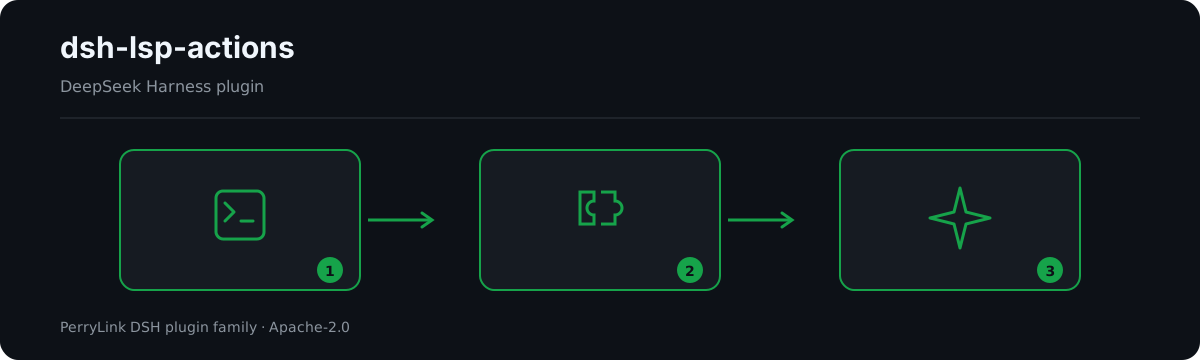
*कार्यप्रवाह: कॉल → प्लगइन → परिणाम। नीचे के उदाहरण वास्तविक कमांड सतह का उपयोग करते हैं।*
*वही रन, एनिमेटेड।*
## Compatibility
| Surface | Status |
|---|---|
| Harness | DeepSeek Harness `dsh-v0.2.1-alpha.1` (`>=0.1.2-rc.1 <0.2.0 \|\| >=0.1.5-alpha.1 <0.2.0 \|\| >=0.1.6-0 <0.2.0 \|\| >=0.1.7-0 <0.2.0` के लिए अनुकूलता घोषित); प्लगइन स्वयं कोई सत्र इवेंट नहीं लिखता - host मानक tool/call + tool/result इवेंट दर्ज करता है। प्रकाशित seam में अब भी केवल चार legacy ऑपरेशन हैं, इसलिए प्लगइन अपना क्लाइंट रखता है और पहली action कॉल पर वह vintage दर्ज करता है। 2026-09-25 को सत्यापित (दोहरा typecheck + पूरी टेस्ट सूट + self-contained/artifacts गेट)। |
| Node | `^22.19.0 \|\| >=24.0.0` |
| Platforms | सभी (शुद्ध host; सबप्रोसेस + फ़ाइलसिस्टम, कोई नेटवर्क नहीं) |
| Model | कोई भी (टूल मॉडल-अज्ञेय हैं; प्लगइन कभी मॉडल को कॉल नहीं करता) |
## What you get
`dsh-lsp-actions` एक ही host पंक्ति के रूप में माउंट होता है (`id: lsp-actions`, `name: dsh-lsp-actions`, `inject: [tools, fs, subprocess]`)। आधिकारिक DeepSeek Harness `ctx.lsp` seam **नेविगेशन** (go-to-definition, references, implementation, hover) को कवर करता है; यह प्लगइन **एक्शन सतह** को पूरा करता है — वह फीडबैक लूप जिसकी एक एजेंट को कोड लिखते और ठीक करते समय ज़रूरत होती है:
1. **आठ `lsp_*` टूल** — डायग्नोस्टिक्स, फ़ॉर्मेटिंग, कम्प्लीशन, कोड एक्शन, सिंबल, सिग्नेचर हेल्प, इनले हिंट्स और रिनेम, सभी उन्हीं language servers से सेवित जिन्हें आपका IDE इस्तेमाल करता है।
2. **एडिटर एक्शन प्रोटोकॉल v1** — एक स्थिर JSON-RPC सतह (`lsp.actions.list` / `lsp.actions.run` / `lsp.events`) जो किसी भी एडिटर (VS Code पहले) को उन क्षमताओं को सीधे उपभोग करने देती है।
3. **असली-server सत्यापन** — टेस्ट सूट में एक असली `typescript-language-server` रन शामिल है (आत्मनिर्भर, CI Node 22/24 पर Linux, Windows और macOS में), सिर्फ़ mocks नहीं।
## Quick start
```sh
dsh plugin --profile web add github:PerryLink/dsh-lsp-actions
```
```sh
# 1. install the bundle into your profile
dsh plugin --profile web add github:PerryLink/dsh-lsp-actions
# or from npm (published releases)
dsh plugin --profile web add dsh-lsp-actions
# 2. restart and verify the row
dsh --profile web --dump-config | grep -A3 'id: lsp-actions'
```
### उदाहरण
ये वास्तविक प्रवेश बिंदु हैं; इंस्टॉल के बाद एक चलाएँ।
#### विस्तृत उदाहरण
**कमांड**
~~~sh
lsp_diagnostics
~~~
**इनपुट**
~~~json
{
"file_path": "a.ts"
}
~~~
**आउटपुट**
~~~text
a.ts:1:3 [Error] boom [ts 2304]
a.ts:3:1 [Hint] hint
~~~
*स्रोत `plugins/dsh-lsp-actions/tests/render.spec.ts:32-37 (exact toBe); tool-level no-result render at plugins/dsh-lsp-actions/tests/tools.spec.ts:150-156`*
#### विफलता शाखा
**इनपुट**
~~~text
{"action":"format","requestId":"f1","params":{"filePath":"a.ts","workspaceRoot":""}} under a read-only permission preset
~~~
**आउटपुट**
~~~text
{
"requestId": "f1",
"action": "format",
"status": "failed",
"error": {
"code": "LSP_ACTION_READ_ONLY",
"message": "[sandbox: file access denied under read-only mode]\n[sandbox: escalation available — retry this exact operation once with sandbox_permissions (the narrowest wider mode that suffices) + justification; the approval prompt asks the user]"
}
}
~~~
*स्रोत `plugins/dsh-lsp-actions/src/tools.ts:213-223; plugins/dsh-lsp-actions/src/editor/actions.ts:320-330; plugins/dsh-lsp-actions/tests/editor-protocol.spec.ts:305-325`*
#### संक्षिप्त उदाहरण
- `lsp_format`
- `lsp_completion`
## Configuration
सभी ट्यूनेबल Schemastery `Config` फ़ील्ड हैं (cordis.yml से बदले जा सकते हैं)। id-लक्षित ओवरराइड पूरी पंक्ति को बदल देता है — जितनी भी keys चाहिए, सब दोबारा लिखें। `cordis.patch.yml` हर key को इनलाइन दस्तावेज़ित करता है।
| Key | Default | Meaning |
|---|---|---|
| `servers` | `{}` | नामित language servers; खाली तालिका कोई server सक्रिय नहीं करती |
| `editor.enabled` | `false` | एडिटर एक्शन प्रोटोकॉल को JSON-RPC stdio पर सेवित करता है (केवल headless backend) |
| `editor.requestTimeoutMs` | `60000` | एडिटर प्रोटोकॉल का प्रति-रन timeout बजट (ms) |
| `editor.diagnosticsCacheMaxFiles` | `64` | सीमित LRU डायग्नोस्टिक्स कैश आकार (फ़ाइलों में) |
| `maxDiagnostics` | `200` | प्रति परिणाम डायग्नोस्टिक्स सीमा |
| `maxCompletionItems` | `20` | प्रति परिणाम कम्प्लीशन-आइटम सीमा |
| `maxCodeActions` | `50` | प्रति परिणाम कोड-एक्शन सीमा |
| `maxSymbols` | `100` | सिंबल-परिणाम सीमा |
| `maxSignatures` | `10` | सिग्नेचर-हेल्प सीमा |
| `maxInlayHints` | `200` | इनले-हिंट सीमा |
| `maxResultChars` | `16000` | रेंडर किए गए परिणाम की सीमा (वर्ण) |
| `maxDocumentBytes` | `4000000` | दस्तावेज़-पठन सीमा (बाइट) |
| `timeoutMs` | `60000` | प्रति-कॉल timeout, आधिकारिक timeout नीति द्वारा लागू |
हर `servers` एंट्री एक `LspServerEntry` है: `command` (निष्पादन योग्य, लोड पर PATH में हल) और `extensionToLanguage` (`".ts"` → `typescript`) अनिवार्य हैं; वैकल्पिक `fileGlobs`, `projectMarkers`, `args`, `env`, `initializationOptions`, `configuration`, `formattingOptions`, `maxMessageBytes`, `maxStderrBytes`, `killGraceMs`, `shutdownTimeoutMs`, `diagnosticsSettleMs`, `diagnosticsDebounceMs` और `idleTimeoutMs` (`0` = server प्रक्रिया को जीवित रखें) अंतर्निहित stdio क्लाइंट को ट्यून करते हैं।
रूटिंग नियतात्मक है और पूरी तरह कॉन्फ़िगरेशन से तय होती है। हर फ़ाइल पहला मेल इस क्रम में लेती है: **(1)** किसी एंट्री के `fileGlobs` उस पथ से मेल खाते हों; **(2)** फ़ाइल की डायरेक्टरी से workspace रूट तक ऊपर जाते हुए सबसे निकट वह डायरेक्टरी जिसमें किसी एंट्री के `projectMarkers` में सूचीबद्ध प्रोजेक्ट कॉन्फ़िग फ़ाइल मौजूद हो — और वह एंट्री फ़ाइल का एक्सटेंशन भी मैप करती हो; **(3)** कॉन्फ़िग क्रम में वह एंट्री जिसका `extensionToLanguage` फ़ाइल का एक्सटेंशन मैप करता हो। इसलिए एक ही workspace में `apps/node-app/{package.json,tsconfig.json,src/main.ts}` और `apps/deno-app/{deno.json,src/main.ts}` रखने पर हर `main.ts` अपने ही प्रोजेक्ट के server से सर्व होती है: कोई पथ-नियम बनाए रखने की ज़रूरत नहीं, और प्रोजेक्ट जोड़ने, नाम बदलने या हटाने पर कुछ भी बदलना नहीं पड़ता:
```yaml
servers:
typescript:
command: typescript-language-server
args: ["--stdio"]
extensionToLanguage: { ".ts": typescript, ".tsx": typescriptreact }
projectMarkers: ["package.json", "tsconfig.json"]
deno:
command: deno
args: ["lsp"]
extensionToLanguage: { ".ts": typescript, ".tsx": typescriptreact }
projectMarkers: ["deno.json", "deno.jsonc"]
```
प्रोजेक्ट मार्कर केवल उन्हीं servers में चुनाव करता है जो फ़ाइल का एक्सटेंशन पहले से मैप करते हैं (यह किसी एंट्री के फ़ाइल-प्रकार कभी नहीं बढ़ाता); खोज कभी workspace रूट से बाहर नहीं जाती, और किसी डायरेक्टरी का प्रोजेक्ट कॉन्फ़िग कभी उसकी सहोदर डायरेक्टरी पर लागू नहीं होता। चरण **(1)** प्रोजेक्ट मार्कर से ऊपर है: यदि किसी एंट्री के `fileGlobs` पथ से मेल खाते हैं तो वही जीतती है, इसलिए `projectMarkers` अपनाते समय प्रोजेक्ट-स्तर के globs हटा दें — बचा हुआ `**/*.ts` glob उन फ़ाइलों पर दावा करता रहेगा। ये नियम अंतर्निहित stdio क्लाइंट पर लागू हैं; माउंट किया गया `ctx.lsp` seam provider अपनी रूटिंग स्वयं तय करता है।
## Tools & surfaces
| Surface | Kind | Notes |
|---|---|---|
| `lsp_diagnostics` | tool | `` — कंपाइलर/एनालाइज़र की एरर, वॉर्निंग और हिंट्स — severity, range, message और स्रोत server के साथ (केवल-पठन) |
| `lsp_format` | tool | ` [range?]` — language server से फ़ाइल/चयन को फ़ॉर्मेट करता है और लागू करता है, diff लौटाता है (`fs/write-intent` से लिखता है) |
| `lsp_completion` | tool | ` ` — कर्सर स्थान पर कम्प्लीशन सुझाव, इंसर्शन टेक्स्ट सहित (केवल-पठन) |
| `lsp_code_action` | tool | ` [range?] [only?]` — server-सत्यापित क्विकफिक्स/रिफैक्टरिंग उनके edits सहित, किसी range या पहले डायग्नोस्टिक के लिए (केवल संदर्भ) |
| `lsp_symbols` | tool | ` ` — नाम से पूरे workspace में सिंबल खोज, या एक फ़ाइल की रूपरेखा (केवल-पठन) |
| `lsp_signature` | tool | ` ` — कॉल के अंदर सिग्नेचर हेल्प (पैरामीटर और दस्तावेज़ीकरण) (केवल-पठन) |
| `lsp_inlay_hints` | tool | ` [range?]` — server के टाइप एनोटेशन और पैरामीटर-नाम संकेत (केवल-पठन) |
| `lsp_rename` | tool | ` ` — server-सत्यापित रिनेम, पूरे workspace में प्रति-फ़ाइल diffs के साथ लागू (`fs/write-intent` से लिखता है) |
| `lsp.actions.*` | protocol | एडिटर एक्शन प्रोटोकॉल v1: JSON-RPC पर `lsp.actions.list` / `lsp.actions.run` / `lsp.events` |
| `examples/vscode/` | extension | केवल-UI VS Code एक्सटेंशन और उससे जुड़ी headless backend संरचना |
## Editor action protocol v1
जब किसी समर्पित headless संरचना में `editor.enabled: true` सेट हो, तो `dsh-lsp-actions` नई-पंक्ति-सीमांकित JSON-RPC 2.0 (आधिकारिक SDK/ACP ट्रांसपोर्ट जैसा ही wire फ़्रेमिंग) पर एक स्थिर एडिटर प्रोटोकॉल सेवित करता है:
| Method | What it does |
|---|---|
| `lsp.actions.list` | `lsp-actions/v1` प्रोटोकॉल संस्करण, एक्शन कैटलॉग (`diagnostics.get`, `completion.get`, `quickfix.apply`, `format` — हर एक `writes` चिह्नित) और पतायोग्य DSH सत्र लौटाता है |
| `lsp.actions.run` | संरचित `{ requestId, action, status, result \| error }` लिफ़ाफ़े के साथ एक एक्शन निष्पादित करता है; एरर स्थिर `LSP_ACTION_*` कोड रखते हैं |
| `lsp.events` | स्ट्रीम की गई `lsp.event` सूचनाओं की सदस्यता लेता है: `diagnostics.updated`, `action.status`, `file.changed`, `sessions.changed` |
सभी लेखन एक्शन (`quickfix.apply`, `format`) **आधिकारिक अनुमति presets और अनुमोदन** से गुज़रते हैं: एक `read-only` सत्र किसी भी server दौर से पहले `LSP_ACTION_READ_ONLY` से अस्वीकार होता है, edits `fs/write-intent` waterfall से चलते हैं, और `sandbox_permissions` + `justification` एस्केलेशन जोड़ी आधिकारिक `approveEscalation` पूछताछ से हल होती है (कोई उत्तरदाता न होने पर fail-closed)। पूर्ण wire स्पेक, द्विभाषी: [`docs/editor-protocol.md`](docs/editor-protocol.md) · [`docs/editor-protocol.zh-CN.md`](docs/editor-protocol.zh-CN.md)।
**वर्ज़निंग और बैकवर्ड-कम्पैटिबिलिटी वादा**
- प्रोटोकॉल वर्ज़न-युक्त है — `lsp.actions.list` लौटाता है `protocol: "lsp-actions/v1"`, `version: 1`। **v1 जमा हुआ है:** फ़ील्ड नाम, एक्शन ids, इवेंट प्रकार और एरर कोड हमेशा के लिए स्थिर रहते हैं।
- विकास **केवल योगात्मक** है: नए एक्शन, फ़ील्ड और इवेंट प्रकार बिना वर्ज़न बढ़ाए आते हैं; मौजूदा अर्थ कभी जगह-पर नहीं बदलते; कोई तोड़ने वाला बदलाव नए `protocol` संस्करण के तहत आता है, जिसे servers साथ-साथ सेवित कर सकते हैं।
- क्लाइंट को अज्ञात फ़ील्ड, अज्ञात इवेंट प्रकार और अज्ञात एक्शन को अनदेखा करना चाहिए, और स्थिर एरर `code` पर रूट करना चाहिए, संदेश पाठ पर कभी नहीं।
**एरर कोड**
हर विफलता एक स्थिर `code` रखती है; मॉडल और कॉलर code से रूट करते हैं, संदेश पाठ से कभी नहीं।
| Code | Meaning |
|---|---|
| `LSP_ACTION_UNAVAILABLE` | कोई server entry नहीं और seam का कोई provider इस फ़ाइल को नहीं संभालता |
| `LSP_ACTION_UNSUPPORTED` | server (या seam provider) ऑपरेशन का विज्ञापन नहीं करता |
| `LSP_ACTION_SERVER_FAILED` | server विफल हुआ (अपने stderr टेल सहित); स्टार्टअप विफलताएँ एक बार पुनः प्रयास करती हैं |
| `LSP_ACTION_MALFORMED_RESPONSE` | server ने संरचनात्मक रूप से अमान्य पेलोड भेजा |
| `LSP_ACTION_CONFLICT` | फ़ाइल पढ़े जाने के बाद बदल गई, या edits ओवरलैप / सीमा से बाहर / workspace से बाहर हैं |
| `LSP_ACTION_READ_ONLY` | सत्र का sandbox मोड फ़ॉर्मेटिंग/रिनेम लेखन को मना करता है |
| `LSP_ACTION_WORKSPACE_REQUIRED` | कॉल करने वाले सत्र के पास server को जड़ देने के लिए workspace cwd नहीं है |
| `LSP_ACTION_NO_SYMBOL` | server को कर्सर स्थान पर नाम बदलने योग्य कोई सिंबल नहीं मिला |
| `LSP_ACTION_UNKNOWN` | एडिटर प्रोटोकॉल: अज्ञात एक्शन id, या कोई code action `title`/`index` से मेल नहीं खाया |
| `LSP_ACTION_INVALID_ARGS` | एडिटर प्रोटोकॉल: दोषपूर्ण एक्शन पैरामीटर |
| `LSP_ACTION_APPROVAL_UNAVAILABLE` | एडिटर प्रोटोकॉल: अनुमोदन मार्ग व्यापक sandbox मोड नहीं दे सका (fail-closed) |
| `LSP_PROTOCOL_VERSION_UNSUPPORTED` | एडिटर प्रोटोकॉल: घोषित प्रोटोकॉल संस्करण समर्थित नहीं है |
## VS Code extension
[`examples/vscode/`](examples/vscode/) एक **केवल-UI** एक्सटेंशन (DSH सत्रों, डायग्नोस्टिक्स सूची, एक-क्लिक quickfix apply, open-at-range और format वाली साइडबार) और वह headless backend संरचना (`backend/cordis.yml`) देता है जिससे वह ACP-शैली JSON-RPC पर जुड़ता है। एक्सटेंशन शून्य LSP लॉजिक लागू करता है — हर क्षमता और हर लिखा बाइट प्लगइन का है। इंस्टॉल चरण, सेटिंग्स और डेमो-gif रिकॉर्डिंग स्क्रिप्ट [`examples/vscode/README.md`](examples/vscode/README.md) में हैं।
## Permissions & data
- **अनुमतियाँ**: फ़ॉर्मेटिंग और रिनेम आधिकारिक अनुमति presets और अनुमोदन से चलते हैं — `fs/write-intent` waterfall और `sandbox_permissions` / `justification` एस्केलेशन जोड़ी, `ctx.approval` से हल। प्लगइन अपने workshop manifest में `fs:read`, `fs:write`, `subprocess:spawn` और `network:none` घोषित करता है।
- **डेटा**: डिस्क पर कुछ भी संग्रहीत नहीं होता; टूल परिणाम केवल सत्र लॉग में रहते हैं (सत्रों के बीच कोई स्थायित्व नहीं)। एडिटर प्रोटोकॉल एक ही सीमित इन-मेमोरी LRU डायग्नोस्टिक्स कैश रखता है, ताज़गी-मुहरित और रीस्टार्ट के बीच कभी स्थायी नहीं।
- **कोई नेटवर्क नहीं**: प्लगइन कोई नेटवर्क अनुरोध नहीं करता; यह language servers से स्थानीय सबप्रोसेस stdio पर बात करता है।
## Security boundaries
- **डिफ़ॉल्ट रूप से केवल-पठन।** आठ टूल में से छह केवल संदर्भ हैं; सिर्फ़ `lsp_format` और `lsp_rename` बदलाव करते हैं, और वे असली `write`/`edit` बदलाव की तरह करते हैं।
- **आधिकारिक seams, फिर से लागू नहीं।** हर बाइट `fs/write-intent` waterfall (निरीक्षण → संरक्षित लेखन → निरीक्षण) और प्रति-कॉल sandbox नीति से गुज़रता है; एस्केलेशन आधिकारिक `write`/`edit` टूल्स से मेल खाता है।
- **ज़ोर से, तेज़ी से, संरचित रूप से विफल।** खाली `servers` + बिना `ctx.lsp` seam → `LSP_ACTION_UNAVAILABLE`; केवल-पठन सत्र किसी भी server दौर से पहले → `LSP_ACTION_READ_ONLY`; कमांड रूप रिपोर्ट होते हैं और कभी निष्पादित नहीं होते।
- **संघर्ष कभी कुछ नहीं मिटाते।** पढ़े जाने के बाद डिस्क पर बदली फ़ाइल `LSP_ACTION_CONFLICT` से विफल होती है; `lsp_rename` पहली लेखन से पहले हर संपादित फ़ाइल को प्री-फ़्लाइट करता है।
- **सीमित कार्य।** परिणाम सीमाएँ, बाइट सीमाएँ और प्लेटफ़ॉर्म की timeout नीति हर कॉल को सीमित करती हैं; डायग्नोस्टिक्स कैश एक सीमित LRU है।
- **मॉडल पथ पर कुछ भी कैश नहीं।** टूल परिणाम केवल सत्र लॉग में रहते हैं; डायग्नोस्टिक्स कैश रीस्टार्ट के बीच कभी स्थायी नहीं होता।
- **ख़राब server ज़ोर से विफल होते हैं।** ग़ैर-मौजूद निष्पादन योग्य लोड पर विफल होता है; स्टार्टअप पर मरने वाला server कॉल को `LSP_ACTION_SERVER_FAILED` + उसके stderr टेल से विफल करता है (एक नए-प्रक्रिया पुनर्प्रयास के बाद)।
- **प्रॉम्प्ट स्वच्छता।** प्लगइन सत्र के system prompt में कोई persona या प्रॉम्प्ट गद्य नहीं डालता — उसकी मॉडल-सामना सतह आठ टूल schemas हैं।
## Architecture
एक्शन **पहले आधिकारिक seam** से चलते हैं और प्लगइन के अपने न्यूनतम stdio क्लाइंट पर गिरते हैं:
```text
lsp_diagnostics / lsp_format / lsp_completion / lsp_code_action /
lsp_symbols / lsp_signature / lsp_inlay_hints / lsp_rename
│
▼
ctx.lsp seam (विस्तारित: diagnostics / formatDocument / completion)
│ अनुपस्थित · पुराना · इस फ़ाइल के लिए कोई provider नहीं
▼
अंतर्निहित stdio क्लाइंट ← servers तालिका (ctx.subprocess.spawn + JSON-RPC)
```
seam विस्तार upstream प्रस्तावित है (`upstream/lsp-action-seam.patch`, PR विवरण `upstream/PR-description.md` में)। जब वह आ जाएगा, प्लगइन बिना बदलाव के काम करता रहेगा — अंतर्निहित क्लाइंट का उपयोग बस बंद हो जाएगा। अंतर्निहित क्लाइंट `servers` तालिका के लिए स्वतंत्र fallback के रूप में बना रहेगा। **एडिटर प्रोटोकॉल** उसी runner, उसी लेखन पथ और उसी अनुमति मशीनरी का उपयोग करता है। पूर्ण शोध और डिज़ाइन नोट्स: [`docs/seam-extension-notes.md`](docs/seam-extension-notes.md)।
## Known limitations
- **क्षणिक दस्तावेज़।** हर एक्शन फ़ाइल खोलता है, एक अनुरोध चलाता है और फिर बंद कर देता है (आधिकारिक stdio host की तरह)। बिना-दस्तावेज़ अनुरोधों के लिए निवासी खुली फ़ाइल माँगने वाले प्रोजेक्ट-आधारित server (tsls बिना खुली फ़ाइल के `workspace/symbol` मना करता है) को `lsp_symbols` में `file_path` देकर सेवा दी जाती है। tsls इस जीवनचक्र में `textDocument/signatureHelp` का उत्तर `null` से भी देता है; अन्य server (gopls, pyright, rust-analyzer) इसे सामान्य रूप से परोसते हैं।
- **रेंज फ़ॉर्मेटिंग के लिए server का range provider चाहिए।** केवल पूर्ण-दस्तावेज़ फ़ॉर्मेटिंग विज्ञापित करने वाले server रेंज अनुरोधों को `LSP_ACTION_UNSUPPORTED` से विफल करते हैं।
- **रिनेम केवल टेक्स्ट edits लागू करता है।** server के रिनेम उत्तर में रिसोर्स ऑपरेशन (फ़ाइल बनाना/मिटाना/नाम बदलना) `LSP_ACTION_UNSUPPORTED` से अस्वीकार होते हैं, और workspace से बाहर के edits कुछ भी लिखे जाने से पहले `LSP_ACTION_CONFLICT` से विफल होते हैं।
## Development
```sh
pnpm install # node ^22.19 || >=24
pnpm run lint # oxlint over src/ and tests/
pnpm test # vitest: unit + fixture-server integration + editor-protocol e2e + real tsls e2e
pnpm run test:coverage # coverage gate
pnpm build # tsc --noEmitOnError → lib/
pnpm run prepare # tsc --noEmitOnError (runs on install)
pnpm run prepublishOnly # tsc --noEmitOnError (runs before publish)
```
## Interoperability with other DSH plugins
**DSH `0.2.0-rc.2`** (वह रनटाइम जिसके लिए यह README प्रकाशित है) और 2026-10-05 को सर्वे किए गए उच्च-स्टार प्लगइन सेट के विरुद्ध सत्यापित।
यह प्लगइन अन्य प्लगइनों में **हस्तक्षेप नहीं करता**, उन उच्च-स्टार प्लगइनों सहित जो व्यापक रूप से इंस्टॉल हैं:
- **कोई टूल-नाम टकराव नहीं।** सभी टूल नेमस्पेस युक्त हैं; कोई भी ऐसा नंगा नाम नहीं लेता जो पहले से किसी अंतर्निहित टूल या अन्य प्लगइन का हो।
- **कोई सर्विस-की टकराव नहीं।** यह कोई सर्विस key प्रदान नहीं करता, इसलिए टकराव संभव नहीं।
- **कोई स्लॉट टकराव नहीं।** यह कोई क्लाइंट slot key पंजीकृत नहीं करता, इसलिए `shadows-shipped-ui` सीट के लिए प्रतिस्पर्धा नहीं करता।
- **कोई HTTP रूट टकराव नहीं।** यह कोई `webServer` प्रीफ़िक्स पंजीकृत नहीं करता।
- **कोई patch-लेयर टकराव नहीं।** बंडल patch केवल अपनी पंक्ति `insert` करता है; कभी किसी अंतर्निहित पंक्ति का `config` ओवरराइड नहीं करता।
- **कोई वैश्विक परिवर्तन नहीं।** यह प्रोटोटाइप नहीं बदलता, `process.env` नहीं लिखता, और वैश्विक fetch dispatcher प्रतिस्थापित नहीं करता।
**साझा ईवेंट लिसनर रचना से ही अहस्तक्षेपी हैं।** यह क्रम-संवेदनशील ईवेंट `fs/write-intent` को `ctx.on()` से देखता है — Cordis का **ब्रॉडकास्ट** पंजीकरण, जहाँ हर लिसनर चलता है और कोई किसी दूसरे को वंचित नहीं कर सकता। **यहाँ प्रत्येक लिसनर `next()` से डेलिगेट करता है**, इसलिए श्रृंखला कभी शॉर्ट-सर्किट नहीं होती:
स्थैतिक प्रमाण: इस रिपॉज़िटरी पर `dsh-plugin-doctor` के K10–K13 सभी `pass` हैं।
## Topics
`dsh`, `dsh-plugin`, `deepseek-harness`, `lsp`, `language-server`, `diagnostics`, `formatting`, `completion`, `code-action`, `symbols`, `signature-help`, `inlay-hints`, `rename`, `refactor`, `ide`, `editor`, `vscode`, `acp`, `json-rpc`
## Contributors
- [@PerryLink](https://github.com/PerryLink) — निर्माता और अनुरक्षक: LSP एक्शन क्लाइंट व server जीवनचक्र, सभी आठ टूल, एडिटर एक्शन प्रोटोकॉल, टेस्ट, CI और पाँच-भाषा दस्तावेज़ीकरण।
## PerryLink DSH Plugin Family
यह प्रोजेक्ट [PerryLink](https://github.com/PerryLink) के DeepSeek Harness प्लगइन परिवार का हिस्सा है। पूरी सूची नीचे संक्षिप्त रखी गई है ताकि हर README की पहली स्क्रीन छोटी रहे; हर पंक्ति और उसकी स्थिति देखने के लिए इसे खोलें।
सभी प्लगइन खोलें
| प्लगइन | स्थिति |
|---|---|
| **[dsh-aqua-input-check](https://github.com/PerryLink/dsh-aqua-input-check)** | |
| **[dsh-archive-check](https://github.com/PerryLink/dsh-archive-check)** | |
| **[dsh-auto-review](https://github.com/PerryLink/dsh-auto-review)** | |
| **[dsh-autotier](https://github.com/PerryLink/dsh-autotier)** | |
| **[dsh-bid-ca-precheck](https://github.com/PerryLink/dsh-bid-ca-precheck)** | |
| **[dsh-bid-qual-check](https://github.com/PerryLink/dsh-bid-qual-check)** | |
| **[dsh-cert-mcp](https://github.com/PerryLink/dsh-cert-mcp)** | |
| **[dsh-checkpoint-rewind](https://github.com/PerryLink/dsh-checkpoint-rewind)** | |
| **[dsh-click](https://github.com/PerryLink/dsh-click)** | |
| **[dsh-composer-history](https://github.com/PerryLink/dsh-composer-history)** | |
| **[dsh-contract-stance](https://github.com/PerryLink/dsh-contract-stance)** | |
| **[dsh-customs-doc-check](https://github.com/PerryLink/dsh-customs-doc-check)** | |
| **[dsh-data-quality](https://github.com/PerryLink/dsh-data-quality)** | |
| **[dsh-demurrage-ledger](https://github.com/PerryLink/dsh-demurrage-ledger)** | |
| **[dsh-doublecheck](https://github.com/PerryLink/dsh-doublecheck)** | |
| **[dsh-drill-script-check](https://github.com/PerryLink/dsh-drill-script-check)** | |
| **[dsh-eia-guide-check](https://github.com/PerryLink/dsh-eia-guide-check)** | |
| **[dsh-emergency-plan](https://github.com/PerryLink/dsh-emergency-plan)** | |
| **[dsh-essay-rubric-check](https://github.com/PerryLink/dsh-essay-rubric-check)** | |
| **[dsh-evidence-check](https://github.com/PerryLink/dsh-evidence-check)** | |
| **[dsh-export-ctl-check](https://github.com/PerryLink/dsh-export-ctl-check)** | |
| **[dsh-fast](https://github.com/PerryLink/dsh-fast)** | |
| **[dsh-fmea-table-check](https://github.com/PerryLink/dsh-fmea-table-check)** | |
| **[dsh-forecast-penalty](https://github.com/PerryLink/dsh-forecast-penalty)** | |
| **[dsh-fund-research](https://github.com/PerryLink/dsh-fund-research)** | |
| **[dsh-github](https://github.com/PerryLink/dsh-github)** | |
| **[dsh-gongwen-flow-check](https://github.com/PerryLink/dsh-gongwen-flow-check)** | |
| **[dsh-gongwen-word-check](https://github.com/PerryLink/dsh-gongwen-word-check)** | |
| **[dsh-guard-plan-qc](https://github.com/PerryLink/dsh-guard-plan-qc)** | |
| **[dsh-hazchem-check](https://github.com/PerryLink/dsh-hazchem-check)** | |
| **[dsh-hazplan-check](https://github.com/PerryLink/dsh-hazplan-check)** | |
| **[dsh-hidden-risk-map](https://github.com/PerryLink/dsh-hidden-risk-map)** | |
| **[dsh-hs-classify](https://github.com/PerryLink/dsh-hs-classify)** | |
| **[dsh-icd-rule-check](https://github.com/PerryLink/dsh-icd-rule-check)** | |
| **[dsh-industry-research](https://github.com/PerryLink/dsh-industry-research)** | |
| **[dsh-lawcite-adapter](https://github.com/PerryLink/dsh-lawcite-adapter)** | |
| **[dsh-laya](https://github.com/PerryLink/dsh-laya)** | |
| **[dsh-lc-doc-check](https://github.com/PerryLink/dsh-lc-doc-check)** | |
| **[dsh-learning-gap-check](https://github.com/PerryLink/dsh-learning-gap-check)** | |
| **[dsh-library](https://github.com/PerryLink/dsh-library)** | |
| **[dsh-local-ai](https://github.com/PerryLink/dsh-local-ai)** | |
| **[dsh-lsp-actions](https://github.com/PerryLink/dsh-lsp-actions)** | |
| **[dsh-mask](https://github.com/PerryLink/dsh-mask)** | |
| **[dsh-mcp-panel](https://github.com/PerryLink/dsh-mcp-panel)** | |
| **[dsh-medrec-qc](https://github.com/PerryLink/dsh-medrec-qc)** | |
| **[dsh-memento](https://github.com/PerryLink/dsh-memento)** | |
| **[dsh-nsfc-form-check](https://github.com/PerryLink/dsh-nsfc-form-check)** | |
| **[dsh-nurse-record-check](https://github.com/PerryLink/dsh-nurse-record-check)** | |
| **[dsh-observe](https://github.com/PerryLink/dsh-observe)** | |
| **[dsh-origin-rvc-check](https://github.com/PerryLink/dsh-origin-rvc-check)** | |
| **[dsh-ota-review-check](https://github.com/PerryLink/dsh-ota-review-check)** | |
| **[dsh-output-styles](https://github.com/PerryLink/dsh-output-styles)** | |
| **[dsh-paper-doc-adapter](https://github.com/PerryLink/dsh-paper-doc-adapter)** | |
| **[dsh-permission-rules](https://github.com/PerryLink/dsh-permission-rules)** | |
| **[dsh-permit-report-check](https://github.com/PerryLink/dsh-permit-report-check)** | |
| **[dsh-pipeline-check](https://github.com/PerryLink/dsh-pipeline-check)** | |
| **[dsh-pleading-draft](https://github.com/PerryLink/dsh-pleading-draft)** | |
| **[dsh-plugin-doctor](https://github.com/PerryLink/dsh-plugin-doctor)** | |
| **[dsh-plugin-guide](https://github.com/PerryLink/dsh-plugin-guide)** | |
| **[dsh-plugin-kit](https://github.com/PerryLink/dsh-plugin-kit)** | |
| **[dsh-plugin-upgrade](https://github.com/PerryLink/dsh-plugin-upgrade)** | |
| **[dsh-policy-brief-draft](https://github.com/PerryLink/dsh-policy-brief-draft)** | |
| **[dsh-power-loss-split](https://github.com/PerryLink/dsh-power-loss-split)** | |
| **[dsh-power-ticket-check](https://github.com/PerryLink/dsh-power-ticket-check)** | |
| **[dsh-ppap-check](https://github.com/PerryLink/dsh-ppap-check)** | |
| **[dsh-protest-deadline](https://github.com/PerryLink/dsh-protest-deadline)** | |
| **[dsh-railway-window](https://github.com/PerryLink/dsh-railway-window)** | |
| **[dsh-repair-order-qc](https://github.com/PerryLink/dsh-repair-order-qc)** | |
| **[dsh-research-report](https://github.com/PerryLink/dsh-research-report)** | |
| **[dsh-review-reply-check](https://github.com/PerryLink/dsh-review-reply-check)** | |
| **[dsh-rulefile-check](https://github.com/PerryLink/dsh-rulefile-check)** | |
| **[dsh-safety-brief-check](https://github.com/PerryLink/dsh-safety-brief-check)** | |
| **[dsh-score](https://github.com/PerryLink/dsh-score)** | |
| **[dsh-session-sync](https://github.com/PerryLink/dsh-session-sync)** | |
| **[dsh-site-log-check](https://github.com/PerryLink/dsh-site-log-check)** | |
| **[dsh-skill-pack-security](https://github.com/PerryLink/dsh-skill-pack-security)** | |
| **[dsh-soe-decision-check](https://github.com/PerryLink/dsh-soe-decision-check)** | |
| **[dsh-soilwater-check](https://github.com/PerryLink/dsh-soilwater-check)** | |
| **[dsh-sop-sync-check](https://github.com/PerryLink/dsh-sop-sync-check)** | |
| **[dsh-spc-gbt-adapter](https://github.com/PerryLink/dsh-spc-gbt-adapter)** | |
| **[dsh-talk](https://github.com/PerryLink/dsh-talk)** | |
| **[dsh-tender-extract](https://github.com/PerryLink/dsh-tender-extract)** | |
| **[dsh-tender-matrix](https://github.com/PerryLink/dsh-tender-matrix)** | |
| **[dsh-test-drive](https://github.com/PerryLink/dsh-test-drive)** | |
| **[dsh-ticktick](https://github.com/PerryLink/dsh-ticktick)** | |
| **[dsh-translate](https://github.com/PerryLink/dsh-translate)** | |
| **[dsh-warranty-calc](https://github.com/PerryLink/dsh-warranty-calc)** | |
| **[dsh-budget](https://github.com/PerryLink/dsh-budget)** | 🧊 फ़्रोज़न — रिपॉज़िटरी README देखें |
| **[dsh-claude-move](https://github.com/PerryLink/dsh-claude-move)** | 🧊 फ़्रोज़न — रिपॉज़िटरी README देखें |
| **[dsh-defend](https://github.com/PerryLink/dsh-defend)** | 🧊 फ़्रोज़न — रिपॉज़िटरी README देखें |
| **[dsh-draw](https://github.com/PerryLink/dsh-draw)** | 🧊 फ़्रोज़न — रिपॉज़िटरी README देखें |
| **[dsh-reach](https://github.com/PerryLink/dsh-reach)** | 🧊 फ़्रोज़न — रिपॉज़िटरी README देखें |
| **[dsh-background-agents](https://github.com/PerryLink/dsh-background-agents)** | 🚫 सेवानिवृत्त — रिपॉज़िटरी README देखें |
| **[dsh-session-pin](https://github.com/PerryLink/dsh-session-pin)** | 🚫 सेवानिवृत्त — रिपॉज़िटरी README देखें |
| **[dsh-team-rooms](https://github.com/PerryLink/dsh-team-rooms)** | 🚫 सेवानिवृत्त — रिपॉज़िटरी README देखें |
## License
[Apache License 2.0](LICENSE) © 2026 dsh-lsp-actions contributors
### DSH Desktop मार्केट से इंस्टॉल करें
सभी PerryLink प्लगइन DSH Desktop के बिल्ट-इन मार्केट में देखे जा सकते हैं: **Market → Sources → add source → पेस्ट करें** `https://perrylink-dsh-catalog.perrylink.workers.dev/catalog-source.json` **→ चुनें**। इंस्टॉलेशन मार्केट के npm-identity सत्यापन और आपकी पुष्टि से ही होता है।