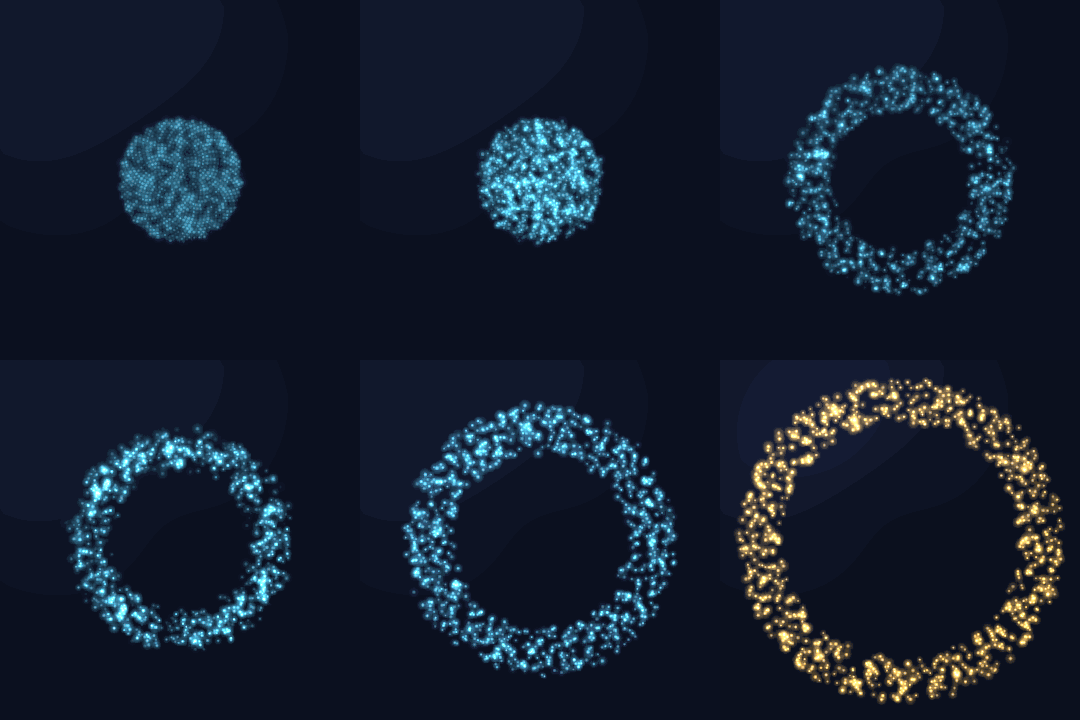


At rest · the double-beat attention heartbeat when a decision is waiting


Edge melting · the approval card
## Installation Source install for now; the native panel needs macOS 14+ and the Swift 6 toolchain (Xcode or Command Line Tools), and the host recommends Node.js 22.18+. 1. Build from the repository root: ```sh npm ci npm run build (cd macos && ./build.sh) ``` 2. Merge the following entries into the `package.json` of your active DSH profile (replace the path with the absolute path of this repository and keep your existing entries): ```json { "dependencies": { "dsh-harness-jarvis": "link:/absolute/path/to/dsh-harness-jarvis" }, "dsh": { "profile": { "bundles": ["dsh-harness-jarvis"] } } } ``` 3. Run `pnpm install` in the profile directory to resolve the `link:` dependency (do not install the link inside this repository). The plugin's `dsh.bundle.patch` points at [cordis.patch.yml](cordis.patch.yml); the plugin creates its own Jarvis session — do not insert a duplicate plugin row in the profile. 4. In a profile override or DSH's Jarvis settings page, set a `provider` / `model` — or **leave them empty**: the plugin then auto-picks the first available provider and that provider's first model (effective after a DSH restart; verify with `npm run smoke`). Hard-required services are `tools`, `userQuestions`, and `jobs`; `agentLoop`, `llm`, `systemPrompt`, `webServer`, and `settings` attach opportunistically, and the plugin degrades gracefully when they are missing (no webServer means no panel communication). ## First use 1. After restarting DSH, the floating orb appears on screen; press `⌃⌥J` to summon the input bar and start chatting. 2. The next time DSH raises an approval, the panel shows the card — click once, or answer from the DSH main window; whichever answers first wins. 3. Hover the orb for voice controls; expand the input area for the conversation log. ## Configuration The table below is the public, user-facing surface, generated from the schema in `src/index.ts`; other internal fields are not part of the supported surface. Paths and identity are configured via the profile; provider/model changes in the settings page require a DSH restart, and the remaining switches apply on the next request. | 字段 / Field | 类型 / Type | 默认值 / Default | DSH 设置页 / Settings | |---|---|---|---| | `locale` | "zh" / "en" | `"zh"` | 否 / No | | `audioDir` | string | `"~/.dsh/jarvis"` | 否 / No | | `ttsBackend` | "edge" | `"edge"` | 否 / No | | `edgeVoice` | string | `"zh-CN-YunjianNeural"` | 是 / Yes | | `provider` | string | `""` | 是 / Yes | | `model` | string | `""` | 是 / Yes | | `greetings` | string[] | `[]` | 是 / Yes | `locale` controls the greeting language, not a full panel translation; panel appearance and shortcut settings live in `~/.dsh/jarvis/panel.json`, and the connection credentials are written only to that local directory — keep it private. ## Working with voice-mini voice-mini is optional. When present, Jarvis prefers its narration and playback controls; without it, he falls back to the built-in edge-tts. Muting suppresses speech. ## Privacy and permissions Approval records, logs, and the voice cache are stored locally under `~/.dsh/jarvis` by default — no cloud storage. **Local storage is not offline processing**: your configured model provider receives the relevant conversation context, and the built-in edge-tts sends spoken text to Microsoft's speech service. The plugin does not request `danger-full-access`; the shortcut uses Carbon RegisterEventHotKey and needs no accessibility keyboard monitoring; there is no microphone capture today. Approval records and logs may contain sensitive operation context — manage what you share. ## Roadmap After 0.7.x, the full Jarvis vision lands step by step (details published as they ship): - Voice input — talking to Jarvis, including wake words - A prebuilt panel shipped in the npm package, no local Swift build - Commander capabilities: session coordination, tiered approvals, long-term memory - Panels beyond macOS ## Known limitations - The native panel targets macOS 14+ only; dictation and prebuilt distribution are pending. - The security review and manual acceptance pass are not complete; we do not claim release-security sign-off yet. ## Development ```sh npm ci npm run build npm test (cd macos && swift test && ./build.sh) npm run docs:config # regenerate the configuration tables above npm run docs:config -- --check npm pack --dry-run ``` Restart DSH after building, then run `npm run smoke`. Rebuild and restart after panel changes; screenshots regenerate from demo data: ```sh JARVIS_SNAPSHOT=/tmp/jarvis-snapshots ./macos/jarvis-panel ``` ## License MIT © 2026 zane — see [LICENSE](LICENSE).