<div align="center">

<img src="docs/assets/dsh-grok-mascot.png" width="220" height="220" alt="DSH Grok Subscription mascot: Comet Navigator">

# DSH Grok Subscription

[简体中文](README.md) · **English**

**Code, ask about images, and adjust reasoning in DSH with your Grok Build subscription.**

Use a SuperGrok / X Premium Grok Build session to select models, attach images, and check weekly quota inside DeepSeek Harness.
No separate pay-as-you-go xAI API key is required.

[![CI](https://github.com/BaronCyrus/dsh-grok-subscription/actions/workflows/ci.yml/badge.svg)](https://github.com/BaronCyrus/dsh-grok-subscription/actions/workflows/ci.yml)
[![npm](https://img.shields.io/npm/v/dsh-grok-subscription?logo=npm&label=npm)](https://www.npmjs.com/package/dsh-grok-subscription)

[![Total npm downloads](https://img.shields.io/npm/dt/dsh-grok-subscription?logo=npm&label=total%20downloads)](https://www.npmjs.com/package/dsh-grok-subscription)

[![MIT](https://img.shields.io/badge/license-MIT-111111.svg)](LICENSE)
[![Star](https://img.shields.io/github/stars/BaronCyrus/dsh-grok-subscription?style=flat&logo=github&label=Star)](https://github.com/BaronCyrus/dsh-grok-subscription/stargazers)

[Features](#features) · [Install](#install) · [Daily use](#daily-use) · [Screenshots](#screenshots) · [User guide](#user-guide) · [Update and uninstall](#update-and-uninstall)

</div>

<a id="why-this-plugin"></a>

## Features

| Capability | What it does |
| --- | --- |
| **Subscription sign-in** | Start a device-code login in Settings, or read an existing `auth.json`, without installing the grok command or pasting tokens |
| **Model catalog sync** | Prefers the account's live catalog after sign-in, with a built-in fallback when that read fails; no models appear while signed out |
| **Reasoning effort** | Select the levels offered by each model, typically `low` / `medium` / `high` / `xhigh`, with `high` preferred by default |
| **Image input** | Paste or attach images for supported models; Settings shows the active adapter path and attachment capability |
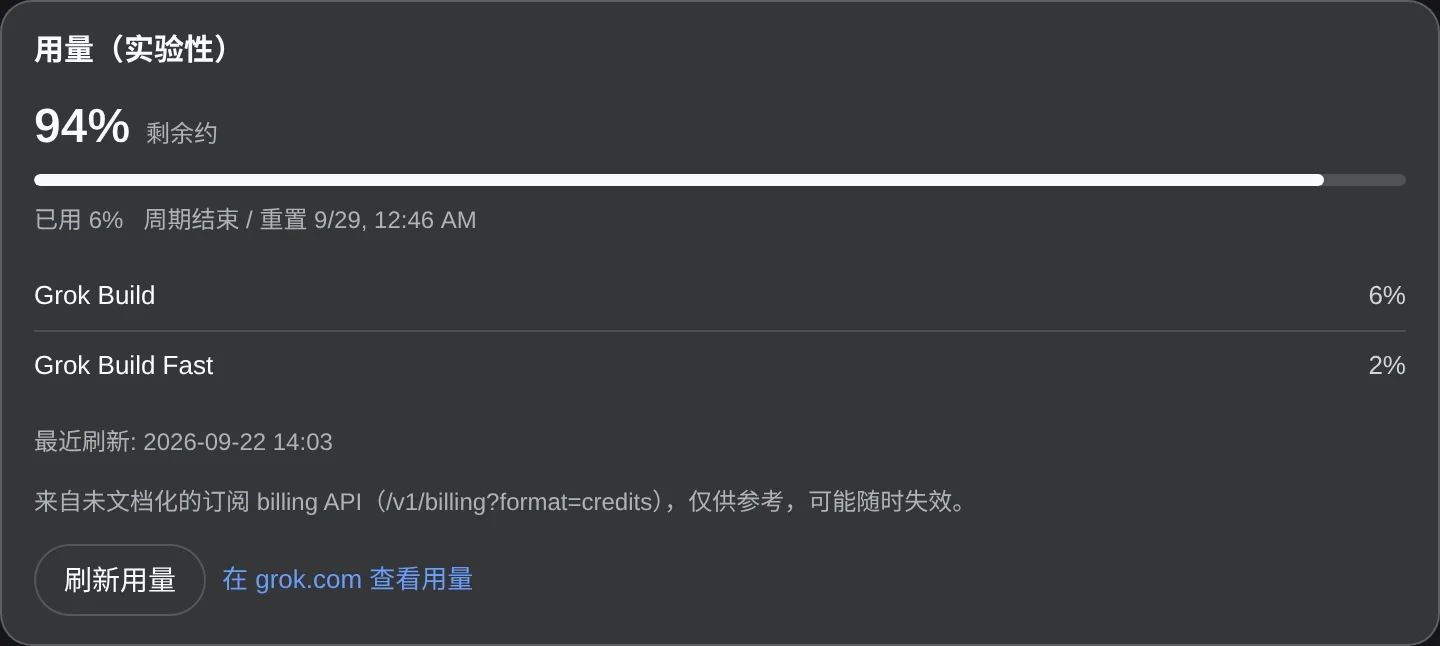
| **Weekly quota** | The composer badge and Settings show reported usage; the experimental quota reader never invents missing numbers |
| **Session renewal and updates** | Renews with the refresh token near expiry or after an authentication rejection; Settings also checks plugin versions |
| **No tokens in browser responses** | Access tokens are used Host-side; a subscription failure never silently selects another paid model route |

<a id="three-step-start"></a>
<a id="prepare-dsh"></a>

## Install

You need **DeepSeek Harness** and a SuperGrok / X Premium account that **currently has Grok Build access**. The grok command is not required. The subscription name alone does not guarantee that access; the account's actual authorization determines it.

For DSH setup, see the [official instructions](https://github.com/deepseek-ai/deepseek-harness#run). Version requirements are covered in [Installation and compatibility](docs/guide.en.md#installation-and-compatibility).

### 1. Install the plugin

In the desktop app open **Settings → Plugins**, type the package name `dsh-grok-subscription` into the install field, and install it. Then **quit and restart the desktop app completely**: refreshing the page alone does not reload the Host adapter.

### 2. Sign in

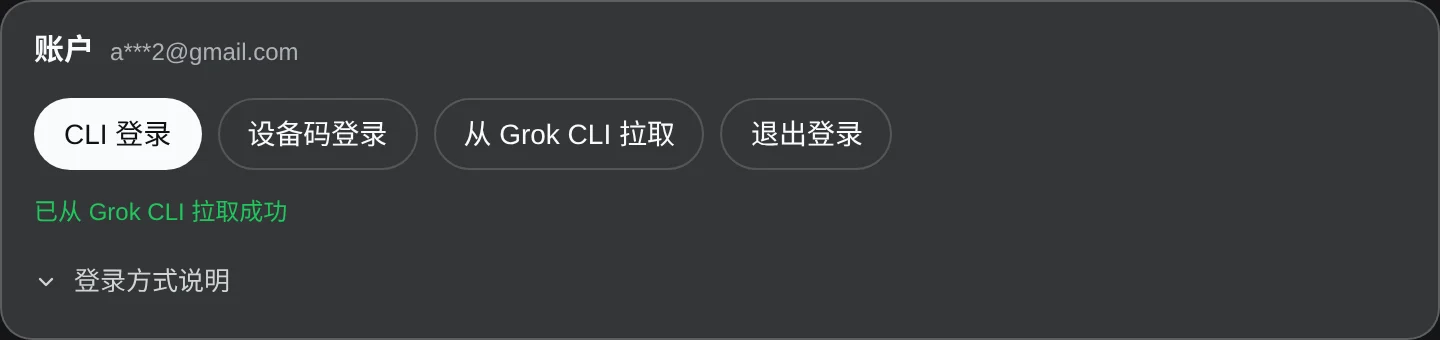
Open **Settings → Grok Subscription** and select **Sign in**. The panel shows a link and a one-time code; after you authorize, the session is written to `~/.grok/auth.json`. If this machine already has a session file, select **Read saved session**.

> Sign-in and renewal run inside the plugin. It does not invoke the grok command. Do not paste `XAI_API_KEY`, and never share `auth.json` or tokens in chats, screenshots, or public issues.

### 3. Select a model

Pick a Grok model your account can use, adjust reasoning effort as needed, and start chatting or coding. The badge beside the model shows weekly quota when usage can be read successfully.

<details>
<summary>Check the version / pin one / fall back when the UI install fails</summary>

**Settings → Plugins** lists the installed plugins and their versions, and the plugin's own **Settings → Grok Subscription** page shows a version card. To pin a version, put the full `package@version` in the install field, for example `dsh-grok-subscription@2.0.8`.

If the UI install fails (an unusual profile directory, say), the equivalent runs against the desktop profile itself (pnpm ≥ 11):

```sh
cd "$HOME/.dsh/profiles/desktop"    # Windows: cd "$env:USERPROFILE\.dsh\profiles\desktop"
pnpm add --save-exact --config.minimumReleaseAge=0 dsh-grok-subscription@2.0.8
```

`dsh plugin --profile desktop …` is refused: the Electron application owns that profile exclusively. Sign-in and troubleshooting are in the [full user guide](docs/guide.en.md).

</details>

## Daily use

**Choose a model and effort.** The catalog refreshes after sign-in. Use the effort levels shown for the selected model. A built-in fallback catalog does not grant additional model access.

**Ask about images.** Paste or attach an image while using a supported model. The current implementation advertises image input for `grok-4.7`, `grok-4.7-build-fast`, and `grok-4.6`, but not `grok-4.5`. This means **reading images, not generating them**. See [Image input](docs/guide.en.md#image-input).

**Check weekly quota.** With the `grok-build` route selected, the badge shows the remaining percentage when the read succeeds; hover or click for the reset time. Settings has the full details. A failed quota read does not itself block chat.

<a id="product-screen"></a>

## Screenshots

<p align="center">
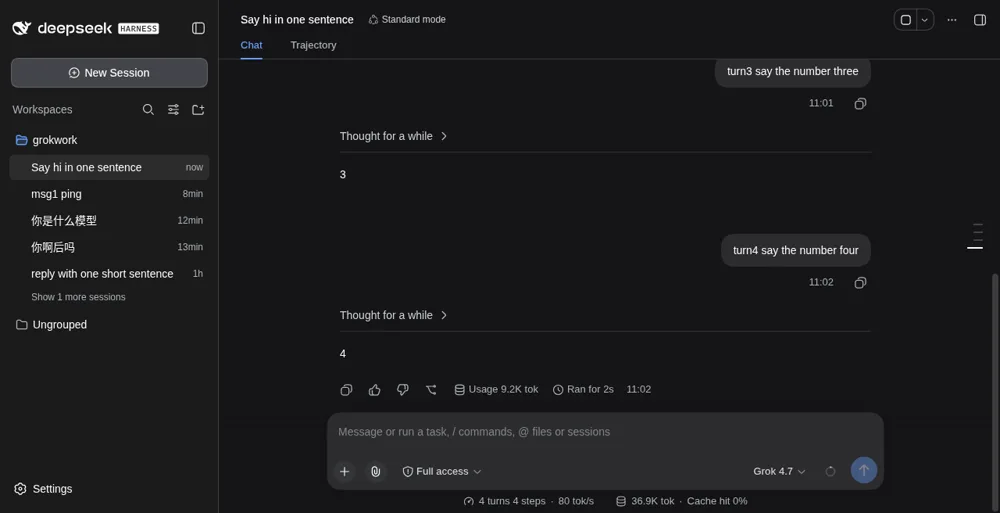
  <img src="docs/assets/grok-subscription-overview.webp" width="900" alt="Select a Grok subscription model and chat in DSH">
</p>

<p align="center">
  <img src="docs/assets/composer-quota.webp" width="820" alt="Weekly remaining-quota badge beside the Grok model picker">
</p>

<details>
<summary>Show the sign-in and experimental usage panels</summary>

<p align="center">
  <img src="docs/assets/settings-account.webp" width="820" alt="Account status and sign-in actions in Grok Subscription settings">
</p>

<p align="center">
  <img src="docs/assets/settings-usage.webp" width="820" alt="Experimental usage panel in Grok Subscription settings">
</p>

Identity and time values in the account screenshot are demo data. Usage screenshots illustrate the UI, not a fixed allowance for any account.

</details>

## User guide

The [full user guide](docs/guide.en.md) covers installation and compatibility, device-code sign-in, the model catalog, images, quota limitations, network troubleshooting, and development.

Quick links: [Sign-in and credentials](docs/guide.en.md#sign-in-and-credentials) · [Image input](docs/guide.en.md#image-input) · [Troubleshooting](docs/guide.en.md#troubleshooting) · [Contributing](CONTRIBUTING.md).

## Update and uninstall

**Update:** put `dsh-grok-subscription` (or `dsh-grok-subscription@version`) into the **Settings → Plugins** install field again to install over the current copy; the plugin's own page also has a version card and an **Update plugin** button. Then **quit and restart the desktop app completely**.

The desktop app owns its `desktop` profile exclusively, so `dsh plugin --profile desktop …` is refused there. The desktop **Update plugin** button therefore installs the exact version inside that profile directory with DSH's own bundled pnpm; before `1.1.1` that button always failed in the desktop app. Manual steps: [Updates and sign-out](docs/guide.en.md#updates-and-sign-out).

**Uninstall:** remove `dsh-grok-subscription` in **Settings → Plugins**, or run `pnpm remove dsh-grok-subscription` in that profile directory, then restart the desktop app. Uninstalling leaves other plugins, the profile, and `~/.grok/auth.json` intact, and does not revoke the xAI authorization; see [Updates and sign-out](docs/guide.en.md#updates-and-sign-out).

Restart DSH afterwards. Removal does not delete other plugins, the whole profile, or `~/.grok/auth.json`, and it does not revoke the xAI authorization. See [Updates and sign-out](docs/guide.en.md#updates-and-sign-out).

<a id="troubleshooting"></a>

## FAQ

**Empty model list?** Sign in from Settings, or select **Read saved session**. An API-key-only entry is not a subscription login.

**Sign-in or requests time out?** Check connectivity from the DSH host to account and subscription services, including its launch-time proxy settings. Network issues, authentication, or service errors can cause failures; do not assume the quota is exhausted. See [Troubleshooting](docs/guide.en.md#troubleshooting).

**A message fails with HTTP 426 and says the CLI is outdated?** Update to the current release and restart completely. Settings and the model list can still look healthy, because only generation checks the client version. See [Troubleshooting](docs/guide.en.md#troubleshooting).

**Images still unavailable after updating?** Fully restart the desktop app, check the model's image support, and check that **Active path** in Settings reads **official pi-ai** with attachment capability available. An **unavailable** row means the host has no pi-ai adapter.

## Scope and support

This is a community plugin, not affiliated with or endorsed by DeepSeek or xAI. Model access, reasoning options, and quota depend on the account and backend; the plugin does not grant extra entitlements.

The usage panel depends on an undocumented billing endpoint and is **experimental**. Upstream changes may make it unavailable. Keeping credentials out of browser responses does not mean offline inference: model requests still go to the Grok subscription service.

See [SECURITY.md](SECURITY.md) and use [Issues](https://github.com/BaronCyrus/dsh-grok-subscription/issues) for reports. Never publish login files, tokens, raw account responses, or complete login callbacks.

## Local development

```sh
git clone https://github.com/BaronCyrus/dsh-grok-subscription.git
cd dsh-grok-subscription
npm ci
npm test
npm run build
```

`lib/` contains committed build output. Rebuild it after changing `src/` rather than editing it by hand. See [CONTRIBUTING.md](CONTRIBUTING.md) for development and verification requirements.

## License

[MIT](LICENSE)