<p align="center">
  <a href="../../README.md">中文</a> · <strong>English</strong> · <a href="./README.ja.md">日本語</a> · <a href="./README.ko.md">한국어</a> · <a href="./README.es.md">Español</a> · <a href="./README.fr.md">Français</a> · <a href="./README.de.md">Deutsch</a> · <a href="./README.ru.md">Русский</a>
</p>

<div align="center">

# dsh-dream-skin 🔮

**Give DeepSeek Harness a face that's restrained, clear and textured.**

Native skinning · wallpaper · accent color · shareable theme packs — an elegant implementation built entirely on DSH's
official `--dsw-*` token system. Install once, use forever.

> **TL;DR: your coding space can be quiet.**

| 🎨 8 original themes | 🖼️ wallpaper + diffused glow | 🎯 restrained accent | 📦 shareable theme packs |
|---|---|---|---|

> 1-line install · purely native (no injection, no installer patches) · survives DSH updates

</div>

---

## 🎮 Two ways to play, one plugin

<table>
  <tr>
    <td align="center" width="50%"><h3>🪄 Way #1: elegant out of the box</h3></td>
    <td align="center" width="50%"><h3>🧱 Way #2: DIY on your terms</h3></td>
  </tr>
  <tr>
    <td>8 designer-tuned <b>preset skins</b> (the Mirage series), light &amp; dark, each with its own diffused-glow background.<br/><b>Put one on and it's premium — zero tuning.</b></td>
    <td>On top of any preset you can <b>swap the wallpaper (local / URL / gradient)</b>, <b>stack an Accent color</b>, or <b>import &amp; share a theme pack</b> — every internal token is within reach.<br/><b>Shape it however you like.</b></td>
  </tr>
</table>

The two ways are layered and independent: a preset decides the "material &amp; base tone"; DIY is a pure overlay
(`overrideTokens`), toggle it on/off and revert in one click.

---

## 📸 Screenshots

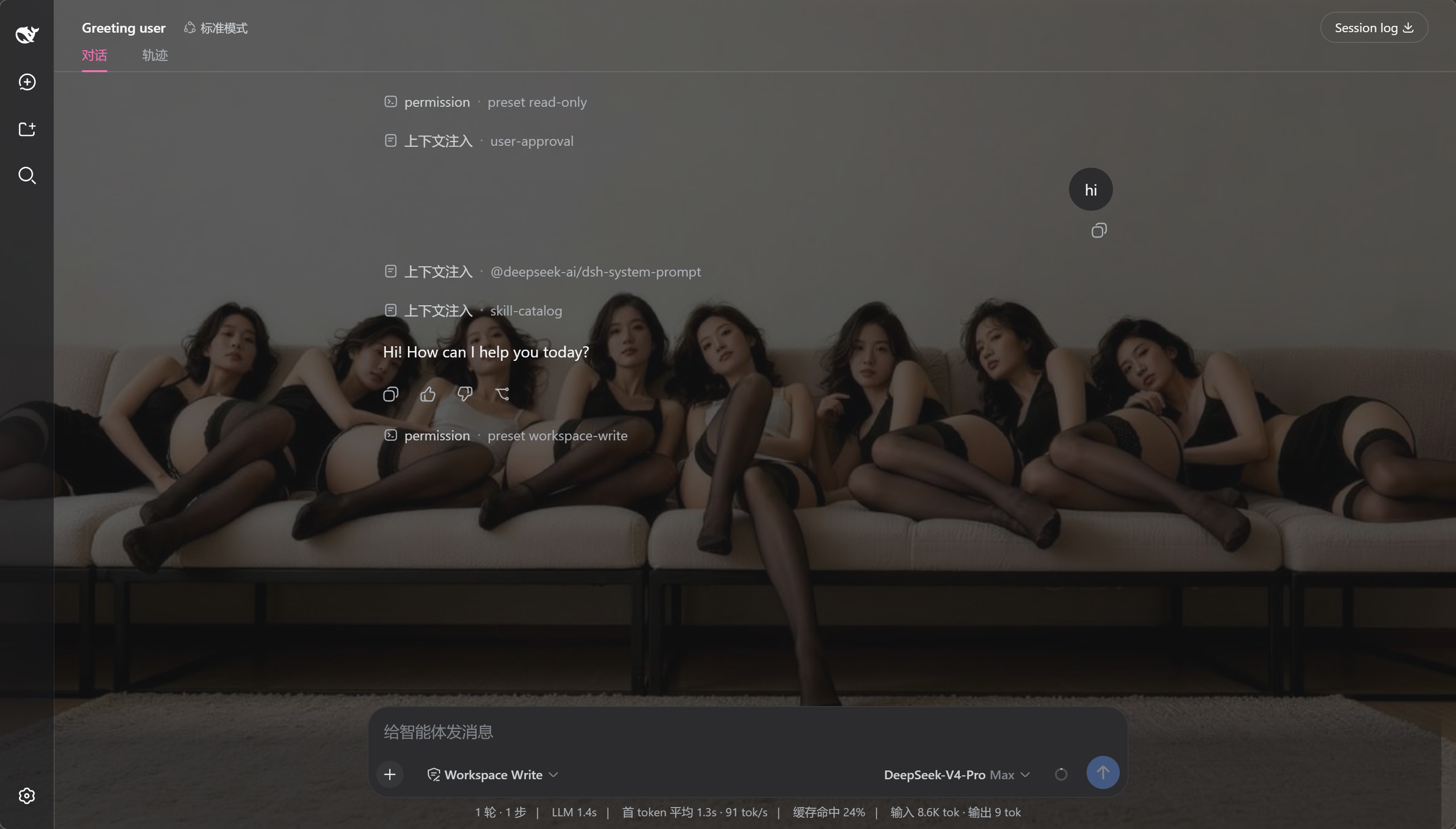
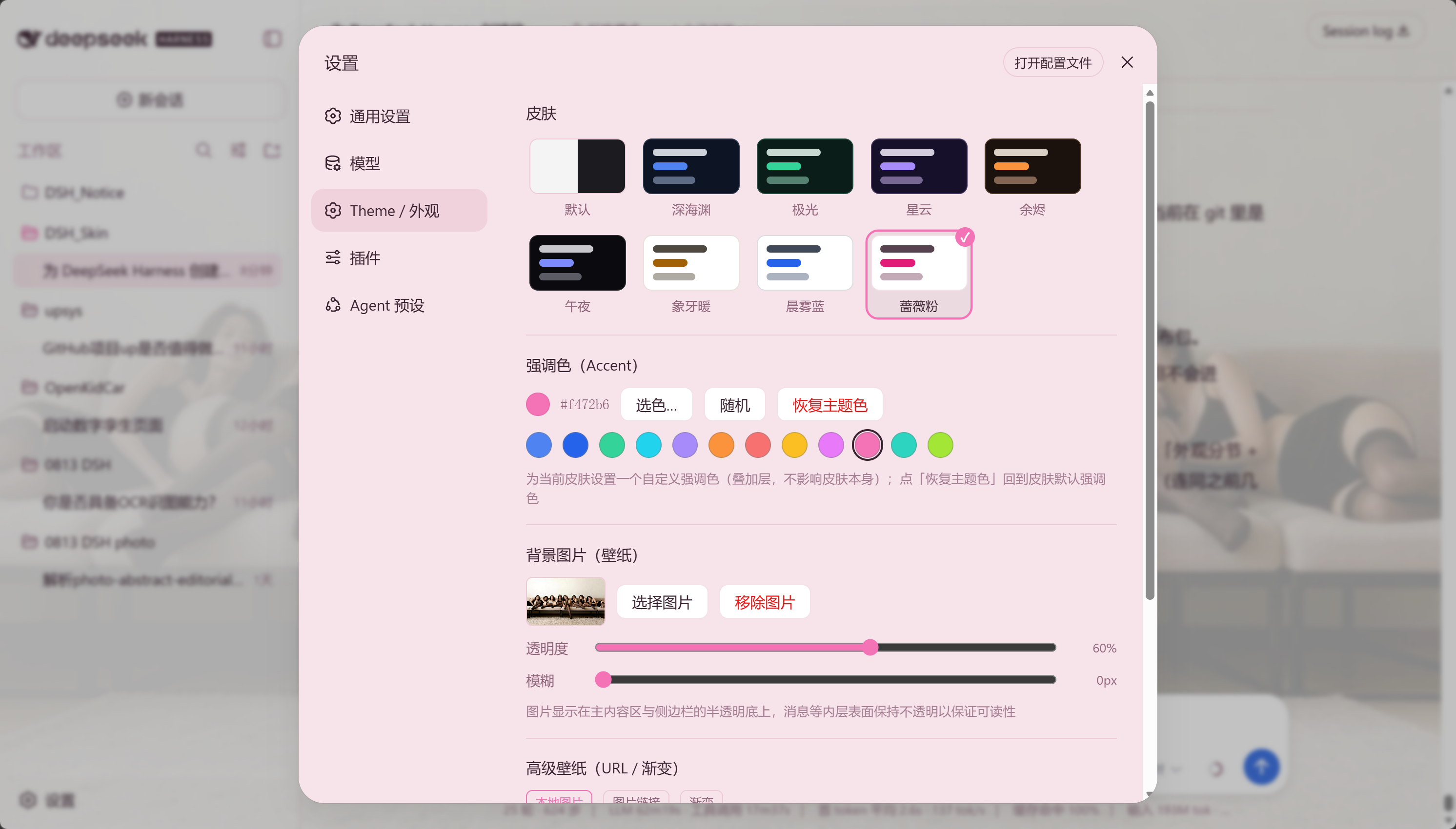
> Real screenshots, not mockups. Left: DSH after applying a skin; right: the dedicated **Theme / Appearance** section in Settings.

<p align="center">
  <img src="../../docs/screenshots/preview.png" alt="DSH skin preview" width="46%"/>
  &nbsp;&nbsp;
  <img src="../../docs/screenshots/settings.png" alt="Theme section in settings" width="46%"/>
</p>

---

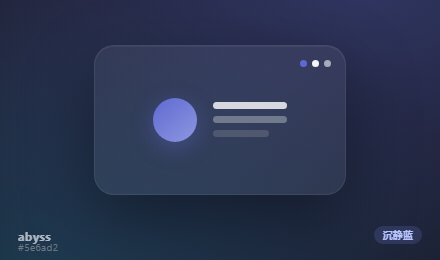
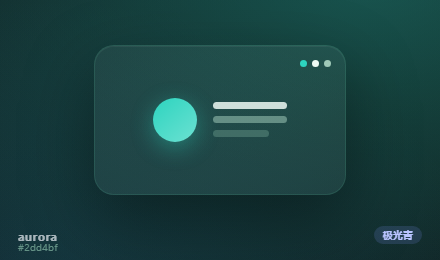
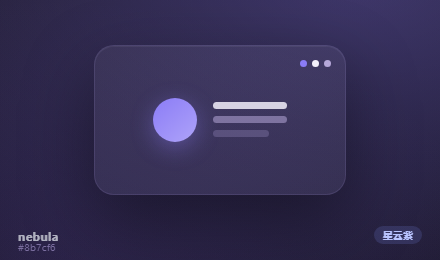
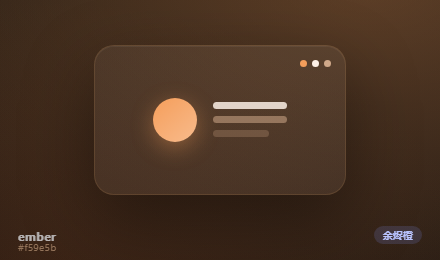
## 🎨 Preview — the Mirage series

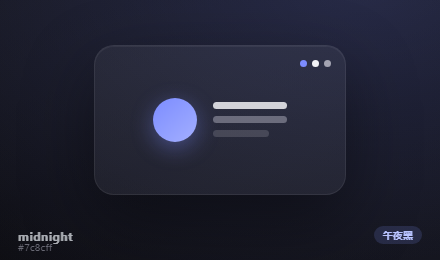
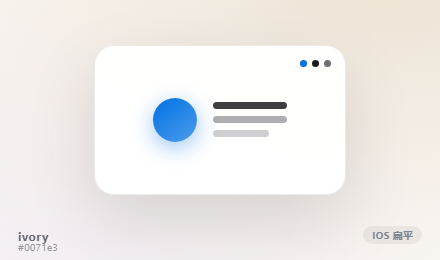
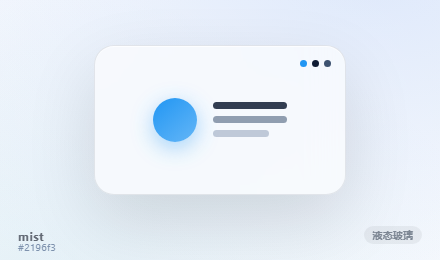
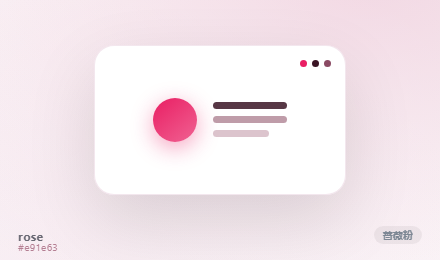
> **Way #1 · elegant out of the box.** The 8 skins below are generated from each skin's **real tokens + dedicated
> diffused-glow background** — what you see is what you get. Click to zoom for the fine material detail.

<table>
  <tr>
    <td align="center"><a href="../../docs/previews/abyss.png"><img src="../../docs/previews/abyss.png" width="230" alt="abyss"/></a><br/><b>abyss</b> · 🕶️ Deep Blue<br/><sub>calm deep indigo, restrained and quiet</sub></td>
    <td align="center"><a href="../../docs/previews/aurora.png"><img src="../../docs/previews/aurora.png" width="230" alt="aurora"/></a><br/><b>aurora</b> · 🌌 Aurora Green<br/><sub>crisp translucent cool teal, natural cold tone</sub></td>
    <td align="center"><a href="../../docs/previews/nebula.png"><img src="../../docs/previews/nebula.png" width="230" alt="nebula"/></a><br/><b>nebula</b> · 🪐 Nebula Purple<br/><sub>deep diffused violet-blue, hazy and mysterious</sub></td>
    <td align="center"><a href="../../docs/previews/ember.png"><img src="../../docs/previews/ember.png" width="230" alt="ember"/></a><br/><b>ember</b> · 🔥 Ember Amber<br/><sub>warm restrained amber orange</sub></td>
  </tr>
  <tr>
    <td align="center"><a href="../../docs/previews/midnight.png"><img src="../../docs/previews/midnight.png" width="230" alt="midnight"/></a><br/><b>midnight</b> · 🌚 Midnight OLED<br/><sub>minimal pure black, immersive OLED</sub></td>
    <td align="center"><a href="../../docs/previews/ivory.png"><img src="../../docs/previews/ivory.png" width="230" alt="ivory"/></a><br/><b>ivory</b> · 📐 iOS Flat<br/><sub>minimal flat white, iOS system gray + restrained blue</sub></td>
    <td align="center"><a href="../../docs/previews/mist.png"><img src="../../docs/previews/mist.png" width="230" alt="mist"/></a><br/><b>mist</b> · 🧊 Clear Bright<br/><sub>crisp, bright glass feel, translucent + blurred</sub></td>
    <td align="center"><a href="../../docs/previews/rose.png"><img src="../../docs/previews/rose.png" width="230" alt="rose"/></a><br/><b>rose</b> · 🌸 Material Pink<br/><sub>bright vivid pink, Google Material flat colors</sub></td>
  </tr>
</table>

> Light & dark both covered: `mist`, `ivory` and `rose` are light themes, the rest are dark. Not into presets? See **Way #2** below.

---

## 🧱 Serious DIY space (Way #2)

> Beyond the presets, dsh-dream-skin gives you a full customization system, start here to craft a workspace that's
> uniquely yours.

| Capability | What you can do |
|------|------|
| 🖼️ **Wallpaper 2.0** | Local image / **image URL** / **gradient presets**; plus **opacity / blur**; each skin even **suggests** a gradient and can **auto-dim** (lower distraction when focusing) |
| 🌈 **Per-user Accent** | Stack a custom brand-accent over the active skin (`overrideTokens` layer, the skin untouched): **12 one-click preset swatches**, color picker, randomize, and a clear/restore option |
| 📦 **Theme-pack import / export / share** | A `*.dsh-theme.json` = manifest + full tokens. Import a file, one-click apply, or copy a **share link** (encoded in the URL hash) |
| 🪟 **Popup opacity** | A slider that controls dropdown / overlay / dialog bottom-fill transparency, persisted |
| 🧩 **Local pack library** | Your imported packs in one place; **apply / favorite / remove** in a click |
| 🎲 **Surprise me** | Randomly switch to a different theme; **star** favorites to switch fast |
| ✅ **Validation + rollback** | Pack import validates format / required tokens / color legality; failures or removals fall back safely |

> Everything layers on top of a preset, **toggle it on/off and revert to DSH's built-in look in one click** — go ahead
> and experiment, nothing can break.

---

## ⚡ One-line install

**Copy this sentence to your DSH and it installs everything for you:**

> Please install the dsh-dream-skin skin plugin (https://github.com/RevolutionLA/dsh-dream-skin, or the npm package `dsh-dream-skin`), then tell me how to restart DSH Web.

Prefer the CLI? One command:

```sh
dsh plugin --profile web add dsh-dream-skin && dsh web
```

> 🚀 **Now on npm!** With DSH installed, add it in one command — no cloning needed.

> **Homage to [Codex-Dream-Skin](https://github.com/Fei-Away/Codex-Dream-Skin).** But the approach is different:
> Codex injects CSS into the desktop client's renderer via CDP, whereas DSH is a **token-driven Web GUI** that ships
> first-class "third-party plugins registering themes". So this plugin is **purely native** — no injection, no binary
> patches, and it won't break on client updates.
>
> **Not an official product.** Just a way to dress up your DeepSeek Harness workspace.

---

## 🏆 Why it earns a star (vs similar DSH skinning plugins)

> A look across the lane: similar plugins either port over an existing palette (pretty, but a single on/off switch),
> lock themselves to a single aesthetic, or focus on bridging external wallpapers in. We built skinning as a
> **complete, tunable material & color system** — the goal isn't "flashier", it's "more precise, more restrained,
> more durable to look at", like a pane of glass polished over and over. **Taste + tunability is our moat.**

| Capability | Ours | [dsh-catppuccin-theme](https://github.com/) (palette port) | [dsh-theme-mineradio](https://github.com/) (single-aesthetic custom) | [dsh-wallpaper-engine](https://github.com/) (wallpaper bridge) |
|------|:---:|:---:|:---:|:---:|
| **8 original designs** (not a palette port: original tokens + diffused glow) | ✅ | ❌ (4 official Catppuccin palettes) | ❌ (1 champagne-gold aesthetic) | ❌ |
| **Frosted / Liquid glass dual-material** one-click switch | ✅ | partial (fixed glass feel) | ❌ | ❌ |
| **Independent opacity sliders for input box / popups** | ✅ | ❌ | ❌ | ❌ |
| **Ready-tuned factory config** (restart after install and it just looks right) | ✅ | ❌ | ✅ (itself a finished product) | ❌ |
| Custom wallpaper + opacity/blur | ✅ | ❌ | ❌ | ✅ (core ability) |
| **Wallpaper 2.0** (URL / gradient presets / per-skin suggestion / auto-dim / Bing daily + scheduled refresh) | ✅ | ❌ | ❌ | partial (depends on WE wallpapers) |
| **Per-user Accent** (overlay layer, the skin untouched) | ✅ | ❌ | ❌ | ❌ |
| **Theme-pack import/export + share links** (JSON, code-free distribution) | ✅ | ❌ | ❌ | ❌ |
| Local pack library + favorites + surprise-me | ✅ | ❌ | ❌ | ❌ |
| **Two host generations compatible + runtime capability detection** (degrades gracefully across host upgrades, no errors) | ✅ | unknown | unknown | ❌ (kernel upgrade required first) |
| Validation + rollback (no destructive changes) | ✅ | partial | — | partial |

> **In one sentence**: want Catppuccin's brand colors or mineradio's vibe? This plugin's theme-pack system can build
> or layer them — not the other way around.

---

## ✨ Features

| Capability | Description |
|------------|-------------|
| 🎨 **8 bundled presets (Mirage)** | Switch instantly under **Settings → Theme / Appearance**, light & dark |
| 🖼️ **Custom wallpaper** | Pick a local image (auto-compressed ≤2MB), tune **opacity / blur** |
| 🧊 **Glass materials (Frosted / Liquid)** | One click switches the glass character; transparency sliders read **right = more see-through**; ONE blur knob drives both the wallpaper and every glass surface |
| 🖼️ **Shipped look out of the box** | First install comes fully styled: Nebula skin + bundled wallpaper + tuned glass numbers — restart and it is ready |
| 🌤️ **Bing daily wallpaper (pre-filled)** | Advanced wallpaper ships with the Bing daily photo API pre-filled — hit "Apply" to use; any image URL + auto-refresh works too |
| 🔤 **Opaque inner surfaces** | Cards, inputs, message bubbles stay readable — never washed out |
| ↩️ **Default restore** | Back to DSH's built-in appearance (follow system) in one click |
| 💾 **Local persistence** | Skin & wallpaper stored in `localStorage`, survives reload |

---

## 🧩 What kind of plugin is this

**A standard dual-face "everything-is-a-plugin" `dsh-plugin` — loaded and used exactly like the official `ui-theme` package.**

DeepSeek Harness's motto is *everything is a plugin*: models, tools, sandboxes, sessions, UI, even the Agent Loop
itself are plugins. `dsh-dream-skin` ships skinning as an npm package that is **isomorphic with the official UI
packages**:

```text
            ┌──────────── dsh-dream-skin (standard dsh-plugin / dual-face) ─────────────┐
            │  dsh.bundle   → cordis.patch.yml inserts the dream-skin entry  (host half)│
            │  dsh.client   → lib/client.js (browser bundle)                (browser half)│
            └───────────────────────────────────────────────────────────────────────────┘
```

- **Install command = the official one**: `dsh plugin --profile web add dsh-dream-skin`
- **Uses official extension points**: `ctx.theme` (register themes), `ctx.theme.overrideTokens` (override layers),
  `ctx.slots` (mount UI into a dedicated **Settings → Theme / Appearance** section).
- **Manifest contract matches official packages**: `dsh.bundle` + `dsh.client` + `exports["./client"]`.

In other words: you are not installing a fringe script — this is a standard skin plugin inside DSH's official plugin
system.

---

## ⚡ Quick start (3 steps)

```sh
# 1. install
dsh plugin --profile web add dsh-dream-skin
# 2. restart
dsh web
# 3. open Settings → Theme / Appearance → pick a skin → done.
```

> Installs the published npm package — no cloning. If `dsh plugin add` reports a workspace error, append `-w`.

## 📦 Install

Pick any of the four options, then **restart DSH Web** (the current session will be interrupted, but DSH sessions are
persisted to disk and recover after restart).

### Option A: From npm (published, **recommended**)

```sh
dsh plugin --profile web add dsh-dream-skin
```

### Option B: From GitHub (pinned to a verified commit)

```sh
dsh plugin --profile web add 'github:RevolutionLA/dsh-dream-skin#<40-char-commit>'
```

> Pinning to the commit of a release means new `main` changes never silently alter your installed copy.

### Option C: From a Release tarball (offline / no git)

Download `dsh-dream-skin-<version>.tgz` from the [Releases](https://github.com/RevolutionLA/dsh-dream-skin/releases)
page (it ships the built `lib/client.js`, so no prepare script runs on install), then:

```sh
dsh plugin --profile web add ./dsh-dream-skin-<version>.tgz
```

### Option D: Clone and install from the local path (development)

```sh
git clone https://github.com/RevolutionLA/dsh-dream-skin.git
cd dsh-dream-skin
dsh plugin --profile web add .
```

> `dsh plugin` anchors relative paths to the directory **you run the command in**, installing a link dependency
> pointing at your clone: edit the source, save, restart DSH — no reinstall needed.

**Restart and verify:**

```sh
dsh web
dsh --profile web --dump-config | grep -A2 dream-skin   # a dream-skin loader entry should appear
```

Open **Settings → Theme / Appearance** to see the **Skins**, **Accent**, **Wallpaper** / **Advanced Wallpaper**, and **Theme Packs** rows.

> The `-w` (workspace) flag is needed on a bare `add` because every profile ships a `pnpm-workspace.yaml`; pnpm treats
> the profile directory as a workspace root, so a bare add fails with `ERR_PNPM_ADDING_TO_ROOT`. If your profile already
> uses the workspace, you won't need to repeat it.

## 🔄 Update / Uninstall

**Update to the latest** (when installed from the npm release):

```sh
dsh plugin --profile web update dsh-dream-skin
dsh web   # restart to pick it up
```

> Stuck on an old version after an update? pnpm's minimum-release-age (supply-chain) policy can hold back a
> freshly published release. In the profile dir run:
> `pnpm add dsh-dream-skin@latest --config.minimumReleaseAge=0` to force it.

**Uninstall:**

```sh
dsh plugin --profile web remove dsh-dream-skin
dsh web   # restores the official appearance
```

---

## 🧩 Compatibility

| Item | Value |
|------|-------|
| DeepSeek Harness (`dsh`) | **One build for two host generations**: stable `0.1.0-rc.6` / `0.1.1-rc.x` (peers pinned to `^0.1.0-rc.6`) and DSH master (post-split module table) |
| Node.js | `>=18` |
| Browser | modern Chromium / WebKit (native CSS variables & `matchMedia`) |

> When upgrading DSH, bump the peerDependencies in `package.json` accordingly.

---

## ⚙️ How it works

DSH's theme system is token-based: the web shell ships `--dsw-*` design tokens, and `ThemeRuntime` lets third-party
plugins register themes that override the alias layer (`--dsw-alias-*`). This package is a standard dual-face plugin:

```text
                ┌─────────────────────────────────────────────┐
                │          dsh-dream-skin (dual-face plugin)    │
                ├────────────────────────────┬────────────────┤
    Host half   │  lib/index.js              │  Browser half  │
                │  cordis.patch.yml inserts  │  lib/client.js │
                │  dream-skin loader entry   │  __ModuleLoader__│
                └────────────────────────────┴────────────────┘
                             │                         │
                     profile tree loaded      /plugins/dsh-dream-skin/client.js
                                                          │
        ┌────────────────────────────────┬────────────────┐
        │                                │                │
   ctx.theme.register(8 skins)     ctx.theme.overrideTokens(wallpaper)   ctx.slots.inject('settings.section' + 'settings.dreamSkin.item')
```

- **Host half** (`lib/index.js`) — a `dsh.bundle` patch layer inserting the `dream-skin` loader entry; `apply` is a
  no-op, exactly like the shipped `ui-*` packages.
- **Browser half** (`lib/client.js`):
  1. registers the 8 skins via `ctx.theme.register(...)`;
  2. restores the saved skin and applies it with `ctx.theme.setTheme(...)`;
  3. renders the wallpaper as a `z-index:-1` fixed backdrop and stacks `ctx.theme.overrideTokens(...)` making the
     main canvas (`--dsw-alias-bg-base`) and sidebar (`--dsw-specific-sidebar-fill`) translucent;
  4. listens for `theme/change` and re-shades the wallpaper wash on skin / scheme switch;
  5. registers a dedicated **Settings → Theme / Appearance** section (`settings.section`) and mounts the five
     feature rows under the `settings.dreamSkin.item` slot.

Each skin carries its `colorScheme` (`light`/`dark`), driving `body[data-ds-dark-theme]`; the alias-token overrides
are applied as inline custom properties on `<body>` by ui-layout's ThemePresenter.

## 💼 Persistence notes

- Skin & wallpaper are stored in `localStorage` (keys prefixed `dsh-dream-skin:`), **per browser**.
- Why not Host settings? The Host settings wire only exposes an allowlisted set of namespaces to browser clients
  (`WEB_SETTINGS_NAMESPACES` in `dsh-host-apiproxy`), so a third-party namespace would answer `settings-not-exposed`;
  the product itself keeps remote browser preferences process-local. `localStorage` matches that boundary and
  survives reloads.

---

## 🛠️ Development / extending themes

The client bundle is written directly in the `__ModuleLoader__` format (the same shape tsdown emits for the shipped
`ui-*` packages), so **no build step** is required. `lib/client.js` may `require` only module-table entities: platform
seeds (`react`, `react/jsx-runtime`, …) and registered client bundles (`@deepseek-ai/dsh-client-runtime/client`, …).

- **Add a built-in skin**: append an object (`id` + `colorScheme` + `tokens`) to the `SKINS` array in `lib/client.js`;
  it then appears in Settings automatically. Add a `skin.<id>` key to **all 8 locale dictionaries**
  (`zh`/`en`/`ja`/`ko`/`es`/`fr`/`de`/`ru`).
- **Ship a theme pack (recommended)**: follow [`docs/examples/sample-theme-pack.json`](../../docs/examples/sample-theme-pack.json) —
  one `*.dsh-theme.json` is importable in Settings and shareable via a link, no code changes needed.
- **Add your own wallpapers**: drop images into [`wallpapers/`](../../wallpapers/) (distribute only what you have rights
  to), then import them via DSH's "Wallpaper" row.
- **Regenerate the previews**: previews are generated by `scripts/generate-skin-mockups.cjs` (real tokens + diffused
  glow) into HTML mockups, then captured as `docs/previews/*.png` with headless Chrome — re-run it after changing a
  skin's tokens to keep the preview in sync with the real skin.
- **Validate**: `npm test` (VM smoke tests covering factory eval, `apply()`, and pack import/persistence).
- **Repaint**: reference the `--dsw-alias-*` tokens (full contract in [`docs/themes-spec.md`](../../docs/themes-spec.md)).

## 📌 Roadmap

- [x] First release: 8 themes + custom wallpaper (opacity / blur) + local persistence
- [x] Theme-pack format + import / export / share link (JSON + manifest + validation)
- [x] Per-user Accent + randomize
- [x] Wallpaper 2.0 (URL / gradient / per-skin suggestion / auto-dim / Bing daily + scheduled refresh)
- [x] Local pack library + one-click apply / favorites / surprise-me
- [x] Full i18n copy & docs (zh / en / ja / ko / es / fr / de / ru)
- [x] Glass material system: Frosted / Liquid dual-material + independent opacity sliders (v9.13.0)
- [x] Ready-tuned factory config: a fully styled look on first restart after install (v9.13.0)
- [x] Host-compat hardening: runtime detection for two host generations + DOM-shape markers against class-name drift (issue #50, v9.13.x)
- [ ] Full de-dependency on host hashed class names: migrate the remaining decorative rules (sidebar / file panel) to DOM-shape markers too
- [ ] Online palette / theme-preview Studio (pure frontend, in-browser validation + contrast checker)
- [ ] Community theme gallery (submit packs to the repo / online gallery; Catppuccin-style derivative palettes via theme packs are welcome)
- [ ] First-paint (FOUC) improvement

---

## 🤝 Contributing

Issues and PRs welcome! Please read the [Contributing Guide](../../CONTRIBUTING.md) and follow the
[Code of Conduct](../../CODE_OF_CONDUCT.md).

## ⭐ Support the project

If you like it: star **⭐** the repo, thumbs-up **👍** on npm, or share it with DSH friends — it helps the project
get discovered and keeps it maintained. Want to contribute themes / an online Studio / more skins? Join in.

## 🔒 Security

Found a security issue? Don't open a public issue — see the [Security Policy](../../SECURITY.md).

## 📄 License

[MIT](../../LICENSE)

## 🙏 Acknowledgments

- Architecture & API reference: the official DeepSeek Harness
  [ui-theme](https://github.com/deepseek-ai/deepseek-harness/tree/master/packages/client/ui-theme) client package.
- Concept homage: [Codex-Dream-Skin](https://github.com/Fei-Away/Codex-Dream-Skin).

---

## 🧰 More from the same author

- **[adversarial-review](https://github.com/RevolutionLA/adversarial-review)** — Tri-role adversarial code review skill for AI coding agents: Blue Team (hostile audit) → Third Party (independent audit) → neutral adjudication. **Especially useful before writing a plugin or cutting a release.**
- **[AscendMate](https://github.com/RevolutionLA/AscendMate)** — Handbook for Ascend NPU servers: environment setup, fine-tuning, inference deployment, operator development.
- **[ascend-assistant](https://github.com/RevolutionLA/ascend-assistant)** — Agent Skill for operating and troubleshooting Ascend servers.

---

## 📈 Growth chart

> Updated automatically every day (GitHub Actions). Left axis: **cumulative downloads** (teal); right axis:
> **Star count** (purple) — two very different magnitudes, so each has its own independent Y-axis.

<p align="center">
  <img src="../../docs/stats.png?v=3" alt="dsh-dream-skin daily Stars × cumulative downloads growth chart" width="900"/>
</p>

*Data is collected every 24 hours: downloads from the [npm API](https://api.npmjs.org/downloads/range/2026-08-15:2026-12-31/dsh-dream-skin), Stars from the [GitHub API](https://github.com/RevolutionLA/dsh-dream-skin/stargazers).*