Drone
The missing library manager for Android Developers


### Summary
- :zap: Blazing fast way to add libraries
- :tada: No need to search the web for `that` library
- :rocket: Intuitive, easy-to-learn tool
- :gem: Add multiple dependencies with a one liner
- :v: Automated dependency and package management
- :hammer: Automatic import custom urls (e.g. jitpack)
## Usage
Simple usage:
> drone add `` ``
--------
Single library
> drone add `picasso` app
Multiple
> drone add `picasso` `retrofit` `rxjava` `gson` app
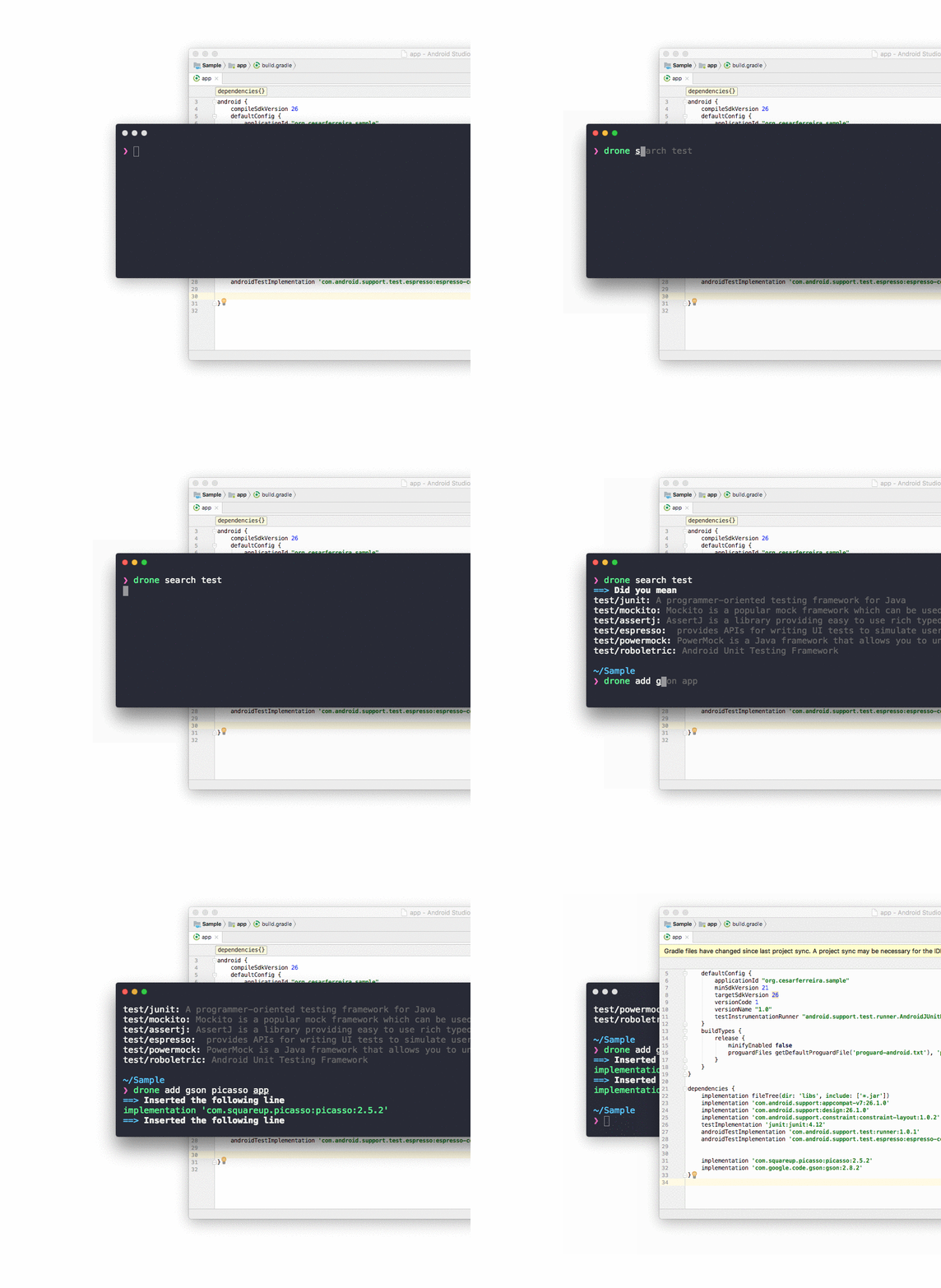
```
Usage
$ drone
$ drone install # Downloads the packages
$ drone test # Tests the library by fetching its version
$ drone add # Adds a dependency to a module
$ drone remove # Removes the dependency from a module
$ drone info # Retrieves the info for this package
$ drone update # Get the latest packages
$ drone list # List all of the packages
$ drone stats # Get some stats regarding the hive
$ drone hive # Opens the hive url
$ drone open # Opens the library's homepage
$ drone search # Searches for the 'library' in the hive
Examples
$ drone install # Downloads the packages
$ drone info picasso # Shows the info for picasso
$ drone add retrofit app # Adds retrofit to the 'app' module
$ drone rm retrofit app # removes retrofit from the 'app' module
$ drone open gson # Opens GSONs homepage
$ drone search rxjava # Searches the hive for 'rxjava'
$ drone test picasso # Tests the library by fetching its version
```
## Install
```sh
npm install -g drone
```
### What is it?
As an android developer I was jealous of the node.js community for their fast and reliable dependency managers, it's so easy to write `yarn add ` and a library is imported into the project... So I made `drone` for android!
If you think about it there are like 50 libraries that are used in 95% of the apps (retrofit, rxjava, gson, picasso, roboletric, recyclerview-v7, etc.)
I made this because every time I want to add (lets say) butterknife I need to
1. google butterknife
2. go to the readme
3. find the lines to copy
4. notice that butterknife has 2 dependencies
5. copy and paste in my gradle file
6. OPTIONAL if it was not in jcenter, go to the main build gradle and put the custom URL
OR...
```sh
drone add butterknife
```
and everything will be done for you automatically
# Where are the libraries?
Instead of maintaining a server with all the possible libraries I'm going with a [brew](https://brew.sh/) approach, the community will `create` a library `once` and it will be available to everyone else forever in the [hive](https://github.com/cesarferreira/drone-hive)!
Follow the instructions to create the `.json` file then open the pull request in the [hive](https://github.com/cesarferreira/drone-hive)
## Created by
[Cesar Ferreira](https://cesarferreira.com)
## License
MIT © [Cesar Ferreira](http://cesarferreira.com)
## Logo
by Freepik from www.flaticon.com is licensed by CC 3.0 BY