#  [](https://circleci.com/gh/kt3k/domaindoc)
[](https://codecov.io/gh/kt3k/domaindoc)
[](https://greenkeeper.io/)
> Generate documentation site of domain models from markdown sources
`domaindoc` is a command line tool for creating documentation site of your domain models using markdown files.
# Getting Started
First install it via npm:
npm install domaindoc
Then write markdown files for models like the below:
(source/user.md):
````markdown
---
name: User
desc: The user model
props:
- name: id
type: string
desc: The id of the user
- name: name
type: string
desc: The name of the user
---
User represents an user account in the service.
````
(source/item.md):
````markdown
---
name: Item
desc: The item model
props:
- name: id
type: string
desc: The id of the item
- name: name
type: string
desc: The name of the item
---
Item represents the item in the service. An user has 0 or more items.
````
Then run the command `domaindoc serve` like the below:
```console
$ ./node_modules/.bin/domaindoc serve
domaindoc [01:18:38] serving
domaindoc [01:18:38] Reading: source/**/*.md
domaindoc [01:18:38] Reading: source/**/*.md
domaindoc [01:18:38] Reading: source/**/*.css
domaindoc [01:18:38] Server started at: http://0.0.0.0:8011/
domaindoc [01:18:38] See debug info at: http://0.0.0.0:8011/__domaindoc__
domaindoc [01:18:38] Ready: source/**/*.css
domaindoc [01:18:38] Ready: source/**/*.md
domaindoc [01:18:38] Ready: source/**/*.md
```
Then access http://0.0.0.0:8011/index.html and you'll be seeing the documentation site:
(ScreenShot)
And when you finish modifying the source files, then hit the command `domaindoc build` like the below:
$ ./node_modules/.bin/domaindoc build
domaindoc [20:31:14] building
domaindoc [20:31:14] done
And then you get html documentation files in `build/` directory.
# YAML Properties
You can use properties in YAML front matter in the markdown sources.
name | type | description
-------|------------|---------
name | string | The name of the model (required)
type | string | The type of the model. e.g. Entity, ValueObject etc
labels | string[] | The arbitrary labels of the model
desc | string | The description of the model (required)
src | string | The url of the source code of the model (optional)
edit | string | The url of the edit page of the model document
props | Property[] | The properties of the model (optional)
Each *Property* object has the following properties in it.
name | type | description
-----|--------|---------
name | string | The name of the property (required)
type | string | The type of the property (required)
desc | string | The description of the property (optional)
# Build Configuration
`domaindoc` is configurable by creating `.domaindoc.yml`. You can configure the following properties:
name | type | description
------------|--------|-------------
dest | string | The destination dir
source | string | The source directory
title | string | The document title
port | number | The dev server port number
basepath | string | The basepath of the site
loggerTitle | string | The title of the logger
Example `.domaindoc.yml`:
```yaml
dest: doc/domain
source: src/domain
port: 50000
title: My App Domain Models
basepath: https://example.dom/domaindoc
```
# Example
- [Demo document](http://kt3k.github.io/moneybit/)
- [The source code](https://github.com/kt3k/moneybit/tree/master/packages/moneybit-domain)
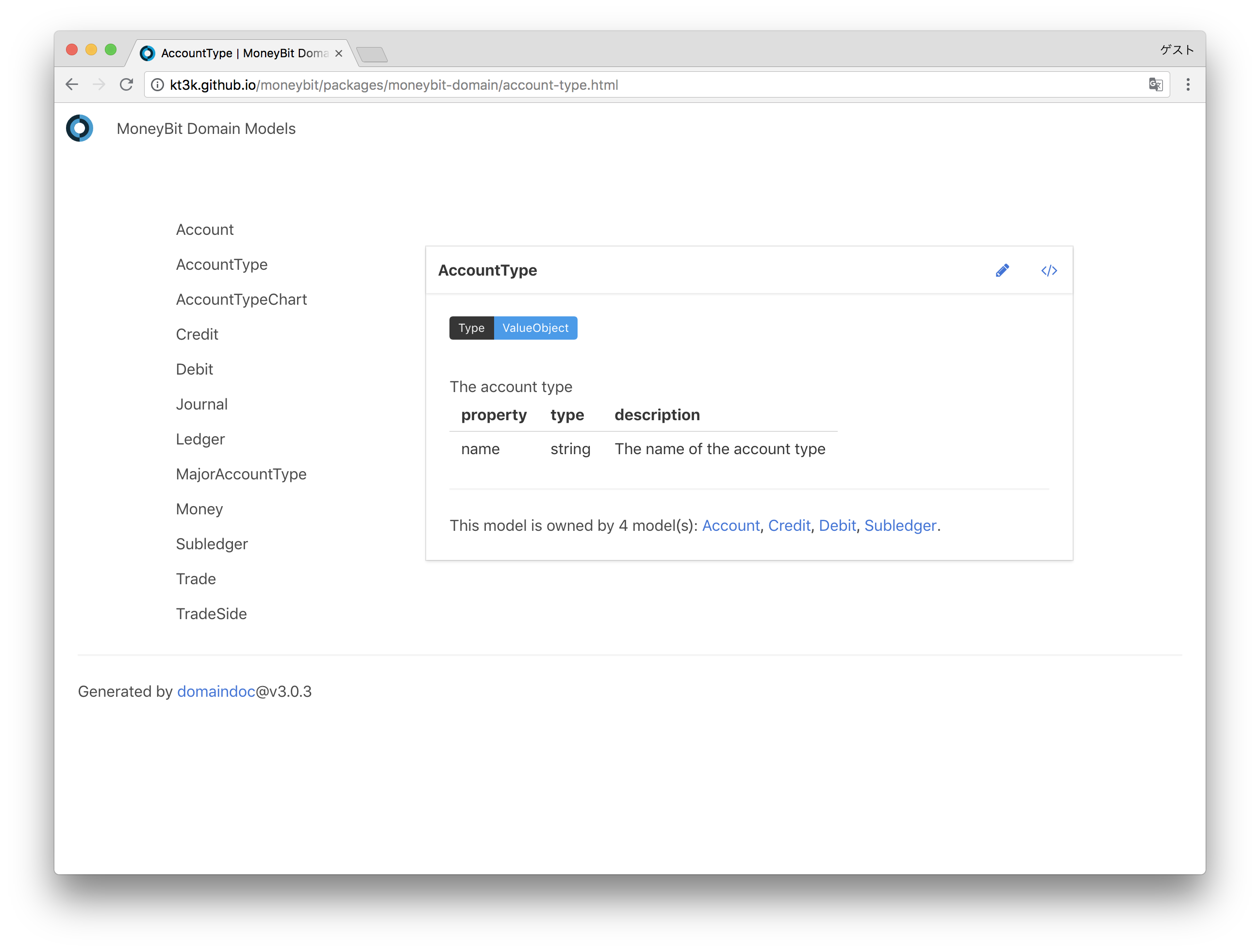
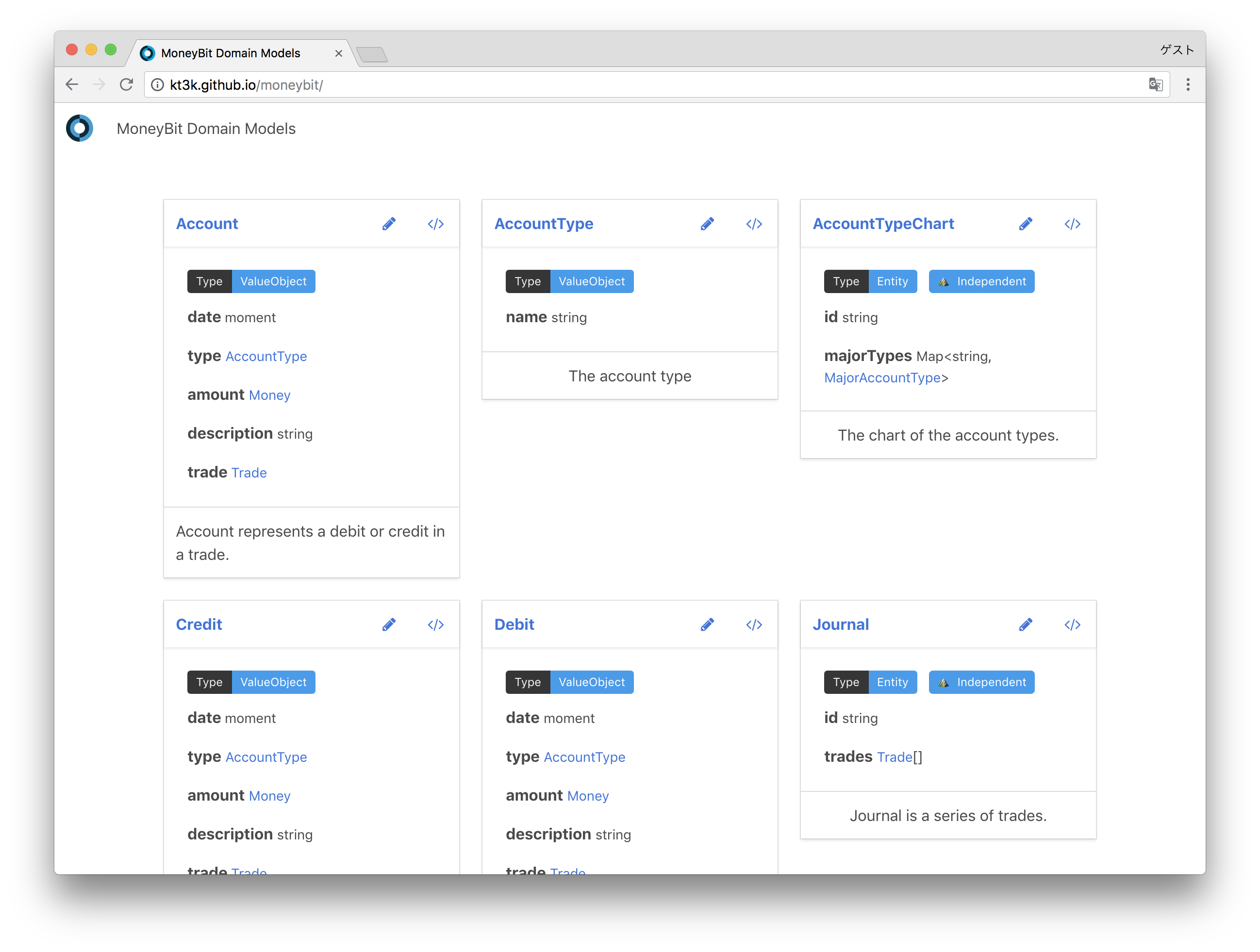
**Screenshots:**
[](https://circleci.com/gh/kt3k/domaindoc)
[](https://codecov.io/gh/kt3k/domaindoc)
[](https://greenkeeper.io/)
> Generate documentation site of domain models from markdown sources
`domaindoc` is a command line tool for creating documentation site of your domain models using markdown files.
# Getting Started
First install it via npm:
npm install domaindoc
Then write markdown files for models like the below:
(source/user.md):
````markdown
---
name: User
desc: The user model
props:
- name: id
type: string
desc: The id of the user
- name: name
type: string
desc: The name of the user
---
User represents an user account in the service.
````
(source/item.md):
````markdown
---
name: Item
desc: The item model
props:
- name: id
type: string
desc: The id of the item
- name: name
type: string
desc: The name of the item
---
Item represents the item in the service. An user has 0 or more items.
````
Then run the command `domaindoc serve` like the below:
```console
$ ./node_modules/.bin/domaindoc serve
domaindoc [01:18:38] serving
domaindoc [01:18:38] Reading: source/**/*.md
domaindoc [01:18:38] Reading: source/**/*.md
domaindoc [01:18:38] Reading: source/**/*.css
domaindoc [01:18:38] Server started at: http://0.0.0.0:8011/
domaindoc [01:18:38] See debug info at: http://0.0.0.0:8011/__domaindoc__
domaindoc [01:18:38] Ready: source/**/*.css
domaindoc [01:18:38] Ready: source/**/*.md
domaindoc [01:18:38] Ready: source/**/*.md
```
Then access http://0.0.0.0:8011/index.html and you'll be seeing the documentation site:
(ScreenShot)
And when you finish modifying the source files, then hit the command `domaindoc build` like the below:
$ ./node_modules/.bin/domaindoc build
domaindoc [20:31:14] building
domaindoc [20:31:14] done
And then you get html documentation files in `build/` directory.
# YAML Properties
You can use properties in YAML front matter in the markdown sources.
name | type | description
-------|------------|---------
name | string | The name of the model (required)
type | string | The type of the model. e.g. Entity, ValueObject etc
labels | string[] | The arbitrary labels of the model
desc | string | The description of the model (required)
src | string | The url of the source code of the model (optional)
edit | string | The url of the edit page of the model document
props | Property[] | The properties of the model (optional)
Each *Property* object has the following properties in it.
name | type | description
-----|--------|---------
name | string | The name of the property (required)
type | string | The type of the property (required)
desc | string | The description of the property (optional)
# Build Configuration
`domaindoc` is configurable by creating `.domaindoc.yml`. You can configure the following properties:
name | type | description
------------|--------|-------------
dest | string | The destination dir
source | string | The source directory
title | string | The document title
port | number | The dev server port number
basepath | string | The basepath of the site
loggerTitle | string | The title of the logger
Example `.domaindoc.yml`:
```yaml
dest: doc/domain
source: src/domain
port: 50000
title: My App Domain Models
basepath: https://example.dom/domaindoc
```
# Example
- [Demo document](http://kt3k.github.io/moneybit/)
- [The source code](https://github.com/kt3k/moneybit/tree/master/packages/moneybit-domain)
**Screenshots:**
 # History
- 2018-06-13 v3.0.0 Update bulma. Add tags.
- 2017-06-10 v2.8.0 Show owners in document.
- 2017-05-01 v2.5.0 Improve multiple documents.
- 2017-05-01 v2.4.0 Multiple document roots.
- 2017-04-30 v2.3.1 Fix watch.
- 2017-04-30 v2.3.0 Add logger title option.
- 2017-04-26 v2.0.0 Switch config file to yaml format.
- 2017-04-23 v1.8.0 Serve index page at directory root.
# License
MIT
# History
- 2018-06-13 v3.0.0 Update bulma. Add tags.
- 2017-06-10 v2.8.0 Show owners in document.
- 2017-05-01 v2.5.0 Improve multiple documents.
- 2017-05-01 v2.4.0 Multiple document roots.
- 2017-04-30 v2.3.1 Fix watch.
- 2017-04-30 v2.3.0 Add logger title option.
- 2017-04-26 v2.0.0 Switch config file to yaml format.
- 2017-04-23 v1.8.0 Serve index page at directory root.
# License
MIT