

<!--
 * @Author: Kang
 * @Date: 2024-10-09 17:18:54
 * @Last Modified by: Kang
 * @LastEditTime: 2024-10-12 11:03:13
-->
<p align="center">
  <img width="256px" src="https://raw.githubusercontent.com/kangshuolei/dls-map-doc/refs/heads/main/earth.svg">
</p>

<p align="center">
  <a href="https://github.com/kangshuolei/dls-map/blob/master/.github/workflows/main.yml" target="_blank">
    <img src="https://img.shields.io/github/actions/workflow/status/zouyaoji/vue-cesium/publish-npm.yml?style=plastic">
  </a>
  <a href="https://www.npmjs.com/package/dls-map" target="_blank">
    <img src="https://img.shields.io/npm/v/dls-map?style=plastic">
  </a>
   <a href="#badge"><img src="https://img.shields.io/github/languages/top/kangshuolei/dls-map" alt="language"></a>
  <a href="https://npmcharts.com/compare/dls-map?minimal=true" target="_blank">
    <img src="https://img.shields.io/npm/dm/dls-map?style=plastic">
  </a>
  <a href="https://github.com/kangshuolei/dls-map/blob/master/LICENSE" target="_blank">
    <img src="https://img.shields.io/github/license/kangshuolei/dls-map?style=plastic">
  </a>
  <a href="https://github.com/kangshuolei/dls-map/stargazers" target="_blank">
    <img src="https://img.shields.io/github/stars/kangshuolei/dls-map?style=plastic" />
  </a>
  <br>
</p>

<div align="center">

# Dls Map


dls map - 面向开发人员的基于 Vue 3 的 CesiumJS 组件库。[文档预览](https://kangshuolei.github.io/dls-map-doc/)

</div>

## ✨ 特性

- 🏄🏼‍♂️ 易学易用
- 🔋 dls-map 基于 Vue 3 和 Cesium 进一步封装，开发者可直接调用简单方法完成复杂的地图操作。
- 🛸 支持多格式地图数据加载，点线面生成等操作，极简接口让地理可视化开发更高效便捷。
- 🏟️ 提供丰富的地图管理工具，视角切换、轨迹记录等功能通过简化接口调用，轻松实现复杂操作。


## 🦾 环境支持

dls-map 可以在支持 [ES2018](https://caniuse.com/?feats=mdn-javascript_builtins_regexp_dotall,mdn-javascript_builtins_regexp_lookbehind_assertion,mdn-javascript_builtins_regexp_named_capture_groups,mdn-javascript_builtins_regexp_property_escapes,mdn-javascript_builtins_symbol_asynciterator,mdn-javascript_functions_method_definitions_async_generator_methods,mdn-javascript_grammar_template_literals_template_literal_revision,mdn-javascript_operators_destructuring_rest_in_objects,mdn-javascript_operators_spread_spread_in_destructuring,promise-finally) 和 [WebGL](https://caniuse.com/webgl) 的浏览器上运行。 如果您确实需要支持旧版本的浏览器，请自行添加 Babel 和相应的 Polyfill.

由于 Vue3 及 CesiumJS 1.85+ 不再支持 IE11，所以 dls-map 也不再支持 IE 浏览器。

| ![edge](https://unpkg.com/@browser-logos/edge/edge_32x32.png) | ![Firefox](https://unpkg.com/@browser-logos/firefox/firefox_32x32.png) | ![Chrome](https://unpkg.com/@browser-logos/chrome/chrome_32x32.png) | ![Safari](https://unpkg.com/@browser-logos/safari/safari_32x32.png) |
| :-----------------------------------------------------------: | :--------------------------------------------------------------------: | :-----------------------------------------------------------------: | :-----------------------------------------------------------------: |
|                           Edge ≥ 79                           |                              Firefox ≥ 78                              |                             Chrome ≥ 64                             |                             Safari ≥ 12                             |


## 📦 安装

## 🤹‍♀️ 使用包管理器安装

我们建议您<span style="color: rgb(66 184 131);"><b>使用包管理器</b></span>（npm，[yarn](https://classic.yarnpkg.com/lang/en/)，[pnpm](https://pnpm.io/zh/)）安装 `dls-map`，然后您就可以使用打包工具，例如 [vite](https://vitejs.dev), [webpack](https://webpack.js.org/)

```shell
# 选择一个你喜欢的包管理器

# npm
$ npm install dls-map --save

# yarn
$ yarn add dls-map

# pnpm
$ pnpm add dls-map
```

如果您的网络环境不好，建议使用 `nrm` 切换所用的包管理器的资源地址，或直接手动更改。

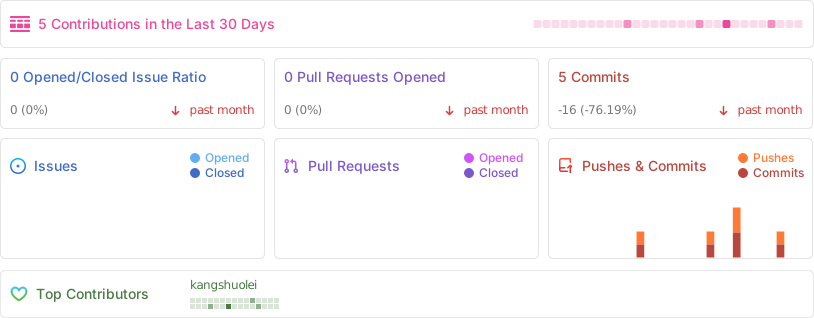
## 🪴 Project Activity
![Alt](https://repobeats.axiom.co/api/embed/83ab2b9de044e5e7dbe0c90f340aa2c27d7cb880.svg "Repobeats analytics image")