---
toc_max_heading_level: 4
---
# Actions
An action is typically represented as a button or icon and can be invoked by a user to execute a particular function.
Actions are added to Rancher via the `addAction` method.
## addAction
*(Rancher version v2.7.2)*
This method adds a button/action to the UI.
Method:
```ts
plugin.addAction(where: String, when: LocationConfig, options: Object);
```
_Arguments_
`where` string parameter admissable values for this method:
| Key | Type | Description |
|---|---|---|
|`ActionLocation.HEADER`| String | Location for an action on the Header of Rancher Dashboard |
|`ActionLocation.TABLE`| String | Location for an action on a List View Table of Rancher Dashboard |
`when` Object admissable values:
`LocationConfig` as described above for the [LocationConfig object](./common#locationconfig).
### ActionLocation.HEADER options
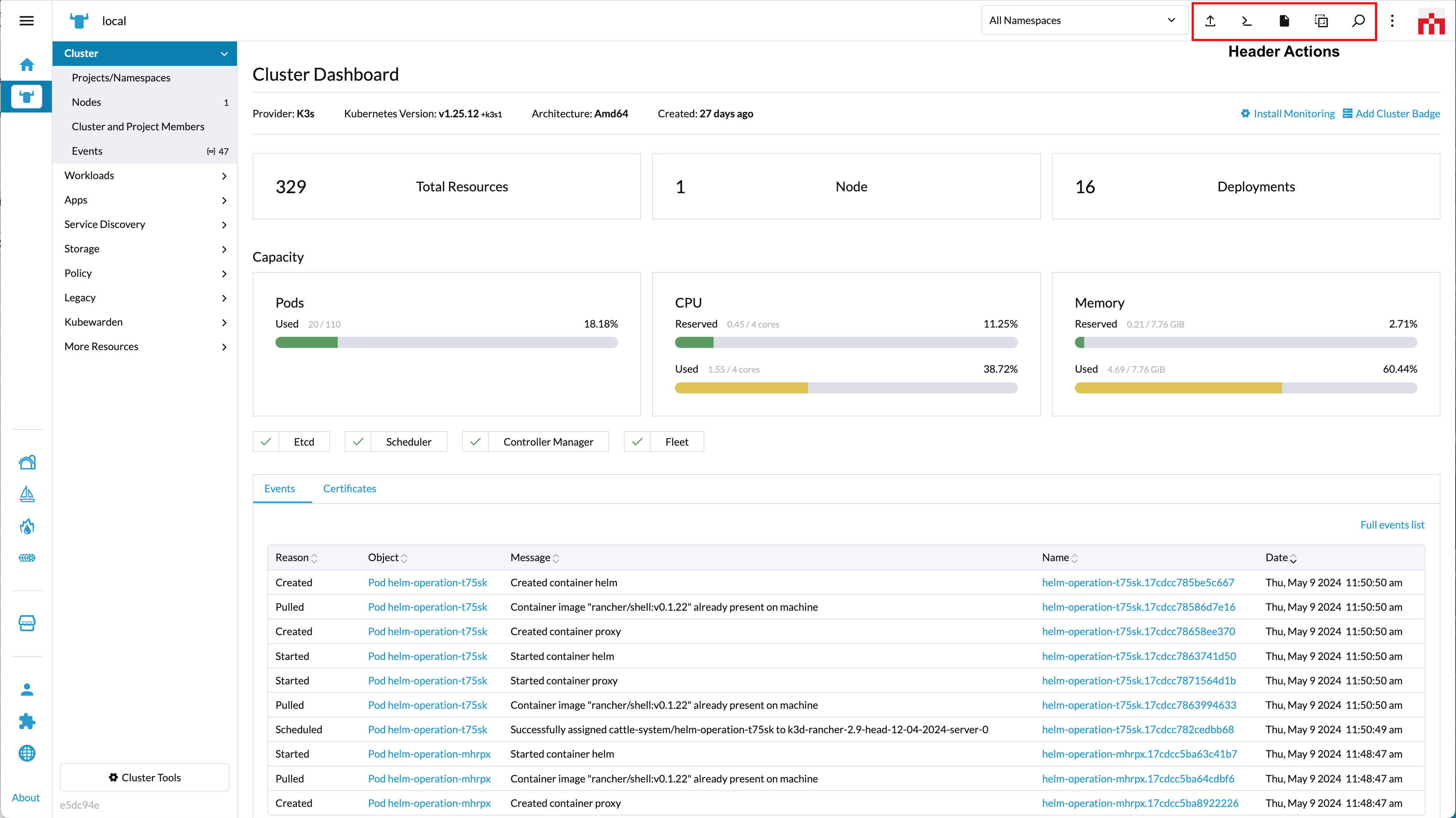
`options` config object. Admissable parameters for the `options` with `'ActionLocation.HEADER'` are:
| Key | Type | Description |
|---|---|---|
|`tooltip`| String | Text for tooltip of button |
|`tooltipKey`| String | Same as "tooltip" but allows for translation. Will superseed "tooltip" |
|`shortcut`| String | Shortcut key bindings. Passed as a string (ex: m), for which the default will be `Ctrl+m` for Linux/Windows and `Meta+m` for Mac OS. Check examples below |
|`icon`| String | icon name (based on [rancher icons](https://rancher.github.io/icons/)) |
|`svg`| Function | icon based on a SVG file which can be included using `@require` |
|`enabled`| Function | Whether the action/button is enabled or not |
|`invoke`| Function | function executed when action/button is clicked |
Usage example for `'ActionLocation.HEADER'`:
```ts
plugin.addAction(
ActionLocation.HEADER,
{},
{
tooltipKey: 'plugin-examples.header-action-one',
tooltip: 'Test Action1',
shortcut: 'm',
icon: 'icon-pipeline',
invoke(opts: any, resources: any) {
console.log('action executed 1', this); // eslint-disable-line no-console
console.log(opts); // eslint-disable-line no-console
console.log(resources); // eslint-disable-line no-console
}
}
);
```
```ts
plugin.addAction(
ActionLocation.HEADER,
{},
{
tooltipKey: 'plugin-examples.header-action-two',
tooltip: 'Test Action2',
shortcut: 'b',
svg: require('@pkg/test-features/icons/rancher-desktop.svg'),
enabled(ctx: any) {
return true;
},
invoke(opts: any, resources: any) {
console.log('action executed 2', this); // eslint-disable-line no-console
console.log(opts); // eslint-disable-line no-console
console.log(resources); // eslint-disable-line no-console
}
}
);
```
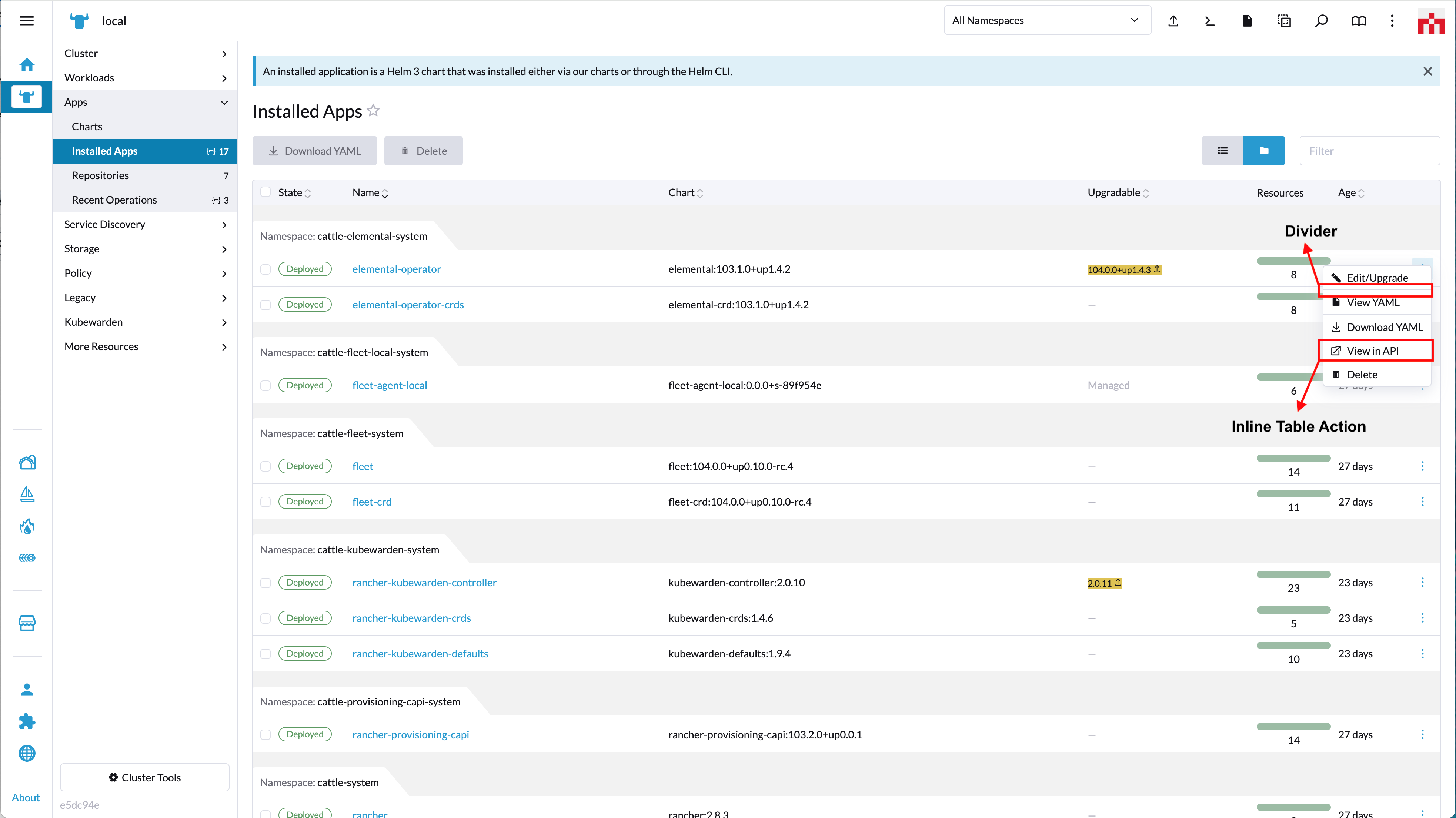
### ActionLocation.TABLE options
_INLINE TABLE ACTION_
_BULKABLE/GLOBAL TABLE ACTION_
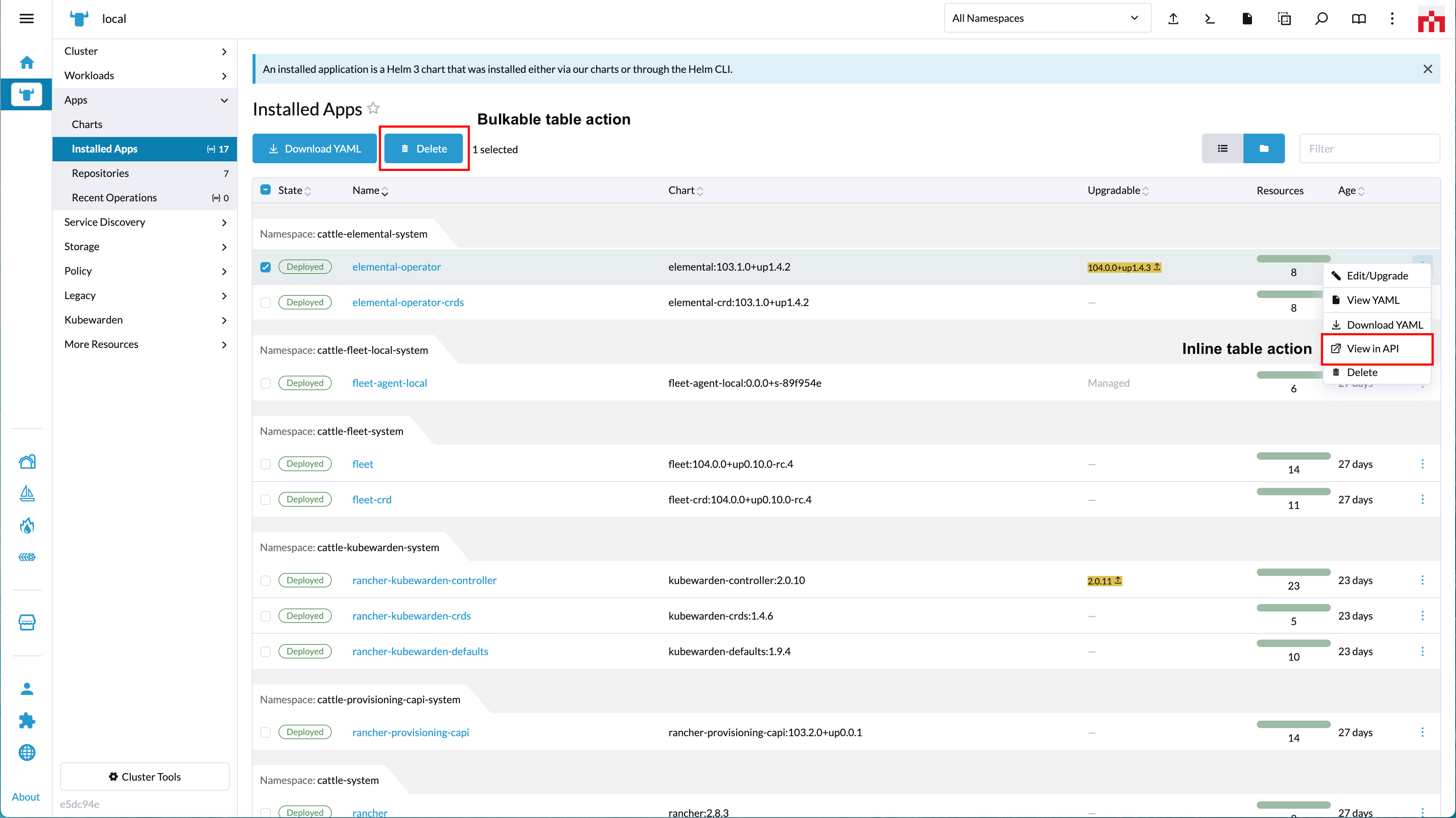
`options` config object. Admissable parameters for the `options` with `'ActionLocation.TABLE'` are:
| Key | Type | Description |
|---|---|---|
|`label`| String | Action label |
|`labelKey`| String | Same as "label" but allows for translation. Will superseed "label" |
|`icon`| String | icon name (based on [rancher icons](https://rancher.github.io/icons/)) |
|`svg`| Function | icon based on a SVG file which can be included using `@require` |
|`divider`| Boolean | Shows a line separator (divider) in actions menu |
|`multiple`| Boolean | Whether the action/button is bulkable (can be performed on multiple list items) |
|`enabled`| Function | Whether the action/button is enabled or not |
|`invoke`| Function | function executed when action/button is clicked |
Usage example for `'ActionLocation.TABLE'`:
_RENDERING A SIMPLE DIVIDER_
```ts
plugin.addAction(
ActionLocation.TABLE,
{ resource: ['catalog.cattle.io.clusterrepo'] },
{ divider: true });
```
_CONFIGURING A NON-BULKABLE ACTION (inline action)_
```ts
plugin.addAction(
ActionLocation.TABLE,
{ resource: ['catalog.cattle.io.clusterrepo'] },
{
label: 'some-extension-action',
labelKey: 'plugin-examples.table-action-one',
icon: 'icon-pipeline',
enabled(ctx: any) {
return true;
},
invoke(opts: ActionOpts, values: any[]) {
console.log('table action executed 1', this, opts, values); // eslint-disable-line no-console
}
}
);
```
_CONFIGURING AN INLINE AND BULKABLE ACTION_
```ts
plugin.addAction(
ActionLocation.TABLE,
{ resource: ['catalog.cattle.io.clusterrepo'] },
{
label: 'some-bulkable-action',
labelKey: 'plugin-examples.table-action-two',
svg: require('@pkg/test-features/icons/rancher-desktop.svg'),
multiple: true,
enabled(ctx: any) {
return true;
},
invoke(opts: ActionOpts, values: any[]) {
console.log('table action executed 2', this); // eslint-disable-line no-console
console.log(opts); // eslint-disable-line no-console
console.log(values); // eslint-disable-line no-console
},
}
);
```