# d3-parliament-chart
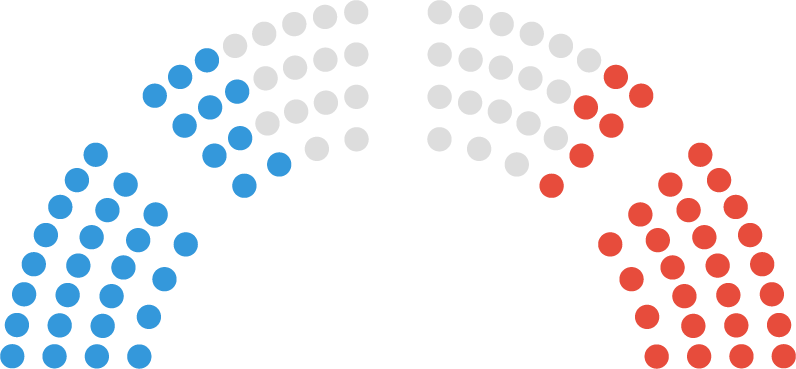
parliament / congress / legislature charts simplified
## Installing
If you use NPM, `npm install d3-parliament-chart`. Otherwise, download the [latest release](https://github.com/dkaoster/d3-parliament-chart/releases/latest).
## API Reference
#parliamentChart(data, width)
Given an array of objects and the width of the chart, `parliamentChart()` creates an object that can either be used to return processed seat locations or called on a d3 selection directly. The height is automatically set to half of the width. The most basic usage of this plugin:
```js
d3.select('g').call(d3.parliamentChart([
{ color: 'blue' }, { color: 'blue' }, { color: 'green' }, { color: 'red' }
]))
```
Note: if data objects contain x and y values, this library will overwrite those values. If the chart is not big enough to accommodate the given settings, it will fit a half circle and any further data points will not be assigned an x / y value.
#pc.data(data)
If data is provided, replaces the raw data in this object. If data is not provided, this function acts like a getter and adds a `x` and a `y` attribute to each element in the array, which specifies the coordinates of each point. Seats are arranged in order of their polar degrees, left to right corresponding with 0 to data length respectively.
#pc.aggregatedData(data)
This function provides a more convenient method to set an aggregated version of the data. It takes an array of objects in which each object has a `seats` key that specifies how many seats this party / color has. For instance, you can pass in:
```
[{ seats: 48, color: 'blue' }, { seats: 2, color: 'black' }, { seats: 50, color: 'red' }]
```
#pc.width(width)
Sets the width used for calculating the points of the parliament chart.
#pc.sections(sections)
Sets the number of sections we want to show in this parliament chart.
#pc.sectionGap(sectionGap)
Sets the gap between sections for this parliament chart.
#pc.seatRadius(seatRadius)
Sets the radius of each seat in this parliament chart.
#pc.rowHeight(rowHeight)
Sets the height of each row for this parliament chart.
#pc.debug(debug)
Takes a boolean that if true, draws a set of guidelines for what this chart is supposed to look like.
## Development Mode
Development mode enables you to work on this library locally. To run this repo in development mode, run
```
npm run dev
```
 # d3-parliament-chart
parliament / congress / legislature charts simplified
# d3-parliament-chart
parliament / congress / legislature charts simplified