<div align="center">

<img width="180" alt="cursor-memory" src="https://github.com/user-attachments/assets/1ebad884-73d7-423e-b04d-86b74fdd44e4" />

# cursor-memory

**Persistent, searchable memory for Cursor AI — You control what your AI remembers.**

[![License: MIT](https://img.shields.io/badge/License-MIT-yellow.svg)](https://opensource.org/licenses/MIT)
[![Node Version](https://img.shields.io/badge/node-%3E%3D20-brightgreen)](https://nodejs.org)
[![MCP](https://img.shields.io/badge/MCP-Compatible-blue)](https://modelcontextprotocol.io)
[![npm](https://img.shields.io/badge/npm-cursor--memory-green.svg)](https://www.npmjs.com/package/cursor-memory)
[![npm downloads](https://img.shields.io/npm/dt/cursor-memory)](https://www.npmjs.com/package/cursor-memory)

[The Problem](#-the-problem) • [Quick Demo](#-see-it-in-action) • [Installation](#-installation) • [Commands](#-commands) • [How It Works](#-how-it-works) • [Troubleshooting](#-troubleshooting)

</div>

---

## 😤 The Problem

You just spent an hour with Cursor AI figuring out the right architecture. You made decisions, weighed trade-offs, landed on a solution.

Then you open a new chat.
```
❌ "What database did we choose last week?"
   → "I don't have access to previous conversations."

❌ "Continue the migration plan from yesterday."
   → "Could you provide context about the migration?"

❌ "Why did we pick EFS over EBS again?"
   → "I don't have information about previous decisions."
```

**Every new chat, your AI has amnesia.** Every decision you made, every context you built — gone.

The workarounds make it worse:

| | |
|---|---|
| 📝 Save to a `.md` file | Now you have 1.000 files. Which one was it again? |
| 📎 Attach files to every chat | Token costs pile up. Most of it isn't even relevant. |
| 🔁 Retype context manually | You become the memory for a tool that's supposed to help you think. |

---

## ✨ See It in Action

<div align="center">
  <video src="https://github.com/user-attachments/assets/a6bcb5e2-15d8-4533-8240-56d6ee4d70f6" controls width="100%"></video>
  <p><sub>▶ Can't see the video? <a href="https://github.com/tranhuucanh/cursor-memory">Watch on GitHub</a></sub></p>
</div>

---

## 🎯 Why cursor-memory

**You decide what gets saved.** Type `/memo` when something matters — AI creates a structured memo, tags it, and stores it locally. Next time you need it, it's there.

<table>
  <tr>
    <td>🎛️ <b>You control what's saved</b></td>
    <td>Nothing gets saved without you triggering <code>/memo</code>. No background processes, no noise.</td>
  </tr>
  <tr>
    <td>⚡ <b>Context-aware auto-search</b></td>
    <td><b>AI detects when your question refers to past context and automatically searches your memories</b> — no command needed. <code>/recall</code> is available as a manual fallback.</td>
  </tr>
  <tr>
    <td>🔍 <b>Finds what you mean, not what you type</b></td>
    <td>Hybrid FTS5 keyword + vector semantic search. <b>Searches by meaning, not just exact words</b>.</td>
  </tr>
  <tr>
    <td>🌍 <b>Cross-language</b></td>
    <td><b>Save in any language, search in any language</b>. Multilingual E5 — 100+ languages, fully cross-lingual.</td>
  </tr>
  <tr>
    <td>📝 <b>Structured summaries</b></td>
    <td>AI generates organized memos with <b>Decisions → Key Details → Context → Next Steps</b> — not raw text dumps.</td>
  </tr>
  <tr>
    <td>📄 <b>Handles long content</b></td>
    <td>Long discussions are automatically split into overlapping chunks — <b>every section is searchable</b>, nothing gets lost.</td>
  </tr>
  <tr>
    <td>📁 <b>Global + per-repo scope</b></td>
    <td>Global memories visible everywhere. Repo memories isolated per project — one repo never sees another's context.</td>
  </tr>
  <tr>
    <td>🧠 <b>Choose your model</b></td>
    <td>Small (~50MB), Medium (~115MB), or Large (~270MB) — <b>pick the size that fits your machine</b>.</td>
  </tr>
  <tr>
    <td>🔒 <b>Fully private, runs offline</b></td>
    <td>No cloud. No API keys. No telemetry. Everything stays on your machine.</td>
  </tr>
</table>

---

## 📦 Installation

### Prerequisites

- **Node.js** — Node 20, 22, or 24 LTS recommended ([download](https://nodejs.org))
  - Native modules ship prebuilt binaries for these versions, no build tools required.
- **C++ compiler** *(optional)* — only needed as a fallback for non-LTS Node versions (Xcode CLI on Mac, `build-essential` on Ubuntu, VS Build Tools on Windows).

### ⚡ 2-minute setup

```bash
# 1. Install globally
npm install -g cursor-memory

# 2. Setup — downloads model, configures Cursor automatically
cursor-memory setup

# 3. Restart Cursor — done 🎉
```

The CLI handles everything:
- 📥 Downloads the embedding model
- ⚙️ Configures MCP server for Cursor
- 📋 Sets up AI behavior rules

### 🤖 Choose your model

| Model | Size | RAM | Best for |
|-------|------|-----|----------|
| Small | ~50MB | ~200MB | Lightweight, fast |
| Medium | ~115MB | ~500MB | Good balance |
| **Large** ⭐ | ~270MB | ~1GB | Best accuracy (recommended) |

All models support **100+ languages** and run **fully offline** after download.

---

## 💬 Commands

### In Cursor Chat

Three commands. That's it.

| Command | What it does |
|---------|-------------|
| `/memo` or `/memo [text]` | 💾 With text → saves directly. Without → AI summarizes the conversation into a structured memo |
| `/recall [query]` | 🔍 Searches your memories by keyword + semantic meaning |
| `/forget [query]` | 🗑️ Searches → previews matches → confirms before deleting |

> AI detects when your question refers to past context and automatically searches your memories — no command needed. `/recall` is available as a manual fallback.

<details>
<summary><b>🛠️ CLI Commands</b></summary>

```bash
cursor-memory setup      # First-time setup or switch model
cursor-memory status     # Check MCP, rules, model, database health
cursor-memory reset      # Clear all data and start fresh
cursor-memory -v         # Show version
cursor-memory --help     # Show all commands
```
</details>

## 🔬 How It Works

### 💾 Architecture

<p align="center">
  <img width="100%" alt="Architecture" src="https://github.com/user-attachments/assets/ce99fdff-854f-408c-8ab0-c4010cfb1493" />
</p>

### 💾 Save & Search Flow

<p align="center">
  <img alt="Save and Search Flow" width="100%" src="https://github.com/user-attachments/assets/b6761640-9172-4ca0-b53f-2d1adb7c6469" />
</p>

### 📁 Scope Isolation

<p align="center">
  <img alt="Scope Isolation" width="100%" src="https://github.com/user-attachments/assets/ac90d05a-2ae9-462d-912e-e284d5dc44d5" />
</p>

---

## 🧪 Tech Stack

| Component | Technology | Why |
|-----------|-----------|-----|
| 🔌 MCP Server | `@modelcontextprotocol/sdk` | Standard protocol for AI tool integration |
| 🗄️ Database | `better-sqlite3` | Zero-config, fast, embedded, WAL mode |
| 🔎 Vector search | `sqlite-vec` | Native C extension, cosine KNN, no external DB |
| 📝 Full-text search | SQLite FTS5 | BM25 ranking, auto-sync via triggers |
| 🧠 Embeddings | `@huggingface/transformers` | Local ONNX inference, no API keys |
| 🌍 Model | Multilingual E5 (Q8) | 100+ languages, asymmetric search, quantized |
| ⌨️ CLI | `commander` | Interactive setup, model management |
| 💻 Language | TypeScript (ESM) | Type safety, modern module system |

---

## 🐛 Troubleshooting

<details>
<summary><b>🔌 MCP not connecting after setup</b></summary>

Restart Cursor completely (quit and reopen — not just reload window).

```bash
cursor-memory status        # check system health
```

If auto-config failed, manually add MCP server in Cursor:

**Cursor → Settings → MCP** → Add server, or edit your MCP config file:

```json
{
  "mcpServers": {
    "cursor-memory": {
      "command": "npx",
      "args": ["-y", "cursor-memory"]
    }
  }
}
```
</details>

<details>
<summary><b>⚠️ Node.js version mismatch / "unsupported Node.js version"</b></summary>

cursor-memory requires Node **20, 22, or 24 LTS** — these are the versions that ship with prebuilt native binaries (`better-sqlite3`). Other versions may fail to install.

Check your version:

```bash
node -v
```

If you're on a non-LTS version (18, 19, 21, etc.), install an LTS via [nvm](https://github.com/nvm-sh/nvm):

```bash
nvm install 22
nvm use 22
npm install -g cursor-memory
cursor-memory setup
```

If you switched Node versions after installing, just reinstall:

```bash
npm install -g cursor-memory
cursor-memory setup
```
</details>

<details>
<summary><b>🔍 AI doesn't auto-search memories</b></summary>

Run `cursor-memory setup` again to reinstall rules.

If that doesn't work, manually add the rule via **Cursor → Settings → Rules** → create a new User rule and paste the following:

```
## cursor-memory MCP

### Auto-recall
BEFORE answering, ask yourself: "Does the user expect me to know something from a previous chat?"
If YES → call search_memory from cursor-memory MCP immediately. Do NOT answer first.
If UNSURE → answer normally, do NOT search.

Signs of past context (any language):
- References to previous decisions ("what did we choose", "as we discussed")
- Continuation requests ("continue the plan", "pick up where we left off")
- "We/our" referring to past work, not general questions
- Temporal cues: "last time", "before", "already", "remember", "yesterday"

### Auto-save awareness
After a substantive conversation, assess whether it produced knowledge worth preserving:

SUGGEST SAVING when:
- A decision was reached (chose X over Y, with reasoning)
- A plan, strategy, or approach was agreed upon
- A problem was analyzed and a solution was identified
- A comparison or evaluation was completed with a conclusion
- Important context, constraints, or requirements were established
- Knowledge was shared that would be useful to recall in future sessions

Do NOT suggest when:
- Quick Q&A with a generic/textbook answer
- Still exploring — no conclusion or decision yet
- User already said /memo in this conversation

How to suggest: at the END of your response, briefly ask:
"This seems worth remembering. Want me to /memo this?"
Do NOT auto-save without user confirmation.

### Commands
/memo → save to memory. With content: save directly. Without content: summarize conversation then save.
/recall → search via search_memory
/forget → delete via delete_memory
```
</details>

<details>
<summary><b>❌ Search returns no results</b></summary>

- Try more specific terms
- Similarity threshold is 0.2 — very broad queries may not match
- Consider upgrading to a larger model for better recall accuracy
</details>

---

## 🛠️ Development

```bash
git clone https://github.com/tranhuucanh/cursor-memory.git
cd cursor-memory
npm install
npm run build       # build once
npm run dev         # watch mode
node dist/cli.js setup
node dist/index.js
```

---

## 🤝 Contributing

1. 🍴 Fork the repository
2. 🌿 Create feature branch: `git checkout -b feature/your-feature`
3. 💾 Commit: `git commit -m 'feat: your feature'`
4. 🚀 Push: `git push origin feature/your-feature`
5. 🔁 Open a Pull Request

---

## 📄 License

MIT — see [LICENSE](LICENSE).

---

## 🙏 Acknowledgments

- [Model Context Protocol SDK](https://github.com/modelcontextprotocol/sdk)
- [HuggingFace Transformers.js](https://github.com/huggingface/transformers.js)
- [sqlite-vec](https://github.com/asg017/sqlite-vec) by Alex Garcia
- [Multilingual E5](https://huggingface.co/intfloat/multilingual-e5-base) by Microsoft

---

<div align="center">

**Built with ❤️ for developers who are tired of repeating themselves to AI**

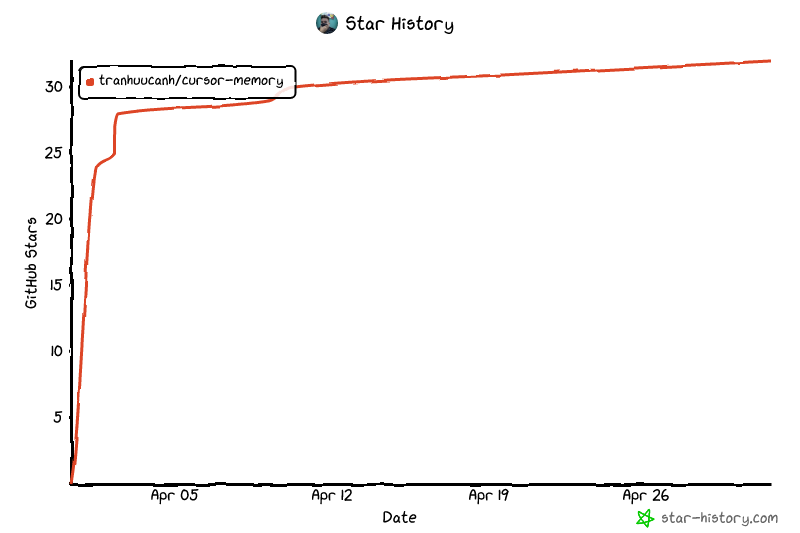
[![Star History Chart](https://api.star-history.com/image?repos=tranhuucanh/cursor-memory&type=date&legend=top-left)](https://www.star-history.com/?repos=tranhuucanh%2Fcursor-memory&type=date&legend=top-left)
[⬆ Back to top](#-cursor-memory)

</div>

