

# sidebase
 [](https://twitter.com/sidebase_io)
[](https://discord.gg/9MUHR8WT9B)
[](https://GitHub.com/sidestream-tech/sidebase/)
sidebase is a modern, best-practice, batteries-included fullstack-app starter based on Nuxt 3 and TypeScript.
With this nuxt 3 starter you get production-ready frontend + backend projects while still having fun! [Atinux, CEO of Nuxt](https://github.com/Atinux) said to sidebase on Twitter:
> Beautiful work on sidebase!
## Quick start
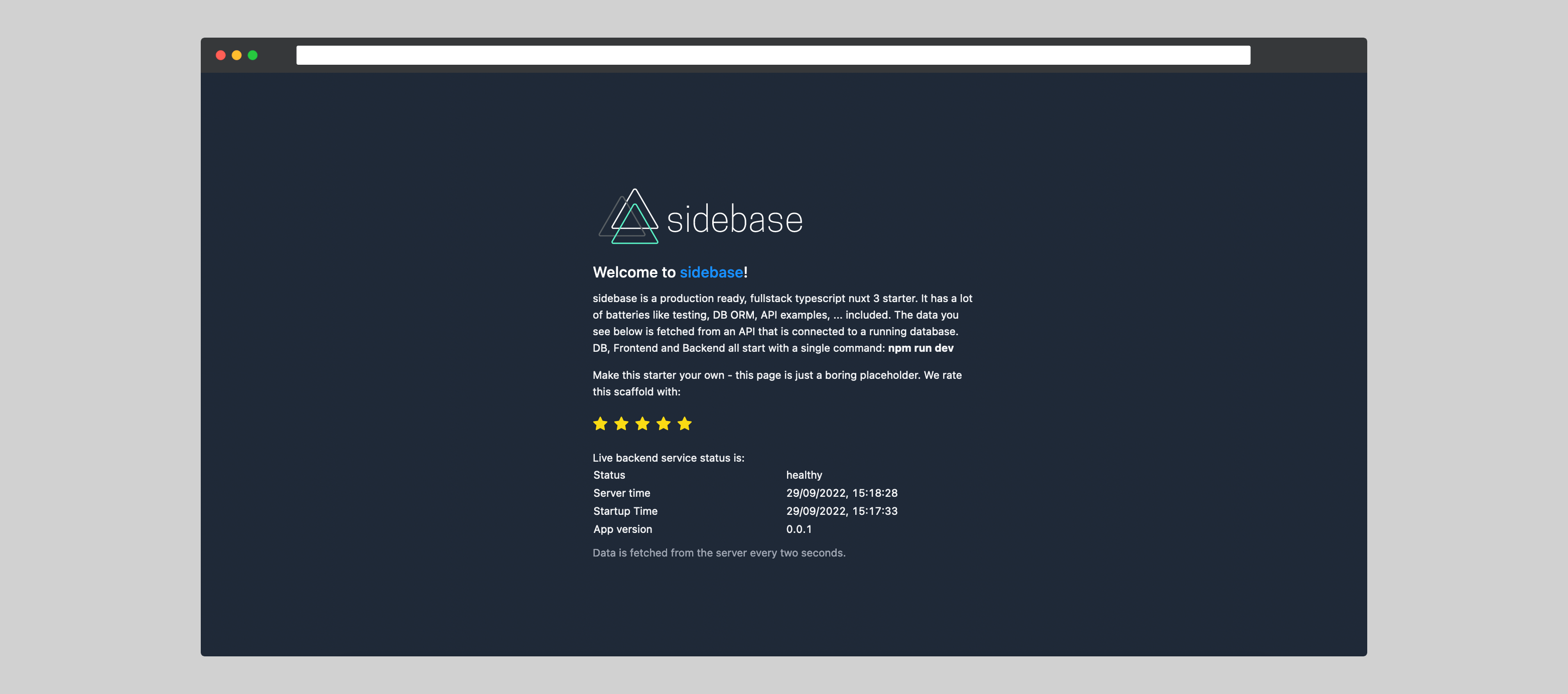
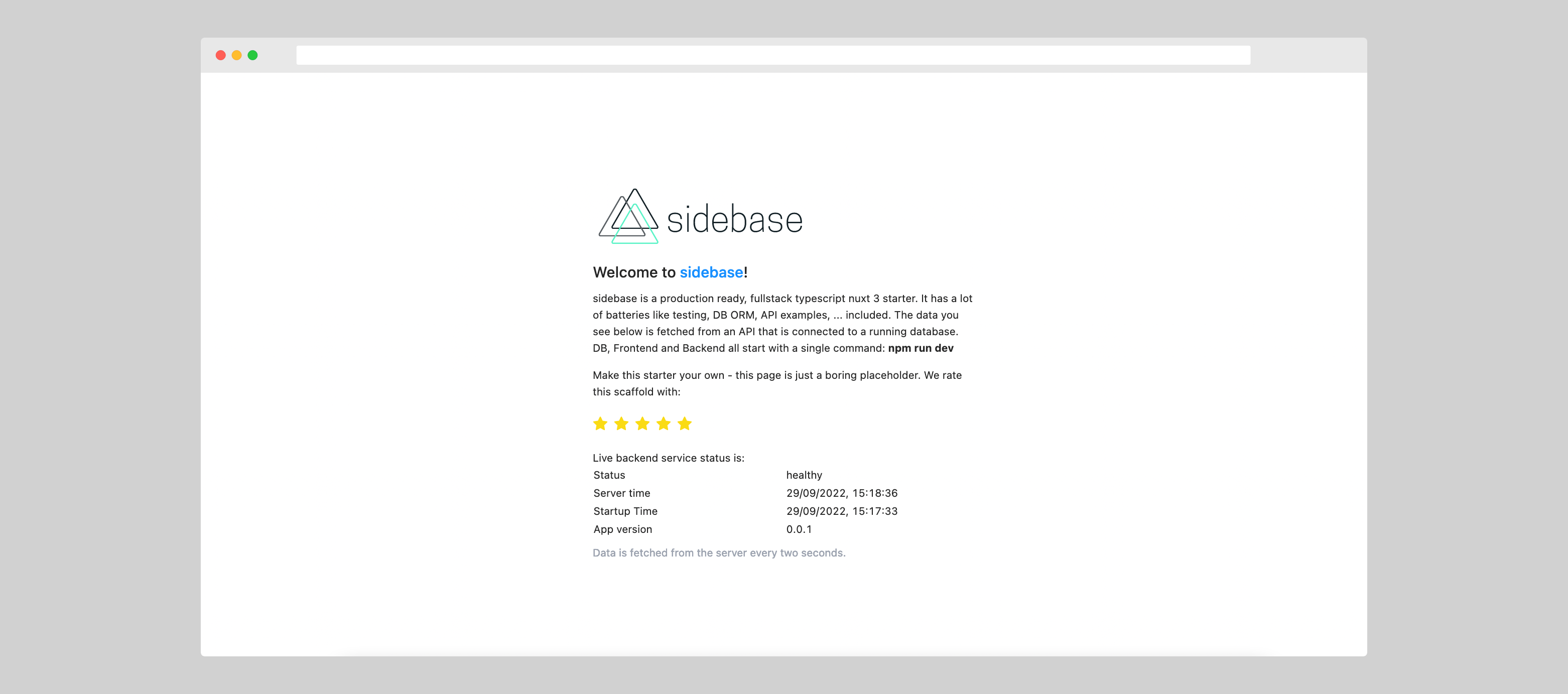
1. Use the official [`nuxi`-cli](https://v3.nuxtjs.org/api/commands/init) to start:
```sh
npx nuxi@latest init -t community/sidebase
```
2. Go into the `nuxt-sidebase/` directory
```sh
cd nuxt-sidebase
```
3. Install the dependencies
```sh
npm i
```
4. Start developing (with database, backend, API, ... running) at [localhost:3000](http://localhost:3000)
```sh
npm run dev
```
## Features
The key features are:
- 🎒 **Fullstack**: Develop frontend and backend in a single TypeScript code base
- Fullstack [`Vue 3`](https://vuejs.org/) + [`Nuxt 3 RC.10`](https://v3.nuxtjs.org/),
- Data base models, migrations, queries and easy DB-switching via [`TypeORM`](https://typeorm.io/),
- Frontend- and Backend data-transformation via [`nuxt-parse`](https://www.npmjs.com/package/@sidebase/nuxt-parse) and [`zod`](https://github.com/colinhacks/zod),
- In-memory development SQL-database via [`sqlite3`](https://www.sqlite.org/index.html),
- Linting via [`eslint`](https://eslint.org/),
- Test management, Test UI, component snapshotting via [`vitest`](https://vitest.dev/),
- Component tests via [`test-library/vue`](https://testing-library.com/),
- API tests via [`supertest`](https://github.com/visionmedia/supertest),
- Code coverage via [`c8`](https://github.com/bcoe/c8),
- Component stories via [`histoire`](https://histoire.dev/),
- CSS utiltities via [`TailwindCSS`](https://tailwindcss.com/),
- CSS components via [`Ant Design Vue`](https://antdv.com/components/overview),
- Type checking in script and template via [`Volar / vue-tsc`](https://github.com/johnsoncodehk/volar)
- 🏎️ **Fast to code**: Database, example tests, example components and example pages are all there for you to fill out
- 🐛 **Fewer bugs**: Strong data-validation using `zod` to validate all transferred data, fully typed API-routes, strict DB models via `TypeORM`
- 😊 **Easy to use**: Designed to follow best practices and to be ready-to-go for development, without additional dev-dependencies like `docker` that make it hard to get started
- 🚀 **Ready for launch**: Github Actions CI, Dockerfile, easy switch to most popular SQL-databases are all there, out of the box ([get in touch if you're missing something](https://github.com/sidestream-tech/sidebase/issues/new/choose))
To facilitate this `sidebase` bootstraps a nuxt 3 project that permits developing a backend and a frontend using just Nuxt 3 with overarching TypeScript support. We want to show the world how enjoyable end-to-end typescript programming can be, displacing the myth that JS/TS-backends are no good. This starter solves a lot fo the "real-world" problems that occur after you start using Nuxt or any other framework: How to write backend tests? How to write component tests? How to calculate test coverage? How to integrate a database? How to build a docker image? ...?
If you have any problems with this project (e.g., setting it up on your PC) [open an issue](https://github.com/sidestream-tech/sidebase/issues/new/choose) and we'll figure it out together with you 🎉
## Documentation
This is the documentation section of sidebase. It contains useful commands and guides to make your work easier and more pleasurable.
### Commands
Useful Commands for development, testing and deployment:
- Develop & Debug the app:
- `npm i`: Install required dependencies
- `npm run dev`: Start the fullstack app, including database
- `npm run story`: Start `histoire` for component story based development of UI
- Linting & Formatting (`npm run lint`)
- `npm run lint:style`: eslint for formatting & linting
- `npm run lint:style -- --fix`: Autofix styles and lints where possible
- `npm run lint:types`: typescript typechecking
- Testing & Code Coverage & Component Snapshots
- `npm run test`: Run tests once, report results and coverage
- `npm run test:watch`: Run tests and watch file changes, run tests for changed files
- `npm run test -- -u`: Update component snapshots after components changed
- `npm run test -- -t "some test-text"`: Run all tests with `some test-text` in their `test(...)` description
- `npm run test:ui`: Run the vitest testing web UI for easier test interaction
- `@testing-library/vue` for easy and best-practice component tests, [see example here](https://testing-library.com/docs/vue-testing-library/examples)
- breakpoint debugging (zero-config in VS Code)
1. Open the command palette (CMD / CTRL + SHIFT + P)
2. Select "Debug: JavaScript Debug Terminal"
3. Run any `npm` command inside `app/`, e.g.: `npm run test`
4. Your code editor colors should change a bit (e.g.: to orange) while executing the command, the left side should show deep execution insights
5. Set breakpoints (click left of line count in editor - red dot should appear) - the debugger will automatically work and stop at them and allow you to inspect variables
6. Run a command that runs the code you set breakpoints at, e.g., `npm run test`
- Building & Deploying:
- `npm run build`: Build the app for production
- `npm run start`: Start the app in production (requires `npm run build` beforehand)
- CSS usable without imports
- Utility & Styling: TailwindCSS 3
- Components: Ant Design Vue with component-auto-import
- slim docker ready
```sh
> docker build -t nuxt3-app .
> docker run -p 3000:3000 --init --rm nuxt3-app
```
- Note: Docker is not required for development or deployment - for development `sqlite3` is used and will launch automatically via `npm run dev` 🚀
- Miscallaneous
- `nvm use`: If you use `nvm`, use this command to make sure that your local environment uses the correct, required node version
- Pre-commit checking (husky) & fixing (lint-staged)
- github CI pipeline to linting, testing, typing checks
- nuxt-component support in tests and histoire
- debug sql database queries by setting `logging: true` in the `database/index.ts`: This will show you a live log of all ongoing database queries which is super helpful to debug database problems
### Guides
Useful guides to get started with or use more advanced features of `sidebase`.
#### First time node and npm setup
If this is the first time you run a `npm` / `node` app on your setup:
1. Install the `node` version manager `nvm` by running:
```sh
> curl -o- https://raw.githubusercontent.com/nvm-sh/nvm/v0.39.1/install.sh | bash
```
2. Install the required `node` and `npm` version:
```sh
# uses existing `.nvmrc`-file to install required version
> nvm install
```
3. Use the required `node` and `npm` version:
```sh
# uses `.nvmrc` to use required version
> nvm use
# ALTERNATIVE: make node 16.14.2 your default node version (version copied from `.nvmrc`, check there for most up to date node version)
> nvm alias default 16.14.2
```
4. Install a code editor (recommended: VS Code), [get it here](https://code.visualstudio.com/)
5. Uninstall or disable the old Vue VS Code extension `Vetur`, else conflicts may arise between `volar` and `Vetur`
6. Install the `volar` extension to support `vue`, `nuxt` and `typescript` development help
- for vs code: https://marketplace.visualstudio.com/items?itemName=johnsoncodehk.volar
- sublime LSP: https://github.com/sublimelsp/LSP-volar
- vim: https://github.com/yaegassy/coc-volar
7. Enable "take over mode" for volar for this project.
- documented here: https://github.com/johnsoncodehk/volar/discussions/471
- for VS Code:
1. Run (CMD/CTRL + SHIFT + P): Extensions: Show Built-in Extensions
2. Find "TypeScript and JavaScript Language Features"
3. Right click and select "disable for workspace"
4. Reload the editor
5. A message "Take over mode enabled" (or similar) should appear
8. Go to the [top of this section](#commands) and execute commands (start with `npm i` to get all packages!)
If you have type-problems after running `npm i` for the first time:
- Ensure you have `vetur` disabled or uninstalled (see above),
- Ensure you have the builtin `typescript` extention of VS Code disabled (see above),
- Reload the `vue` volar server (VS Code command: "Volar: Restart Vue Server")
- Close and re-open the file you have problems with
If none of this works, file an issue (preferrably with a reproduction) [here](https://github.com/sidestream-tech/sidebase/issues/new/choose).
#### `nuxt-sidestream-parse`
1. [`nuxt-sidestream-parse`](https://www.npmjs.com/package/@sidebase/nuxt-parse) to validate and deserialize data from the `server` in the `frontend`:
- Define a zod-schema for the response of your endpoint, [like so](./app/server/schemas/healthz.ts):
```ts
// file: ~/server/schemas/healthz.ts
import { z } from '@sidebase/nuxt-parse'
import { transformStringToDate } from './helpers'
export const responseSchemaHealthCheck = z.object({
status: z.literal('healthy'),
time: z.string().transform(transformStringToDate),
nuxtAppVersion: z.string(),
})
export type ResponseHealthcheck = z.infer
```
- Define an endpoint that returns complex data (e.g.: date-objects), [like so](./app/server/api/healthz.get.ts):
```ts
// file: ~/server/api/healthz.get.ts
import { defineEventHandler } from 'h3'
import type { ResponseHealthcheck } from '~/server/schemas/healthz'
export default defineEventHandler((): ResponseHealthcheck => {
return {
status: 'healthy',
time: new Date(),
nuxtAppVersion: process.env.NUXT_APP_VERSION || 'unknown',
}
})
```
- Call it from the frontend, get free data validation, derserialization (e.g.: string-date is transformed to `Date` object) and typing, [like so](./app/pages/index.vue):
```ts
// file: ~/pages/index.vue
import { makeParser } from '@sidebase/nuxt-parse'
import { responseSchemaHealthCheck } from '~/server/schemas/healthz'
const transform = makeParser(responseSchemaHealthCheck)
const { data } = await useFetch('/api/healthz', { transform })
console.log(data)
// -> Object { status: "healthy", time: Date Thu Sep 15 2022 15:45:53 GMT+0200 (Central European Summer Time), nuxtAppVersion: "unknown" }
```
- That's it! `data` will be fully typed AND all data inside will be de-serialized, so `time` will be a `Date`-object, and not a string, that you first need to deserialize
- If an `error` is thrown, it's done using nuxt [`createError`](https://v3.nuxtjs.org/api/utils/create-error/), so it works well in frontend and on the server. `data` will be null in that case. You can find zod-details about your error in `error.data`
2. Use [`nuxt-sidestream-parse`](https://www.npmjs.com/package/@sidebase/nuxt-parse) to validate data that the user has passed to your API endpoint:
- Parse user data like this:
```ts
import { defineEventHandler } from 'h3'
import type { CompatibilityEvent } from 'h3'
import { parseBodyAs, z } from '@sidebase/nuxt-parse'
export default defineEventHandler(async (event: CompatibilityEvent) => {
// Parse the payload using the update schema. The parsing is important to avoid bad, incorrect or malicious data coming in
const payload = await parseBodyAs(event, z.object({
requestId: z.string().uuid(),
pleaseDoubleThisNumber: z.number()
}))
return {
requestId: payload.requestId,
doubledNumber: 2 * payload.pleaseDoubleThisNumber
}
})
```
- Other helpers like `parseQueryAs`, `parseCookiesAs`, `parseParamsAs`, ... are defined in `@sidebase/nuxt-parse`. See a bigger [example here](./app/server/api/example/%5Bid%5D.patch.ts)
## License
[MIT](./LICENSE)
[](https://twitter.com/sidebase_io)
[](https://discord.gg/9MUHR8WT9B)
[](https://GitHub.com/sidestream-tech/sidebase/)
sidebase is a modern, best-practice, batteries-included fullstack-app starter based on Nuxt 3 and TypeScript.
With this nuxt 3 starter you get production-ready frontend + backend projects while still having fun! [Atinux, CEO of Nuxt](https://github.com/Atinux) said to sidebase on Twitter:
> Beautiful work on sidebase!
## Quick start


1. Use the official [`nuxi`-cli](https://v3.nuxtjs.org/api/commands/init) to start:
```sh
npx nuxi@latest init -t community/sidebase
```
2. Go into the `nuxt-sidebase/` directory
```sh
cd nuxt-sidebase
```
3. Install the dependencies
```sh
npm i
```
4. Start developing (with database, backend, API, ... running) at [localhost:3000](http://localhost:3000)
```sh
npm run dev
```
## Features
The key features are:
- 🎒 **Fullstack**: Develop frontend and backend in a single TypeScript code base
- Fullstack [`Vue 3`](https://vuejs.org/) + [`Nuxt 3 RC.10`](https://v3.nuxtjs.org/),
- Data base models, migrations, queries and easy DB-switching via [`TypeORM`](https://typeorm.io/),
- Frontend- and Backend data-transformation via [`nuxt-parse`](https://www.npmjs.com/package/@sidebase/nuxt-parse) and [`zod`](https://github.com/colinhacks/zod),
- In-memory development SQL-database via [`sqlite3`](https://www.sqlite.org/index.html),
- Linting via [`eslint`](https://eslint.org/),
- Test management, Test UI, component snapshotting via [`vitest`](https://vitest.dev/),
- Component tests via [`test-library/vue`](https://testing-library.com/),
- API tests via [`supertest`](https://github.com/visionmedia/supertest),
- Code coverage via [`c8`](https://github.com/bcoe/c8),
- Component stories via [`histoire`](https://histoire.dev/),
- CSS utiltities via [`TailwindCSS`](https://tailwindcss.com/),
- CSS components via [`Ant Design Vue`](https://antdv.com/components/overview),
- Type checking in script and template via [`Volar / vue-tsc`](https://github.com/johnsoncodehk/volar)
- 🏎️ **Fast to code**: Database, example tests, example components and example pages are all there for you to fill out
- 🐛 **Fewer bugs**: Strong data-validation using `zod` to validate all transferred data, fully typed API-routes, strict DB models via `TypeORM`
- 😊 **Easy to use**: Designed to follow best practices and to be ready-to-go for development, without additional dev-dependencies like `docker` that make it hard to get started
- 🚀 **Ready for launch**: Github Actions CI, Dockerfile, easy switch to most popular SQL-databases are all there, out of the box ([get in touch if you're missing something](https://github.com/sidestream-tech/sidebase/issues/new/choose))
To facilitate this `sidebase` bootstraps a nuxt 3 project that permits developing a backend and a frontend using just Nuxt 3 with overarching TypeScript support. We want to show the world how enjoyable end-to-end typescript programming can be, displacing the myth that JS/TS-backends are no good. This starter solves a lot fo the "real-world" problems that occur after you start using Nuxt or any other framework: How to write backend tests? How to write component tests? How to calculate test coverage? How to integrate a database? How to build a docker image? ...?
If you have any problems with this project (e.g., setting it up on your PC) [open an issue](https://github.com/sidestream-tech/sidebase/issues/new/choose) and we'll figure it out together with you 🎉
## Documentation
This is the documentation section of sidebase. It contains useful commands and guides to make your work easier and more pleasurable.
### Commands
Useful Commands for development, testing and deployment:
- Develop & Debug the app:
- `npm i`: Install required dependencies
- `npm run dev`: Start the fullstack app, including database
- `npm run story`: Start `histoire` for component story based development of UI
- Linting & Formatting (`npm run lint`)
- `npm run lint:style`: eslint for formatting & linting
- `npm run lint:style -- --fix`: Autofix styles and lints where possible
- `npm run lint:types`: typescript typechecking
- Testing & Code Coverage & Component Snapshots
- `npm run test`: Run tests once, report results and coverage
- `npm run test:watch`: Run tests and watch file changes, run tests for changed files
- `npm run test -- -u`: Update component snapshots after components changed
- `npm run test -- -t "some test-text"`: Run all tests with `some test-text` in their `test(...)` description
- `npm run test:ui`: Run the vitest testing web UI for easier test interaction
- `@testing-library/vue` for easy and best-practice component tests, [see example here](https://testing-library.com/docs/vue-testing-library/examples)
- breakpoint debugging (zero-config in VS Code)
1. Open the command palette (CMD / CTRL + SHIFT + P)
2. Select "Debug: JavaScript Debug Terminal"
3. Run any `npm` command inside `app/`, e.g.: `npm run test`
4. Your code editor colors should change a bit (e.g.: to orange) while executing the command, the left side should show deep execution insights
5. Set breakpoints (click left of line count in editor - red dot should appear) - the debugger will automatically work and stop at them and allow you to inspect variables
6. Run a command that runs the code you set breakpoints at, e.g., `npm run test`
- Building & Deploying:
- `npm run build`: Build the app for production
- `npm run start`: Start the app in production (requires `npm run build` beforehand)
- CSS usable without imports
- Utility & Styling: TailwindCSS 3
- Components: Ant Design Vue with component-auto-import
- slim docker ready
```sh
> docker build -t nuxt3-app .
> docker run -p 3000:3000 --init --rm nuxt3-app
```
- Note: Docker is not required for development or deployment - for development `sqlite3` is used and will launch automatically via `npm run dev` 🚀
- Miscallaneous
- `nvm use`: If you use `nvm`, use this command to make sure that your local environment uses the correct, required node version
- Pre-commit checking (husky) & fixing (lint-staged)
- github CI pipeline to linting, testing, typing checks
- nuxt-component support in tests and histoire
- debug sql database queries by setting `logging: true` in the `database/index.ts`: This will show you a live log of all ongoing database queries which is super helpful to debug database problems
### Guides
Useful guides to get started with or use more advanced features of `sidebase`.
#### First time node and npm setup
If this is the first time you run a `npm` / `node` app on your setup:
1. Install the `node` version manager `nvm` by running:
```sh
> curl -o- https://raw.githubusercontent.com/nvm-sh/nvm/v0.39.1/install.sh | bash
```
2. Install the required `node` and `npm` version:
```sh
# uses existing `.nvmrc`-file to install required version
> nvm install
```
3. Use the required `node` and `npm` version:
```sh
# uses `.nvmrc` to use required version
> nvm use
# ALTERNATIVE: make node 16.14.2 your default node version (version copied from `.nvmrc`, check there for most up to date node version)
> nvm alias default 16.14.2
```
4. Install a code editor (recommended: VS Code), [get it here](https://code.visualstudio.com/)
5. Uninstall or disable the old Vue VS Code extension `Vetur`, else conflicts may arise between `volar` and `Vetur`
6. Install the `volar` extension to support `vue`, `nuxt` and `typescript` development help
- for vs code: https://marketplace.visualstudio.com/items?itemName=johnsoncodehk.volar
- sublime LSP: https://github.com/sublimelsp/LSP-volar
- vim: https://github.com/yaegassy/coc-volar
7. Enable "take over mode" for volar for this project.
- documented here: https://github.com/johnsoncodehk/volar/discussions/471
- for VS Code:
1. Run (CMD/CTRL + SHIFT + P): Extensions: Show Built-in Extensions
2. Find "TypeScript and JavaScript Language Features"
3. Right click and select "disable for workspace"
4. Reload the editor
5. A message "Take over mode enabled" (or similar) should appear
8. Go to the [top of this section](#commands) and execute commands (start with `npm i` to get all packages!)
If you have type-problems after running `npm i` for the first time:
- Ensure you have `vetur` disabled or uninstalled (see above),
- Ensure you have the builtin `typescript` extention of VS Code disabled (see above),
- Reload the `vue` volar server (VS Code command: "Volar: Restart Vue Server")
- Close and re-open the file you have problems with
If none of this works, file an issue (preferrably with a reproduction) [here](https://github.com/sidestream-tech/sidebase/issues/new/choose).
#### `nuxt-sidestream-parse`
1. [`nuxt-sidestream-parse`](https://www.npmjs.com/package/@sidebase/nuxt-parse) to validate and deserialize data from the `server` in the `frontend`:
- Define a zod-schema for the response of your endpoint, [like so](./app/server/schemas/healthz.ts):
```ts
// file: ~/server/schemas/healthz.ts
import { z } from '@sidebase/nuxt-parse'
import { transformStringToDate } from './helpers'
export const responseSchemaHealthCheck = z.object({
status: z.literal('healthy'),
time: z.string().transform(transformStringToDate),
nuxtAppVersion: z.string(),
})
export type ResponseHealthcheck = z.infer
```
- Define an endpoint that returns complex data (e.g.: date-objects), [like so](./app/server/api/healthz.get.ts):
```ts
// file: ~/server/api/healthz.get.ts
import { defineEventHandler } from 'h3'
import type { ResponseHealthcheck } from '~/server/schemas/healthz'
export default defineEventHandler((): ResponseHealthcheck => {
return {
status: 'healthy',
time: new Date(),
nuxtAppVersion: process.env.NUXT_APP_VERSION || 'unknown',
}
})
```
- Call it from the frontend, get free data validation, derserialization (e.g.: string-date is transformed to `Date` object) and typing, [like so](./app/pages/index.vue):
```ts
// file: ~/pages/index.vue
import { makeParser } from '@sidebase/nuxt-parse'
import { responseSchemaHealthCheck } from '~/server/schemas/healthz'
const transform = makeParser(responseSchemaHealthCheck)
const { data } = await useFetch('/api/healthz', { transform })
console.log(data)
// -> Object { status: "healthy", time: Date Thu Sep 15 2022 15:45:53 GMT+0200 (Central European Summer Time), nuxtAppVersion: "unknown" }
```
- That's it! `data` will be fully typed AND all data inside will be de-serialized, so `time` will be a `Date`-object, and not a string, that you first need to deserialize
- If an `error` is thrown, it's done using nuxt [`createError`](https://v3.nuxtjs.org/api/utils/create-error/), so it works well in frontend and on the server. `data` will be null in that case. You can find zod-details about your error in `error.data`
2. Use [`nuxt-sidestream-parse`](https://www.npmjs.com/package/@sidebase/nuxt-parse) to validate data that the user has passed to your API endpoint:
- Parse user data like this:
```ts
import { defineEventHandler } from 'h3'
import type { CompatibilityEvent } from 'h3'
import { parseBodyAs, z } from '@sidebase/nuxt-parse'
export default defineEventHandler(async (event: CompatibilityEvent) => {
// Parse the payload using the update schema. The parsing is important to avoid bad, incorrect or malicious data coming in
const payload = await parseBodyAs(event, z.object({
requestId: z.string().uuid(),
pleaseDoubleThisNumber: z.number()
}))
return {
requestId: payload.requestId,
doubledNumber: 2 * payload.pleaseDoubleThisNumber
}
})
```
- Other helpers like `parseQueryAs`, `parseCookiesAs`, `parseParamsAs`, ... are defined in `@sidebase/nuxt-parse`. See a bigger [example here](./app/server/api/example/%5Bid%5D.patch.ts)
## License
[MIT](./LICENSE)